Kanguru in the UAE, Saudi Arabia and the GCC
PRO TECHnology in Dubai supplies Kanguru’s hardware-encrypted USB drives and portable drives, KRMC remote management and KanguruClone duplicators to organisations across the Gulf. PRO TECHnology is Kanguru’s exclusive distributor and partner for the Middle East, and Kanguru’s EMEA partner directory lists PRO TECHnology for the UAE, Saudi Arabia, Qatar, Kuwait, Oman, Bahrain and Jordan. The partnership began in August 2021 and was announced by Kanguru on 1 September 2021; our partnership announcement tells the story and explains the range in plain words. Since September 2024 Kanguru has been part of the iStorage Group, and its current sales sheets read “an iStorage Group Company”.
Countries
UAE, Saudi Arabia, Qatar, Kuwait, Oman and Bahrain, plus Jordan, as listed in Kanguru’s EMEA partner directory. Saudi enquiries go through PRONEXT, the group’s Saudi operation in Riyadh.
Products
Defender encrypted USB flash drives, Defender HDD350 and SSD350 portable drives, KRMC licences and KanguruClone duplicators.
How to buy
Kanguru’s online store sells only within the United States, so organisations in the region buy through us. Send us your requirement and we will quote, or book a demonstration at our showroom: Showroom 3, Aswar Building, Sheikh Zayed Road, Business Bay, Dubai.
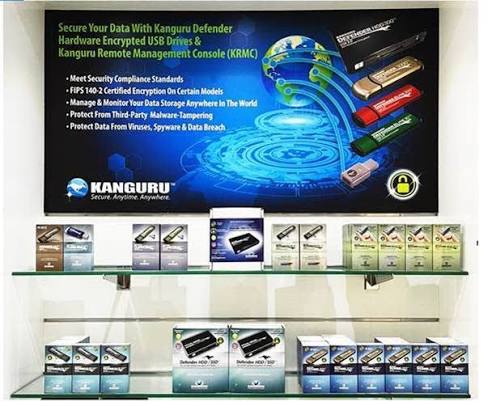
Our Secure Solutions

Kanguru Defender secure USB drives with AES 256-bit hardware encryption
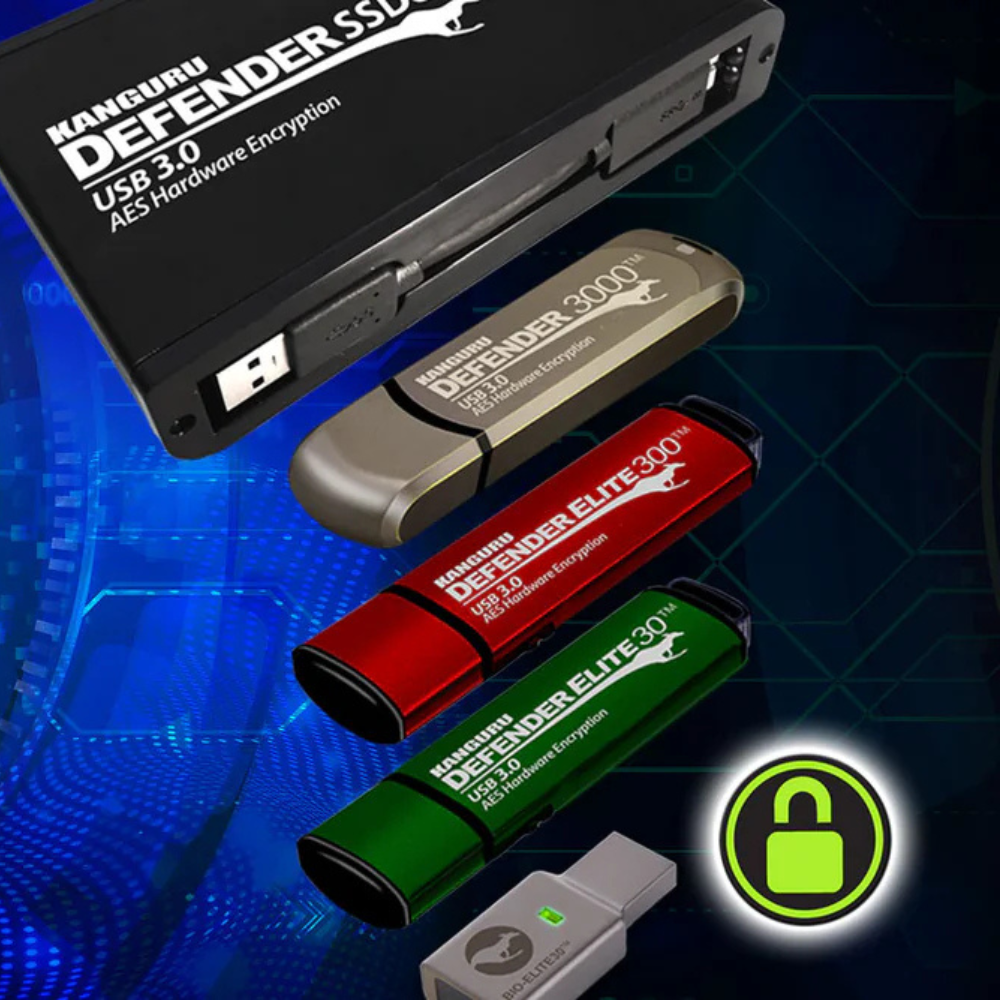
Kanguru Defender flash drives are AES 256 encrypted USB drives. The encryption runs in the drive’s own hardware, there is no unencrypted mode, and the drive opens only with its password. The same encryption comes in two portable drives: the Defender HDD350 encrypted hard drive (2TB or 5TB) and the Defender SSD350 encrypted external SSD (1TB to 8TB), so the range covers AES encrypted USB drives and hard drives from 16GB to 8TB. Defender drives, including the Defender 3000, Elite300, Elite30, HDD350 and SSD350, can also run optional onboard Bitdefender antivirus on Windows (a 30-day trial, then a separate licence or KRMC Premium; Kanguru now sells it as Defender Endpoint Protection), so with a licence they work as antivirus USB drives and hard drives too. Defender drives are remote management ready. Models differ in certification (FIPS 140-3 Level 3 on the Defender 3000; FIPS 140-2 Level 2 on the Elite300, HDD350 and SSD350, certificates now on NIST’s historical list; FIPS 197 AES with no FIPS 140 certificate on the Elite30) and in having a physical write-protect switch (Elite300 and Elite30 only), so choose by the job: our guide to encrypted USB versus cloud transfer helps frame it. Defender USB drives are protected from BadUSB with RSA digitally signed firmware.
Not sure which certification tier your regulator or your tender actually requires? Read our guide to FIPS 140-3, FIPS 140-2 and FIPS 197 for UAE and GCC compliance, which sets out what each mark certifies, how to verify a certificate number on the NIST CMVP register, and a model-by-model reference table for the range we supply.
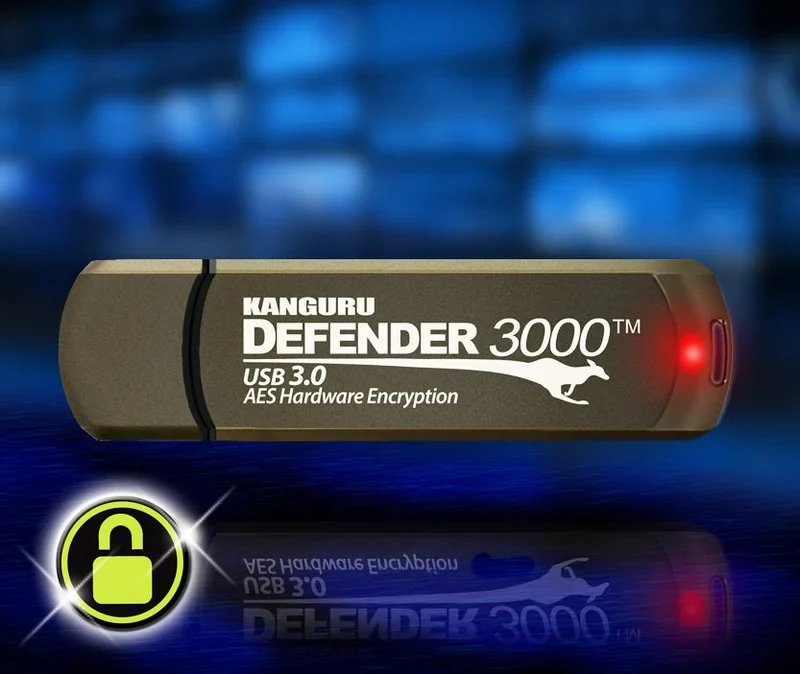
Kanguru Defender 3000™ rugged secure USB drive
A SuperSpeed USB 3.2 Gen 1 flash drive in an alloy housing that Kanguru describes as rugged, waterproof and tamper resistant. It has AES 256-bit hardware encryption in XTS mode, digitally signed firmware, an IP68 rating and support for KRMC remote management. It is the first Defender drive with FIPS 140-3 Level 3 validation, NIST certificate #5364, which Kanguru says it achieved in June 2026, and it comes in 16GB to 1TB, the 1TB size added in early 2025. Kanguru’s February 2025 datasheet still shows the older FIPS 140-2 certificate #2401.
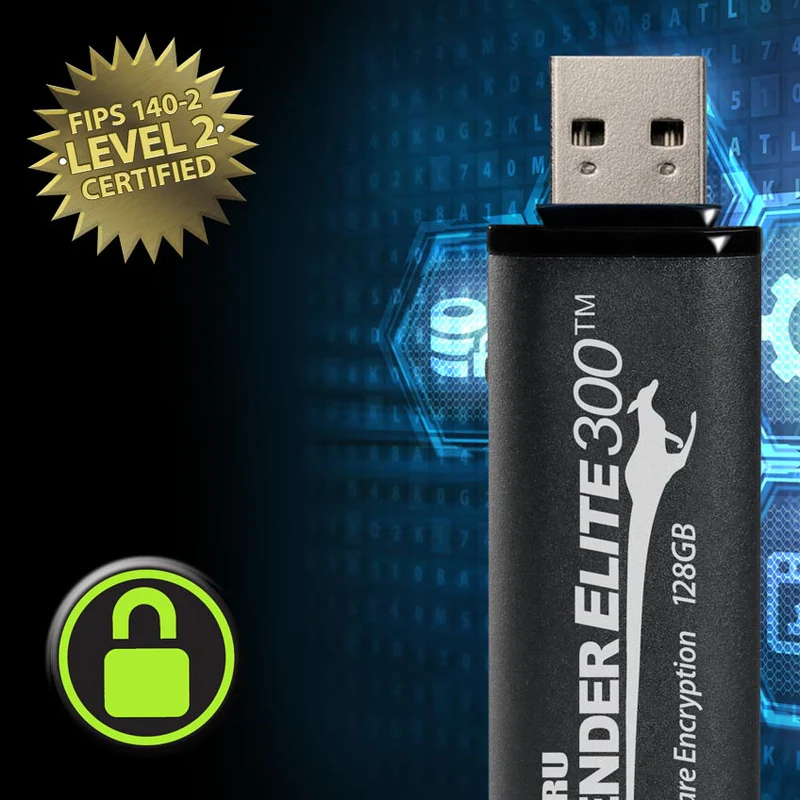
Kanguru Defender Elite300™
The Kanguru Defender Elite300™ is a SuperSpeed USB 3.0 flash drive with AES 256-bit XTS hardware encryption, a physical write-protect switch, tamper resistance, KRMC remote management and TAA compliance, in 16GB to 512GB. It suits read-only transfers, such as files going into a control network, and policies that still accept FIPS 140-2. Its FIPS 140-2 certificate, #2442, moved to NIST’s historical list in September 2026, so a tender that names FIPS 140-3 needs the Defender 3000: no Defender model currently combines FIPS 140-3 with a physical write-protect switch.
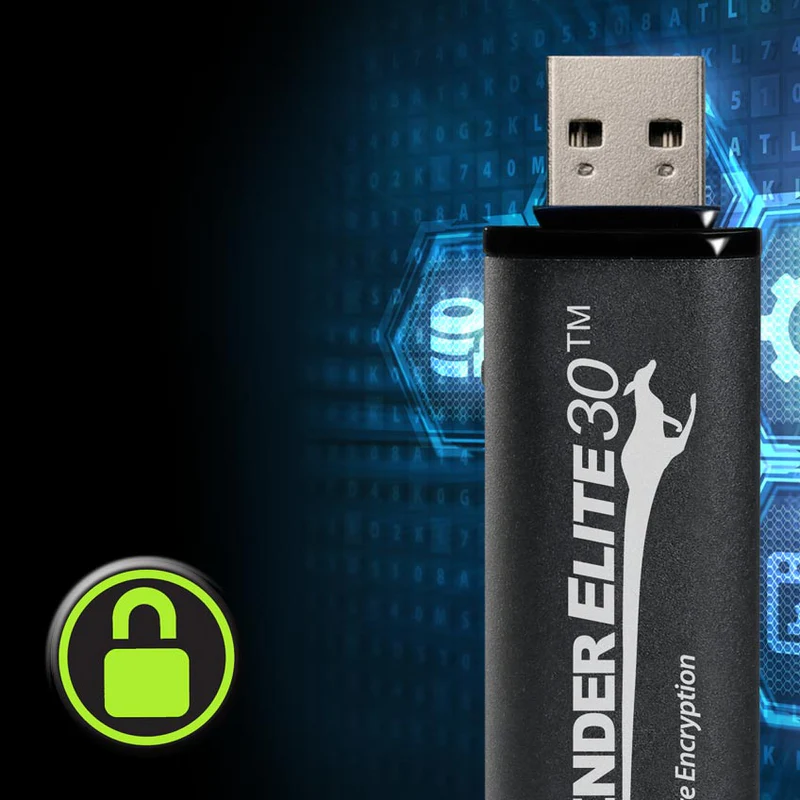
Kanguru Defender Elite30™
The Kanguru Defender Elite30™ USB3.0 flash drive is loaded with security features and convenience. With a physical write protect switch, AES 256-bit hardware encryption, Superspeed USB3.0 interface and remote management capabilities, it suits everyday business use. The physical write-protect switch lets the user move between read-only and read/write modes, to prevent overwriting files. It comes in capacities up to 512GB.
Newest in the Defender family: SED300 and SED30 self-encrypting SSDs. Launched by Kanguru in 2024, these put hardware encryption inside the laptop or desktop instead of on a removable drive. The Defender SED300 comes as an M.2 NVMe or 2.5-inch SATA internal SSD with TCG Opal, pre-boot authentication and a FIPS 140-2 Level 2 module (certificates #4005 and #4295, now on NIST’s historical list). The Defender SED30 is the faster PCIe 4.0 M.2 NVMe model, from 1TB to 8TB, with AES 256-bit hardware encryption and no FIPS 140 certificate. Our FIPS guide sets them against the rest of the range; ask us for current capacities.
Hardware encryption or software encryption?
A hardware-encrypted drive does the encryption on its own controller, and the keys never leave the drive. Software encryption, such as BitLocker To Go on Windows, uses the computer to encrypt an ordinary drive. Both can use strong AES encryption. The differences are in who controls it and where it can fail.
| Question | Hardware-encrypted drive | Software encryption on an ordinary drive |
|---|---|---|
| Where encryption happens | On the drive’s own controller | In software on the computer the drive is plugged into |
| Can the drive be used unencrypted? | No. It cannot store data without encryption | Yes, unless IT policy blocks unencrypted drives on every computer that might be used |
| Wrong-password limit | Enforced by the drive itself; on managed Kanguru drives, KRMC policy sets what happens after the limit | Depends on the software and how it is configured |
| After the drive is unlocked | Files are readable by that computer, including by any malware on it | The same |
| Lost drive | Still encrypted; KRMC can disable a managed drive the next time it connects to a computer that can reach the console | Still encrypted if encryption was switched on; nothing in an ordinary drive can be disabled remotely |
| Firmware attacks (BadUSB) | Kanguru Defender drives use digitally signed firmware | Depends on the drive; encryption software does not protect the drive’s firmware |
In practice, software encryption can be enough for drives that stay inside a managed Windows estate. Hardware-encrypted drives suit files that travel between sites or organisations, drives used on computers you do not control, transfers into air-gapped networks, and tenders that name a validated product. For the threats involved, see our guide to secure USB for government and defence; for certification tiers, our FIPS 140-3 guide.

Kanguru Remote Management Console™
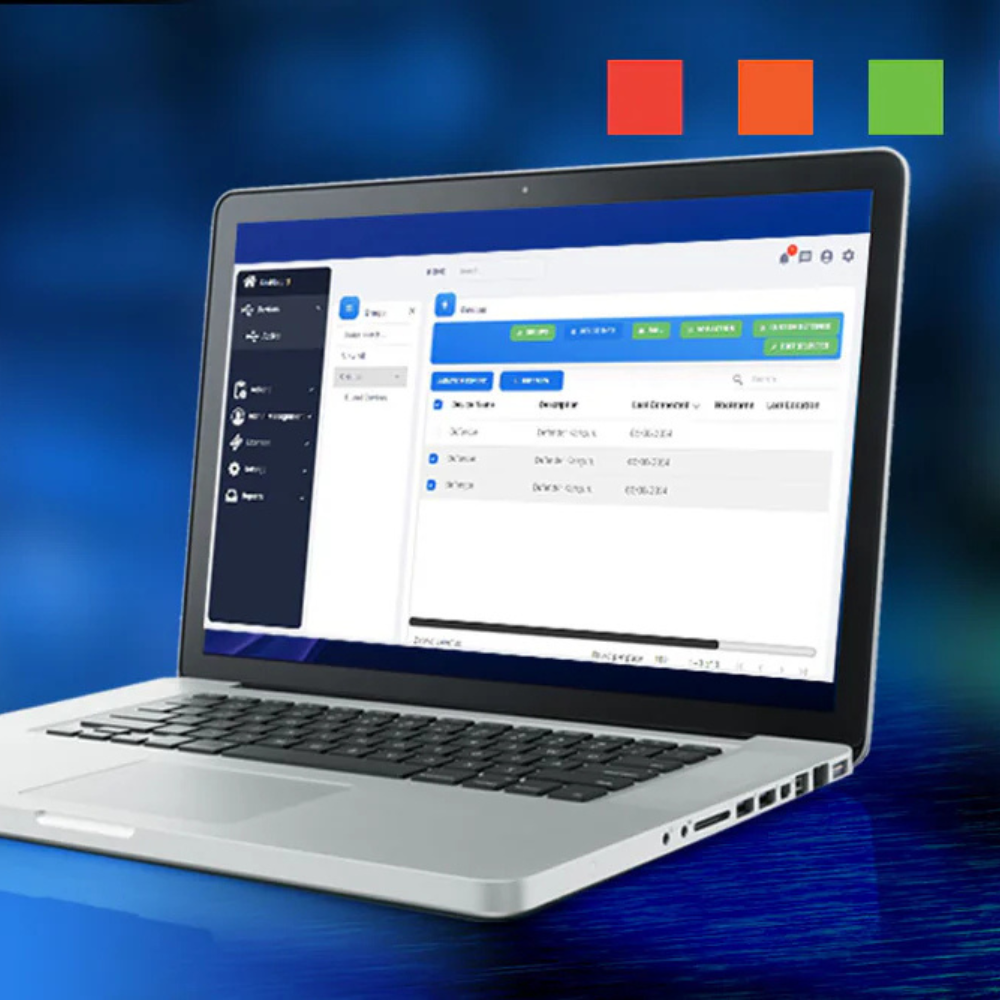
KRMC™ (Kanguru Remote Management Console™) is an integrated platform for organisations to manage hardware encrypted USB devices containing sensitive data around the world. KRMC does not store the files themselves, which stay encrypted on the drives, though it does keep management records such as serial numbers, host names and IP addresses. It is a resilient platform for managing the security aspects of encrypted devices. KRMC is a licence-based program for Managers, Data Security Officers, and IT administrators looking to enforce the security policies of their organisation: password and access rules, password resets, and disabling or wiping a lost or stolen drive. Every managed drive needs a KRMC licence, sold in one-, two- or three-year terms. A command is queued and runs only when that drive is next plugged into a computer that can reach the console, and KRMC logs the host name and IP address of that computer; it is not GPS tracking. Our guide to managing encrypted USB drives with KRMC explains how it works day to day, from issuing drives to lost drives and leavers.
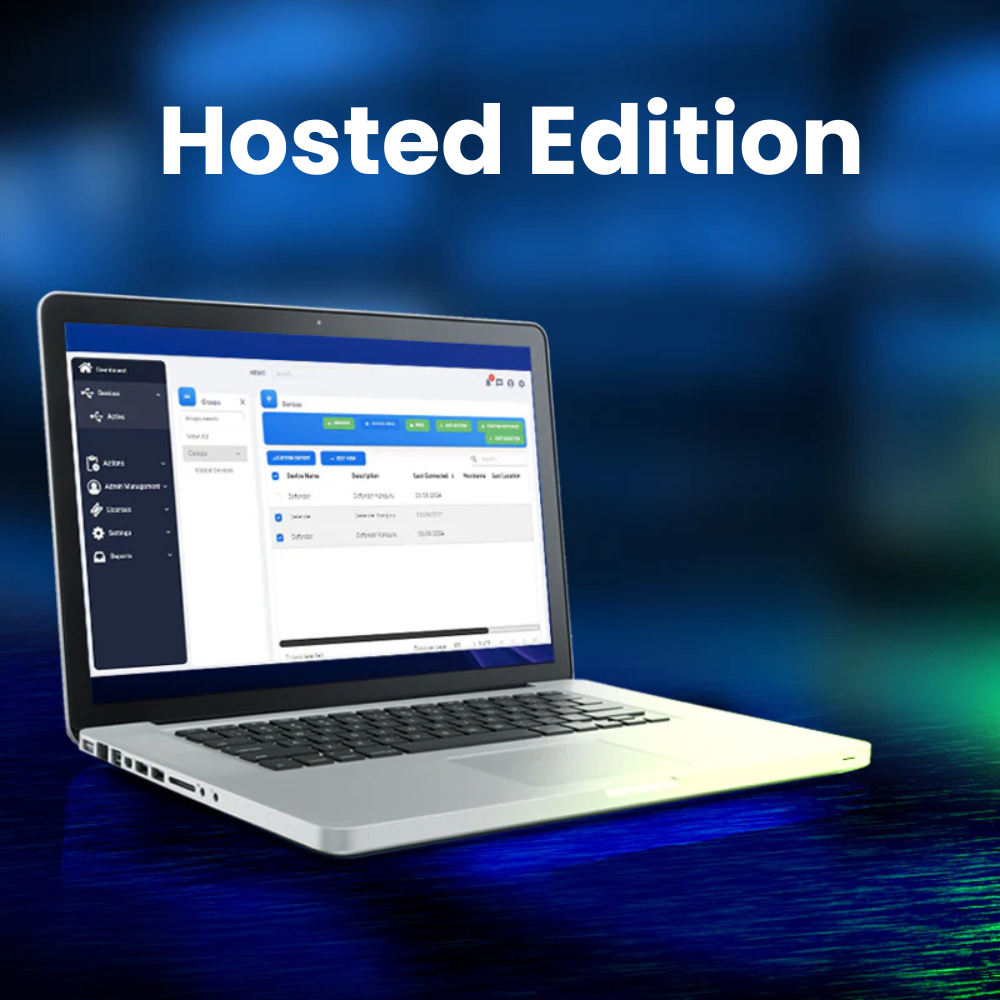
Kanguru Remote Management Console™ KRMC-Hosted Edition
The KRMC™ (Kanguru Remote Management Console™) Hosted Edition is a way for organisations to manage secure USB devices containing sensitive data around the world. KRMC-Hosted is hosted on Kanguru’s highly-secure servers. Files stay encrypted on the drives; the console keeps management records, not the files. It is sold as Standard, Advanced or Premium, with no server of your own to run, and Kanguru recommends it for fleets of fewer than 100 drives.
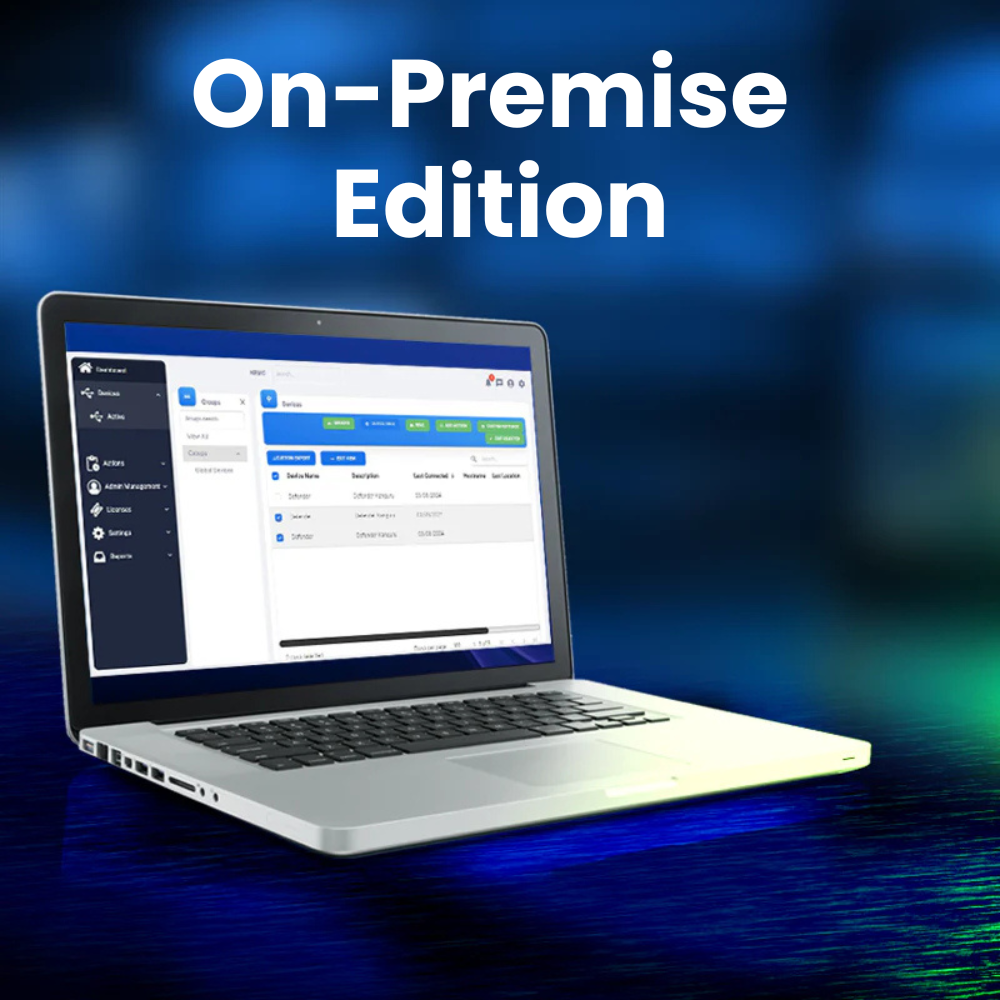
Kanguru Remote Management Console™ KRMC On-Premise Edition
KRMC On-Premise puts the console on your own servers, as a virtual machine, for organisations whose management records must stay in-house. It is sold as Advanced or Premium, from 100 device licences upward.
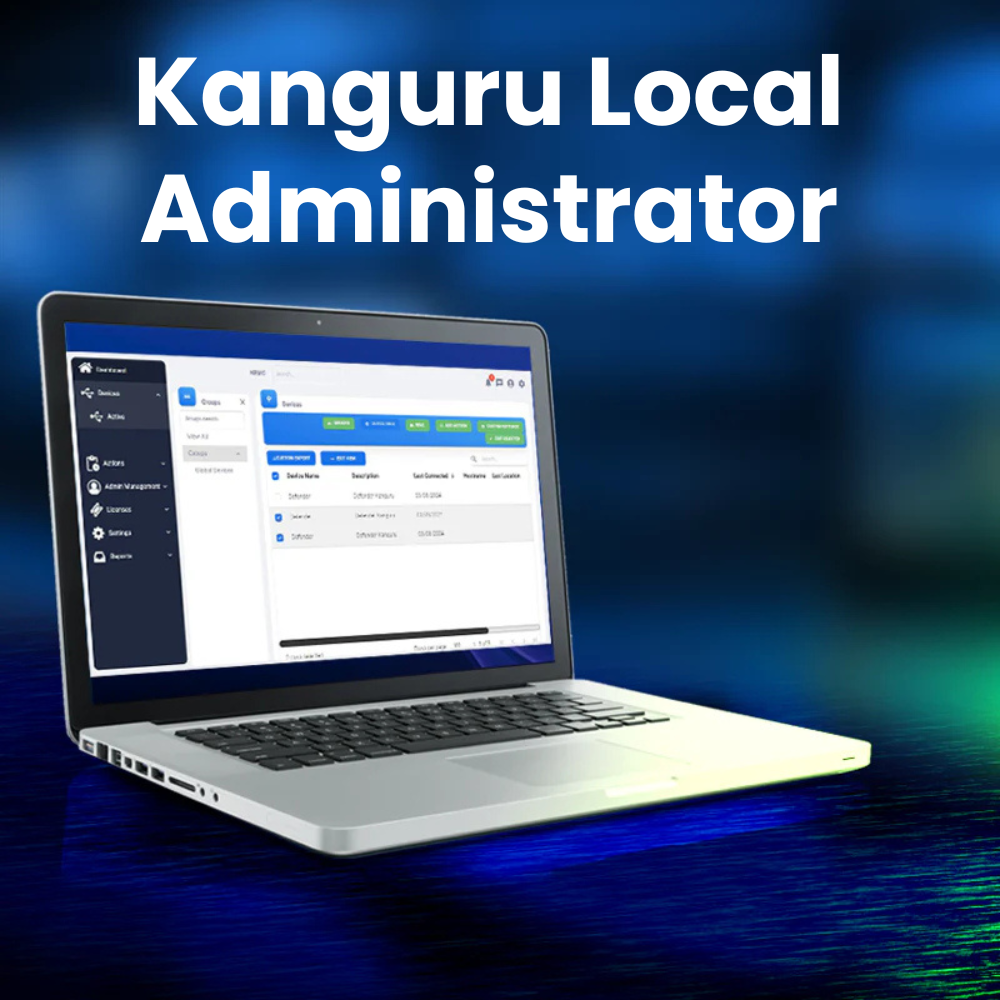
Kanguru Local Administrator
Kanguru Local Administrator (KLA) is an enterprise-class administrative application for managing and configuring select Kanguru flash drives. Administrators can configure a wide variety of security and device features before distributing the devices to employees. Up to 8 devices can be configured at a time, streamlining the setup and deployment process.

Kanguru Duplicators
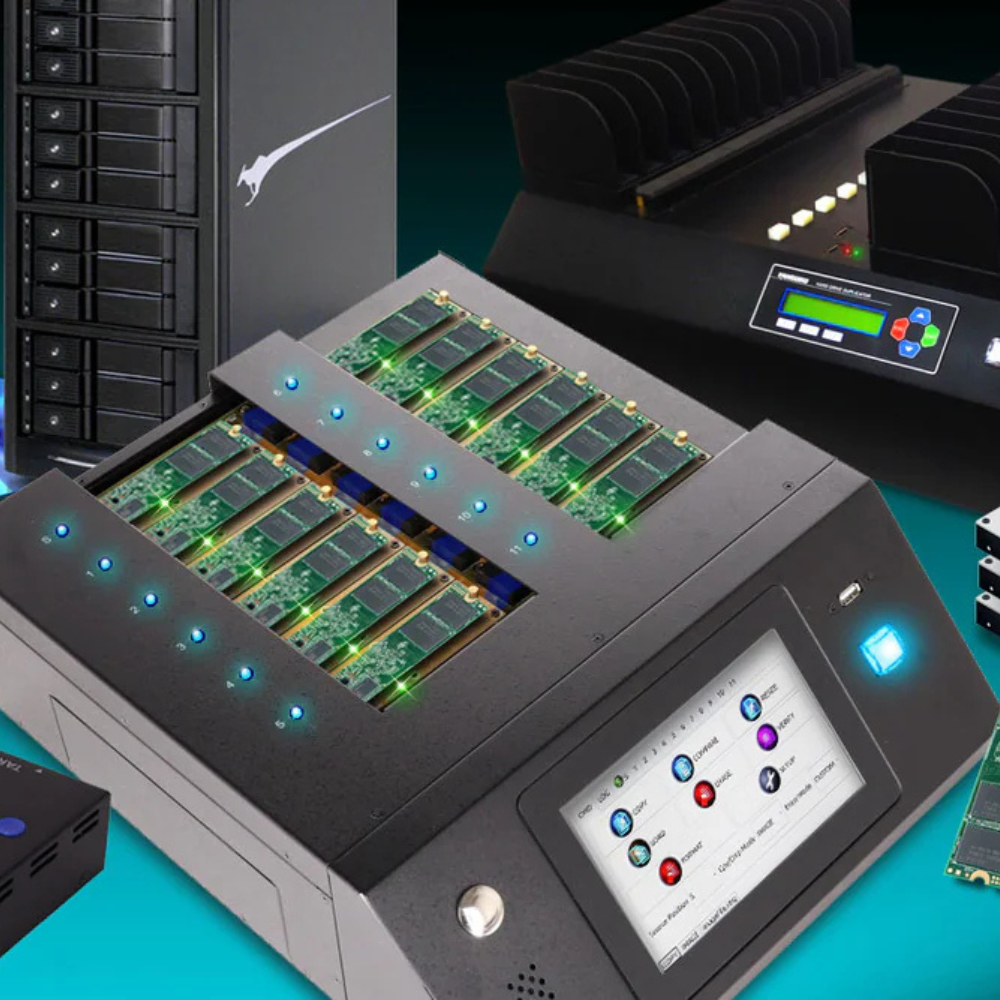
Kanguru has made duplicators for more than 25 years. Most Kanguru Duplicators are stand-alone units that do not need a computer to operate. With a flexible variety of fast duplicators to fit any budget or need, you’ll find duplication quick, convenient, and easy! Whether you need to copy Blu-ray discs, DVDs, CDs, Hard Drives, SSDs, USB, or NVMe, large jobs, or small, Kanguru has an option for you. If you require specific needs that you do not see here, please feel free to contact us and we would be happy to answer your questions.
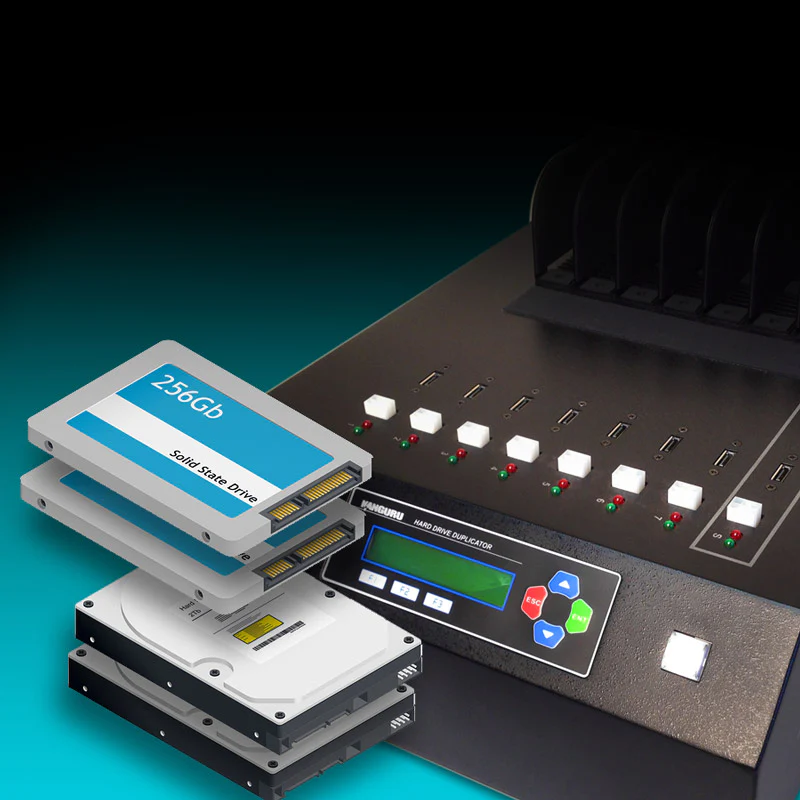
KanguruClone™ Hard Drive & SSD Duplicators
This high speed, stand-alone SATA hard drive duplicator suits large duplication jobs. The KanguruClone 23HD SATA Pro copies up to 23 hard drives or solid state drives at once, at up to 12GB/min as Kanguru rates it; 7- and 15-target models are also available. These are multi hard drive duplicators: one master copied to 7, 15 or 23 drives in a single run. Our hard drive and SSD duplicator guide compares the KanguruClone SATA, NVMe and USB duplicators by drive type, batch size and organisation. See our guide to secure data erasure and drive decommissioning for how these are used at end of life.
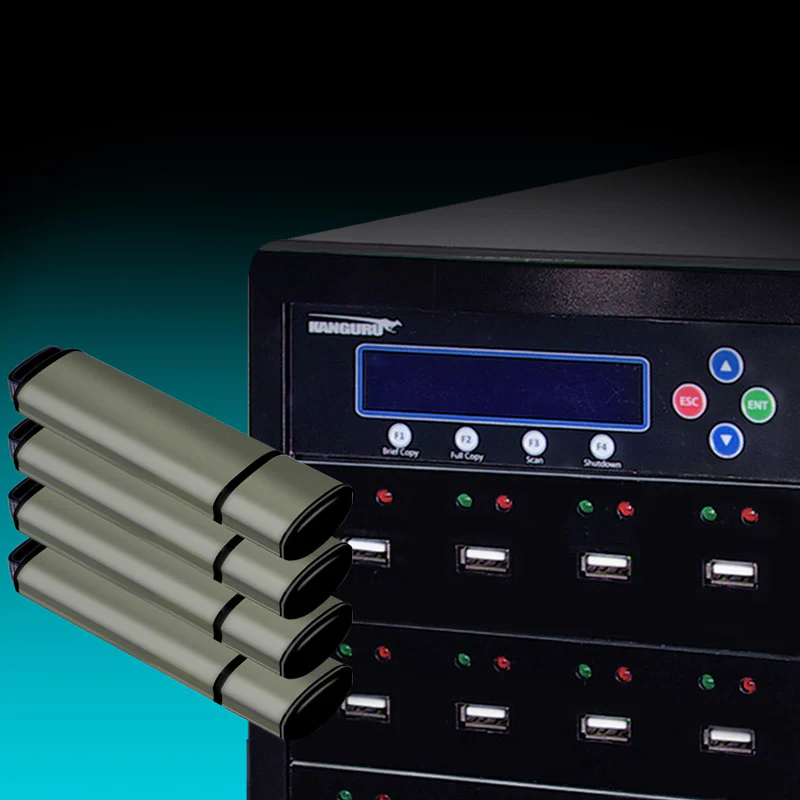
High Speed USB Duplicators
These USB flash drive duplicators are designed to streamline data duplication for USB storage devices. As stand-alone units, they do not require a computer to use. The user friendly LCD interface and intuitive menu enables you to copy data to multiple USB devices quickly and easily. Simply plug your USB devices into the duplicator’s USB ports and choose your duplication method. That is all it takes to clone USB drives.
These USB duplicators suit sales and marketing preparation, IT work, PC rollouts and more. They copy, compare, verify and erase data on your USB devices. They also provide setup and advanced setup options for experienced users.
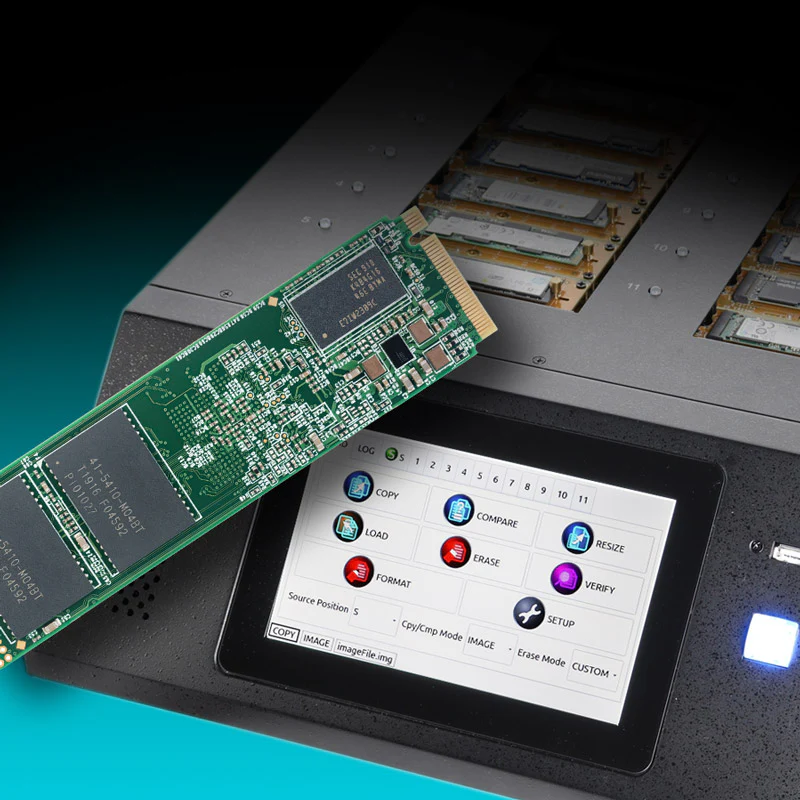
KanguruClone™ PCIe M.2 NVMe SSD Duplicators
The KanguruClone™ 11 M.2 NVMe SSD Pro Duplicator is a stand-alone duplicator that supports copying up to eleven M.2 NVMe SSDs and M.2 SATA drives simultaneously. It has twelve PCIe M.2 sockets and transfer speeds of up to 25GB/min as Kanguru rates it. That suits high-volume duplication, such as moving a fleet of PCs to NVMe SSDs. Our KanguruClone 11 NVMe duplicator guide covers copy modes, capacity rules and preparing drives for deployment.
Encrypted drives and duplicators by organisation: banks, hospitals, government and more
Which drive fits depends on what your organisation moves, who holds it and which rule applies. Use the table as a starting point for buyers in the UAE, Saudi Arabia and the GCC; each guide linked below goes deeper.
| Organisation | Typical job | Kanguru products to start with | Read next |
|---|---|---|---|
| Banks and exchange houses | Audit files and regulator returns carried outside the network; drives that can be disabled when someone leaves | Defender 3000 (FIPS 140-3 Level 3) enrolled in KRMC; Defender HDD350 for offline backup copies | FIPS guide (banking), KRMC guide, duplicator guide (PC refresh and wiping) |
| Hospitals and clinics | Patient files and imaging studies moved between sites | Defender 3000 with KRMC; Defender SSD350 for large imaging sets | FIPS guide (healthcare), SSD350 guide |
| Government entities | A controlled removable media programme and a tender clause that names the certificate | Defender 3000 (NIST certificate #5364); KRMC On-Premise on your own servers (100 licences minimum), or KRMC-Hosted for smaller fleets | Government and defence guide |
| Oil, gas and utilities | Files moved into air-gapped control networks, and drives used on site | Elite300 or Elite30 with a physical write-protect switch; Defender 3000 (IP68) for site use | FIPS guide (OT) |
| Law firms and audit firms | Client files carried to meetings and client sites | Defender drives issued and managed through KRMC; Defender SSD350 for large bundles | KRMC guide |
| Engineering and design consultancies | Drawings and models too large to upload | Defender SSD350 | SSD350 guide |
| Schools, universities and exam boards | Exam papers and student records | Defender 3000, or Elite300 with write-protect for read-only copies | KRMC guide |
| IT teams and system integrators | Cloning and wiping drives in batches | KanguruClone hard drive and SSD duplicators | Duplicator guide |
Examples show where to start, not what your regulator requires. A validated drive supports your controls; it does not make an organisation compliant on its own.
Kanguru guides for buyers in the UAE and GCC
Each guide answers one question in depth.
Kanguru in the Gulf: common questions
Who is Kanguru’s distributor or partner in the UAE and GCC?
PRO TECHnology, based in Dubai. Kanguru’s EMEA partner directory lists PRO TECHnology for the UAE, Saudi Arabia, Qatar, Kuwait, Oman, Bahrain and Jordan, and when we checked in September 2026 it listed no other partner for those countries. Kanguru announced the partnership in September 2021. PRO TECHnology is Kanguru’s exclusive distributor and partner for the Middle East.
Can organisations in Saudi Arabia, Qatar, Kuwait, Oman and Bahrain buy Kanguru through PRO TECHnology?
Yes. Kanguru’s directory lists PRO TECHnology for all six GCC states. In Saudi Arabia, enquiries go through PRONEXT, the group’s Saudi operation in Riyadh. Send us the products, quantities and delivery country, and we will confirm price and delivery in a quotation. For Saudi government entities and banks, our Enterprise IT in Saudi Arabia page maps NCA control 2.3.3.2 on external storage media to Kanguru drives.
Can we buy directly from kanguru.com?
No. Kanguru’s online store states that purchases can only be made within the United States, and it directs buyers elsewhere to its authorised local channel partners. For the GCC states and Jordan, Kanguru lists PRO TECHnology.
Is a hardware-encrypted USB drive better than software encryption?
For drives that travel or leave a managed network, it is usually the safer choice. The drive cannot be used unencrypted, it enforces its own limit on wrong passwords, and it does not depend on software settings on each computer. Software encryption such as BitLocker To Go can be enough where drives stay inside a Windows estate and IT policy forces encryption on. Neither protects files from malware on a computer once the drive is unlocked there.
Which Kanguru product do we need?
It depends on the job. To carry confidential files, start with the Defender 3000 flash drive, which holds FIPS 140-3 Level 3. For read-only transfers, such as into a control network, the Elite300 or Elite30 has a physical write-protect switch. For large files, choose the Defender SSD350; for an offline backup copy, the Defender HDD350. To manage many drives from one console, add KRMC licences. To copy or erase many drives at once, use a KanguruClone duplicator.
Are all Kanguru drives FIPS certified?
No. FIPS validation belongs to a specific model and version, not to the brand. The Defender 3000 holds FIPS 140-3 Level 3 (certificate #5364). Other Defender models hold FIPS 140-2 certificates, which moved to NIST’s historical list on 21 September 2026, and some models carry none. Check the certificate number for the exact part number on NIST’s register; our FIPS guide explains how.
We are a bank, hospital or government entity in the UAE: which Kanguru drives should we start with?
Start with Defender 3000 flash drives, validated to FIPS 140-3 Level 3 (NIST certificate #5364) and enrolled in KRMC, so IT can keep an inventory, set password rules and disable a lost drive. Hospitals add the Defender SSD350 for large imaging studies, but its FIPS 140-2 Level 2 certificate is now historical, so a policy that names FIPS 140-3 means Defender 3000 drives. If a government tender names FIPS 140-3 Level 3 and TAA compliance, the Defender 3000 meets both. For PC refreshes and wiping old drives, see our duplicator guide.
Which Kanguru USB drives and hard drives can run onboard antivirus?
Kanguru lists optional onboard Bitdefender antivirus, now sold as Defender Endpoint Protection, for the Defender 3000, Elite300 and Elite30 flash drives and the Defender HDD350 and SSD350 portable drives, on Windows. It starts with a 30-day trial and is then licensed separately, or it comes with KRMC Premium. It scans files on the drive. It does not stop firmware attacks such as BadUSB, and it cannot protect files once the drive is unlocked on an infected computer.
Is there such a thing as a military grade USB drive or hard drive?
Not as a certification. “Military grade” is a descriptive phrase, not a standard, and it means different things on different products. Kanguru uses it for the Defender 3000, but the phrase alone does not tell you how a drive is encrypted or tested. What a defence or government buyer can check is FIPS 140-3 Level 3 validation with a NIST certificate number, AES 256-bit hardware encryption, signed firmware, TAA compliance and a published IP68 rating. The Defender 3000 has all five (certificate #5364). For a hard drive, ask for the certificate: the Defender HDD350’s module is FIPS 140-2 Level 2, now on NIST’s historical list, and it has no published environmental rating.
Is "Kangaroo USB" the same as Kanguru?
Yes. The brand is spelt Kanguru, and "Kangaroo USB" or "Kangaroo encrypted USB" is a common misspelling of the same encrypted-storage brand, which has been part of iStorage Group since 2024. The Defender drives, KRMC and KanguruClone duplicators on this page are the products people are looking for.
كانجورو في الإمارات والسعودية ودول الخليج
تورّد بروتكنولوجي في دبي منتجات Kanguru الأمريكية للمؤسسات في منطقة الخليج: أقراص USB المشفّرة بالعتاد من سلسلة Defender، والأقراص المحمولة المشفّرة Defender HDD350 وDefender SSD350، ومنصة الإدارة عن بُعد KRMC، وأجهزة نسخ الأقراص KanguruClone. وتشمل المجموعة فلاشات USB مشفّرة بتشفير AES 256 وأقراصًا صلبة مشفّرة تصلح أقراصَ نسخ احتياطي آمنة، إضافةً إلى أجهزة KanguruClone لنسخ الأقراص الصلبة وأقراص SSD ومسحها بأمان.
بروتكنولوجي (PRO TECHnology) هي الموزع الحصري والشريك لـ Kanguru في الشرق الأوسط، وقد أعلنت Kanguru هذه الشراكة في 1 سبتمبر 2021. ويُدرج دليل شركاء Kanguru لمنطقة أوروبا والشرق الأوسط وأفريقيا بروتكنولوجي في الإمارات والسعودية وقطر والكويت وعُمان والبحرين والأردن، ويتولى مكتب المجموعة PRONEXT في الرياض خدمة العملاء في السعودية. ولأن متجر Kanguru الإلكتروني يبيع داخل الولايات المتحدة فقط، يتم الشراء في المنطقة عبرنا: أرسلوا إلينا احتياجاتكم لنرسل لكم عرض سعر، أو احجزوا عرضًا توضيحيًا في صالة العرض في الخليج التجاري بدبي.
Tell us what you need to protect and where it travels.
Send us the number of users, the type and volume of data, and any certification your policy or tender names. We will recommend the Kanguru drives, KRMC edition or duplicator that fits and send a quotation.
Contact Us