
Secure Encrypted USB Drives for Government, Defence and Critical Infrastructure in the UAE and Middle East
Published · Updated · PRO TECHnology Enterprise IT
Most removable-media policies are written as though the only risk is losing a drive. Losing one is the easiest problem on the list. This guide covers what actually goes wrong with USB storage in government, defence and critical infrastructure, and what it takes to run a controlled programme rather than simply buying certified drives.
Key takeaways
- A lost drive is the risk everyone plans for. Unknown media, firmware attacks, insider copying and uncontrolled supply are the ones that actually cause incidents.
- BadUSB is not a virus on the drive. It is an attack on the controller firmware, which makes the device pretend to be a keyboard or network adapter. Antivirus scanning does not see it.
- Digitally signed firmware is the defence that matters against that class of attack, because the device refuses firmware it cannot verify.
- Buying a validated drive is a procurement step, not a security outcome. Without issuance, registration, audit and an offboarding process, an organisation has certified hardware and no control.
- Remote management is what turns a lost drive from an incident into a log entry, but only if the drive was enrolled before it went missing.
- If staff still carry personal USB sticks, the programme has failed regardless of what was purchased. Usability is a security control.
Why a lost drive is the least of the problem
Ask a security team what worries them about USB storage and the answer is almost always the same: someone will leave one in a taxi. It is a reasonable worry, and it is also the scenario most easily solved. A hardware-encrypted drive that is lost is, to whoever finds it, a paperweight.
The incidents that actually damage organisations tend to be the ones nobody wrote a policy for. They fall into five groups, and only the first is about losing anything.
1. Lost or stolen drives
The familiar case. Solved by encryption that cannot be switched off, and made auditable by remote management. Worth noting that "we encrypt our drives" is only true if encryption is enforced by the device rather than left to the user.
2. Unknown media arriving from outside
A contractor brings firmware on a stick. A supplier hands over survey data. Someone finds a drive in the car park. In every case an uncontrolled device is about to be connected to a controlled system, and the organisation has no idea what is on it or what it is.
3. Firmware-level attacks
The device itself is the weapon rather than the files on it. This is the BadUSB class of attack, and it is covered properly below, because it is the one most often misunderstood by people writing removable-media policy.
4. Insider copying
Someone with legitimate access copies material they are entitled to read but not entitled to remove. No malware is involved and no rule is obviously broken at the moment of copying. Encryption does not help here at all. What helps is knowing which drives exist, who holds them, and what was written to them.
5. Uncontrolled supply
Drives bought ad hoc by departments, brought from home, or picked up at a conference. They are unregistered, unmanaged and invisible. An organisation can hold a drawer of certified drives and still have most of its data moving on devices nobody approved.
Four of those five are not solved by buying a better drive. They are solved by running a programme, which is the subject of the second half of this article.
What is BadUSB, and can a drive be protected from it?
Short answer: BadUSB is an attack that rewrites the controller firmware inside a USB device so that it presents itself to the computer as something other than storage, typically a keyboard. Because the operating system trusts keyboards, the device can then type commands at machine speed. Signed firmware is the defence, because a device that only accepts firmware carrying a valid signature cannot be reprogrammed this way.
The detail is worth understanding, because it changes what you should ask a vendor.
Every USB device contains a small controller with its own firmware. That firmware tells the computer what kind of device it is. A USB stick says "I am storage"; a keyboard says "I am a keyboard". The operating system believes it, because there is no built-in mechanism requiring a device to prove what it claims to be.
A BadUSB attack replaces that firmware. The device still looks and behaves like an ordinary flash drive, and the files on it may be entirely innocent. But when it is plugged in, it can also announce itself as a keyboard and begin issuing keystrokes: opening a terminal, changing settings, fetching something from the network. It can present as a network adapter and redirect traffic.
Two things follow, and both matter for policy:
- Antivirus does not detect it. Scanning looks at the files on the storage area. The attack is not in the files; it is in the device's firmware, below the level anti-malware inspects. A drive can pass a clean scan and still be hostile.
- Reformatting does not remove it. Formatting rewrites the storage area, not the controller firmware. The device is still compromised after a format, which is why "we format everything that comes in" is not the control people think it is.
The meaningful defence is at manufacture. If a device's firmware is digitally signed, and the controller refuses to load firmware without a valid signature, then an attacker cannot substitute their own. The Kanguru Defender 3000 is described by the manufacturer as carrying RSA digitally-signed secure firmware, which is the property that matters here.
The practical policy conclusion is unglamorous: control which devices may be connected at all, rather than trying to inspect devices after they arrive. Scanning tells you about files. It tells you nothing about what the device is.
Why government and defence treat USB differently
In a commercial organisation, the worst case from a mishandled file is usually financial or reputational. In government and defence work the calculation is different, and it changes what "good enough" means.
Three factors drive that difference. The material does not expire. Commercial data loses value quickly; a personnel file, a site plan or an intelligence product can remain sensitive for decades, so a drive recovered years later is still a problem. The adversary is capable. Consumer security assumes an opportunist; defence security has to assume a well-resourced attacker with time, equipment and the patience to attack the hardware itself rather than guess a password. The consequence is not recoverable. A breached commercial database is remediated. A compromised operational detail cannot be un-disclosed.
This is the reasoning behind validated cryptography being a procurement requirement rather than a preference. When an organisation cannot inspect a vendor's engineering itself, it relies on an independent laboratory having done so, which is exactly what FIPS validation is. The specific standards, levels and what each one covers are set out in our detailed guide to FIPS 140-3, FIPS 140-2 and FIPS 197, including how to check a certificate yourself and how UAE and Saudi regulation treats removable media. This article does not repeat that ground.
One caution that bears repeating, because it is the most common misunderstanding in tender documents: buying a validated drive does not make an organisation compliant. Validation is a statement about a cryptographic module, verified by a laboratory. Compliance is a statement about an organisation: its policies, its records, its training and its ability to demonstrate all three to an assessor. Certified hardware is a component of that, never a substitute for it.
Aviation, utilities and critical infrastructure
Outside government, the environments with the strictest removable-media problems are the ones where the computers cannot simply be connected to a network: aviation, power and water utilities, and industrial plant.
These operational technology systems are deliberately isolated. That isolation is a genuine security control, and it creates a specific practical problem, because the systems still need things brought to them: software updates, vendor patches, configuration changes, navigation and performance data, calibration files. Every one of those arrives on removable media, because there is no network path.
The result is that removable media becomes the only route into the most sensitive systems an organisation runs. In a normal corporate network, USB is one of many risks. In an isolated environment it is the primary one, because it is the only door. That is why industrial and aviation security frameworks treat the transfer process itself as a controlled procedure rather than an IT convenience.
Two consequences follow for anyone specifying drives for these environments. Devices must be dedicated to the task and never used elsewhere, which means they have to be identifiable, issued and tracked rather than drawn from a general pool. And whatever is used must be rugged enough for the physical setting. A substation, an apron, a rig or a plant floor is not an office desk, which is why ingress protection ratings appear in these specifications at all.
Moving files into an air-gapped system without breaking the air gap
An air gap is only real if the transfer process protects it. A drive that has been in an internet-connected laptop and is then plugged into an isolated system has bridged the gap, whatever the policy says.
A workable transfer procedure has a small number of non-negotiable elements: media dedicated to the transfer and used for nothing else, a defined clean intermediate step where content is checked before it goes near the protected system, encryption so the media is meaningless if it goes astray in between, and a record of every transfer: what moved, when, who authorised it and on which device.
That last point is where remote management earns its place in isolated environments, because the audit record is what an assessor asks for. Our companion article on choosing between encrypted USB and cloud transfer works through when physical media is genuinely the right answer and when it is a habit.
The two properties a drive has to have
Before the product detail, it is worth stating plainly what separates a secure drive from a normal one, because both look identical on a desk.
Encryption performed by the device, not the computer. In a hardware-encrypted drive the encryption engine and the keys live inside the drive itself. The user cannot switch it off, cannot choose not to use it, and cannot copy an unprotected file onto it by mistake. Software encryption depends on the user and the host computer doing the right thing, which is why it fails in exactly the situations you bought it for. We compare the two on our Kanguru page.
Independent validation of that encryption. Every vendor says AES-256. Validation is the difference between a claim and a verified implementation: an accredited laboratory testing the module against a published standard and NIST issuing a certificate you can look up. You can search the register yourself through the NIST Cryptographic Module Validation Program, and the FIPS guide explains exactly what to look for.
Which Kanguru product does what
Not every Kanguru device has every capability, and treating the range as interchangeable is how specifications go wrong. The families differ in validation level, form factor and capacity.
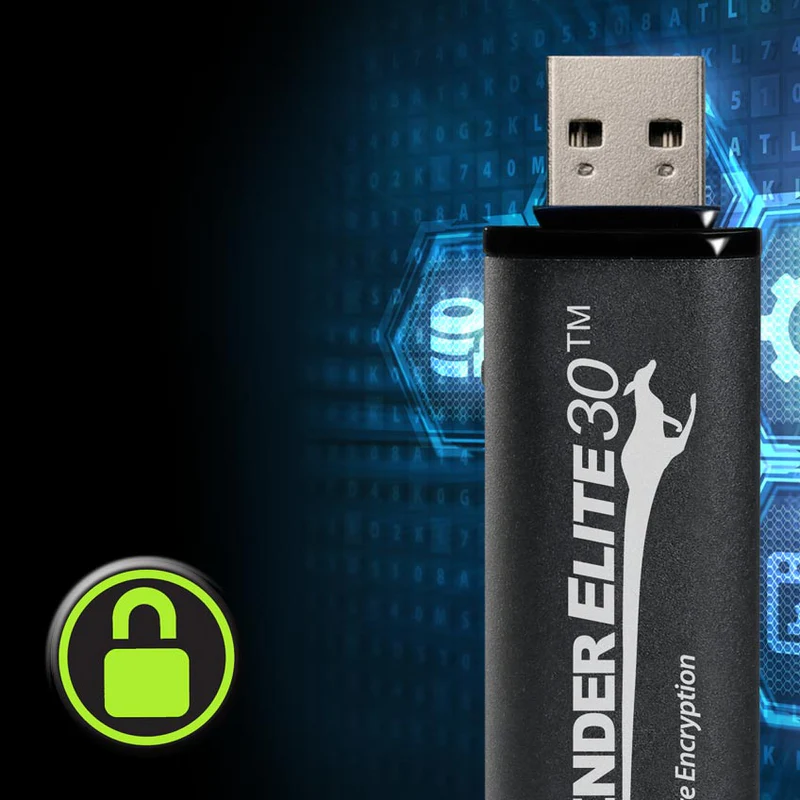
The Defender 3000 is the model specified where validation is a hard requirement. Kanguru states that it carries FIPS 140-3 Level 3 certification, AES 256-bit hardware encryption in XTS mode, RSA digitally-signed secure firmware, TAA compliance and an IP68 rating, in capacities up to 1TB, with remote management through KRMC. It is the drive to quote in a government or defence tender; NIST’s certificate #5364 covers it on firmware 2.13.10, and our Defender 3000 buying guide explains how to confirm that on delivery.
The Defender Elite300 and Elite30 are hardware-encrypted USB 3.0 flash drives at different points in the range. Kanguru states FIPS 140-2 Level 2 certification for the Elite300 (certificate #2442, now on NIST's historical list); the Elite30 has FIPS 197 AES encryption and no FIPS 140 certification. For larger volumes, the Defender SSD350 provides hardware-encrypted external solid-state storage rather than a flash-drive form factor. Separately, KanguruClone hard drive and SSD duplicators handle drive duplication and secure erasure, a different job entirely. The erasure side is covered in our guide to secure data erasure and drive decommissioning.
Because certification status changes as products are revalidated, treat the above as a guide to the shape of the range and confirm the current certificate number for the exact model and capacity you intend to buy before it goes into a tender document. Manufacturer detail is published on the Kanguru website, and the full range we supply is on our Kanguru page.
Running a removable media programme, not just buying drives
This is the part that gets missed. An organisation buys validated drives, distributes them, and considers the problem closed. Two years later nobody can say how many were issued, who holds them, or whether the twelve that left with departing staff were ever recovered.
A programme that works has six parts, and none of them is a purchase:
- A policy that says what is allowed. Which data may go on removable media at all, who may authorise it, and which devices are permitted. Without this, everything below is improvisation.
- Controlled issuance. Drives are issued to a named person against a record, not taken from a drawer. The register is the programme.
- Enrolment before issue. Each drive is registered into remote management before it leaves the IT department. A drive enrolled after it goes missing cannot be disabled, so this ordering is not administrative detail; it is the control.
- Enforcement on the endpoint. Company machines should accept approved devices and refuse the rest. Otherwise the policy asks staff to be the control, and staff under time pressure will not be.
- Audit that someone reads. Logs of which drives exist, where they were used and what was written. Unread logs are evidence after an incident; read logs prevent one.
- Offboarding. When someone leaves, their drives come back or are remotely disabled. This step is skipped more often than any other, and it is where most orphaned drives come from.
Remote management is the mechanism that makes points three, five and six practical at any scale. The Kanguru Remote Management Console is covered in operational detail in our guide to managing encrypted USB drives with Kanguru KRMC; the point here is simply that without something in that role, a fleet above a few dozen drives cannot be governed by anyone.
The day a drive goes missing
Worth rehearsing before it happens, because the sequence determines whether this is an incident or a note in a log.
If the drive was hardware-encrypted and enrolled in remote management, the answer is short. The data is unreadable without the password. The administrator disables or wipes the device remotely, and the action runs the next time the drive connects to a computer that can reach the management console. The console records when it ran and, where file auditing is enabled, which files the drive held, which is what the incident report needs. The user is issued a replacement. Total elapsed time: minutes.
If the drive was encrypted but never enrolled, the data is still protected but there is no remote action available and no record of contents, so the report has to say "we believe it contained", which is a weaker position with any regulator.
If it was an ordinary drive, the organisation is now managing a disclosure: what was on it, who is affected, which notification obligations apply, and how long they have. That is the difference the whole programme exists to create, and it is decided long before the drive is lost.
| Requirement | Why it matters | Relevant capability |
|---|---|---|
| Drive lost or stolen | Data exposure and notification obligations | Hardware encryption that cannot be disabled, plus remote disable or wipe |
| Firmware-level attack | Antivirus and reformatting do not detect or remove it | Digitally signed firmware the controller will not run without |
| Transfer into an isolated system | Removable media is the only route in, so it is the only attack path | Dedicated, identifiable devices with a recorded transfer procedure |
| Validated cryptography in a tender | The buyer cannot audit the vendor's engineering directly | FIPS-validated module with a certificate number you can verify at NIST |
| A fleet nobody can account for | Unregistered drives are invisible to every other control | Central management with enrolment, policy and audit reporting |
| Staff leaving with drives | Most orphaned devices originate at offboarding | Remote disable tied to the leaver process, not to goodwill |
| Harsh physical environment | Plant floors, aprons and sites destroy office hardware | Published ingress protection rating on the specific model |
Why staff still use personal USB drives
If people are carrying their own drives, the programme has failed, and the reason is almost never defiance. It is friction.
The pattern is consistent. Someone needs to move a file at seven in the evening. The approved drive is in a cabinet that is locked, or the request takes two days, or the secure drive is slow, or nobody explained how to use it and they did not want to ask. The personal drive in the bag works immediately. The work gets done, and the organisation now has confidential material on an unmanaged device it does not know exists.
The fixes are practical rather than technical. Issue enough drives that one is always available; under-issuing to save money reliably costs more. Make the approved route quick, so the secure option is also the easy one. Spend twenty minutes showing people how the drive works, because an unexplained security device gets left in a drawer. And enforce it on the endpoint, so that the unapproved drive simply does not mount. Enforcement without availability produces workarounds; availability without enforcement produces drift. Both are needed.
What to specify before you buy
If you are writing a requirement or comparing quotes, these are the questions that separate a serious specification from a shopping list:
- Which exact model and capacity carries the validation? Certificates are issued against specific modules, and a family name is not a certificate. Ask for the number.
- Which standard and level, and is it current? FIPS 140-2 and FIPS 140-3 are not the same, and FIPS 197 is a different thing altogether. The FIPS guide sets out the distinction and how to check.
- Is the firmware signed? This is the BadUSB question, and it is rarely asked.
- How are drives enrolled and managed, and what does the audit output look like? Ask to see a report, not a feature list.
- What happens at offboarding? If the answer relies on the departing employee, it is not a control.
- What is the environment? Ingress ratings differ by model; do not assume the range shares one.
- Does the tender ask for a "military grade" drive? No certification carries that name. Turn it into checks you can verify: a FIPS 140-3 Level 3 certificate number, TAA compliance, digitally signed firmware and, for field use, a published IP68 rating.
- Who supports it locally, and how fast? For deployed fleets this matters more than unit price.
Kanguru in the UAE, Saudi Arabia and the Middle East
Kanguru Solutions is a US manufacturer of hardware-encrypted storage, remote management software and drive duplication equipment. Kanguru announced its partnership with PRO TECHnology in September 2021, covering Defender hardware-encrypted devices, remote management for drives holding sensitive data, and duplication equipment, and its partner directory lists PRO TECHnology for all six GCC states. PRO TECHnology is Kanguru's exclusive distributor and partner for the Middle East. The announcement, and what a local technical team means for a regulated buyer, is in our partnership news post.
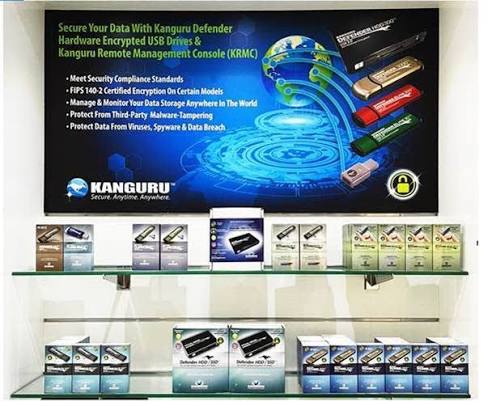
For government, defence and regulated buyers in the region, working through a regional partner is a practical requirement rather than a preference. Certificate documentation has to be produced for tender submissions. Procurement runs through local quotation, terms and invoicing. Delivery has to be planned against project timelines, with the lead time confirmed at quotation. And when a fleet is deployed, support needs to answer within the Gulf working week, which does not align with US business hours.
Secure removable media sits inside a wider security and data-protection picture, which our enterprise and corporate IT division covers alongside archiving, backup and endpoint management. If you are drafting a removable-media policy or specifying drives for a tender, we can help get the certification wording right before it is submitted. Reach us through the contact page.
Frequently asked questions
What is the most secure USB flash drive?
The most secure drives combine three things: encryption performed inside the device so the user cannot bypass it, independent validation of that encryption by an accredited laboratory, and firmware that is digitally signed so it cannot be replaced. Kanguru states that the Defender 3000 carries FIPS 140-3 Level 3 certification, AES 256-bit hardware encryption and signed secure firmware.
What is BadUSB?
BadUSB is an attack that rewrites the firmware of the controller chip inside a USB device, so the device can claim to be something other than storage, usually a keyboard. The computer trusts that claim and accepts the keystrokes it sends. The files on the drive can be completely clean, because the attack is in the device, not the data.
Can a USB device be protected from BadUSB attacks?
Yes, but only at manufacture. If the firmware is digitally signed and the controller refuses to load firmware without a valid signature, it cannot be reprogrammed by an attacker. Antivirus scanning does not help, because it inspects files rather than firmware, and reformatting does not help either, because formatting does not touch the controller.
How can files be transferred to an air-gapped computer safely?
Use media dedicated to that transfer and nothing else, check the content at a defined clean intermediate step before it goes near the protected system, keep the media encrypted so it is meaningless if mislaid, and record every transfer: what moved, when, who authorised it and on which device. The audit record is usually what an assessor asks to see.
Does buying a FIPS validated drive make our organisation compliant?
No. Validation is a statement about a cryptographic module, tested by a laboratory. Compliance is a statement about your organisation: its policies, records, training and ability to demonstrate them to an assessor. A validated drive is a component of compliance and often a required one, but on its own it satisfies nothing.
What encrypted USB should government organisations use?
Where validated cryptography is a stated requirement, specify a drive whose exact model and capacity holds a current FIPS certificate, and ask for the certificate number rather than accepting a family name. Kanguru states FIPS 140-3 Level 3 certification for the Defender 3000. Confirm the current certificate for the specific configuration before it enters a tender document.
أقراص USB المشفّرة للجهات الحكومية والدفاعية والبنية التحتية الحيوية في الإمارات والشرق الأوسط
تُكتب معظم سياسات الوسائط القابلة للإزالة وكأن الخطر الوحيد هو فقدان القرص، بينما تنشأ الحوادث الفعلية غالبًا من مصادر أخرى: وسائط مجهولة تصل من خارج المؤسسة، وهجمات على البرنامج الثابت مثل BadUSB التي لا تكتشفها برامج مكافحة الفيروسات ولا تزيلها إعادة التهيئة، ونسخ البيانات من الداخل، وأقراص غير مسجّلة يشتريها الموظفون بأنفسهم. والتشفير العتادي داخل القرص نفسه يحمي البيانات عند الفقدان، أما البرنامج الثابت الموقّع رقميًا فهو الحماية الفعلية ضد هجمات BadUSB. وتذكر شركة Kanguru أن قرص Defender 3000 حاصل على اعتماد FIPS 140-3 المستوى الثالث مع تشفير AES بمفتاح 256 بت وبرنامج ثابت موقّع رقميًا وتصنيف IP68. ومن المهم إدراك أن شراء قرص معتمد لا يجعل المؤسسة ممتثلة تلقائيًا؛ فالامتثال يتطلب سياسة وسجلات وتدريبًا وإدارة مركزية تشمل تسجيل الأقراص قبل تسليمها وتعطيلها عن بُعد عند الفقدان أو عند مغادرة الموظف. وتُعد شركة PRO TECHnology الشريك الحصري لشركة Kanguru في منطقة الشرق الأوسط منذ سبتمبر 2021.
Get the specification right before it goes out
If you are writing a removable-media policy, preparing a tender clause, or trying to work out how many drives a department actually needs, we would rather help at that stage than after the quotes come back. Certificate wording in particular is worth getting right the first time.