
Secure Data Erasure in the UAE: What Has to Happen Before a Drive Leaves the Building
Published · PRO TECHnology Enterprise IT
Most organisations have a clear policy for protecting data on a drive and no policy at all for the day that drive stops being theirs. Laptops go back at the end of a lease, servers are refreshed, a failed disk goes to the vendor under warranty, an office moves and a cupboard of old machines gets sold. Each of those is a moment when storage leaves your control with your data still on it. This guide covers what erasure actually means, why deleting and formatting are not it, how solid-state storage changed the method, and how to do it at volume with evidence you can hand an auditor.
Key takeaways
- Deleting, formatting and rebuilding a RAID array remove the map to the data, not the data. Recovery from any of the three is routine.
- NIST SP 800-88 recognises three outcomes, not one: Clear resists simple recovery, Purge resists laboratory recovery, and Destroy leaves media that can no longer store data at all.
- Overwriting every sector is an idea built for spinning disks. Wear levelling and over-provisioning mean an SSD or NVMe drive keeps copies the operating system cannot address, so purge-level methods apply instead.
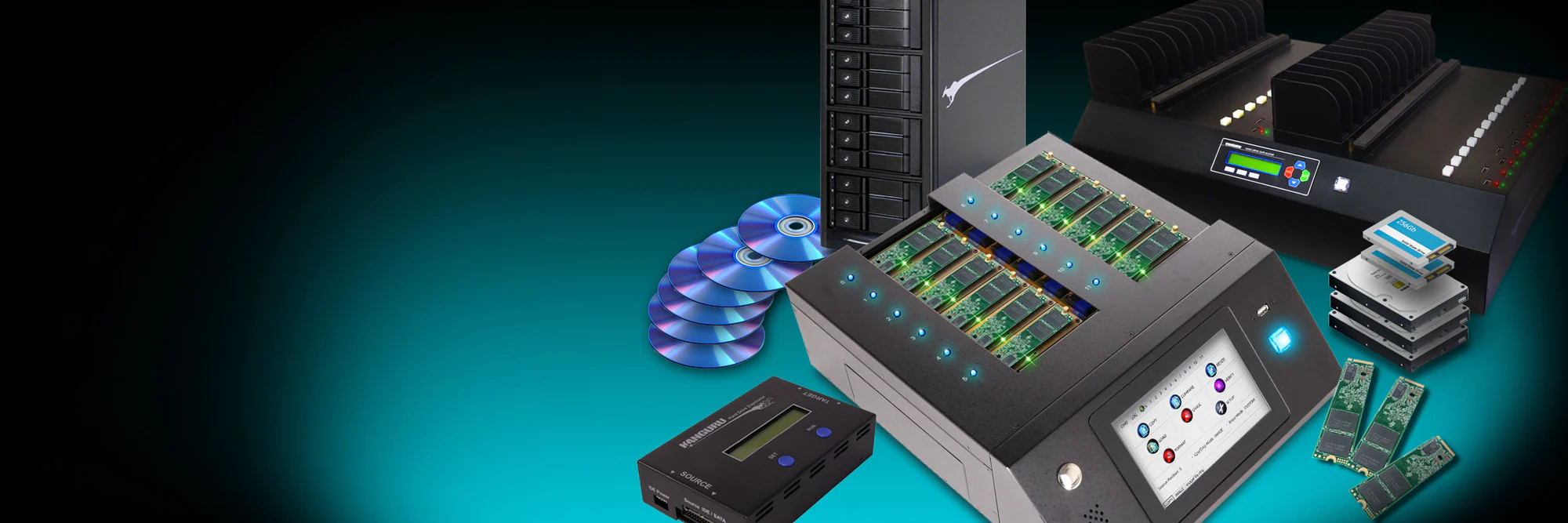
- KanguruClone stand-alone duplicators run copy and erase jobs on many drives at once without a computer. Their published speeds are copy rates, and on the KanguruClone 11 the Secure Erase and Sanitize Erase functions work only with SATA drives.
- The deliverable an auditor wants is not a wiped drive, it is a record: which serial number, which method, which date, which operator.
The moment nobody owns
Ask who is responsible for data on a drive in service and you will get a clear answer. Ask who is responsible for it the moment the asset is retired and the answer usually involves a cupboard, a facilities team and a hope. Yet end of life is when data most often walks out of an organisation, because the device is no longer being watched and the people handling it are not the people who classified the data on it.
The recurring situations are boringly predictable:
- Hardware refresh. A fleet of laptops or workstations is replaced and the old units are traded in, donated or sold.
- Lease return. Equipment goes back to the lessor on a deadline, which is exactly the pressure that produces a quick format.
- Warranty return or RMA. A failing disk is sent back to the manufacturer. It still holds data, and it is often the case that it cannot be wiped by normal means precisely because it is failing.
- Server and storage decommissioning. Arrays are broken up, disks are pulled, and the assumption that RAID striping makes a single disk useless to an attacker is comfortable and wrong.
- Office moves and closures. Volume, time pressure and unfamiliar handlers in combination.
- Staff departures. The laptop comes back and is reissued to somebody else without the disk being sanitised between users.
This article is about that end of the lifecycle. Protecting data while it is in use is a different problem, covered on our Kanguru page and in our guide to managing encrypted USB drives with KRMC, and the certification tiers a UAE or Saudi tender will ask for are set out in our FIPS 140-3 and FIPS 140-2 compliance guide.
Deleting is not erasing, and formatting is not either
It is worth being precise about this, because the misunderstanding is near universal and it is the reason most accidental disclosures at end of life happen at all.
Deleting a file removes its entry from the filesystem index. The blocks that hold the content are marked as available and are otherwise untouched until something happens to overwrite them, which may be never. A quick format writes a fresh filesystem structure and does the same thing on a larger scale. Emptying a recycle bin changes nothing about the underlying blocks. In each case the data is still physically present and recoverable with tools that cost nothing and require no expertise.
Two further beliefs deserve retiring. The first is that a drive pulled from a RAID set is safe because it holds only stripes: a single disk from an array can still yield substantial recoverable content, and a set of disks from the same array certainly can. The second is that a physically damaged or non-booting drive is safe because the machine will not start; the platters or flash chips are usually intact, and that is precisely the material a recovery lab works with.
Clear, purge, destroy: the three outcomes to specify
The reference nearly every serious policy and tender in this region points at is NIST Special Publication 800-88, the guideline for media sanitisation. Revision 2, published in September 2025, replaced Revision 1, which many policies still cite; both work with the same three outcomes. The guideline’s useful contribution is to stop treating sanitisation as one thing. It defines three categories, each providing a different level of protection against recovery.
| Category | What it does | Resists | Typical use |
|---|---|---|---|
| Clear | Logical techniques such as overwriting through the standard read and write interface | Simple, non-invasive recovery | Media being reused inside the organisation |
| Purge | Advanced methods such as cryptographic erase or degaussing | Advanced laboratory recovery | Media leaving the organisation's control but staying usable |
| Destroy | Physical destruction such as shredding or pulverising | Advanced laboratory recovery | Highest classifications, or media that cannot be sanitised any other way |
The selection logic matters as much as the definitions. NIST frames the choice around the confidentiality of the information, the type of media, whether the media will remain under organisational control or leave it, and what happens to it afterwards. That single question, does this leave our control, is the one that decides most real cases: a disk being reissued to another employee is a different problem from the same disk being sold to a trader in a computer souk.
Note also what Destroy costs you. Purging leaves an asset that still has residual value and can be resold or returned; destruction ends the asset. For a fleet refresh of several hundred machines, that difference is a budget line, which is why organisations that plan sanitisation in advance usually purge and organisations that leave it to the last week shred.
Solid-state storage changed the method
The instinct to overwrite every sector several times is inherited from magnetic disks, where the mapping between a logical address and a physical location is simple and stable. Flash storage does not work that way.
An SSD or NVMe drive constantly relocates data to spread wear across its cells, and it reserves a pool of capacity that the host never sees. The consequence is that writing zeros to every address the operating system can reach does not guarantee that every copy of the data has been overwritten, because older copies may sit in blocks that are no longer mapped and are unreachable through the normal interface. A multi-pass overwrite on flash is slower, wears the device, and still does not deliver the assurance it delivers on a hard disk.
This is where the purge category earns its place. Cryptographic erase, which NIST recognises as a purge technique, works by destroying the key rather than the ciphertext: if the drive encrypted everything it stored and the key is discarded, every copy in every unmapped block becomes unreadable at once, regardless of where the controller put it. It is fast, it is complete, and it depends entirely on the drive having encrypted the data properly in the first place.
Which is the argument for buying encrypted storage before you need to dispose of it. A hardware encrypted drive keeps the encryption engine and the keys inside the device, so end-of-life handling is a key management step rather than a data destruction project. It is the cheapest sanitisation decision available and it is made years before the drive is retired.
Secure hard drive wiping machines: erasing at volume without a computer
A dozen drives can be handled with a workstation, a dock and patience. A fleet refresh cannot. Once the number of drives is in the hundreds, sanitisation becomes a throughput problem, and the constraint is usually that every drive has to be attached to a PC, one at a time, while somebody watches.
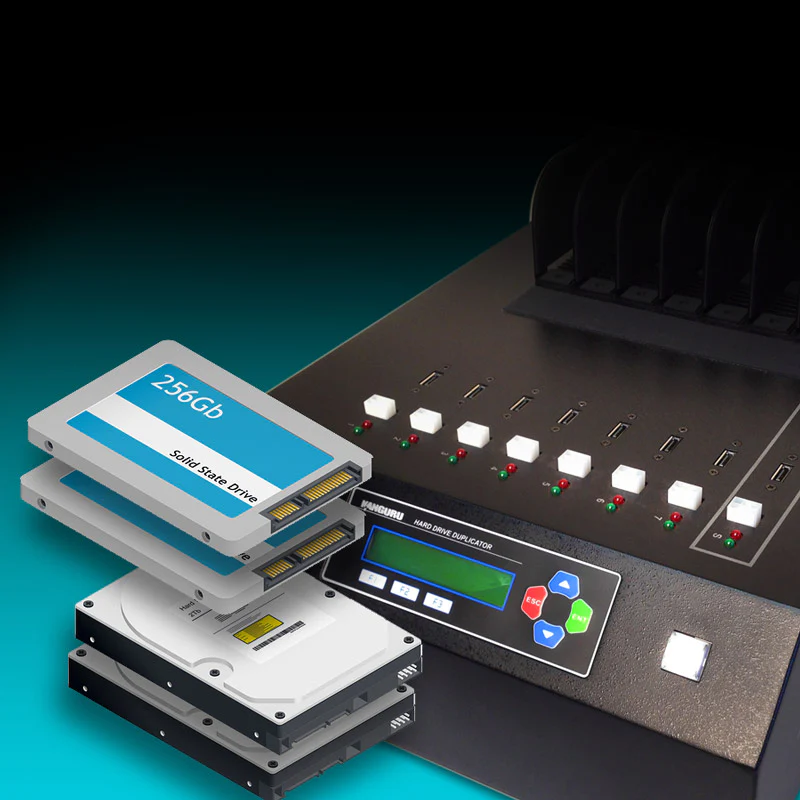
Stand-alone duplicators exist to remove that constraint. Kanguru does not sell a separate wiping machine: wiping is built into its duplicators. Kanguru has manufactured them for over 25 years, and most KanguruClone units run without a computer at all: drives go into the bays, the method is selected on the front panel, and the unit copies, compares, verifies or erases on its own.
- Hard drives and SSDs. Kanguru’s SATA duplicators, up to the KanguruClone 23HD SATA Pro, copy up to 23 hard drives or solid-state drives at once at up to 12 GB per minute as Kanguru rates it (a copy rate, not a wipe rate), and include a secure wipe function.
- M.2 NVMe. The KanguruClone 11 M.2 NVMe SSD Pro supports up to eleven M.2 NVMe and M.2 SATA drives at once across twelve PCIe M.2 sockets, with transfer speeds up to 25 GB per minute, as Kanguru rates the current dual-channel units. Its Secure Erase and Sanitize Erase functions work only with SATA drives; NVMe drives can only be overwritten, which NIST SP 800-88 treats as Clear rather than Purge. The same unit handles rollout cloning, covered in our KanguruClone 11 guide.
- USB media. The USB duplicators copy, compare, verify and erase across multiple devices from an LCD interface, which matters because removable media is the category most likely to be forgotten in a decommissioning exercise.
The same hardware serves two purposes, which is what makes it straightforward to justify. Outside a refresh cycle these units handle migrations, PC rollouts, backup copies and cloning HDDs to SSDs or NVMe; during one, they run erase jobs in parallel. Kanguru positions secure erase explicitly for drives being retired or reassigned and for meeting GDPR standards. Check which erase methods a unit supports for each drive type before relying on it for purge-level sanitisation.
Our hard drive and SSD duplicator guide matches the KanguruClone models to drive types and batch sizes, including the erase options Kanguru lists for each.
The paperwork is the deliverable
An auditor cannot inspect an absence. Nobody can look at a wiped drive and confirm that it was wiped properly, which means the evidence has to be created at the time and kept. A sanitisation exercise that produces clean drives and no records has, from a compliance point of view, produced nothing.
Record enough that the event can be reconstructed years later without the people involved:
- The asset and its serial number, tied to your asset register rather than to a description.
- The method and category applied, in the language of the standard: clear, purge or destroy, and the specific technique used.
- The verification result, because a method that reports failure on a dying drive has to be caught and escalated to destruction rather than quietly skipped.
- The date, the operator and the authorisation.
- The final disposition: resold, returned to lessor, donated, destroyed, and by whom.
Two failure modes are worth designing against specifically. Drives that fail to erase, usually because they are failing anyway, need a defined route to physical destruction rather than a shelf. And drives that never reach the process at all, because they were in a laptop bag or a drawer, are caught by reconciling the sanitisation log against the asset register rather than by counting what arrived.
One check belongs before any of this: confirm that the drive about to be sanitised is not the last copy of something. Sanitisation and backup sit at opposite ends of the same lifecycle, and a decommissioning exercise is a common way to discover that an archive existed in exactly one place. Our guide to backup and disaster recovery covers the retention side, and long-term material that should outlive the hardware belongs on dedicated archive storage rather than on a disk waiting to be wiped.
In-house or a third party
Both are legitimate. The distinction that matters is the one NIST already flagged: whether the media leaves your control, and at what point.
Sanitising in-house means data never leaves the building in readable form. The drives are cleared or purged on your own premises, verified by your own staff, and only then handed to a trader, a lessor or a recycler. The equipment pays for itself across a couple of refresh cycles and stays useful in between, and the chain of custody question largely disappears because there is nothing sensitive left to escort.
Using a specialist destruction service is appropriate for the highest classifications, for media that cannot be sanitised because it has failed, and for organisations without the volume to justify equipment. If you go that route, the contract needs to specify the standard applied, the certificates returned per serial number, whether destruction happens on your site or theirs, and what happens between collection and destruction, because that gap is the risk you are paying them to manage.
A practical middle path suits most UAE organisations: sanitise in-house at volume, using a purge method wherever the drive and the equipment support one, keep a record for every serial number, and send only the failed and the highly classified units for physical destruction.
Where this sits in a UAE and GCC policy
Secure disposal is not an optional extra in regional frameworks; it appears as an explicit control. Saudi Arabia's NCA Essential Cybersecurity Controls require restriction, secure handling and secure disposal of external storage media, and UAE frameworks address the control of devices that can leave the premises. Our compliance guide sets out how these map to certification tiers and how to write the clause into a tender, including the erasure requirement, so we will not restate it here.
The practical point is that a removable media clause with an encryption standard and a certification but no erasure method is incomplete, and it is the part most often missing. Specify all three together: what the device must be certified to, how the fleet is managed, and how media is sanitised at end of life.
PRO TECHnology has been Kanguru's exclusive distributor and partner for the Middle East since September 2021. From Dubai we supply Defender encrypted drives, remote management and KanguruClone duplicators across the UAE, Saudi Arabia, Qatar, Kuwait, Bahrain, Oman and the wider Middle East. Our team in Dubai handles quotations, demonstrations, setup help and warranty claims. The wider Enterprise IT division covers the storage, device management and archive side of the same estate. Reach us on +971 4 343 5501, at sales@protech.ae, or through the contact page. The 2021 appointment and the duplicator range are described in our partnership announcement.
Frequently asked questions
Is deleting files or formatting a drive enough before disposal?
No. Deleting a file removes its filesystem entry and a quick format writes a new filesystem structure, but in both cases the underlying blocks still hold the data until something overwrites them. Recovery is straightforward with freely available tools. Formatting is a housekeeping operation, not a sanitisation method, and should never be relied on for a drive leaving your control.
What is the difference between clear, purge and destroy?
They are the three sanitisation categories in NIST SP 800-88. Clear uses logical techniques such as overwriting and protects against simple recovery, which suits media being reused internally. Purge uses advanced methods such as cryptographic erase or degaussing and protects against laboratory recovery, which suits media leaving your control but staying usable. Destroy physically ruins the media so it can no longer store data.
Can an SSD be wiped by overwriting it like a hard disk?
Not reliably. Solid-state drives use wear levelling and reserve capacity the host cannot address, so writing over every logical sector may leave older copies in unmapped blocks. Multi-pass overwriting is also slow and wears the device. Purge-level techniques, cryptographic erase in particular, are the appropriate approach for flash storage.
What is cryptographic erase?
It is a purge technique that destroys the encryption key rather than the data. If the drive encrypted everything it wrote, discarding the key renders every copy unreadable at once, including copies in blocks the operating system cannot reach. It is fast and complete, but it only works if the storage was genuinely encrypting data in the first place, which is why buying encrypted drives simplifies disposal years later.
Do I need a certificate of erasure?
If you are subject to any audit, yes. Nobody can verify by inspection that a drive was properly sanitised, so the record is the evidence. Capture the serial number, the sanitisation category and technique, the verification result, the date, the operator and the final disposition, and reconcile the log against your asset register so devices that never reached the process are noticed.
What should we do with a drive that has failed and cannot be erased?
Route it to physical destruction. A failing drive is the case where logical sanitisation cannot be verified, and it is also the case most likely to be quietly set aside. Build an explicit path for it in the process, record it like any other asset, and never return a failed drive under warranty without first establishing what the vendor agreement says about the data on it.
Is a drive from a RAID array safe because it only holds stripes?
No. A single disk from an array can yield significant recoverable content, and several disks from the same array can yield considerably more. Every member of a decommissioned array should be sanitised individually and recorded individually, exactly as a standalone disk would be.
How many drives can a KanguruClone duplicator erase at once?
It depends on the model. The KanguruClone 23HD SATA Pro handles up to 23 SATA hard drives or SSDs per run. The KanguruClone 11 M.2 NVMe SSD Pro erases the drives in its eleven target sockets by default, and Kanguru’s 2021 manual says the source socket can be included through a setting. Kanguru’s published speeds, 12 GB and 25 GB per minute, are copy rates, not erase times. On the KanguruClone 11, Secure Erase and Sanitize Erase work only with SATA drives; NVMe drives can only be overwritten, which NIST SP 800-88 treats as Clear rather than Purge.
Should we sanitise in-house or use a destruction service?
Sanitising in-house means data never leaves the building in readable form and the equipment stays useful between refresh cycles for migrations, rollouts and cloning. A destruction service suits the highest classifications, failed media and organisations without the volume to justify equipment. Many organisations do both: sanitise in-house at volume, and send only failed or highly classified units for destruction.
Does UAE and GCC regulation require secure disposal of storage media?
Secure disposal appears as an explicit control rather than a recommendation. Saudi Arabia's NCA Essential Cybersecurity Controls require restriction, secure handling and secure disposal of external storage media, and UAE frameworks address control of devices that can leave the premises. Our FIPS compliance guide covers how these map to certification tiers and how to write the requirement into a tender.
Where can we buy drive duplicators and erasure equipment in the UAE?
From PRO TECHnology in Dubai. Kanguru’s partner directory lists PRO TECHnology for the UAE, Saudi Arabia, Qatar, Kuwait, Oman and Bahrain, and Kanguru announced the partnership in September 2021; PRO TECHnology is Kanguru’s exclusive distributor and partner for the Middle East. We supply KanguruClone duplicators and Defender encrypted drives, with quotations, demonstrations, setup help and warranty claims handled through our team in Dubai.
المسح الآمن للبيانات في الإمارات: ما يجب أن يحدث قبل خروج أي قرص من المؤسسة
تملك معظم المؤسسات سياسة واضحة لحماية البيانات أثناء الاستخدام، ولا تملك سياسة لما يحدث عند نهاية عمر الجهاز: انتهاء عقد الإيجار، تحديث الأجهزة، إرجاع قرص معطّل ضمن الضمان، أو بيع أجهزة قديمة عند الانتقال. حذف الملفات أو تهيئة القرص لا يمحو البيانات، بل يزيل الفهرس فقط، وتبقى البيانات قابلة للاسترجاع بأدوات بسيطة. يعرّف معيار NIST SP 800-88 ثلاث درجات: Clear للمسح المنطقي عند إعادة الاستخدام داخليًا، وPurge بالطرق المتقدمة مثل المسح التشفيري عند خروج الوسائط من سيطرة المؤسسة، وDestroy بالإتلاف المادي. أقراص SSD وNVMe تختلف عن الأقراص المغناطيسية بسبب توزيع التآكل والسعة الاحتياطية، لذا لا يكفي الكتابة فوق القطاعات، ويبقى المسح التشفيري هو الحل العملي، وهو سبب إضافي لاقتناء أقراص مشفّرة من الأساس. للتنفيذ بكميات كبيرة تنسخ أجهزة KanguruClone المستقلة الأقراص وتقارنها وتمسحها دون الحاجة إلى حاسوب، والسرعات المعلنة سرعات نسخ لا سرعات مسح. وفي جهاز KanguruClone 11 تعمل وظيفتا Secure Erase وSanitize Erase مع أقراص SATA فقط. الأهم أن الدليل هو السجل: الرقم التسلسلي والطريقة والتاريخ والمشغّل ومصير الجهاز. بروتكنولوجي الشريك الحصري لـ Kanguru في منطقة الشرق الأوسط منذ سبتمبر 2021، مع عروض الأسعار والعروض التوضيحية والمساعدة في الإعداد ومطالبات الضمان عبر فريقنا في دبي، لعملائنا في الإمارات والسعودية ودول الخليج.
Plan the disposal before the refresh, not after
If a hardware refresh, an office move or a lease return is coming, the sanitisation method is cheaper to decide now than in the final week. Tell us the number of drives, the mix of hard disks, SSDs and NVMe, and the classification of the data on them, and we will tell you what the process looks like, what it needs, and where a duplicator pays for itself against a per-drive service charge.