
Mobile Device Management (MDM) and Unified Endpoint Management in the UAE and GCC
Published · Updated · PRO TECHnology Enterprise IT
Most IT teams do not lose control of their devices in one dramatic moment. It happens quietly, over a few years, as the fleet grows past the point where anyone can picture it. This guide explains what device management actually involves, what the difference between MDM and UEM really is, and where FileWave fits for organisations in the UAE, Saudi Arabia and the wider Gulf.
Key takeaways
- MDM is not limited to phones and tablets: Macs and Windows PCs support it too. UEM brings laptops, desktops, tablets and phones into one console; Chromebooks stay enrolled through Google Admin. FileWave is a UEM platform that includes MDM.
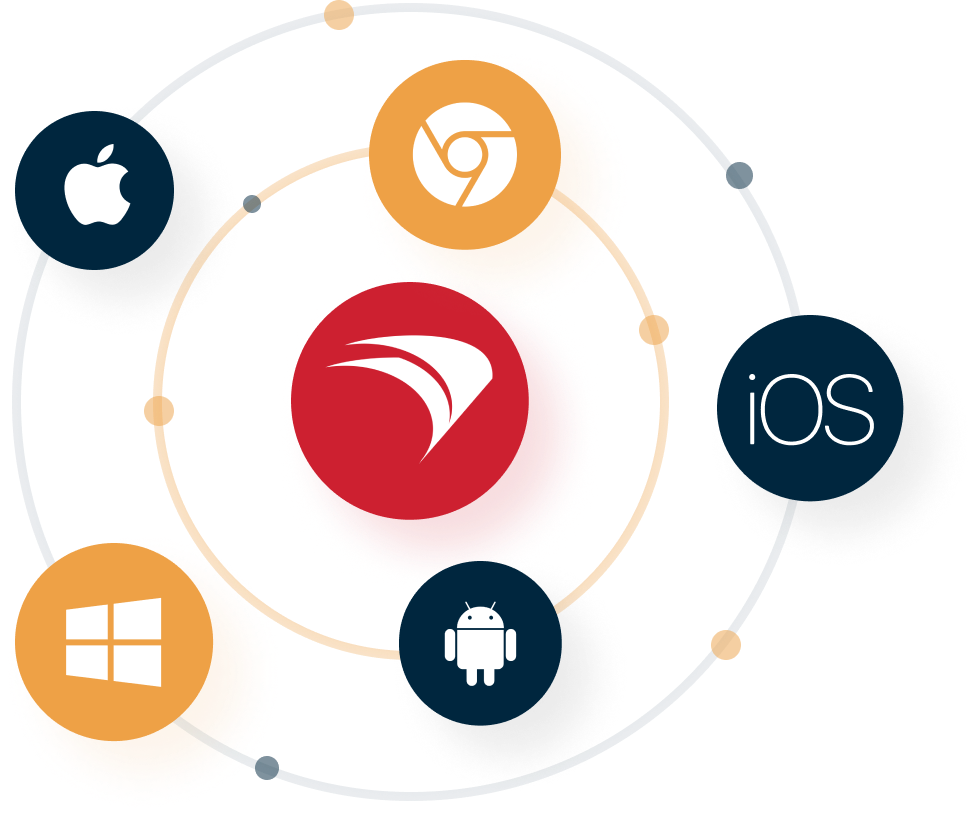
- FileWave supports macOS, iOS, tvOS, Windows, Android and ChromeOS, which matters in a region where the same organisation often runs Macs in design, PCs in finance and iPads in the classroom.
- With the Self Healing verification setting, FileWave puts back files it delivered in a Fileset if they are changed or deleted on a Mac or Windows computer; Download if Missing and Ignore At Verify suit files staff are meant to change.
- Apple devices bought from Apple or a participating reseller or carrier (or added later with Apple Configurator) and assigned to your FileWave server in Apple Business or Apple School Manager enrol during setup once they reach the internet.
- FileWave runs in FileWave’s cloud or on your own server. Self-hosting keeps the server, database and backups where you choose, but Apple, Google, Microsoft and FileWave’s licence server must still be reachable, so it supports a residency clause rather than guaranteeing it.
- PRO TECHnology is FileWave’s distributor and partner for the Middle East, an authorised FileWave reseller in the GCC since 2009, with local implementation and support in Dubai.
The device count grew. The IT team did not.
Ask an IT manager in Dubai or Riyadh how many devices their organisation owns and you will usually get a range rather than a number. The range is the problem. Somewhere between the spreadsheet last updated at the previous audit, the laptops issued to people who have since left, and the tablets a department bought on its own budget, the true figure has drifted out of view.
This is not carelessness. It is arithmetic. Ten years ago a company of 200 people had perhaps 200 computers. Today the same company has 200 laptops, 200 phones, a stock of spare tablets, a few dozen shared machines, meeting-room displays and a handful of Macs in the marketing team. The device count multiplied. The IT headcount did not.
The situations where this becomes expensive are predictable:
- New starters. A laptop has to be unboxed, imaged, joined, loaded with the right software and handed over. Done by hand, it can take hours per person.
- Software rollouts. A new application, or a licence renewal, has to reach every machine that needs it, and only the machines that need it.
- Security patches. A vulnerability is announced on Tuesday. Someone has to know which devices are exposed, and get the fix onto all of them before it is exploited.
- Remote and hybrid staff. The device is at home, in another emirate, or on another continent. Walking to the desk is not an option.
- Lost and stolen hardware. A phone goes missing with mail, files and saved credentials on it. The clock starts immediately.
- Audits and renewals. Someone asks what is deployed, where, running which version, under which licence. The honest answer is often that nobody is certain.
- Schools at scale. A thousand student iPads that must be locked to the right apps during exams, reset over the summer, and traced when one does not come back.
Each of these is manageable once. The difficulty is doing all of them, continuously, across several operating systems, with the team you already have. That is the problem endpoint management software exists to solve, and it is the lens this article uses. If you are assessing the wider IT stack, our enterprise and corporate IT division covers device management alongside storage, archiving and security.
What is FileWave?
FileWave is a unified endpoint management platform. In plain terms, it is one console from which an IT team can enrol a device, configure it, install and update software on it, apply security policy to it, see what is on it, and if necessary lock or wipe it, without physically touching the device.
The company is FileWave AG, founded in Switzerland in 1992, and it describes itself as a global provider of cross-platform device management. That long history matters less as a marketing point than as an explanation of the product's shape: FileWave came from the world of managing Macs at scale, well before mobile device management existed as a category, and it added mobile and Windows management to that foundation rather than the other way round.
FileWave's own description of the product is "Unified Endpoint Management & IT Asset Software", and both halves of that phrase are meaningful. It manages devices, and it also keeps a record of what those devices are and what is installed on them. The full technical documentation is published openly on the FileWave website and its knowledge base.
MDM, UEM, and the difference that actually matters
These two acronyms are used loosely, often interchangeably, and the distinction is worth getting right because it changes what you should buy.
What is MDM?
MDM stands for Mobile Device Management. It is a set of controls that Apple, Google and Microsoft build into their operating systems, which allow an approved management server to configure a device remotely. Through MDM a server can push Wi-Fi and email settings, install and remove apps, enforce a passcode, restrict features such as the camera or app installation, and remotely lock or erase the device. Despite the name, MDM is not limited to phones and tablets: Apple's device management supports Mac computers as well as iPhone and iPad, and FileWave manages Windows 10 and 11 through Microsoft's MDM protocol (Apple: intro to device management; FileWave: Microsoft Windows MDM).
The important thing about MDM is that it is a capability of the operating system, not something a vendor invents. Any MDM product is using the same underlying framework. What differs is how much the product can do around it.
What is UEM?
UEM stands for Unified Endpoint Management. It covers the same mobile devices and brings desktops and laptops running Windows and macOS into the same console, where the real work of software deployment, patching and imaging happens. Those computers support MDM as well, and a UEM platform combines it with deeper management: in FileWave's Windows MDM, for example, MDM handles enrolment and policy commands, while the FileWave Client provides Filesets, inventory and other client-based management. "Unified" means one console, one set of policies and one inventory across all of it.
The practical difference
If your fleet is phones and tablets, MDM is enough. If it also includes the laptops your staff actually work on, MDM alone may leave the harder half of the job unmanaged: installing a large design application, repairing a broken installation, or patching third-party software. Macs and Windows PCs do support MDM; the difference is what a platform adds around it on those computers.
Most organisations in the region are firmly in the second category. A school has iPads and it has staff laptops and a computer lab. A company has phones and it has finance PCs and design Macs. FileWave sits in the UEM category and includes MDM within it, which is why it tends to appear on shortlists where the estate is mixed.
FileWave compared with traditional device management
"Traditional" here means the way most organisations still work: a mixture of manual setup, login scripts, a separate tool for each platform, and a spreadsheet standing in for an inventory. It is not that this fails outright. It is that the effort scales linearly with the device count, so it quietly consumes the IT team.
| Task | Traditional approach | With FileWave |
|---|---|---|
| Setting up a new device | Unbox, image or configure by hand, install software, hand over | Apple devices assigned in Apple Business or Apple School Manager enrol during setup; Windows (Autopilot or Entra join), Android (zero-touch or QR code) and Chromebooks (Google Admin) follow their own enrolment paths |
| Installing software | Per machine, or a script that runs at login and may not complete | Assign to a group; delivery and completion are reported back |
| A broken installation | User raises a ticket; someone reinstalls it | Files FileWave delivered with Self Healing set are restored at verification; other faults need a reinstall Fileset |
| Patching | Left to each device, or chased manually | OS update policy on both platforms; third-party apps through Filesets or WinGet |
| Knowing what you own | A spreadsheet, accurate on the day it was written | Inventory and policy-status reports from each device’s last report (older data stays visible while a device is offline) |
| Mixed operating systems | A separate tool and a separate skill set per platform | One console covering Apple, Windows, Android and ChromeOS |
| A lost device | Change passwords and hope | Remote lock or erase of company-owned enrolled devices when they next check in; personal devices: removal of company data only; Windows: only when MDM-enrolled |
Which devices and operating systems FileWave manages
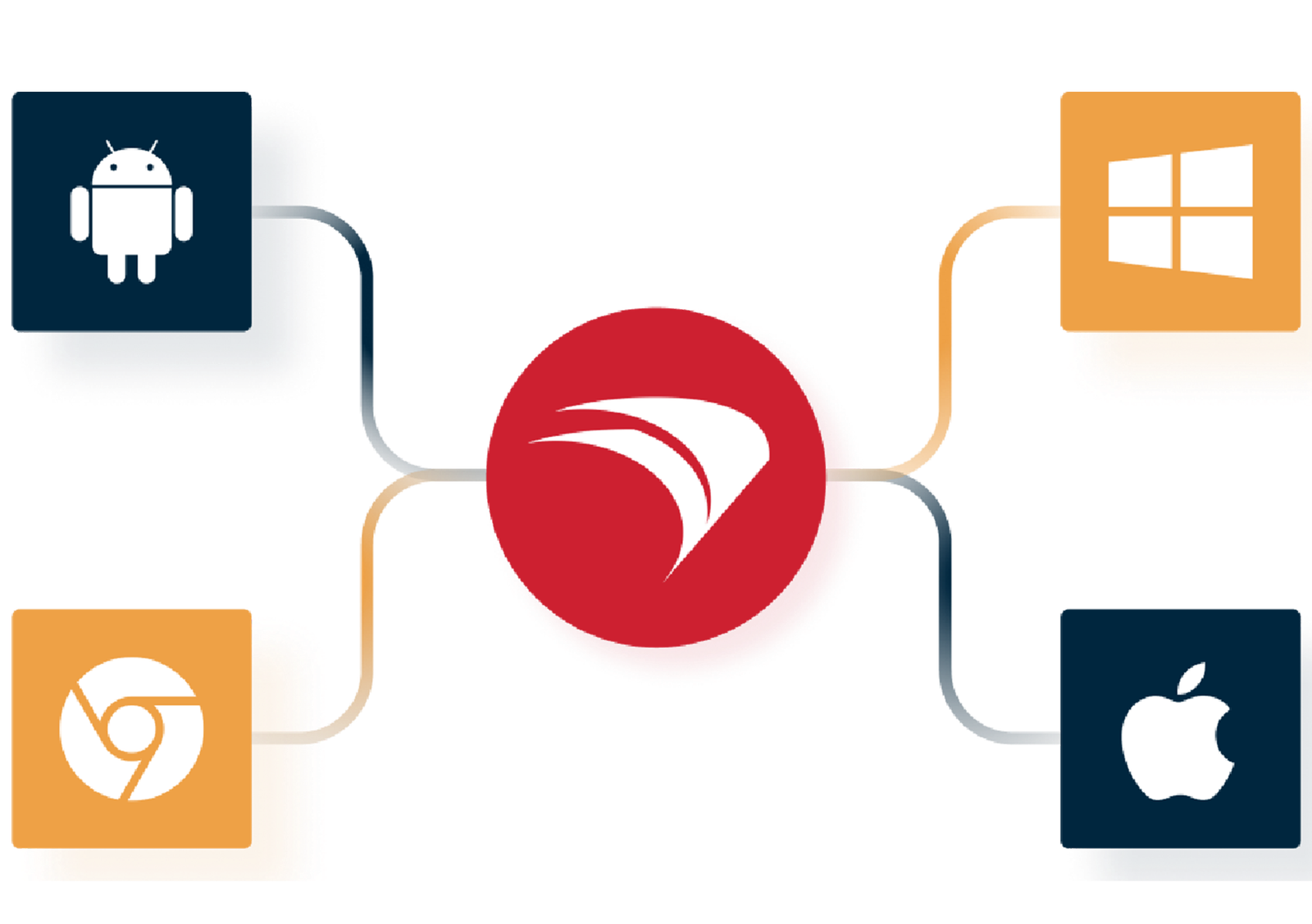
FileWave manages macOS, iOS, tvOS, Windows, Android and ChromeOS devices from a single console. For most organisations in the Gulf this is the deciding factor, because very few estates are single-platform any more.
Managing Apple devices
Apple management is where FileWave started. Moving Apple devices from another MDM without erasing them is covered in our MDM migration guide. Macs, iPhones, iPads and Apple TV devices are all supported.
The most useful capability for anyone deploying at volume is Automated Device Enrollment, previously called the Device Enrolment Program. Devices bought through an authorised channel are assigned to your organisation in Apple School Manager or Apple Business, and from there to your FileWave server. When a user powers on a sealed device, it enrols itself and applies its configuration without anyone in IT opening the box. FileWave also supports enrolment through Apple Configurator 2, and Shared iPad for devices used by more than one person.
Managing Windows environments
Windows machines are managed for provisioning and configuration, software and application distribution, scheduled patching, and inventory. Windows software deployment is where manual effort tends to concentrate, so client-based deployment matters most there, because Windows software deployment is where manual effort concentrates.
Managing Android and ChromeOS
Android devices are supported for enrolment, configuration and application deployment. ChromeOS is included as well, which matters for schools that have standardised on Chromebooks for general classroom use while keeping iPads for creative subjects and Windows or Mac machines in specialist labs. Chromebooks stay enrolled and governed in the Google Admin console; FileWave works alongside it so they appear with the rest of the fleet, but it does not replace Google Admin.
Remote software deployment
Getting software onto devices that are not in front of you is the task that consumes the most IT time, and it is the task FileWave was originally built for.
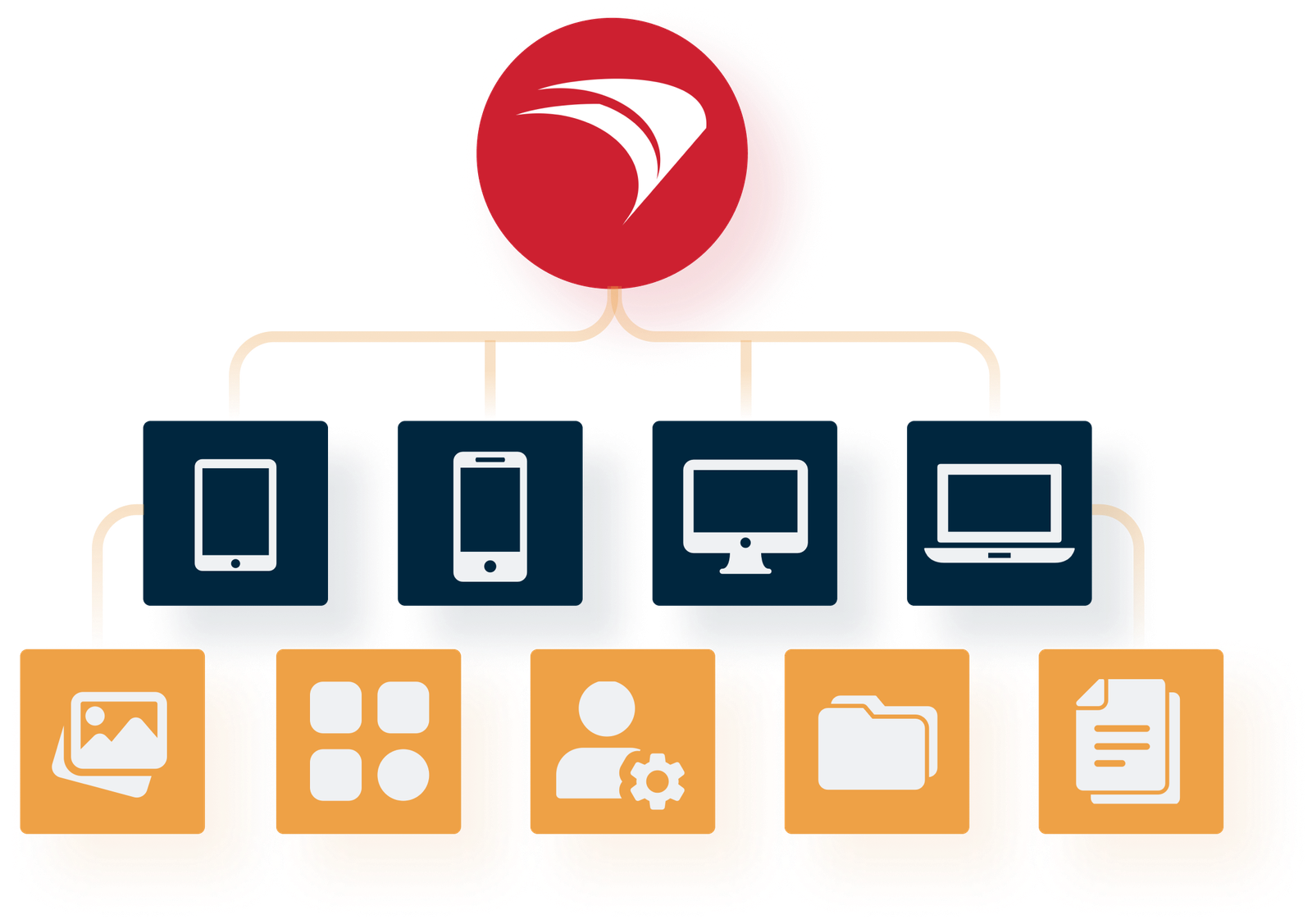
FileWave packages what you want to deploy into a unit called a Fileset. A Fileset can contain an application, individual files, configuration settings or a script. You assign it to a group of devices or users, and FileWave delivers it, applies it and reports back on whether it succeeded. Applications, updates and custom scripts can all be deployed this way.
Assigning a tested Fileset to four hundred laptops takes the same console steps as assigning it to four. Testing, the pilot group and following up failures and offline devices still grow with the fleet. The devices do not need to be in the office, and nobody needs to walk to a desk.
A rollout still needs a tested package, a pilot group and follow-up for devices that were offline when the change was made. Our guide to deploying software remotely across company computers walks through that workflow step by step.
Self Healing: putting back the files FileWave delivered
FileWave describes the ability to deploy files directly to a device’s filesystem with Self Healing enabled as one of the main things separating it from other solutions.
When a file is deployed with Self Healing, FileWave restores the delivered copy at the next verification if it has been changed or deleted. It covers the files FileWave delivered, not settings, user data or files it did not deploy, so an installation broken by an update may still need a reinstall or a new Fileset revision. FileWave offers three verification settings, so the behaviour can be chosen per file:
- Self-Healing. The file is repaired or replaced by the server if it is altered in any way. Used where contents must remain intact at all times.
- Download If Missing. The file is re-downloaded only if it is deleted. If a user has altered it deliberately, the change is left alone.
- Ignore At Verify. The file is placed on the device and then left entirely alone, which suits templates or documents users are meant to edit.
On Macs and Windows PCs, the FileWave Client runs verification every 24 hours by default after it starts, and an administrator can also ask a device to verify. On shared Mac and Windows lab computers, it can cut tickets caused by deleted or altered managed files.
Keeping devices updated
Unpatched software is a common route into an organisation, and it is rarely the result of a decision. It is the result of nobody having a reliable way to see which devices are behind.
FileWave handles operating-system updates in a piloted Software Updates workflow (Apple’s declarative device management on Macs, iPhones and iPads, Microsoft’s update policy on Windows) and third-party applications one by one: an updated Fileset, the vendor’s updater or, for Windows apps in a WinGet source, automatic upgrade at verification. A monthly routine, the change in Apple’s 27 releases and what GCC frameworks ask are covered in our patch management guide for the UAE and GCC.
Device inventory and IT asset management
FileWave describes itself as unified endpoint management and IT asset software, and the second half is easy to overlook until an audit, a licence renewal or an insurance claim arrives.
Because every managed device reports back, the console holds a current record of what exists, what is installed on it, which version it is running and whether it complies with policy. Inventory and policy-status reports are built from each device’s last report, so check when a device last reported before relying on it.
This replaces the spreadsheet, and it answers questions the spreadsheet never could:
- How many devices do we actually own, and where are they?
- How many installations of this application exist, and does that match what we bought?
- Which devices are still on an operating system version that is no longer receiving security updates?
- Which machines have not checked in for a month, and are they in a drawer, or gone?
That last question connects to the end of the device lifecycle. When hardware is retired, sold or returned, the data on it becomes someone's responsibility, a subject we cover separately in our guide to secure data erasure and drive decommissioning.
Inventory is only as current as each device's last report. Our guide to tracking company devices and installed software covers how to check reporting freshness and reconcile what devices report with your asset register and purchase records.
FileWave for schools and universities
Education is one of the environments FileWave explicitly serves, across both K-12 schools and higher education, and school IT has a shape that general business tools handle badly. Abu Dhabi private and charter schools can map the IT clauses of the ADEK School Digital Policy to their own devices.
A school does not have one device per person. It has carts of shared iPads, a computer lab, staff laptops and often Chromebooks, all used by different people every hour, all needing to be reset and reissued on a timetable set by the academic year rather than by IT. A thousand devices might be handled by one or two technicians.
The features that matter most in that setting are the ones that remove repetition:
- Zero-touch enrolment through Apple School Manager. New iPads are assigned to the school in ASM and to the FileWave server from there. iPads bought through Apple or a participating reseller and assigned to FileWave in Apple School Manager enrol during setup once on Wi-Fi; profiles and app assignments still need building and piloting first, but nobody has to set up each iPad by hand. Our school device management guide covers Shared iPad, apps and term preparation.
- Shared iPad. Devices used by more than one student are supported as shared, rather than being tied to a single person.
- Self Healing on lab Macs and Windows PCs. Files FileWave delivered come back at the next verification if students change or delete them.
- Application deployment by group. A subject's software goes to that year group's devices, and to no others.
- Restrictions and policy. Camera, app installation and other features can be controlled where the setting requires it.
- Inventory. At the end of term, a live record of which device is assigned where is the difference between a stocktake and a search.
Managing the devices is only part of it; they also have to be stored, charged and moved between classrooms, which is why schools often pair device management with LapCabby charging and storage trolleys. Institutions running creative curricula may also be eligible for discounted licensing through the Adobe education program.
FileWave for enterprises
The corporate case is less about volume and more about consistency and risk. FileWave lists corporate, finance, media and publishing, and public administration among the sectors it serves.
In a commercial environment the recurring requirements are these. Every device should be configured the same way, so that support is predictable. Software should reach the right people and no one else, because licences cost money and unmanaged installations create exposure. Security policy should be enforced rather than requested. Devices should be patched on a schedule. And when hardware is lost or an employee leaves, the organisation should be able to act on the device: remote lock or erase on company-owned devices once they connect, and removal of company data from personal devices. How Mac and Windows laptops are handled side by side is set out in our guide to managing Mac and Windows devices together.
FileWave can enforce and report the operating systems’ own disk encryption: FileVault on Macs, and BitLocker on Windows editions that include it.
| Environment | The pressure | What FileWave helps manage |
|---|---|---|
| Schools and universities | Shared devices, seasonal resets, very few technicians | Zero-touch iPad enrolment, Shared iPad, app deployment by class, Self-Healing, inventory |
| Corporate offices | Mixed Mac and Windows, licence control, staff turnover | Standard configuration, software distribution, patching, encryption, remote lock and wipe |
| Remote and hybrid teams | Devices rarely or never on the corporate network | Remote enrolment, deployment and patching without the device coming in |
| Creative and media | Large applications, Mac-heavy, long installs | Fileset deployment of large suites, self-healing installations, macOS depth |
| Government and public sector | Compliance evidence and data residency conditions | Policy-status reports for audit evidence, policy enforcement, a self-hosted server option (platform services still connect out) |
| Retail and multi-site | Many locations, no local IT presence | Central configuration and updates pushed to every branch |
Cloud or on-premise
FileWave can be installed on your own servers or run from FileWave's cloud, and the company states that you get the same features either way. That is a more meaningful choice in this region than it might be elsewhere.
Cloud suits organisations that would rather not run and maintain a server, and it is generally the faster route to a working deployment. On-premise suits organisations where a tender, a regulator or an internal policy requires that management data stays on infrastructure the organisation controls, a condition some government, education and financial-sector tenders include (our MDM tender and RFP checklist shows how to write it). Self-hosting does not make device management self-contained: Apple’s push service, Google, Microsoft Entra ID and FileWave’s licence server must stay reachable, and FileWave documents no air-gapped mode. FileWave’s own hosted servers run on Amazon Web Services in regions it lists in the United States, Europe and Asia Pacific. Our guide to what an on-premises MDM still connects out to lists each dependency.
Why organisations in the UAE and Saudi Arabia need centralised endpoint management
The general case for endpoint management applies everywhere. A few conditions make it sharper here.
Estates are genuinely mixed. A single Dubai organisation will commonly run Windows in finance and operations, Macs in design and marketing, iPads in the field or the classroom, and Android phones across the rest. Multi-platform is the normal case, not the exception, which puts a real premium on one console rather than four.
Growth is fast and uneven. Headcount can change quickly, and new offices open across the GCC. Onboarding that depends on a technician being physically present does not survive that.
Distributed teams are standard. Regional businesses routinely operate across several countries from one IT function. Devices are in Riyadh, Doha and Cairo while the team managing them is in Dubai.
Regulatory expectations have risen. Data protection and cybersecurity requirements across the UAE and Saudi Arabia increasingly ask organisations to demonstrate control of their endpoints with evidence, not assertion. Inventory and policy-status reports can form part of that evidence, alongside the policies, agreements and records an auditor asks for.
Device loss is a live risk. High mobility and heavy travel mean laptops and phones go missing more often than in a static office culture. Remote lock and wipe stop being theoretical features; our lost and stolen device runbook sets out the first hour.
Why local implementation and support matters
Endpoint management is not a product you install and walk away from. The deployment decisions made in the first fortnight (how devices are grouped, how policies are structured, how software is packaged) determine how much work the platform saves for years afterwards. Getting those wrong is recoverable but expensive.
There are three practical reasons a regional partner matters more here than the licence price suggests. Time zones: a problem on a Sunday morning in Riyadh, where the week runs Sunday to Thursday, or late in the UAE working day, falls outside European and American support hours. Procurement: public sector and education buying runs through local processes, quotations and terms that an overseas vendor is not set up to serve. And integration: the platform has to meet the network, directory and security stack you already have, which is a conversation best held in person.
PRO TECHnology handles supply, deployment and support for FileWave locally, from Dubai, across the Middle East.
PRO TECHnology and FileWave in the Middle East
To be precise about the relationship, because it is a fair question to ask of any partner: FileWave AG is the manufacturer and develops the platform. PRO TECHnology is FileWave’s distributor and partner for the Middle East: it was appointed an authorised FileWave reseller in the GCC in 2009 and has represented the platform in the region since. That appointment sits alongside the other partnerships listed in our company history. In July 2026 FileWave announced an expanded partnership covering sales, deployment and local support across the Middle East, including Saudi Arabia; see our FileWave partnership announcement.
What that means for a customer is straightforward. Licensing, evaluation, deployment, training and ongoing support are handled locally rather than remotely, by a team that has worked with the platform for over fifteen years and knows how it behaves in schools, in creative studios and in corporate environments here. FileWave sits within our enterprise and corporate IT division alongside secure storage, archiving and endpoint security, and it appears in our business continuity planning as the device layer: it re-provisions a replacement laptop with its settings and software, while user data comes back from backup, and the lost laptop’s encryption decides how much is exposed.
If you want to see the platform against your own estate rather than a demonstration environment, that is the useful next step. Our existing FileWave product page covers the platform overview, and you can reach the team through the contact page.
What UAE and Saudi rules ask of mobile devices
Two rulebooks shape many MDM projects in the region. In the UAE, the Information Assurance Standard v2.1 of the Cyber Security Council applies to federal entities and critical information infrastructure, and to emirate entities through their own programmes. In Saudi Arabia, government entities work to NCA’s Essential Cybersecurity Controls and banks to SAMA’s Cyber Security Framework. The table summarises each control; the links give the regulators’ exact wording.
| Rule | What it asks |
|---|---|
| UAE Information Assurance Standard v2.1, T1.5.1 | Enrol personal devices used for work in a Mobile Device Management (MDM) system or equivalent solution to enforce security policies, including encryption, passcode requirements and remote wipe. Our BYOD enrolment guide explains what each enrolment type allows. |
| UAE Information Assurance Standard v2.1, T3.4.2 | Encrypt all classified data at rest and in motion, on all devices and media. |
| NCA ECC-2:2024, 2.6.3.1 and 2.6.3.3 (Saudi Arabia) | Separate and encrypt the entity's data on mobile devices and BYOD, and delete it when a device is lost or employment ends. |
| SAMA Cyber Security Framework, 3.3.10 (Saudi banks) | The BYOD standard covers the use of mobile device management (MDM) and encryption on personal devices. |
An MDM platform is how these duties are enforced and evidenced: devices enrolled, settings applied, devices out of policy visible, and lost devices locked or wiped. It does not replace the policy, the BYOD agreement or the records an auditor asks for. For the full Saudi control map, including removable media and backups, see Enterprise IT in Saudi Arabia.
Where Apple Business fits
On 14 April 2026 Apple replaced Apple Business Manager, Apple Business Essentials and Apple Business Connect with Apple Business, which adds built-in device management for Apple devices. Apple Business, or Apple School Manager for schools, is still where company Apple devices are registered and assigned to a device management service such as FileWave, so a sealed device enrols itself and applies its configuration the first time it is switched on.
How the built-in service compares with a cross-platform MDM, what Apple Business offers in each GCC country, and how to link FileWave are covered in our Apple Business built-in MDM and set-up guide for the UAE and GCC.
Frequently asked questions
What is FileWave?
FileWave is a unified endpoint management platform made by FileWave AG, a company founded in Switzerland in 1992. It lets an IT team enrol, configure, secure and support devices from one console, across macOS, iOS, tvOS, Windows, Android and ChromeOS. It combines mobile device management with desktop and laptop management, plus IT asset tracking.
What is FileWave used for?
It is used to manage large numbers of devices without handling each one individually. Typical tasks are enrolling new devices, installing and updating software remotely, applying security policies, managing operating-system and third-party updates, keeping an inventory of hardware and software, and locking or erasing a lost company device when it next connects (on personal devices, removing company data only).
What is MDM?
MDM stands for Mobile Device Management. It is a framework built into modern operating systems that allows an approved management server to configure a device remotely: pushing Wi-Fi and email settings, installing or removing apps, enforcing a passcode, restricting features, and remotely locking or erasing the device if it goes missing.
What is UEM?
UEM stands for Unified Endpoint Management. It covers phones and tablets as well as desktops and laptops running Windows and macOS. Those computers support MDM too, and UEM adds client-based management for the software deployment, patching and imaging that happen on them. The word unified means one console, one set of policies and one inventory across every device type rather than a separate tool for each.
What is the difference between MDM and UEM?
MDM is a subset of UEM. MDM manages devices through the controls built into the operating system, including Macs and Windows PCs as well as phones and tablets. UEM adds client-based management on computers, where the heavier work of installing large applications, repairing broken installations and patching third-party software takes place. If your fleet includes staff laptops, MDM alone may leave that part of the job unmanaged.
Can FileWave manage Mac and Windows devices together?
Yes. Managing mixed estates from one console is the platform's main purpose. macOS and Windows devices are both handled for enrolment, configuration, software distribution, patching and inventory, so an organisation running Macs in design and PCs in finance does not need two separate management systems or two skill sets.
Can FileWave manage iPads in schools?
Yes, and education is one of the environments FileWave explicitly serves across K-12 and higher education. Schools can enrol iPads through Apple School Manager, deploy apps to specific class or year groups, apply restrictions, and use Shared iPad for devices used by more than one student. On shared Mac and Windows lab computers, Self Healing restores files FileWave delivered if students change or delete them. Our school device management guide covers the details.
Does FileWave work with Apple School Manager?
Yes. FileWave integrates with both Apple School Manager and Apple Business. Devices bought through an authorised channel are assigned to your organisation in Apple School Manager or Apple Business, then to your FileWave server, so they enrol automatically on first power-on. FileWave also supports enrolment through Apple Configurator 2.
What is zero-touch deployment?
Zero-touch means a new device configures itself the first time it is switched on, with no hands-on work by IT. With Apple devices this uses Automated Device Enrollment, formerly called the Device Enrollment Program. Where the device was bought from Apple or a participating reseller or carrier and assigned to your MDM server in Apple Business or Apple School Manager, the sealed device is unboxed by the end user, connects to the network, enrols with the management server and applies its assigned settings and apps automatically.
Can FileWave remotely deploy applications?
Yes. Software is packaged into a unit called a Fileset, which can hold an application, files, settings or a script, and assigned to a group of devices or users. FileWave delivers it and reports whether it succeeded. Assigning a Fileset to four hundred devices takes the same steps as assigning it to four, but packaging, piloting and following up devices that fail or are offline still take time.
Who supplies FileWave in the UAE, Saudi Arabia and the Middle East?
PRO TECHnology is FileWave’s distributor and partner for the Middle East: it was appointed an authorised FileWave reseller in the GCC in 2009 and has represented the platform in the region since. Licensing, evaluation, deployment, training and support are handled locally from Dubai across the Middle East, rather than remotely from Europe or North America.
Do UAE regulations require mobile device management?
For entities under the UAE Information Assurance Standard v2.1, control T1.5.1 requires personal devices used for work to be enrolled in a Mobile Device Management (MDM) system or equivalent solution that enforces encryption, passcodes and remote wipe. Whether other organisations are bound depends on their sector and emirate, since health and financial regulators set their own rules; check with your compliance owner. The control is a sound benchmark either way.
How does FileWave compare with Intune and Jamf?
Microsoft Intune is Microsoft’s cloud endpoint management service and is included in several Microsoft 365 plans. Jamf focuses on Apple devices. FileWave manages macOS, iOS, tvOS, Windows, Android and ChromeOS devices from a single console, with Chromebooks staying enrolled in Google Admin, and it can be installed on your own servers or run from FileWave’s cloud. Which one fits depends on the mix of devices you manage, where the management server has to run and the licences you already hold.
إدارة الأجهزة والنقاط الطرفية من FileWave في الإمارات والشرق الأوسط
مع تزايد أعداد الأجهزة داخل المؤسسات، يصبح من الصعب إدارتها يدويًا جهازًا تلو الآخر. توفّر منصة FileWave إدارة موحّدة للنقاط الطرفية من خلال وحدة تحكم واحدة تشمل أنظمة macOS وiOS وtvOS وWindows وAndroid وChromeOS، وتتيح تسجيل الأجهزة عن بُعد، وتوزيع البرامج والتطبيقات، وإدارة التحديثات والتصحيحات الأمنية، وحصر الأصول التقنية، وتطبيق سياسات الأمان، وقفل الأجهزة المملوكة للمؤسسة أو مسحها عند فقدانها، وإزالة بيانات العمل فقط من الأجهزة الشخصية. وتتيح خاصية الإصلاح الذاتي (Self Healing) إعادة الملفات التي وزّعتها FileWave عند حذفها أو تعديلها على أجهزة Mac وWindows، وفق إعداد التحقق المختار لكل ملف. كما تدعم التسجيل التلقائي للأجهزة عبر Apple School Manager وApple Business، وهو ما يخدم المدارس والجامعات التي تدير أعدادًا كبيرة من أجهزة iPad. ويمكن تشغيل المنصة سحابيًا أو على خوادم المؤسسة نفسها. وقد تم اعتماد شركة PRO TECHnology شريكًا معتمدًا لمنتجات FileWave في دول مجلس التعاون الخليجي منذ عام 2009، مع توفير التركيب والدعم الفني محليًا من دبي.
See it against your own devices
The useful test of an endpoint management platform is not a demonstration environment. It is your estate: your mix of operating systems, your directory, your software, and the tasks that currently take your team the longest. If you would like to see FileWave applied to that, we can arrange an evaluation.