
Apple Business in the UAE and GCC: Set-Up, Built-In MDM and Connecting FileWave
Published · PRO TECHnology Enterprise IT
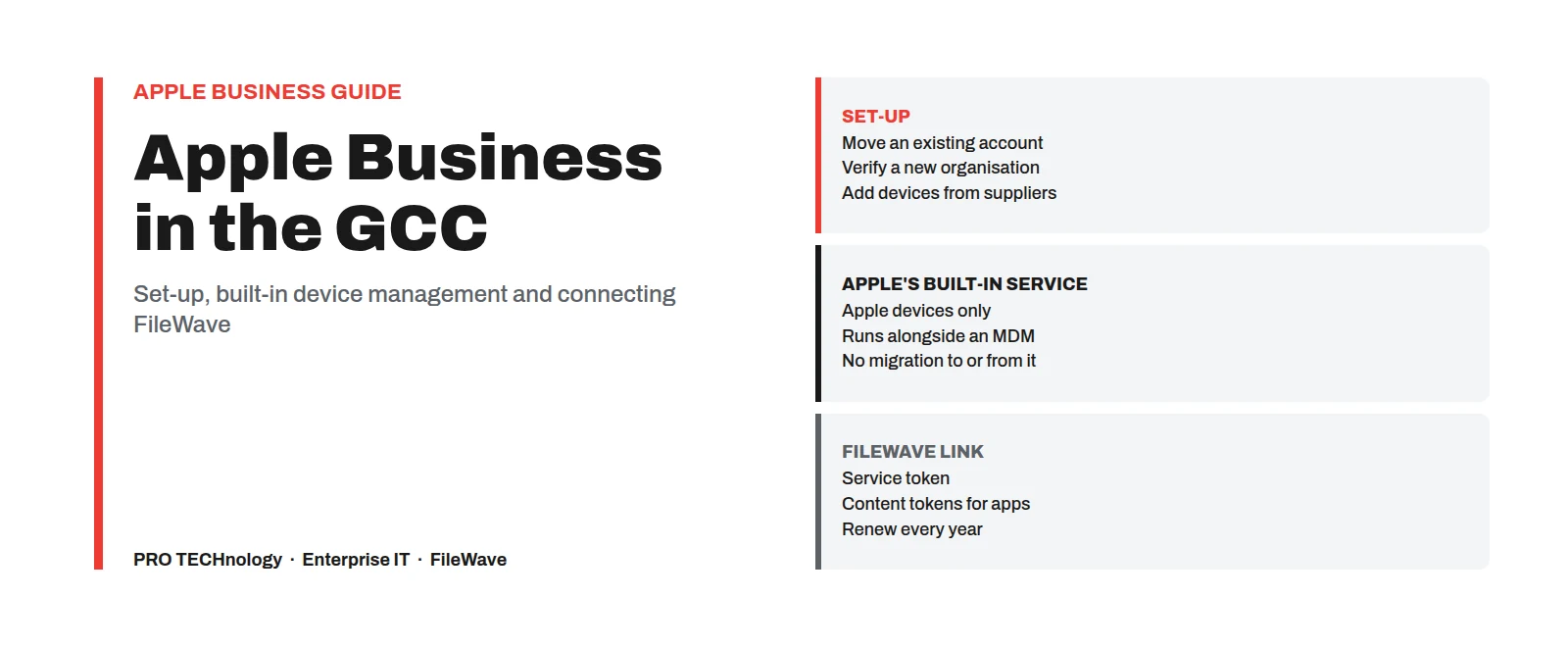
Apple Business replaced Apple Business Manager on 14 April 2026. Existing accounts move across at the first administrator sign-in at business.apple.com; new organisations sign up there and Apple verifies them. Apple lists its built-in device management in all six GCC countries, with Kuwait and Oman shown without Get Apps. FileWave connects through tokens renewed every year.
- Renamed
- Apple Business Manager, Apple Business Essentials and Apple Business Connect became Apple Business on 14 April 2026
- Kept its name
- Apple School Manager and Automated Device Enrollment
- Built-in device management
- iPhone, iPad, Mac, Apple TV and Apple Vision Pro; no Windows, Android or Chromebooks
- Linking FileWave
- A service token for enrolment and content tokens for app licences, each valid for a year
Key takeaways
- Apple Business replaced Apple Business Manager, Apple Business Essentials and Apple Business Connect on 14 April 2026. Apple School Manager kept its name, and staff accounts are still Managed Apple Accounts (formerly Managed Apple IDs).
- An existing Apple Business Manager organisation moves across the first time an administrator signs in at business.apple.com, and Apple says you cannot sign in to Apple Business Manager after that. If anyone has signed in since April, the move has already happened, so check your MDM links now.
- Apple lists built-in device management, zero-touch deployment (company devices that set themselves up when first switched on) and Managed Apple Accounts for all six GCC countries, but shows Kuwait and Oman without Get Apps, the feature for acquiring app licences.
- A new organisation needs a named administrator, a work email that is not already an Apple Account, and two verification methods; in Apple’s current sign-up guide a D-U-N-S Number is one option, not a requirement.
- Apple’s built-in device management covers Apple devices only and can run beside FileWave in the same organisation, but Apple does not support migrating devices to or from it, so decide which devices it manages before they enrol.
- FileWave connects through a service token for enrolment and content tokens for app licences. Both expire after a year, as does the Apple push certificate, so put all three dates in a shared calendar.
Apple Business set-up checklist
Where to start. Already used Apple Business Manager: read moving an existing account, then renewals. New to Apple Business: start with signing up and adding devices. Changing MDM: move the Apple account first, then read our MDM migration guide. Schools use Apple School Manager instead; see our school device management guide.
- Sign up at business.apple.com, or sign in there with your Apple Business Manager administrator account to move the organisation across.
- For a new organisation, complete verification with two methods; Apple says it can take up to five business days.
- Add a second named Organisation Administrator.
- Add your device suppliers: your Apple Customer Number, or each reseller’s Reseller Number, and give resellers your Organisation ID.
- Turn on the built-in service, link FileWave with its service token, or both.
- Set the default service for each device type, and assign the devices already in the account.
- Download content tokens for app licences and import them into your MDM.
- Put the service token, content token and Apple push certificate renewal dates in a shared calendar.
What changed on 14 April 2026, and what kept its name
Apple announced Apple Business on 24 March 2026 and launched it on 14 April 2026, replacing three services: Apple Business Manager, Apple Business Essentials and Apple Business Connect. Apple’s announcement gave its availability as “more than 200 countries and regions”, presented it as a free service and listed built-in mobile device management among its features. For a GCC organisation that has already enrolled devices through Apple Business Manager, most daily work is the same; the name, the first sign-in and a few options changed.
| Before April 2026 | Now | What it means for your IT team |
|---|---|---|
| Apple Business Manager | Apple Business | Same core job: registering company devices, Managed Apple Accounts, app licences and the link to your MDM. Sign in at business.apple.com. |
| Apple Business Essentials | Apple Business | Apple sold Essentials as a subscription only in the United States. Its device management now sits inside Apple Business. |
| Apple Business Connect | Apple Business | How a business appears in Apple Maps and other Apple apps is now managed in the same account as its devices. |
| Apple School Manager | Apple School Manager | Kept its name. Schools keep their own service, with its own country list; the country table below is for Apple Business only. See our school device management guide. |
| Automated Device Enrollment | Automated Device Enrollment | Kept its name. Still the zero-touch route for organisation-owned Apple devices. |
If you follow FileWave’s knowledge base, read “Apple Business Manager (ABM)” as Apple Business; many of its pages still use the old name. If you are new to MDM and unified endpoint management, start with our MDM guide for the UAE.
Moving an existing Apple Business Manager account
Apple Business Manager used the same address, business.apple.com. If any administrator has signed in there since 14 April 2026, for example to renew a token or accept new terms, your organisation has already moved: go to the last step and check your MDM links now. If nobody has signed in yet, follow the steps in order. You do not apply again; Apple moves the organisation across. Apple Business Essentials and Apple Business Connect accounts move the same way.
- Choose who signs in first. Apple’s sign-up guide is explicit that the first sign-in with an Apple Business Manager account migrates the organisation: “You will no longer be able to sign in to Apple Business Manager or Apple Business Connect.” Use an administrator who will stay responsible for the account.
- Record the current links before that sign-in. For each MDM service linked to the account, note its name, its token expiry date and the default assignment for each device type; for apps, note each content token and its expiry. We found no Apple statement that these settings carry over unchanged, so compare them afterwards.
- Sign in at business.apple.com with that Apple Business Manager administrator account, enter the verification code if asked, and accept the Apple Business terms and conditions. That user becomes the Organisation Administrator.
- If your account has access to more than one organisation, Apple lets you choose which one appears first; you can then switch to the others, which Apple now calls organisational units.
- Check your MDM the same day. Sync it with Apple and confirm that its devices still appear, that token expiry dates match your notes and that app licences can still be assigned. In FileWave, the tokens are under Preferences > VPP & ADE. If enrolment or app assignment fails, look first for new Apple terms waiting to be accepted.
A catch for app licences. For organisations moved from Apple Business Manager or Apple Business Essentials, Apple places apps assigned with the main content token in a new unit called “Apple Business”. Apple also says that if its built-in service is turned on before any apps were assigned with that main token, the main unit is reserved for the built-in service and its token is not offered to an external MDM. So if FileWave will manage your apps, import its content token and assign your apps before anyone turns on the built-in service.
If you are also changing MDM, keep the two jobs apart and move the Apple account first. Apple Business can link FileWave beside your current MDM, and under Apple’s conditions devices on iOS 26, iPadOS 26 or macOS 26 or later can then move to FileWave without being erased; apps and licences from the old MDM do not become FileWave assignments automatically. The conditions are in our guide to switching MDM without wiping devices.
Apple Business in the UAE, Saudi Arabia and the GCC: features by country
Apple publishes which Apple Business features are offered in each country or region. The table shows the six GCC countries as they appear in the copies of Apple’s list we reviewed in October 2026. Apple changes the list, so confirm your country on Apple’s page before planning around a feature.
| Country | Built-in management and zero-touch | Managed Apple Accounts | Get Apps |
|---|---|---|---|
| United Arab Emirates | Listed | Listed | Listed |
| Saudi Arabia | Listed | Listed | Listed |
| Qatar | Listed | Listed | Listed |
| Bahrain | Listed | Listed | Listed |
| Kuwait | Listed | Listed | Not listed |
| Oman | Listed | Listed | Not listed |
Apple’s list also shows two customer-facing features for these countries: Branded Mail, and Brand and Location Management. Its footnotes say they are not available everywhere. Get Books is not listed for any GCC country.
Why Get Apps matters for an MDM. Get Apps is how an organisation acquires app licences through Apps and Books in Apple Business. FileWave installs App Store apps on company devices by assigning those licences. Apple requires a payment method for this, even for free apps. Where Get Apps is not listed, as for Kuwait and Oman, test App Store app deployment in your pilot before relying on it, and ask us what FileWave can deliver in that case, such as packaged Mac and Windows software. Schools on Apple School Manager should check Apple’s separate list for that service.
Not offered in the region. Apple lists some features for organisations in the United States only: email, calendar and directory hosting on your own domain, extra iCloud storage for users, and AppleCare+ for Business. Ads on Apple Maps are listed for the United States and Canada only. “Branded Mail” in the GCC rows is about how your brand appears in Apple’s Mail app, not hosted email.
| Country | Built-in management and zero-touch | Managed Apple Accounts | Get Apps |
|---|---|---|---|
| Egypt | Listed | Listed | Not listed |
| Jordan | Listed | Listed | Not listed |
| Lebanon | Listed | Listed | Not listed |
| Morocco | Listed | Listed | Not listed |
Apple groups these countries with Kuwait and Oman.
For account or verification problems, Apple lists Apple Business support contacts for the UAE, Saudi Arabia, Qatar and Bahrain on its support site; other countries are pointed to a general number on the same page.
Signing up a new organisation: what Apple asks for
A company that has never used Apple Business Manager signs up at business.apple.com. Apple’s requirements and sign-up pages ask for:
- A named person as the first administrator. Apple asks for a legal, human name; role names such as “IT Coordinator” are sent back for correction.
- A work email address and work phone number. The email must not be associated with an App Store or iCloud account or already used as an Apple Account.
- A domain no other organisation has verified with Apple Business or Apple School Manager.
- Organisation details, including the name, country or region, address and phone number, and the website where you have one. Apple may contact you while it verifies the organisation.
- Two verification methods. Apple’s guide lists a business identifier such as a D-U-N-S Number, a DNS TXT record on your domain, an app published through App Store Connect, and an uploaded official business document, such as a business licence. Agencies registering on a client’s behalf have a separate route and cannot use the App Store Connect option.
Apple says verification can take up to five business days, longer at busy times. In the copies of Apple’s guide we read, a new organisation has 60 days to complete it, after which an unverified organisation is deleted with its data and Managed Apple Accounts. Users cannot sign in on devices with Managed Apple Accounts until the organisation is verified, so start verification the day you sign up and before you order devices. A manual DNS check has its own limit of 14 calendar days, or you can sync a domain already verified in Microsoft Entra ID or Google Workspace.
Apple recommends adding a second Organisation Administrator, and allows up to ten. Keep at least two, both named people, so that one resignation does not lock the company out. If staff will sign in with Managed Apple Accounts on personal phones, the domain set-up for that is in our guide to enrolling staff-owned phones.
Getting company iPhones, iPads and Macs into Apple Business
Zero-touch enrolment works only for devices registered to your organisation in Apple Business. Apple accepts devices added at the time of purchase from Apple, an Apple Authorised Reseller or an authorised carrier (a mobile network operator), or added later with Apple Configurator.
| Where the device comes from | How it reaches Apple Business | What to check |
|---|---|---|
| Bought from Apple | Add your Apple Customer Number under device suppliers in Apple Business, without leading zeros. | The legal name and address on the account must match your Apple Customer Number. |
| Bought from an Apple Authorised Reseller or authorised carrier in the region | Add the supplier’s Reseller Number once and give the supplier your Organisation ID. Then ask the supplier to submit your orders to Apple; Apple says this does not happen automatically. | Ask before ordering whether the supplier takes part. Devices bought through other channels do not appear this way. |
| Devices you already own | Add them with Apple Configurator; Apple Configurator for iPhone can add a Mac. | The device has to be new or erased, so back it up first. FileWave’s knowledge base adds that a Mac needs Apple silicon or a T2 chip and macOS 12.0.1 or later. For 30 days after a device added this way is set up, its user can release it from your organisation; Apple calls this the provisional period. |
If erasing is not practical, Apple’s built-in service can also enrol company devices already in use without an erase (account-driven Device Enrollment), but iPhones and iPads enrolled that way are not supervised; see the built-in section.
Once a device appears, it is assigned to a device management service: the built-in service or FileWave. Apple applies the default for each device type to devices added afterwards; devices already in the account are assigned by hand. A new device then enrols itself when it is first set up; Macs enrolled this way are supervised, and the FileWave Client can be installed during enrolment. Our Mac and Windows guide shows the same onboarding next to Windows Autopilot.
Before a device leaves the company, release it from Apple Business. FileWave’s knowledge base notes that removing its ADE profile in FileWave does not release it from Apple Business, and that a device still registered can come back through a sync or enrol again after a wipe.
Apple Business built-in MDM: what it manages and where FileWave fits
Apple’s built-in service is switched on in Apple Business under Devices > Management Services, with the option “Turn on included device management”. It manages iPhone, iPad, Mac, Apple TV and Apple Vision Pro. Settings are grouped in Blueprints, which assign apps and Configurations to users, user groups or devices. Apple documents three ways to enrol: Automated Device Enrollment for new or erased company devices, account-driven Device Enrollment for company devices already in use, and account-driven User Enrollment for personal devices. It can locate and lock company devices enrolled through Automated Device Enrollment or account-driven Device Enrollment, and erase supervised ones, but not personal devices enrolled through User Enrollment.
One organisation can use the built-in service, link an external service such as FileWave, or use both, with a default service per device type and individual devices, or groups of them, reassigned as needed. Apple says assigning a device to a different service does not change its current enrolment; the new service applies the next time the device is set up from the start in Setup Assistant, usually after an erase.
The decision to make early. Apple states: “Migrating to and from the built-in device management service isn’t supported.” Apple also says devices on the built-in service must be signed out and unenrolled before they can be assigned to another service. Apple does not spell out the rest, but for iPhones and iPads enrolled through Automated Device Enrollment it in practice means an erase and a new enrolment; the built-in service row of our MDM migration guide covers Macs.
| Question for your fleet | Apple’s built-in service | FileWave |
|---|---|---|
| Which devices? | iPhone, iPad, Mac, Apple TV and Apple Vision Pro | macOS, iOS, iPadOS, tvOS and visionOS, plus Windows and Android; Chromebooks stay enrolled in Google Admin, with FileWave adding inventory |
| How is software delivered? | Apps, including licences from Apps and Books, assigned through Blueprints | Filesets for packaged Mac and Windows software, App Store apps through Apps and Books, WinGet for Windows apps and a self-service Kiosk |
| Where does it run? | Inside Apple Business, as an Apple online service | FileWave’s cloud on AWS, or your own server. FileWave lists no Middle East region, so an organisation that must keep device data in the country would run its own server; see our on-premises guide and, for NCA and PDPL, our Saudi Arabia page |
A small business whose devices are all Apple, and which needs settings and App Store apps, may find the built-in service enough. Before deciding, list the Mac software you install that does not come from the App Store, such as design suites, fonts and plug-ins, and check how you would deliver it; FileWave does this with Filesets. FileWave suits organisations that also run Windows, Android or Chromebooks, deploy packaged software to Macs and PCs, need the server on their own premises, or want one inventory across Apple, Windows, Android and Chromebook devices.
Connecting FileWave to Apple Business, step by step
This is the order we follow for a new FileWave server. Before any device can be assigned, Apple’s guide says you either turn on the built-in service or link at least one external service.
- Apple push certificate. FileWave needs an Apple Push Notification service certificate before it can manage Apple devices. Create it with an organisation-controlled Apple Account and record who owns it. It is renewed every year from the same Apple Account, by renewing the current certificate rather than creating a new one, as FileWave’s knowledge base requires.
- Add FileWave as an external service in Apple Business. Under Devices > Management Services, upload FileWave’s public key certificate, then download the service token Apple creates for it. FileWave’s knowledge base calls this the ADE token. Apple advises leaving “Release Devices” unticked unless you want that service to be able to release devices from your organisation.
- Import the token into FileWave and sync. In FileWave Central the tokens are under Preferences > VPP & ADE, on the Configuration tab from version 16.4. Devices assigned to FileWave in Apple Business then appear, ready for an enrolment profile.
- Set the assignment. Make FileWave the default service for the device types it will manage, and assign devices already in the account by hand; leave any devices meant for the built-in service assigned there.
- Connect app licences. A user whose role can manage app licences downloads a content token under Settings > Payments & Billing > Apps and Books, one for each organisational unit that holds app licences, and you import each into FileWave. FileWave’s knowledge base still calls these location tokens, and warns against importing a token another MDM is still using. If your current MDM still holds the token, set the day app licences move to FileWave in the migration plan; for apps bought in volume, Apple advises a migration deadline of no more than 30 days.
- Test before ordering in volume. Enrol one new or erased device of each type, check the FileWave Client on Macs, an app install and a restriction, then order the rest.
Use a separate content token for each FileWave server, such as production and test. Firewall and hosting requirements for a self-hosted server are in our on-premises MDM guide.
Keeping the link working: renewals, terms and administrators
In our experience, most interruptions after a good set-up come from an expired token or unaccepted terms, not from the devices. These are the dates to own:
| Item | How often | What stops if it lapses | Who should own it |
|---|---|---|---|
| Service token for FileWave | Every year, and again if the person who downloaded it changes their Managed Apple Account password or leaves | New devices stop syncing from Apple Business to FileWave | A FileWave administrator with Apple Business access |
| Content tokens | Every year, and again if the password of the account that downloaded them changes | FileWave can no longer assign app licences from that organisational unit | A Managed Apple Account kept for this, with a custom role limited to app licences, as Apple suggests |
| Apple push certificate | Every year | FileWave cannot send commands to Apple devices; FileWave says a new certificate in place of a renewal can break communication with devices already enrolled | The owner of the organisation-controlled Apple Account that created it |
| Apple’s terms | Whenever Apple publishes new terms (FileWave’s knowledge base says several times a year) | FileWave’s knowledge base says that until new Volume Content Terms are accepted, enrolment and new app deployments stop | An Organisation Administrator |
| Administrator list | Twice a year and whenever staff leave | A departure can leave nobody able to accept terms or renew tokens | The IT manager |
To renew the service token, edit FileWave’s existing entry in Apple Business, download the new token and upload it to FileWave; because the entry stays the same, devices stay assigned. Apple warns that some services do not remind you before a token expires, so set your own reminder a few weeks ahead.
Setting up Apple Business and FileWave with PRO TECHnology
PRO TECHnology is FileWave’s distributor and partner for the Middle East, and has been an authorised FileWave reseller in the GCC since 2009. The expanded partnership, announced on 1 July 2026, covers sales, deployment and local support across the Middle East, including Saudi Arabia; our FileWave distributor and partner for the Middle East page explains it.
For an Apple Business set-up, your own administrator creates or migrates the account, completes verification and accepts Apple’s terms, because Apple asks for a named person as the first administrator. We then link it to FileWave, build the first enrolment profiles, run a pilot on a few of your devices, train your administrators and support the rollout from Dubai, on FileWave’s cloud or your own server. If you already run another MDM, we link FileWave beside it and plan the move with you. If you are not sure Apple’s built-in service is enough, tell us which apps and software your Macs need and we will say so.
In Saudi Arabia, enquiries are handled by PRONEXT, PRO TECHnology’s company in Riyadh; see enterprise IT in Saudi Arabia. Organisations in the UAE, Qatar, Kuwait, Bahrain and Oman can buy FileWave through us; see FileWave licences, demonstrations and quotations.
See FileWave linked to Apple Business
Tell us roughly how many Apple devices you run, in which countries, and whether Windows, Android or Chromebooks are in the fleet too. Our Enterprise IT team in Dubai replies by email; enquiries from Saudi Arabia are passed to PRONEXT in Riyadh.
Sources
Compiled on 23 October 2026 from the Apple Business User Guide, Apple’s newsroom, FileWave’s knowledge base and the partnership announcement on FileWave’s blog. Apple updates the Apple Business guide and its country list often, so read the linked page before acting on a detail.
- Apple Newsroom: Introducing Apple Business (24 March 2026)
- Apple: Apple Business User Guide
- Apple: Sign up for Apple Business
- Apple: Requirements for Apple Business
- Apple: Add and verify a domain in Apple Business
- Apple: Intro to Managed Apple Accounts in Apple Business
- Apple: Configure organisational units in Apple Business
- Apple: Apple Business feature availability
- Apple: Manage device suppliers in Apple Business
- Apple: Add devices using Apple Configurator to Apple Business
- Apple: Device workflow in Apple Business
- Apple: Intro to device management services in Apple Business
- Apple: Assign devices to a device management service in Apple Business
- Apple: Manage the built-in device management service
- Apple: Enrolment methods for built-in device management
- Apple: Locate, lock and erase devices with Apple Business
- Apple: Link to an external device management service
- Apple: Manage content tokens in Apple Business
- Apple: Migrate devices to a new management service
- Apple: Contact Apple for support with Apple Business, Apple School Manager, and Pro Apps (UAE)
- FileWave: Automated Device Enrollment overview
- FileWave: Apple client prerequisites
- FileWave: VPP and ADE preferences
- FileWave: Adding macOS devices using Apple Configurator
- FileWave: APNs certificate creation and renewal
- FileWave: Apple’s volume purchase plan and licence management
- FileWave: Retiring a device from FileWave
- FileWave blog: PRO TECHnology and FileWave expand unified endpoint management across the Middle East (1 July 2026)
Frequently asked questions
Is Apple Business Manager now called Apple Business?
Yes. On 14 April 2026 Apple replaced Apple Business Manager, Apple Business Essentials and Apple Business Connect with Apple Business. Apple School Manager kept its name, and staff accounts are still called Managed Apple Accounts (formerly Managed Apple IDs).
Can we go back to Apple Business Manager after signing in to Apple Business?
No. Apple’s sign-up guide says that the first sign-in to Apple Business with an Apple Business Manager account migrates the organisation, and that you can then no longer sign in to Apple Business Manager. Record your MDM tokens, expiry dates and default assignments before that sign-in.
Is Apple Business available in the UAE, Saudi Arabia and the rest of the GCC?
Yes. Apple lists built-in device management, zero-touch deployment and Managed Apple Accounts for the UAE, Saudi Arabia, Qatar, Bahrain, Kuwait and Oman. In the copies of Apple’s list we reviewed in October 2026, Get Apps, for acquiring app licences, was listed for the UAE, Saudi Arabia, Qatar and Bahrain but not for Kuwait or Oman.
Do we need a D-U-N-S Number to sign up for Apple Business?
Not necessarily. Apple’s guide asks for two verification methods, chosen from a business identifier such as a D-U-N-S Number, a DNS record on your domain, an app published through App Store Connect, or an uploaded official business document such as a business licence. Start early, because users cannot sign in on devices with Managed Apple Accounts until verification is complete.
How long does Apple Business verification take?
Apple says up to five business days, and longer at busy times. In the copies of Apple’s guide we read, a new organisation has 60 days to complete verification before it is deleted with its data and Managed Apple Accounts, so start the day you sign up.
Do we still need an MDM if we use Apple Business?
Not always. Apple Business includes built-in device management for iPhone, iPad, Mac, Apple TV and Apple Vision Pro, which can be enough for a small all-Apple fleet that needs settings and App Store apps. An MDM such as FileWave is needed when the fleet also includes Windows, Android or Chromebooks, or when you deploy packaged Mac and Windows software, want one inventory across platforms or need the server on your own premises. Apple does not support migrating devices to or from its built-in service, so choose before devices enrol.
Can Apple’s built-in device management and FileWave run in the same organisation?
Yes. Apple lets an organisation use its built-in service, link an external service such as FileWave, or both, with a default service for each device type. A device that is reassigned keeps its current enrolment until it is next set up in Setup Assistant, so plan which devices go where before a rollout.
How do iPhones and Macs bought from a reseller in the UAE appear in Apple Business?
Add the Apple Authorised Reseller’s Reseller Number in Apple Business, give the reseller your Organisation ID, then ask the reseller to submit your orders to Apple, which Apple says does not happen automatically. The devices then appear for assignment to the built-in service or FileWave. Devices bought elsewhere can be added with Apple Configurator, which needs them new or erased.
Can we use Apple Business email or AppleCare+ for Business in the UAE?
Not at present. Apple lists email, calendar and directory hosting on your own domain, extra iCloud storage and AppleCare+ for Business for organisations in the United States only. Branded Mail, which is listed for the GCC, is about how your brand appears in Apple’s Mail app, not hosted email.
Why have new devices stopped appearing in FileWave?
Check, in this order: new Apple terms waiting for an administrator to accept them, an expired service token, a token downloaded by someone who has since left or changed their password, and whether the devices were assigned to FileWave rather than to the built-in service. Service and content tokens expire after one year.
What should we do in Apple Business before selling or donating a company device?
Release it from your organisation in Apple Business. FileWave’s knowledge base says removing its ADE profile in FileWave does not release it, so a device still registered to your company could come back through a sync or re-enrol in your MDM after a wipe.
Apple Business (ابل بزنس) في الإمارات ودول الخليج: الإعداد والإدارة المدمجة للأجهزة (MDM) وربط FileWave
في 14 أبريل 2026 حلّت خدمة Apple Business محلّ Apple Business Manager وApple Business Essentials وApple Business Connect، واحتفظت خدمة Apple School Manager باسمها، وما زالت حسابات الموظفين تُسمّى Managed Apple Accounts (سابقًا Managed Apple IDs). ينتقل حساب المؤسسة الحالي إلى الخدمة الجديدة عند أول تسجيل دخول للمسؤول إلى business.apple.com، وتقول آبل إنه لا يمكن بعد ذلك تسجيل الدخول إلى Apple Business Manager، لذا دوّنوا قبل هذه الخطوة رموز الربط (tokens) الخاصة بنظام إدارة الأجهزة (MDM) وتواريخ انتهاء صلاحيتها. وإذا سجّل أي مسؤول الدخول منذ أبريل فقد تمّ الانتقال بالفعل، فراجعوا الربط مع نظام MDM الآن.
تُدرج آبل الإدارة المدمجة للأجهزة والنشر دون تدخل يدوي (zero-touch) وحسابات Managed Apple Accounts ضمن الميزات المتاحة في الإمارات والسعودية وقطر والبحرين والكويت وعُمان، لكن النسخة التي راجعناها من قائمتها في أكتوبر 2026 لم تُظهر ميزة Get Apps للحصول على تراخيص التطبيقات في الكويت وعُمان. وتطلب آبل من المؤسسة الجديدة تحديد مسؤول باسمه الشخصي الكامل واستخدام طريقتين للتحقق، ويُعدّ رقم D-U-N-S إحدى هذه الطرق لا شرطًا لازمًا. وتُضاف الأجهزة إلى الحساب عند شرائها من آبل، أو من بائع معتمد من آبل بعد إضافة رقمه (Reseller Number) إلى الحساب وتزويده بمعرّف مؤسستكم (Organisation ID) وطلب إرسال طلباتكم إلى آبل، أو لاحقًا عبر Apple Configurator إذا كان الجهاز جديدًا أو بعد مسحه.
تدير الخدمة المدمجة أجهزة آبل فقط، ويمكن تشغيلها إلى جانب FileWave في المؤسسة نفسها، لكن آبل لا تدعم نقل الأجهزة منها أو إليها، لذا حدّدوا الخدمة التي ستدير كل جهاز قبل تسجيله. ويرتبط FileWave بالحساب عبر رمز خدمة (service token) لتسجيل الأجهزة ورموز محتوى (content tokens) لتراخيص التطبيقات، وتنتهي صلاحية كلٍّ منها بعد سنة، وكذلك شهادة خدمة الإشعارات الفورية من آبل (APNs).
هل ما زلنا نحتاج نظام MDM مع Apple Business؟ ليس دائمًا: قد تكفي الخدمة المدمجة لعدد صغير من أجهزة آبل فقط يحتاج إلى الإعدادات وتطبيقات App Store. أما إذا كانت لديكم أجهزة Windows أو Android أو Chromebook، أو برامج لأجهزة Mac وWindows تحتاج إلى تجهيز وتثبيت، أو تحتاجون إلى جرد موحّد أو خادم داخل مؤسستكم، فهنا يأتي دور FileWave.
شركة PRO TECHnology هي موزّع FileWave وشريكها في منطقة الشرق الأوسط، وبائع معتمد لـFileWave في دول الخليج منذ عام 2009. يُنشئ مسؤول من مؤسستكم حساب Apple Business أو ينقله ويُكمل التحقق، ثم نربط الحساب بـFileWave، ونبدأ بمرحلة أولى على عدد محدود من أجهزتكم، وندرّب المسؤولين لديكم، وندعم النشر على بقية الأجهزة من دبي. وتتولى شركة PRONEXT، التابعة لمجموعتنا في الرياض، الاستفسارات الواردة من المملكة العربية السعودية. أرسلوا لنا عدد الأجهزة والدول عبر النموذج في هذه الصفحة.
Plan your Apple Business and FileWave set-up
Tell us how many Apple devices you run, in which countries, and what else is in the fleet. We will show you FileWave linked to Apple Business, at our Business Bay showroom or at your offices, and propose a pilot.