
Patch Management for UAE and GCC Organisations: Windows, Mac, iPhone and iPad
Published · PRO TECHnology Enterprise IT
Patch management is the routine of finding, testing and installing the security updates every device needs, and proving they were installed. For organisations in the UAE, Saudi Arabia and the rest of the GCC, two changes this autumn affect every routine: iOS 27, iPadOS 27 and macOS 27, released on 14 September 2026, no longer accept legacy mobile device management (MDM) update controls, and Windows 11 version 24H2 Home, Pro, Pro Education and Pro for Workstations got their last update on 13 October. This guide sets out a monthly routine with FileWave and the evidence auditors ask for.
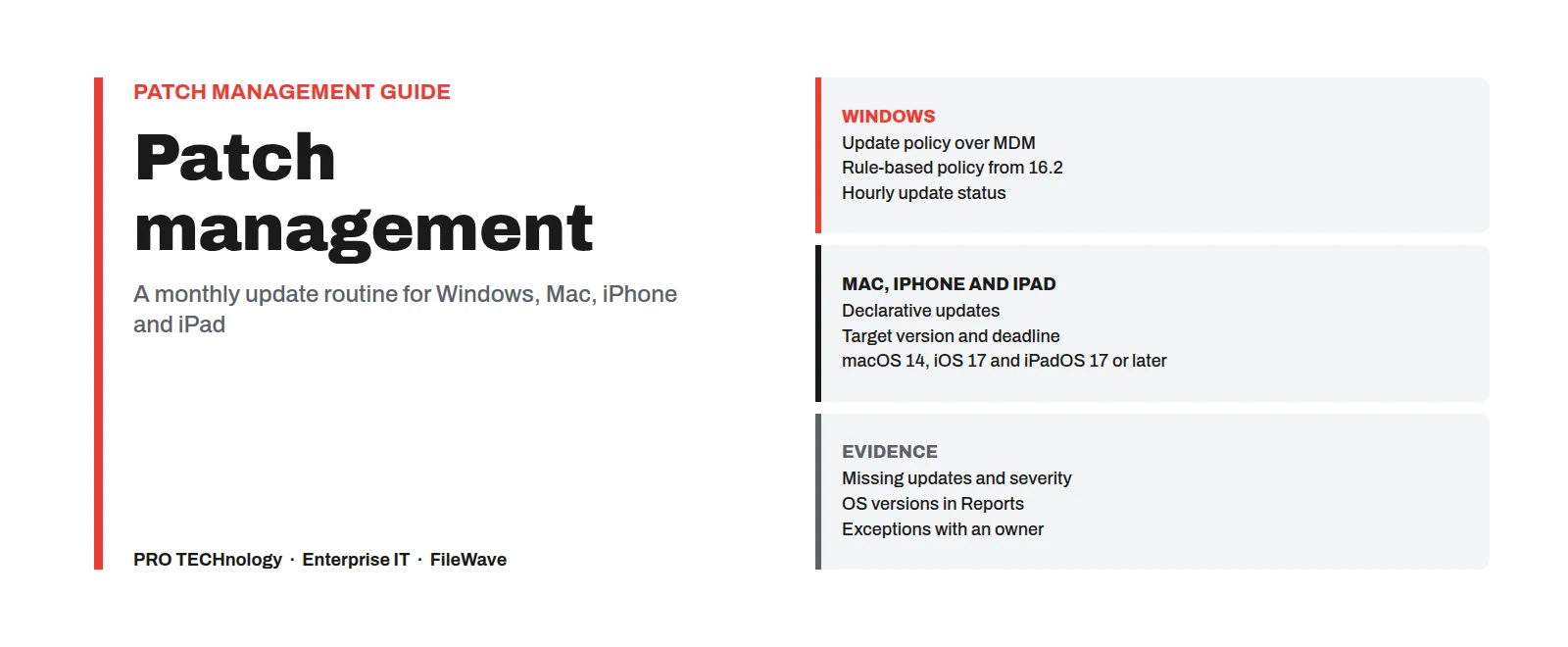
- Windows
- Microsoft’s update policies over MDM, a rule-based update policy from FileWave 16.2, update status reported every hour
- Mac, iPhone and iPad
- Declarative updates with a target version and deadline; macOS 14, iOS 17 and iPadOS 17 or later
- Third-party apps
- App by app: WinGet automatic upgrade on Windows, AutoPkg on Mac, a new Fileset version on either, or the vendor’s updater
- Evidence
- Per-device update status, missing updates with Microsoft’s severity rating, OS versions in FileWave Reports
Key takeaways
- Patch management means knowing which updates each device needs, testing them on a small group, installing them by a deadline and keeping the evidence.
- iOS 27, iPadOS 27 and macOS 27 no longer accept legacy MDM update commands and deferrals, so updates on those devices must be managed declaratively, with a target version and a deadline.
- Windows 11 version 24H2 Home, Pro, Pro Education and Pro for Workstations got their last update on 13 October 2026; a PC still on that release stays exposed however many monthly updates it installed before.
- With FileWave you pilot operating-system updates and then roll them out through its Software Updates workflow, and you update third-party apps one by one. FileWave is not a vulnerability scanner and does not publish a list of the third-party apps it covers.
- Microsoft’s guidance is to get security updates installed within about seven days of release. A pilot group first, everyone else a few days later and a firm deadline all fit inside that week.
- Saudi Arabia’s National Cybersecurity Authority (NCA) and the Saudi Central Bank (SAMA), the UAE Information Assurance Standard and other GCC frameworks mostly ask for patching that is regular, risk-based and documented rather than a fixed number of days. Saudi systems classed as critical also fall under NCA’s Critical Systems Cybersecurity Controls. Either way, evidence matters: per-device status, missing updates and exceptions with a reason.
Patch management process: a monthly routine in eight steps
Jump to: Windows, Mac, iPhone and iPad, third-party apps, Saudi, UAE and GCC frameworks, audit evidence, questions. The steps below work for Windows, Mac, iPhone and iPad together; the timings are an example to adapt, not a rule.
- List what you patch: operating systems, browsers, PDF readers, meeting apps, design software and anything else installed on more than a few devices.
- Split devices into a pilot group (IT and a few volunteers from each department) and everyone else; Microsoft calls these deployment rings.
- When updates are released (Microsoft’s on the second Tuesday of each month, widely called Patch Tuesday, which is Tuesday evening in the Gulf, and Apple’s whenever it ships them), approve them for the pilot group the next working morning.
- After a few working days without problems, approve them for everyone, with an install deadline.
- Let third-party apps follow their own schedule: automatic upgrades where you trust the source, a tested new version where you do not.
- Treat an update for a flaw that is being actively exploited as an exception: skip the waiting period.
- Before the deadline, look at the devices that have not updated and find out why: offline, out of space, or a failed install.
- Keep a monthly record: what was released, what was installed, which devices are behind and why.
What patch management covers, and why it matters now
Devices fall behind on updates quietly. Nobody decides to leave a laptop unpatched; it drops out of sight because it was offline, short of disk space or simply not on anyone’s list. A patch routine answers four questions every month: what was released, which devices need it, what happened when it was installed, and which devices are still missing it. Patching is one part of device management; enrolment, configuration and inventory are covered in our MDM and unified endpoint management guide.
| Layer | Who releases updates | How FileWave handles it |
|---|---|---|
| Windows | Microsoft, on the second Tuesday of each month, plus out-of-band releases for urgent issues | Microsoft’s update policies over MDM, a rule-based policy, or updates approved one by one |
| macOS, iOS and iPadOS | Apple, when each update is ready, plus Background Security Improvements in between | Declarative software updates with a target version and a deadline |
| Third-party applications | Each vendor, on its own schedule (Safari is the exception: it updates with macOS) | App by app: WinGet automatic upgrade on Windows, AutoPkg on Mac, a new Fileset version on either, or the vendor’s own updater |
| Drivers | Microsoft and device makers through Windows Update | A FileWave Windows profile sets whether drivers come through Windows Update |
Why this autumn matters. Apple’s enterprise notes say legacy software update management “no longer functions” on its 27.0 releases, including MDM update commands, update queries and restrictions such as deferrals; only declarative update management works. Microsoft’s release information shows Windows 11 version 24H2 Home, Pro, Pro Education and Pro for Workstations reached the end of servicing on 13 October 2026, while Enterprise, Education and IoT Enterprise editions are listed until 12 October 2027. Pro Education follows the Home and Pro dates, not the Education ones. In 2025 the UAE Cyber Security Council also urged people and organisations to keep devices updated and turn on automatic updates, as reported by WAM.
Windows patch management with FileWave
FileWave gives three ways to update Windows, and they can be combined. All three install updates with Microsoft’s own tools; the files come from Microsoft, or from a FileWave Booster that caches them. If your Macs and PCs sit side by side, our Mac and Windows device management guide covers onboarding and software for both.
- Policy over MDM. On PCs enrolled in Windows MDM through Microsoft Entra ID, a FileWave Windows profile sets Microsoft’s update policies: how long quality and feature updates wait, whether drivers come through Windows Update, active hours, install deadlines and grace periods, and whether users may pause updates. This route needs an Entra ID P1 or P2 licence (on its own or in a Microsoft 365 bundle); no other Microsoft management service is needed. Windows Home cannot join this route.
- Rule-based policy. Since FileWave 16.2, a Fileset policy applies any Windows update that matches its rules (name, critical, reboot needed, category). FileWave positions it for estates that need little oversight, or for updates you always want applied; since 16.3 such updates show as “Triggered by Policy”.
- Approve and deploy. The Software Updates view lists the updates your PCs report they need. You test one on a few devices, then deploy it to a group or to every device that requests it. Automation Rules (16.2 and later) can turn reported updates into Filesets, but FileWave’s knowledge base says that, for now, you run them by hand with the Run Automation button.
Microsoft’s limits. Microsoft now calls these settings Windows Update client policies (formerly Windows Update for Business). Quality updates can be deferred by up to 30 days and feature updates by up to 365 days, and pausing, a separate control, lasts up to 35 days. A deadline and a grace period decide when a pending restart is forced. Microsoft’s guidance is that deferral, deadline and grace period together should get a security update installed within about seven days of release, and it cautions that a grace period of zero can force a restart before users have been warned.
Reporting. Supported Windows PCs report their update status to FileWave every hour, whatever their enrolment type, with each missing or installed update’s KB number, Microsoft’s severity rating and category. Since FileWave 16.0, PCs also report updates installed outside FileWave. Branch offices on slow links can use FileWave Boosters, which cache Microsoft updates for Windows.
Check the Windows version. A PC that installs every monthly update is still unpatched once its Windows 11 version leaves servicing. Run a report of Windows versions and move any 24H2 PC running Home, Pro, Pro Education or Pro for Workstations to version 25H2 or 26H2. Windows 10 PCs are covered in our Windows 10 Extended Security Updates guide.
Mac, iPhone and iPad patching: declarative updates with a deadline
FileWave has used only Apple’s declarative device management (DDM) for Mac updates since version 15.4, which puts the floor at macOS 14. A Mac that cannot run macOS 14 is outside this route, so list it for replacement and record it as an exception until then. For iPhone and iPad, declarative updates need iOS or iPadOS 17 or later. In a DDM Software Update Fileset you name the version each device must reach and the time by which it must get there; the device then downloads, prepares and installs the update itself and reports its progress back to FileWave.
- Set the deadline yourself. If the deadline field is left empty, FileWave uses the moment the assignment is created, which can mean an install straight away. Pick a time outside working hours.
- Enforcement wins over deferral. Apple says enforcement overrides any deferral you have set. Users get reminders that become more frequent as the deadline nears; at the deadline a Mac closes open apps, even with unsaved work, and an iPhone or iPad asks for its passcode to install, so warn users.
- Deadlines across time zones. Apple’s declaration sets the deadline in each device’s local time. FileWave’s knowledge base notes that update timing is not exact, so test on pilot devices in each country, including when users first see Apple’s reminders, before relying on one deadline across Dubai and Riyadh.
- Deferrals. On supervised devices running iOS 18, iPadOS 18 or macOS 15 or later, Apple’s declarative settings can hold an update back for between 1 and 90 days from the day Apple releases it. FileWave’s own deferral article still describes the older Restrictions method, which Apple has retired in iOS 27, iPadOS 27 and macOS 27; ask us which deferral route your FileWave version supports for those devices. Our macOS 27 checklist covers holding back a major upgrade.
- Background Security Improvements. From iOS 26.1, iPadOS 26.1 and macOS 26.1, Apple can ship security fixes for Safari, WebKit and some system libraries between full updates; they took over from Rapid Security Response. FileWave 16.3 added settings and inventory fields for them, but on devices running iOS 27, iPadOS 27 or macOS 27, Apple says the older restriction settings for them no longer work, so manage them through declarative software update settings.
- Staff-owned phones. Apple does not allow updates to be enforced on devices enrolled through User Enrollment, so personal phones need a policy and reminders instead; see how staff-owned phones are enrolled.
Stay on the current release. Apple does not publish a fixed support period for older releases, and its security release notes show older versions receiving some fixes, not a promise of all. Move devices to the current release where the hardware allows. If your current MDM cannot send declarative software updates, it has no way to defer or enforce updates on devices running iOS 27, iPadOS 27 or macOS 27; our guide to moving devices to a new MDM without wiping them explains the options.
Apple devices download updates from Apple. For branch offices, Apple’s own Content Caching service on a Mac serves Apple updates locally; FileWave’s Booster documentation lists caching for Microsoft OS updates only. Company iPhones, iPads and Macs should be added to Apple Business (Apple School Manager for schools) so they are supervised when they enrol, which the deferral settings require; our Apple Business set-up guide covers that step.
Third-party patch management: browsers, PDF readers and other apps
Most browsers, PDF readers, meeting apps, runtimes and design tools are updated by their makers whenever each chooses, separately from Windows Update and Apple’s software update. FileWave deals with them app by app, with no published list of covered titles, so decide which applications your routine includes.
| Route | Platform | What to know |
|---|---|---|
| WinGet “Upgrade automatically at verify” | Windows | For apps available from a WinGet source, the Fileset keeps itself on the newest version (FileWave 15.4 and later). Switch it on per Fileset after a pilot. The files are fetched from the app’s publisher, so Boosters do not help here. |
| AutoPkg | Mac | FileWave’s built-in AutoPkg search (15.5 and later) creates a Fileset from FileWave-curated recipe repositories; AutoPkgr on an always-on Mac can run recipes on a schedule. New versions arrive as Fileset revisions you can test. |
| A new Fileset version | Mac and Windows | Package the new version, test it on the pilot group, then switch the revision for everyone; FileWave can roll back to the previous revision. |
| The vendor’s own updater | Mac and Windows | Some applications update themselves. Decide whether to allow it, and check the version in inventory rather than assuming. |
One trap: Fileset verification restores files that differ from the packaged version, so an app that updates itself can be put back to the old version if its Fileset is set to self-heal. Choose the verification setting per application. Packaging, revisions and rollback are covered in our remote software deployment guide.
Pilot groups, deadlines and exceptions
Microsoft recommends rolling updates out in rings, typically a preview group, a limited pilot on representative devices and then broad deployment, moving on only when agreed criteria are met. The example below shows one month for a 300-device company. The gaps are a starting point to adjust after the first two or three cycles.
If you work to the Saudi National Cybersecurity Authority’s Essential Cybersecurity Controls (ECC), add a test stage before the pilot: install each update first on non-production devices, such as a spare PC and a spare Mac, and record the result.
| When | Pilot group | Everyone else |
|---|---|---|
| Day 1 (morning after release) | Approve OS updates; deadline in two days, outside working hours | Nothing yet |
| Day 3 | Check failures and complaints | Approve if the pilot is clean; deadline in four days |
| Day 7 | Already updated | Deadline passes; find devices still missing the update |
| Day 14 | Monthly report for both groups: released, installed, behind and why | Same report |
| Exploited flaw | Same day | Same or next day, with a short deadline |
Exceptions. Some devices cannot take an update on time: a lab PC running instrument software, a Mac waiting for a driver, or a medical device whose maker must approve each update. Record each one with an owner, a reason and a review date rather than leaving it to drift. In FileWave, a monthly deployment reused for each cycle needs its install and restart dates moved forward each time, or new updates are past their deadline the moment they are added.
Priorities. When time is short, start with flaws listed in the free Known Exploited Vulnerabilities catalogue from CISA (the US Cybersecurity and Infrastructure Security Agency) or named in alerts from your national cyber security authority, then devices reachable from the internet, then updates Microsoft rates critical.
What Saudi, UAE and other GCC frameworks ask of patch management
Most frameworks used in the GCC ask for patching that is regular, risk-based and documented, rather than a set number of days. This is a summary, not legal advice: check the current text that applies to you.
| Framework | What it says about patching | Who it applies to |
|---|---|---|
| Saudi NCA Essential Cybersecurity Controls (ECC-2:2024) | Covers patch management, including in the Vulnerabilities Management subdomain (2-10). NCA’s free patch management policy and standard templates ask for patches to be tested before they reach production | Saudi government organisations and critical national infrastructure; systems classed as critical also fall under NCA’s Critical Systems Cybersecurity Controls |
| SAMA Cyber Security Framework, control 3.3.17 | A defined vulnerability management process, with mitigation timelines for each class of vulnerability and a defined patch management method | Banks and other SAMA-regulated firms in Saudi Arabia |
| UAE Information Assurance Standard | Covers technical vulnerability management among its controls; some controls apply to every entity and others follow the entity’s risk assessment. Aligned with ISO/IEC 27001, NIST SP 800-53 and the CIS Controls | UAE government entities and others it is applied to; confirm the scope with your regulator |
| Abu Dhabi Healthcare Information and Cyber Security Standard (ADHICS), Department of Health | Includes patch and vulnerability management controls for information systems and medical devices; check the current version (ADHICS v2) and its implementation guideline | Abu Dhabi healthcare entities |
| ADEK School Digital Policy | Regular security patching on school-managed devices (clause 6.1 item 4) and maintenance of operating systems and software (6.2) | Abu Dhabi private schools; see our ADEK guide |
| Qatar National Cyber Security Agency | National vulnerability management guidelines that call patching the preferred fix and set reference remediation timeframes | Organisations in Qatar that adopt them |
| PCI DSS v4.0.1, requirement 6.3.3 | Patches for critical vulnerabilities within one month of release; others on a risk-based timeline | Any organisation that stores, processes or transmits card data |
| ISO/IEC 27001:2022, control 8.8 | Management of technical vulnerabilities: learn about them in good time, assess exposure and act | ISO 27001-certified organisations |
| NIST SP 800-40 Rev. 4 (April 2022) | Patching as preventive maintenance, with groups of similar devices, a plan for routine and emergency patching, and a few measurable targets | Guidance, widely used as a reference |
| CISA Binding Operational Directive (BOD) 26-04, 10 June 2026 | Replaced BOD 22-01; risk-based deadlines, as short as three days for the riskiest exploited flaws on internet-exposed systems | US federal civilian agencies only; a benchmark elsewhere |
In Saudi Arabia, NCA’s Essential Cybersecurity Controls (ECC-2:2024) cover patch management, including within vulnerabilities management (2-10), and NCA publishes free patch management policy and standard templates that ask for patches to be tested before production. Banks follow SAMA’s Cyber Security Framework, which asks for mitigation timelines by class of vulnerability (3.3.17). Saudi enquiries are handled by PRONEXT, our company in Riyadh; see enterprise IT in Saudi Arabia: NCA, SAMA and PDPL.
In the UAE, the Information Assurance Standard covers technical vulnerability management and lets entities apply some controls on the basis of a risk assessment. Abu Dhabi healthcare entities follow ADHICS, and Abu Dhabi private schools follow clause 6.1 of the ADEK School Digital Policy. Dubai Government entities, financial institutions and others each have their own information security rules.
Elsewhere in the GCC, Kuwait, Bahrain and Oman have their own national frameworks, which we have not summarised here. Wherever you operate, ask your compliance team or regulator what they expect, then build the report below around it.
Patch compliance evidence auditors ask for
- A device list with OS versions, built in FileWave Reports, showing which devices are on a release that still gets updates.
- Missing updates per device: for Windows, each update’s KB number and Microsoft’s severity rating; for Apple devices, the pending OS version reported after a declarative update is scheduled.
- The monthly record from step 8: released, approved, installed, behind.
- Exceptions with an owner, a reason and a review date.
- Last check-in times, because a device that has not reported for weeks shows old data. Our inventory guide covers reconciling the device list with the asset register.
FileWave does not publish a named patch compliance dashboard; the reports above are built from its inventory, and we can set them up with you.
What to check in patch management software, and what FileWave does not do
Whichever tool you consider, check it on your own devices: Windows, macOS, iOS and iPadOS from one console, with declarative updates for iOS 27, iPadOS 27 and macOS 27; how third-party apps are covered (a published list, a package manager or app-by-app packaging); pilot groups, deadlines and grace periods; per-device evidence an auditor can read; and whether it runs in the cloud or on your own server, with caching for branch offices. FileWave covers the operating systems, handles third-party apps one by one and runs either way. It does not do the following.
- No vulnerability scanning. FileWave reports which updates devices are missing; it does not scan networks or applications for vulnerabilities.
- No published list of third-party apps. Third-party apps are handled one by one through the routes above.
- No hotpatch. Microsoft delivers Windows hotpatch updates, which install without a restart in most months on eligible Windows 11 Enterprise PCs, only through its own Windows Autopatch service, not through FileWave.
- Firmware not covered. FileWave’s documentation covers driver updates through Windows Update, not BIOS or firmware updates, so plan those with each device maker’s own tools.
- Not antivirus. Patching closes known holes; endpoint protection is a separate product that FileWave can deploy and update like other applications.
Setting up patch management with PRO TECHnology
We are FileWave’s distributor and partner for the Middle East, and an authorised FileWave reseller in the GCC since 2009. With your IT team we set up the update policies, pilot groups and deadlines, build the reports above, train your administrators and support your team through the first monthly cycles from Dubai. We do the same work whether FileWave hosts your server or you run it on your own premises, as long as the server and devices can reach Apple’s and Microsoft’s update services; see what an on-premises server still connects to. More on the relationship is on our FileWave partnership page.
Saudi customers are served by PRONEXT, our Riyadh company. For licences and quotations in the UAE, Qatar, Kuwait, Bahrain and Oman, see how to buy FileWave.
See FileWave’s update workflow and reports
Tell us roughly how many devices you run and, under Add details, how they are updated today. Our Enterprise IT team in Dubai replies by email; enquiries from Saudi Arabia are passed to PRONEXT in Riyadh.
Sources
Gathered on 23 October 2026 from FileWave’s knowledge base, Apple and Microsoft documentation and the bodies that publish each framework. These pages change, so check the source before you act on any detail.
- FileWave: Windows MDM software updates (Update Policy CSP)
- FileWave: Automated Windows OS updates policy
- FileWave: Windows software update reporting
- FileWave: OS software updates automation rules
- FileWave: OS software updates (evaluation guide)
- FileWave: Upgrading a package with WinGet
- FileWave: AutoPkg integrated with FileWave (15.5)
- FileWave: Apple MDM OS software updates
- FileWave: Apple Background Security Improvements
- FileWave: Defer Apple OS updates
- FileWave: Booster overview
- Apple: What’s new for enterprise in iOS
- Apple: What’s new for enterprise in iPadOS 27
- Apple: What’s new for enterprise in macOS 27
- Apple: Install and enforce software updates for Apple devices
- Apple: Software Update settings declarative configuration
- Apple: About Background Security Improvements for iOS, iPadOS and macOS
- Apple: Enrollment methods for Apple devices
- Apple: Apple security releases
- Microsoft: Update release cycle for Windows clients
- Microsoft: Configure Windows Update client policies
- Microsoft: Policies for update compliance and user experience
- Microsoft: Create a deployment plan
- Microsoft: Windows 11 release information
- Microsoft: Windows 11 Home and Pro lifecycle
- Microsoft: Windows 11 Enterprise and Education lifecycle
- Microsoft: Hotpatch updates (Windows Autopatch)
- CISA: BOD 26-04, Prioritizing Security Updates Based on Risk
- CISA: Known Exploited Vulnerabilities catalogue
- NIST: SP 800-40 Rev. 4, Guide to Enterprise Patch Management Planning
- PCI Security Standards Council: FAQ 1597 on requirement 6.3.3
- NCA: Essential Cybersecurity Controls (ECC-2:2024)
- NCA: Cybersecurity toolkits (patch management templates)
- SAMA: Cyber Security Framework 3.3.17 Vulnerability Management
- UAE Cyber Security Council: UAE Information Assurance Standard
- Department of Health Abu Dhabi: ADHICS v2 standard
- Department of Health Abu Dhabi: ADHICS v2 implementation guideline
- Qatar National Cyber Security Agency: National Vulnerability Management Guidelines V1.0
- WAM: UAE Cybersecurity Council stresses importance of regular device updates
Frequently asked questions
What is patch management?
Patch management is the routine of finding which security and software updates each device needs, testing them on a small group, installing them by a deadline and keeping a record that they were installed. It covers operating systems and the applications installed on them, not just Windows.
Is patch management the same as vulnerability management?
No. Vulnerability management finds, ranks and tracks weaknesses, including ones no update fixes; patch management installs the updates that fix many of them and keeps the proof. Saudi NCA’s Essential Cybersecurity Controls cover patching within vulnerability management. FileWave reports which updates devices are missing, but it is not a vulnerability scanner.
How often should a company install security updates?
At least monthly, in step with Microsoft’s release on the second Tuesday of each month (Patch Tuesday), with fixes for actively exploited flaws handled within days. Microsoft’s guidance is to get security updates installed within about seven days of release, and the card industry’s PCI DSS asks for critical patches within one month.
Which security updates should be installed first?
Updates for flaws that attackers are already exploiting, such as those in CISA’s Known Exploited Vulnerabilities catalogue, then updates for devices reachable from the internet, then those Microsoft rates critical. FileWave’s Windows reports show each missing update’s severity rating to help sort them.
Can an MDM such as FileWave handle patch management?
Yes, with different tools for different software. Operating-system updates go through FileWave’s Software Updates workflow, where you pilot them on a small group before rolling them out, and Macs, iPhones and iPads get declarative updates with deadlines; on Windows you can also set Microsoft’s update policies in a FileWave profile or use FileWave’s rule-based policy. Third-party applications are updated app by app, through WinGet, AutoPkg, a new Fileset version or the vendor’s updater. FileWave does not scan for vulnerabilities.
How do you patch third-party apps such as browsers and PDF readers on Mac and Windows?
Each third-party app needs its own update route: WinGet automatic upgrade on Windows, AutoPkg-built Fileset revisions on Mac, a new Fileset version on either, or the vendor’s own updater. Apps that update themselves can be left to do so, as long as their Fileset is not set to put the old version back.
How do you enforce a macOS, iOS or iPadOS update deadline with MDM?
Send a declarative software update with a target version and a deadline; FileWave does this with a DDM Software Update Fileset on macOS 14, iOS 17 and iPadOS 17 or later. Apple says the deadline overrides any deferral and is set in each device’s local time; test it on pilot devices in each country. It cannot be enforced on personal devices enrolled through User Enrollment.
Why did MDM update commands stop working on devices with iOS 27 or macOS 27?
Apple’s enterprise notes say legacy software update management no longer functions on its 27.0 releases. That covers MDM update commands, update queries and restrictions such as deferrals. Updates on those devices must be managed declaratively.
Is Windows 11 24H2 still getting security updates?
Not on Home, Pro, Pro Education or Pro for Workstations, which got their last update on 13 October 2026. Enterprise, Education and IoT Enterprise editions are listed until 12 October 2027. Move the others to version 25H2 or 26H2.
What happens if employees keep postponing updates?
An install deadline ends the postponing. On Windows, the deadline and grace period decide when a restart is forced, and pausing lasts at most 35 days. On a Mac with a declarative deadline, the update installs at the deadline and open apps are closed, even with unsaved work; an iPhone or iPad asks for its passcode to install. FileWave’s knowledge base notes that update timing is not exact, so allow for a short delay, and warn users in advance.
Do UAE or Saudi rules set a deadline for installing security patches?
Mostly not as a fixed number of days. Saudi NCA controls cover patching within vulnerability management, NCA’s templates ask for patches to be tested before production, and systems classed as critical also fall under NCA’s Critical Systems Cybersecurity Controls. SAMA asks banks for mitigation timelines by vulnerability class, and the UAE Information Assurance Standard is risk-based. The card industry’s PCI DSS sets one month for critical patches. This is a summary, not legal advice.
Is there an official patch management policy template in Saudi Arabia?
Yes. The National Cybersecurity Authority publishes free patch management policy and standard templates as part of its cybersecurity toolkits, for organisations to adapt to their own systems and risk.
How can we show an auditor that our devices are patched?
Keep a device list with OS versions, the missing updates per device with their severity, a monthly record of what was released and installed, and a list of exceptions with owners and review dates. FileWave’s reports and hourly Windows update status supply most of it.
إدارة حزم التحديثات والإصلاحات (Patch Management) في الإمارات والسعودية ودول الخليج: Windows وMac وiPhone وiPad
إدارة حزم التحديثات والإصلاحات، وتُسمّى أيضًا إدارة التصحيحات الأمنية، هي عملية دورية لتحديد التحديثات الأمنية التي يحتاجها كل جهاز، واختبارها على مجموعة تجريبية صغيرة، ثم تثبيتها قبل موعد نهائي محدد، والاحتفاظ بسجل يثبت ذلك. وتشمل أنظمة التشغيل والتطبيقات المثبتة عليها، مثل المتصفحات وبرامج قراءة ملفات PDF.
تغيّر أمران في خريف 2026: منذ صدور iOS 27 وiPadOS 27 وmacOS 27 في 14 سبتمبر 2026، لم تعد هذه الأنظمة تقبل أوامر التحديث القديمة عبر نظام إدارة الأجهزة (MDM)، وأصبحت التحديثات تُدار بالإدارة التصريحية للأجهزة (DDM) التي تحدد الإصدار المطلوب وموعدًا نهائيًا لتثبيته. كما انتهت فترة خدمة الإصدار 24H2 من Windows 11 لنسخ Home وPro وPro Education وPro for Workstations في 13 أكتوبر 2026، فلم يعد يتلقى تحديثات أمنية، ولذا ينبغي ترقية الأجهزة التي تعمل به إلى الإصدار 25H2 أو 26H2.
يدير FileWave تحديثات Windows عبر سياسات التحديث من مايكروسوفت، أو عبر سياسة قائمة على القواعد متاحة منذ FileWave 16.2، وتُرسل أجهزة Windows حالة تحديثاتها كل ساعة مع درجة خطورة كل تحديث وفق تصنيف مايكروسوفت. أما على Mac وiPhone وiPad فيُرسل FileWave تحديثًا تصريحيًا يحدد الإصدار المطلوب والموعد النهائي، على macOS 14 وiOS 17 وiPadOS 17 أو أحدث. وتُحدَّث تطبيقات الجهات الخارجية تطبيقًا تلو الآخر عبر WinGet على Windows، أو AutoPkg على Mac، أو إصدار جديد من حزمة Fileset. ولا يُعدّ FileWave أداة لفحص الثغرات.
لا تحدد معظم الأطر المعمول بها في دول الخليج مهلة ثابتة بالأيام لتثبيت التحديثات، بل تطلب أن يكون التحديث منتظمًا وقائمًا على تقييم المخاطر وموثّقًا. ففي السعودية تتناول الضوابط الأساسية للأمن السيبراني (ECC-2:2024) الصادرة عن الهيئة الوطنية للأمن السيبراني إدارةَ حزم التحديثات والإصلاحات، ومنها ما يرد ضمن المكوّن الفرعي 2-10 (إدارة الثغرات)، وتنشر الهيئة نموذجين مجانيين لسياسة إدارة حزم التحديثات والإصلاحات ومعيارها يطلبان اختبار الحزم قبل تطبيقها في بيئة الإنتاج. هذا ملخص وليس استشارة قانونية.
شركة PRO TECHnology هي موزّع FileWave وشريكها في منطقة الشرق الأوسط، وبائع معتمد لـFileWave في دول الخليج منذ عام 2009. نُعدّ مع فريقكم سياسات التحديث والمجموعات التجريبية والمواعيد النهائية والتقارير، وندرّب مسؤولي الأنظمة لديكم، وندعمكم في أولى دورات التحديث الشهرية. وتتولى PRONEXT، شركتنا في الرياض، الاستفسارات الواردة من المملكة العربية السعودية. للتواصل، استخدموا نموذج الاستفسار في هذه الصفحة، وسيرد عليكم فريقنا بالبريد الإلكتروني.
Put a patch routine in place
Tell us how many Macs, Windows PCs, iPhones and iPads you run and how they are updated today. We will show you FileWave’s update workflow and reports, at our Business Bay showroom or at your offices, and propose a pilot.