
Mobile Device Management (MDM) Tender and RFP Checklist for UAE and Saudi Buyers: Requirements, Scoring and Proof of Concept
Published · PRO TECHnology Enterprise IT
A mobile device management (MDM or UEM) tender succeeds or fails on how it is written: requirements a bidder can prove, a scoring model published in advance, and a proof of concept on your own devices. This checklist is written for IT and procurement teams in the UAE and Saudi Arabia, whether the tender goes out on Etimad, the federal Digital Procurement Platform, Dubai eSupply, the Abu Dhabi Government Procurement Gate or as a private RFP. It stays vendor-neutral until a closing section, where PRO TECHnology, FileWave’s distributor and partner for the Middle East, shows how FileWave answers each line.
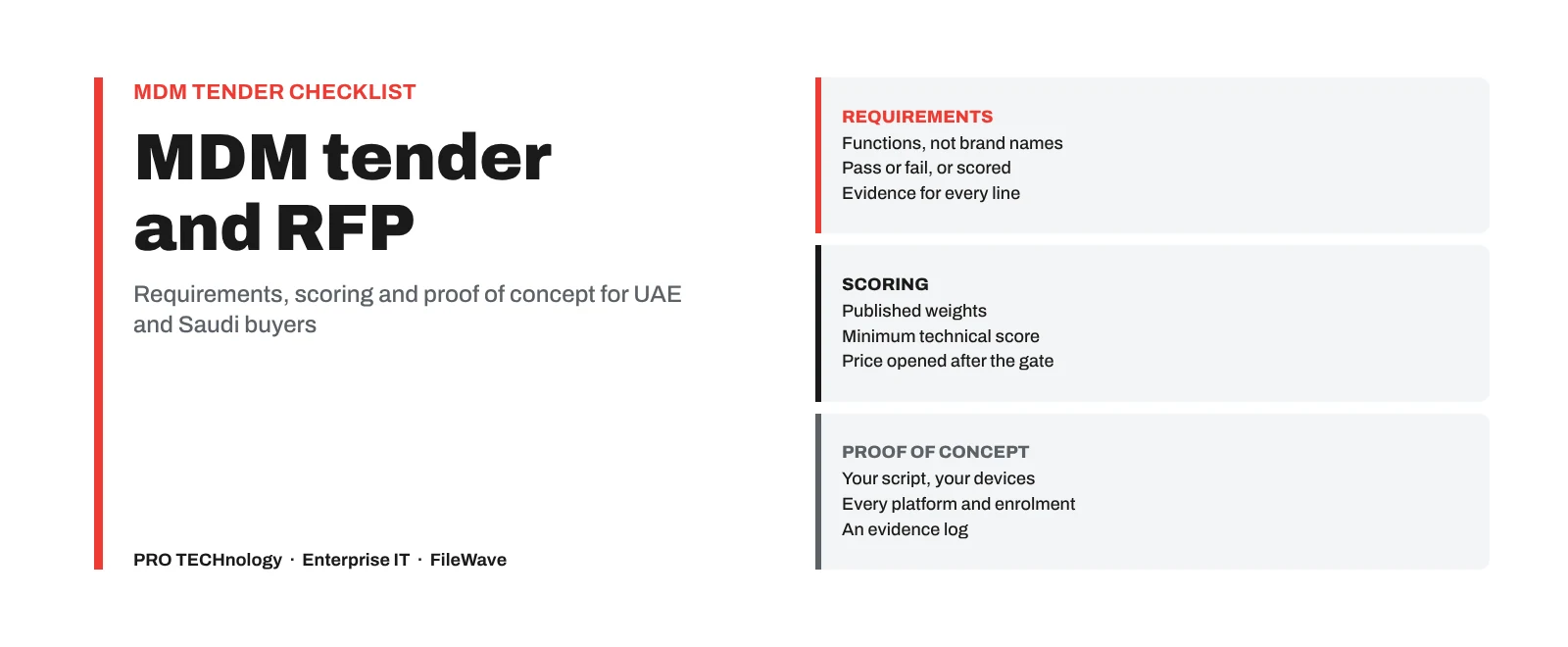
- Write requirements as
- Functions and outcomes a bidder can prove, not product names
- Pass or fail
- Only what you cannot live without: platforms, enrolment, Apple declarative updates, sign-in, hosting, data export
- Scored
- Everything else, against weights and a minimum technical score published in the tender
- Proof of concept
- Your script on your devices: every platform, enrolment route and report you will rely on
Key takeaways
- Write each requirement as a function or outcome a bidder can prove, not as a product name. Saudi government procurement law does not allow tender specifications to name a brand or trade name except in narrow cases, and UAE federal procurement law lists non-discrimination between suppliers among its aims.
- Keep pass/fail requirements few: your device platforms, the enrolment programmes you use, declarative software updates for Apple devices, administrator sign-in through your identity provider, your hosting constraint and data export at exit. Score everything else.
- Publish the scoring model, the weights and the minimum technical score in the tender itself, and open the financial envelopes only for bids that pass the technical gate.
- Require a proof of concept on your own devices, run from your own test script, before award. A vendor’s prepared demonstration shows the product at its best, not on your network.
- Put the device supplier’s duties in the device tender: registering devices to your Apple Business account, assigning Android devices to your zero-touch portal and registering PCs for Windows Autopilot. Without them, devices arrive outside these programmes and have to be added or enrolled by hand.
- Ask for evidence, not ticks: the certificate and its scope, a sample audit log, a recorded enrolment, the exported inventory file. Answers marked “with conditions” or “not documented” are useful; a bid that ticks every box deserves a closer look.
What should a mobile device management tender or RFP include?
Short answer. A device management tender needs your fleet and scope, requirements written as functions with a pass/fail or scored label, the evidence each bidder must provide, the scoring model and minimum technical score, a proof of concept on your devices, implementation, support and licensing terms, and an exit clause covering data export and moving devices to another service.
Jump to: pass or fail, requirements table, device supplier duties, security evidence, scoring, proof of concept, vendor questions, licensing, support and implementation, exit clause, where tenders are published, FileWave’s answers, questions.
| Section | What it should say |
|---|---|
| Fleet and scope | Device counts by platform and operating-system version, who owns them (company or staff), sites and countries, growth over the contract, and what is out of scope |
| Requirements | Each requirement as a function or outcome, labelled pass/fail or scored, with the evidence a bidder must provide |
| Evaluation | The scoring model, weights, scale definitions and the minimum technical score, published before bids arrive |
| Proof of concept | Which bidders take part, how long it runs, the devices, the test script and the pass criteria |
| Implementation and support | Who configures, trains and hands over, in which language, where support comes from and how issues are escalated |
| Commercial | The licence unit (device or user) and term, renewal terms, and every cost outside the licence, priced separately |
| Exit | Export of device records and configuration, and how devices move to another service at contract end |
RFI or RFP? A request for information (RFI) asks the market what is possible and helps you write realistic requirements; it should not ask for prices you will rely on. A request for proposal (RFP) or formal tender asks bidders to commit to your requirements, price them and be evaluated. If your fleet or hosting decision is still open, an RFI first saves a tender that nobody can answer in full.
Functions, not brands. Saudi Arabia’s Government Tenders and Procurement Law (Article 22 of the 1440H law) does not allow specifications to name a particular brand or trade name, except in narrow cases that need prior approval and the words “or equivalent” (وما يعادلها). Its Implementing Regulations also require entities not to overstate technical specifications, so do not copy one product’s feature list as your requirements. UAE federal procurement law (Federal Law No. 11 of 2023) lists equal treatment and non-discrimination between suppliers among its aims.
So describe what the service must do, for example “enrols company iPhones automatically at activation through Apple Business”, rather than naming an MDM product; because that wording still names the devices and Apple service you already use, ask your procurement team how to word references to existing platforms. Emirate government entities, such as those in Dubai and Abu Dhabi, follow their own emirate’s procurement rules, and private-sector RFPs are not bound by these laws, but the same wording gets you comparable bids.
Which MDM requirements should be mandatory (pass/fail), and which should be scored?
Saudi Arabia’s Ministry of Finance rules for evaluation criteria separate basic criteria, which a bid passes or fails, from criteria that are scored. The same split works for any device management tender: a short gate that removes bids which cannot serve your fleet, then a scored comparison of everything else.
- Pass/fail: the platforms and operating-system versions you run today; the enrolment programmes you already use (Apple Automated Device Enrollment, Android zero-touch, Windows Autopilot); declarative software update management for Apple devices; administrator sign-in through your identity provider with its multi-factor authentication; your hosting constraint (vendor-hosted, your own server, or either); and export of device records at contract end.
- Scored: depth of features on each platform, software deployment and patching, reporting, security evidence, the proof-of-concept results, implementation and training, support arrangements, and integration through APIs.
- Neither: features you may want one day. List them as optional so bidders can mention them, but give them no weight.
Every pass/fail line removes bidders, so test each one: if a bid failed only that line, would you really reject it? Aim for a gate of five to eight lines; a gate of thirty can leave one bidder, or none.
MDM requirements checklist: what to ask for and how to verify it
An MDM requirements checklist should cover each platform and how it enrols, Apple updates, staff-owned devices, software and patching, inventory, lost devices, administrator sign-in, permissions and audit, encryption evidence, hosting, implementation and support, and exit. Label each line pass/fail or scored, and say how the committee will verify it.
Copy the rows that fit your fleet, adjust the wording and keep the “how to verify” column: it tells bidders what evidence to prepare and tells the committee what to check. Where another of our guides covers a topic in depth, the last column links to it.
| Area | Requirement (write it as a function) | Pass/fail or scored | How to verify | More detail |
|---|---|---|---|---|
| Platforms | Manages the operating systems and versions in your fleet, listed by name and version, for the life of the contract | Pass/fail | Vendor’s release notes listing tested versions; proof of concept on each platform | MDM and UEM explained |
| Apple enrolment | Enrols company iPhones, iPads and Macs through Apple Business or Apple School Manager, supervised | Pass/fail | A recorded enrolment of a new or erased device | Setting up Apple Business |
| Apple updates | Manages iOS, iPadOS and macOS updates through declarative software update management, with a target version and deadline | Pass/fail | Proof of concept: an update with a deadline on a test device | Patch management |
| Android | Enrols company devices as fully managed (and zero-touch, if you buy through a zero-touch reseller) and staff phones with a work profile | Pass/fail for the modes you use | Proof of concept on a factory-reset device and a staff phone | Staff-owned phones |
| Windows | Enrols Windows PCs through Microsoft Entra ID and Windows Autopilot, and deploys software to them | Pass/fail if you use Autopilot; otherwise scored | Proof of concept: a new PC set up at first boot | Macs and Windows PCs together |
| Chromebooks | States what is managed in the Google Admin console and what the MDM adds (for example inventory and reports) | Scored | Written answer and a demonstration | School devices |
| Staff-owned devices | Separates company data on personal phones and states in writing what IT can and cannot see or erase | Scored | The vendor’s privacy statement for staff; proof of concept | Staff-owned phones |
| Software and patching | Deploys and updates operating systems and third-party applications with pilot groups, deadlines and per-device results | Scored | Proof of concept: one app and one OS update to a pilot group | What to check in patching |
| Inventory and reports | Reports hardware and software inventory with collection times, exports reports to CSV and offers a documented API | Scored | An exported report from the proof of concept | Device inventory |
| Lost devices | Locks, locates and erases company devices per platform, and removes company data only from staff devices | Scored | Proof of concept: a lost-device drill | Lost or stolen devices |
| Administrator sign-in | Administrators sign in through your identity provider with its multi-factor authentication; any local administrator account is controlled and listed | Pass/fail | Configuration in the proof of concept | Security evidence below |
| Permissions and audit | Limits each administrator to the devices and actions they need, and records administrator actions with a retention period you set | Scored | A sample audit record; a restricted test administrator | Security evidence below |
| Encryption evidence | Reports FileVault and BitLocker status and holds or reports recovery keys under restricted access | Scored | A report from the proof of concept | Self-encrypting drives and BitLocker |
| Hosting | Meets your hosting constraint, with the location of servers and backups, who operates them and every external connection listed | Pass/fail on your constraint | Written statement; network test in the proof of concept | The hosting clause |
| Implementation and support | Local configuration, administrator training and handover, with named contacts, support hours and escalation in writing | Scored | Implementation plan and support terms in the bid | Support terms below |
| Exit | Exports device records and configuration at contract end and states how each platform moves to another service | Pass/fail on export | A sample export from the proof of concept | Switching MDM |
Device supplier duties: Apple Business, Android zero-touch and Windows Autopilot
Zero-touch enrolment depends as much on how devices are bought as on the device management system. If the tender for laptops and phones does not oblige the supplier to register them, they arrive outside the programme and someone has to enrol each one by hand. Put these lines in the device tender, or in the same tender if you buy devices and management together.
- Apple. Automated Device Enrollment works for devices bought from Apple, an Apple Authorised Reseller or an authorised carrier, registered to your Apple Business (formerly Apple Business Manager) or Apple School Manager account. Add the supplier’s Reseller Number in your account, give the supplier your organisation ID from Apple Business, and require it to submit every iPhone, iPad and Mac order to Apple before delivery and send you the order numbers. Our Apple Business guide shows where each number goes. Devices bought elsewhere can be added later by hand with Apple Configurator: the device must be new or erased, and for 30 days after it is set up its user can release it from your organisation, which Apple calls the provisional period.
- Android. Zero-touch enrolment needs devices from a reseller that takes part in Google’s zero-touch programme. The reseller assigns the devices to your zero-touch portal, and the portal is linked to your device management service.
- Windows. Windows Autopilot registers each PC’s hardware hash to your Microsoft tenant, usually through the manufacturer or reseller, so the PC sets itself up at first boot. Ask the supplier to register every PC and send the confirmation.
One tender or two? Buying devices and device management in one tender gives one party responsibility for enrolment working on day one; separate tenders give more competition on each. If you separate them, put the registration duties above in the device tender and the enrolment requirements in the management tender, so neither supplier can point at the other.
Security questionnaire: what evidence should MDM bidders provide?
Ask each bidder for evidence, not a yes in a compliance matrix: how administrators sign in and how MFA is enforced, a restricted administrator, a sample audit record with its retention and export method, the TLS versions and cipher suites offered, and the ISO/IEC 27001 certificate with its scope and expiry date. Decide in advance what a weak answer looks like.
| Question | Evidence to request | Warning sign |
|---|---|---|
| How do administrators sign in? | The identity providers and protocols supported, how multi-factor authentication is enforced, and which local accounts remain | Shared administrator accounts; MFA “on the roadmap” |
| How are administrator rights limited? | A demonstration of separate roles, for example read-only, helpdesk without erase rights, and an administrator limited to one site or group | One administrator role for everyone, or erase rights for every administrator |
| What is logged, for how long, and can we export it? | A sample audit record, the retention period and the export or forwarding method | No audit trail of administrator actions |
| How is data protected in transit? | The TLS versions and cipher suites the server, and any proxy in front of it, offer | Protocols older than TLS 1.2, or cipher suites without forward secrecy, which Apple’s 27.0 releases may refuse for device management |
| Which certifications and audit reports cover the service? | The ISO/IEC 27001:2022 certificate from an accredited certification body, with its scope statement and expiry date; a SOC 2 report if one exists, usually under a non-disclosure agreement | A certificate whose scope does not include the service you are buying |
| Where are the servers and backups, and who can reach them? | The written hosting statement and the list of external connections | See the hosting clause |
| How are vulnerabilities in the product handled? | The release history, the supported versions and how security fixes are announced | No published support period for older versions |
Saudi references. NCA’s cybersecurity toolkit includes a Mobile Devices Security standard template and a Workstations, Mobile Devices and BYOD Security policy template. Entities adapt them, and the head of the entity or a delegate approves them. The policy template says mobile devices and BYOD must be managed centrally with MDM. The standard template covers passcodes, encryption, remote wipe of lost or stolen devices and keeping organisation data separate on personal devices. ECC-2:2024 subdomain 2-6 covers mobile devices; our Saudi page maps its controls on separating, encrypting and deleting entity data (2-6-3-1 and 2-6-3-3).
UAE references. The UAE Information Assurance Standard, issued by the UAE Cyber Security Council to replace IA Regulation v1.1, includes controls relevant to mobile devices; our MDM guide summarises the ones that matter for device management. Schools under ADEK should also apply the supplier criteria in clause 5.5 of the ADEK School Digital Policy, set out in our ADEK guide.
Neutral baselines. NIST SP 800-124 Rev. 2 (May 2023) is the main public guidance on managing enterprise mobile devices across their life, and CISA’s 2021 mobile device cybersecurity checklist gives organisations a short enterprise checklist. CIS Benchmarks give consensus hardening settings for iOS, iPadOS, macOS, Windows and Android, and the macOS Security Compliance Project produces macOS baselines that can be checked automatically. The US NIAP Protection Profile for Mobile Device Management applies to US national security purchases; an evaluated product is useful evidence, but it is not a national requirement in the UAE or Saudi Arabia.
How should MDM bids be scored and weighted?
Publish the model with the tender: the weights, what each score means and the minimum technical score a bid needs before its price is opened. Scoring the technical and financial parts separately stops a low price from carrying a weak solution through. State the split between them too, and how the financial score is calculated. In a Saudi government tender, the Ministry of Finance rules govern how the criteria are set and weighted, so adapt the example below within those rules.
| Criterion | Weight | What earns full marks |
|---|---|---|
| Platforms and enrolment | 30% | Every platform, version and enrolment route in your fleet is supported in writing, without workarounds |
| Proof-of-concept results | 25% | All test scripts passed on your devices and network, with evidence |
| Security evidence | 20% | Certificates in scope and in date, sign-in through your identity provider, restricted administrators and an exportable audit trail |
| Implementation, training and support | 15% | A named local team, a dated plan, training for your administrators and support terms in writing |
| Integration and exit | 10% | A documented API, CSV exports and a written exit plan per platform |
Use a short scale with written meanings, for example 0 (not offered), 1 (offered with major conditions), 3 (meets the requirement), 5 (meets it and was shown in the proof of concept). Set the minimum technical score, for example 70%, before bids arrive, and record each evaluator’s scores and reasons separately before the committee agrees a final score.
How do you run a mobile device management proof of concept?
A proof of concept (PoC) should prove that the product works on your devices, network and identity provider: zero-touch enrolment on every platform, an app and an OS update delivered by a deadline, restricted administrator sign-in, a lost-device drill, and inventory and exit exports. Two to four weeks is usually enough. Agree the length, the devices and the pass criteria in the tender so every bidder has the same conditions.
- Devices. Two or three of each platform and operating-system version you run, including one remote user and one branch-office device if you have them.
- New or erased devices. Zero-touch enrolment, and supervision of iPhones and iPads, happen at activation, so test them on new or erased devices. An Android device can be fully managed only from a factory reset; do not use devices people depend on.
- Your script, not the vendor’s demonstration. Write each test as a task and a pass criterion, and record the result yourself. A prepared demonstration shows the product, not how it behaves on your network.
- Costs and configuration. Say who carries the costs of the PoC, what you provide (devices, network access, staff time), whether the PoC configuration may carry into production after award, and that bidders not selected must remove their test accounts and data.
- Evidence. Keep screenshots, exported reports and audit records for each test; they become the scoring evidence and settle disputes later.
| Test | Pass criterion | Evidence to keep |
|---|---|---|
| Enrol a new iPhone or iPad and a new Mac | Supervised and configured at activation, with no steps by IT beyond the user completing Setup Assistant | Screen recording; device record |
| Set up a new Windows PC | Joined to Entra ID and enrolled at first boot through Autopilot | Device record; deployment log |
| Enrol a company Android phone and a staff phone | Fully managed and work profile, each with the right apps | Device records |
| Deploy one application and one OS update with a deadline | Installed on the pilot group by the deadline; failures reported | Exported report |
| Administrator sign-in and permissions | Sign-in through your identity provider with MFA; a restricted administrator sees only their scope | Audit record of both sign-ins |
| Lost-device drill | Lock, locate where supported, and erase on each platform | Command history |
| Inventory and encryption report | Hardware, software and encryption status for every pilot device, exported to CSV | The exported file |
| Exit test | Device records and configuration exported in a documented format | The export |
Our guides on evaluating one console for Macs and Windows PCs and on inventory evaluations add detail for those parts of the test.
Questions to ask an MDM vendor before award
- Versions. Which product versions are supported today, for how long, and how quickly new Apple, Microsoft and Google releases are supported?
- Platform changes. How does the product keep up with changes Apple, Google and Microsoft make, such as declarative software updates, the only update method on Apple’s 27.0 releases?
- Implementation. Who configures the service, in which country, in which language, and what does handover include?
- Support. Where does support come from, in which hours and language, how are issues escalated to the product maker, and who is the named contact?
- References. Can you speak to an organisation of similar size and sector in the region?
- Ownership. Will the Apple, Google and Microsoft accounts the service depends on be created in our name and held by us?
- Change. What happens to our configuration and prices if the product is sold, renamed or withdrawn?
MDM licensing and total cost: what to ask before comparing prices
Prices are only comparable when every bid prices the same things: the same licence unit, the same term and the same services. Ask each bidder to state:
- The licence unit. Per device or per user, and whether device types (computers, phones and tablets, Chromebooks) are counted separately. Per user suits staff with several devices; per device suits shared or single-purpose devices.
- The term and renewal. Annual or multi-year, the renewal terms, and any cap on increases at renewal.
- What sits outside the licence. Implementation, training, hosting, premium support and any add-on modules, each priced on its own line.
- Your own costs. For a server you host: the server, backups and certificates. For Windows enrolment through Microsoft Entra ID: Entra ID P1 or P2, or a Microsoft 365 plan that includes it. For Chromebooks: the upgrade licence Google requires to manage them in Google Admin, which some devices are sold with and which is separate from the MDM licence.
- Growth. The price per additional device or user during the contract, and how unused licences are handled.
What support terms and implementation deliverables should an MDM tender require?
Ask for response and resolution targets for each severity level, in your working hours and language, with a named escalation path to the product maker and a remedy when targets are missed. Define severity yourself, so that enrolment failing or the console being unreachable is treated as the most urgent level, and list the implementation deliverables you will accept.
- Severity and targets. Define each level in the tender and ask bidders to state their targets for it, rather than accepting their standard terms unseen.
- Hours and language. Support hours that cover your working week in each country you operate in, in the language your administrators use.
- Escalation. Who escalates to the product maker, within what time, and who keeps you informed.
- Implementation deliverables. A design document, enrolment configured for each platform, the first applications packaged and deployed, administrator training with attendance recorded, a record of the configuration as built, an administrator runbook and a support period after go-live.
- Acceptance. Accept the implementation only when your proof-of-concept tests pass again on the live service.
Exit clause: what happens to your devices when the MDM contract ends?
When an MDM contract ends, your device records and configuration should come back to you in a documented format, the Apple, Google and Microsoft accounts should already be in your name, and each platform needs a written plan to move. Agree all of this before award. Ask for:
- Data export. Device records, inventory and configuration exported in a documented format, such as CSV, at no extra cost, within a set period after notice.
- Apple devices. Apple lets organisation-owned devices on iOS 26, iPadOS 26 or macOS 26 or later, enrolled through Automated Device Enrollment, move to another device management service without being erased, through Apple Business or Apple School Manager. Shared iPads, devices set up for Return to Service with app preservation and devices on Apple Business’s built-in device management are excluded. iPhones and iPads that cannot take this path are erased and enrolled again; a Mac registered in Apple Business or Apple School Manager can enrol through Automated Device Enrollment after setup, so test moving one without an erase.
- Windows and Android. Expect company Android devices to be factory reset and Windows PCs to be enrolled again, possibly after a reset or reinstall; test a few PCs in the pilot and plan the cut-over in batches.
- Accounts. Your Apple Business or Apple School Manager account, the Apple Account behind the Apple push certificate, the Android zero-touch and Android Enterprise accounts and the Microsoft tenant are created in your name and held by you. Devices then move through accounts you control, and the next service sets up its own push certificate and Android Enterprise binding.
Our guide to moving devices to a new MDM without wiping them covers each platform and a cut-over plan.
Where UAE and Saudi government MDM tenders are published
Saudi government entities publish tenders on Etimad, the Ministry of Finance’s e-procurement platform, as a كراسة الشروط والمواصفات (terms and specifications booklet); the Ministry publishes model booklets, including one for information technology. UAE federal entities use the Ministry of Finance’s Digital Procurement Platform, more than 40 Dubai Government entities use eSupply, and Abu Dhabi entities use the Abu Dhabi Government Procurement Gate.
| Where | Channel | Tender document and rules |
|---|---|---|
| Saudi Arabia (government) | Etimad, the Ministry of Finance’s e-procurement platform | The كراسة الشروط والمواصفات, under the Government Tenders and Procurement Law; put the requirements table in the scope and specifications, and the pass/fail lines and weights in the evaluation criteria |
| UAE federal government | The Ministry of Finance’s Digital Procurement Platform; suppliers join the federal supplier register | Federal Law No. 11 of 2023 and its Executive Regulation (Cabinet Resolution No. 122 of 2024) |
| Dubai Government | eSupply, which serves more than 40 Dubai Government entities; some run their own portals | The entity’s RFx documents |
| Abu Dhabi Government | The Abu Dhabi Government Procurement Gate, where suppliers register once for all entities | The entity’s tender documents |
Saudi law is changing. A new Government Tenders and Procurement Law (Royal Decree M/76 of 1448H) replaces the 1440H law 120 days after its publication in Umm Al-Qura, around early 2027. Published summaries say it keeps the ban on naming a brand and leaves the exceptions to its implementing regulations, which had been published only in draft when we checked in October 2026. Tenders issued under the 1440H law are reported to stay under it, so check which law and rules apply on the date your tender is issued. This summary is not legal advice.
Saudi enquiries come to our account team, who visit the Kingdom often, with local work delegated to PRONEXT, our company in Riyadh. How a project in the Kingdom usually starts is set out on our Saudi page.
How FileWave answers the checklist
This is how FileWave, which we distribute, answers the lines above, from FileWave’s documentation as of October 2026. “Yes, with conditions” and “Not documented” are stated plainly, because an evaluation committee will find them anyway.
| Requirement | Answer | Detail |
|---|---|---|
| Platforms | Yes, with conditions | macOS, Windows, iOS, iPadOS, tvOS, visionOS and Android in one console; Chromebooks enrol in Google Admin, and FileWave adds inventory and reports. Release notes separate tested versions from those only expected to work, such as Windows 10 in 16.4.1. Linux is not among its client platforms |
| Supported versions | Yes | The current line is 16.4.x (September 2026). FileWave supports its two latest major versions, currently 16.4.x and 16.3.x, and marks superseded patch releases as unsupported, so plan regular upgrades |
| Enrolment | Yes, with conditions | Apple Business and Apple School Manager; Android Enterprise fully managed, work profile and zero-touch (Google’s default quota is 500 devices; larger fleets need an increase); Windows MDM through Microsoft Entra ID (Entra ID P1 or P2 needed; not on Windows Home), with or without Autopilot. The FileWave Client alone deploys software and reports inventory but gives no MDM commands |
| Apple software updates | Yes, with conditions | Declarative updates with a target version and deadline; macOS 14 or later (FileWave has used only declarative management for Mac updates since 15.4), iOS and iPadOS 17 or later |
| Staff-owned devices | Yes | Account-driven User Enrollment for personal iPhones and iPads (FileWave 15.5 and later) and the Android work profile |
| Software and patching | Yes, with conditions | Mac and Windows software as Filesets, cached at branches by Boosters; Windows apps can upgrade through WinGet; there is no fixed catalogue of third-party titles |
| Hosting | Yes, with conditions | Your own Debian or macOS server, or FileWave hosting on AWS (United States, Europe, Asia Pacific; no Middle East region). For UAE or Saudi hosting, run your own server; it still connects out, as our on-premises guide explains |
| Administrator sign-in | Yes, with conditions | OpenID Connect with Microsoft Entra ID, Okta, Google or Keycloak, with MFA from that provider. Local FileWave administrator accounts remain available and do not use that MFA, so keep them few and listed. SAML is not documented |
| Permissions | Yes | Read, write and delete rights per device, Fileset and group, combined across directory groups; predefined role templates are not documented |
| Audit trail | Yes, with conditions | An Audit History view in FileWave Central and the server’s audit log, which also records failed sign-ins. Retention settings and a built-in SIEM connector are not documented; test log collection in the proof of concept |
| APIs | Yes | Two REST APIs authenticated with administrator tokens, one documented in Swagger on the server |
| Transport security | Yes, with conditions | FileWave’s 16.4 release notes say TLS 1.3 is enabled on all components, with TLS 1.2 kept for existing devices. On 16.3.x and on any proxy in front of the server, confirm protocols and cipher suites in testing |
| Certification | Yes, with conditions | ISO/IEC 27001, announced in July 2024 and scoped to development activities in Wil, Switzerland and Indianapolis, United States. We found no current SOC 2 report or FIPS 140 validation in FileWave’s published material |
| High availability | Not documented | No clustering or automatic failover is documented. Boosters cache Mac and Windows content (up to 400 client connections each, 2,000 on Linux Boosters); they are not failover |
| Arabic interface | Not documented | Arabic is not among FileWave’s published interface languages |
| Implementation and support | Yes | We configure FileWave, train your administrators on your devices and support you from Dubai after go-live, escalating to FileWave when needed; local work in Saudi Arabia is delegated to PRONEXT in Riyadh |
| Licensing | Yes | Licences are counted per managed device by device type and carry an expiry date; we confirm the term in the quotation |
| Exit | Yes, with conditions | Inventory views and reports export to CSV; a configuration export another vendor’s product can import is not documented. Apple devices on version 26 or later enrolled through Automated Device Enrollment can move without erasing; Android devices are factory reset and Windows PCs enrolled again |
PRO TECHnology is FileWave’s distributor and partner for the Middle East, and has been an authorised FileWave reseller in the GCC since 2009. Send us your requirements or the technical section of your tender and we will answer each line for FileWave, with the evidence, and run the proof of concept on your devices with your team. More on the platform is in our MDM and unified endpoint management guide and on the FileWave partnership page; licences and quotations are on the FileWave page.
Get each tender line answered for FileWave
Tell us roughly how many devices the tender covers and, under Add details, the deadline and the platforms. Our Enterprise IT team in Dubai replies by email, Saudi enquiries included; the team visits the Kingdom often, and local work there is delegated to PRONEXT in Riyadh.
Sources
Checked on 26 October 2026 against FileWave’s knowledge base and website, Apple, Google and Microsoft documentation, NCA, NIST, NIAP, CISA and CIS publications, and Saudi and UAE procurement sources. Details change, so confirm each one at the source before you rely on it in a tender.
- Saudi Ministry of Finance: Government Tenders and Procurement Law, 1440H (English translation)
- Umm Al-Qura: Royal Decree M/76 (1448H), new Government Tenders and Procurement Law
- Saudi Ministry of Finance: Etimad
- Saudi Ministry of Finance: rules for preparing evaluation criteria (Arabic, PDF)
- Saudi Ministry of Finance: model terms and specifications booklet for information technology (Arabic, PDF)
- UAE Legislation: Federal Law No. 11 of 2023 on Procurement in the Federal Government
- UAE Legislation: Cabinet Resolution No. 122 of 2024 on the Executive Regulation of Federal Law No. 11 of 2023
- UAE Ministry of Finance: supplier registration and the Digital Procurement Platform
- Dubai.ae: Government procurement (eSupply)
- Abu Dhabi Housing Authority: supplier registration on the Abu Dhabi Government Procurement Gate
- NCA: Cybersecurity toolkits (policy and standard templates)
- NCA: Mobile Devices Security standard template (PDF)
- NCA: Workstations, Mobile Devices and BYOD Security policy template (PDF)
- NCA: Essential Cybersecurity Controls ECC-2:2024 (PDF)
- NIST: SP 800-124 Rev. 2, Guidelines for Managing the Security of Mobile Devices in the Enterprise
- NIAP: Protection Profile for Mobile Device Management v4.0 (PDF)
- CISA: Mobile Device Cybersecurity Checklist for Organizations (PDF)
- CIS Benchmarks
- macOS Security Compliance Project (mSCP)
- Apple: Automated Device Enrollment and eligible purchases
- Apple Business: Add devices using Apple Configurator
- Apple: What’s new for enterprise in iOS (legacy software update management ends in the 27.0 releases)
- Apple: Prepare your network environment for stricter security requirements (TLS 1.2 minimum)
- Apple: Migrate managed devices between device management services
- Google: Android zero-touch enrolment for IT admins
- Microsoft: Windows Autopilot registration overview
- Microsoft: Plan your Microsoft Entra join deployment
- FileWave: Release history and supported versions
- FileWave: Version 16.4.0 release notes (TLS 1.3)
- FileWave: Hosted services maintenance schedule (regions)
- FileWave: Backup procedures for hosted servers
- FileWave: Administrator sign-in through an identity provider
- FileWave: Use 2FA or MFA with FileWave
- FileWave: Managing FileWave administrators
- FileWave: FileWave Central additional menu items (Audit History)
- FileWave: Log file locations
- FileWave: FileWave Anywhere API v2
- FileWave: Android zero-touch enrolment with FileWave
- FileWave: Account-driven User Enrollment for iOS and iPadOS BYOD devices
- FileWave: Booster monitor and configuration settings
- FileWave: Supported interface languages
- FileWave: Exporting data
- FileWave: ISO 27001 certification announcement
Frequently asked questions
What is the difference between an RFI and an RFP for mobile device management?
A request for information asks the market what is possible and helps you write realistic requirements, without binding prices. A request for proposal, or a formal tender, asks bidders to commit to your requirements, price them and be scored. Use an RFI first if your fleet, hosting or enrolment decisions are still open.
Which MDM requirements should be pass/fail rather than scored?
Only the ones you cannot work without: the platforms and versions you run, the enrolment programmes you use, declarative software updates for Apple devices, administrator sign-in through your identity provider with MFA, your hosting constraint and data export at contract end. Score everything else, because each pass/fail line removes bidders.
Can a Saudi government tender name a specific MDM product?
Generally not. Article 22 of the Government Tenders and Procurement Law (1440H) does not allow specifications to name a brand or trade name, except in narrow cases that need prior approval and the words “or equivalent”. A new law expected to take effect around early 2027 is reported to keep the ban, with the exceptions left to regulations that are not yet final. Write requirements as functions. This is a summary, not legal advice.
What is a كراسة الشروط والمواصفات, and where do MDM requirements go in it?
It is the terms and specifications booklet a Saudi government entity publishes on Etimad for each competition, and the Ministry of Finance publishes model booklets, including one for information technology. Put the requirements table in the scope of work and specifications, and the pass/fail lines, weights and minimum technical score in the evaluation criteria.
Should an MDM tender require declarative device management for Apple devices?
Yes. Apple says legacy software update management no longer functions on the 27.0 releases of iOS, iPadOS and macOS, so updates, deferrals and deadlines must be managed through declarative device management. Make it a pass/fail line and test it in the proof of concept.
What should a mobile device management proof of concept prove?
That the product does what the bid says on your own devices, network and identity provider: zero-touch enrolment on each platform, an app and an OS update by a deadline, sign-in with MFA and a restricted administrator, a lost-device drill, and inventory and exit exports. Each test needs a written pass criterion and kept evidence.
How many weeks should an MDM pilot or PoC take?
Two to four weeks is usually enough to enrol each platform, deploy an application and an update, test sign-in and permissions, run a lost-device drill and export reports. State the length, the devices and the pass criteria in the tender so every shortlisted bidder is tested under the same conditions.
How many devices should an MDM pilot include?
Two or three of each platform and operating-system version you run, plus at least one remote user and one branch-office device if you have them. The aim is to cover every combination you depend on, not a percentage of the fleet.
Can we run an MDM pilot on devices already in use?
Partly. Zero-touch enrolment and the supervision of iPhones and iPads happen at activation, and a company Android device can be fully managed only from a factory reset, so those tests need new or erased devices. Keep devices that people depend on out of the pilot.
Who pays for an MDM proof of concept, and is the configuration kept?
Say so in the tender. A common approach is that each shortlisted bidder carries its own costs while you provide the devices, network access and staff time. Also state whether the proof-of-concept configuration may carry into production after award, and require bidders not selected to remove their test accounts and data.
Should the device supplier register devices in Apple Business, Android zero-touch and Windows Autopilot?
Yes, and the device tender should say so. Apple Automated Device Enrollment covers devices bought from Apple, an authorised reseller or carrier and registered to your account; Android zero-touch needs a participating reseller; Autopilot needs each PC registered to your tenant. Without these duties, devices arrive outside the programmes and are added by hand.
Should MDM licences be bought in the same tender as the devices?
Either can work. One tender gives one party responsibility for enrolment working on delivery; separate tenders give more competition on each. If you separate them, put the registration duties in the device tender and the enrolment requirements in the management tender.
Is per-device or per-user MDM licensing better for a tender?
Per user usually suits staff who carry several devices; per device suits shared, classroom or single-purpose devices. Ask every bidder to price the same unit, to state whether device types are counted separately, and to give the price for extra devices or users during the contract.
What BYOD requirements belong in an MDM tender?
Account-driven User Enrollment for personal iPhones and iPads, a work profile for personal Android phones, removal of company data only when staff leave or lose a phone, and a written statement of what IT can and cannot see. Score these lines rather than making them pass/fail, and test them on a staff phone in the proof of concept.
Which security certificates and audit reports should an MDM bidder provide?
Ask for the ISO/IEC 27001:2022 certificate from an accredited certification body, with its scope statement and expiry date, and check that the scope covers the service you are buying; certificates to the 2013 edition stopped being valid after 31 October 2025. A SOC 2 report is useful where a vendor has one, usually under a non-disclosure agreement.
How long should MDM administrator audit logs be kept?
As long as your own log-retention policy and your regulator require. Ask each bidder to state the default retention, whether you can change it, and how logs are exported or forwarded to your log management system, then check a sample record in the proof of concept.
What support terms should an MDM tender ask for?
Response and resolution targets for each severity level, support hours that cover your working week, the support language, a named escalation path to the product maker and a remedy when targets are missed. Define severity in the tender, so that failed enrolment or an unreachable console is treated as the most urgent level, not a routine ticket.
What implementation deliverables should an MDM tender specify?
A design document, enrolment configured for each platform, the first applications packaged and deployed, administrator training with attendance recorded, a record of the configuration as built, an administrator runbook and a support period after go-live. Accept the implementation only when your proof-of-concept tests pass again on the live service.
What should an MDM exit clause require?
Export of device records, inventory and configuration in a documented format at no extra cost, the Apple, Google and Microsoft accounts held in your name, and a written plan for moving each platform. Apple devices on version 26 or later enrolled through Automated Device Enrollment can move without being erased; Android devices are factory reset and Windows PCs enrolled again.
Can a vendor demonstration replace a proof of concept?
No. A prepared demonstration shows the product at its best on the vendor’s systems. A proof of concept runs your test script on your devices, network and identity provider, and produces the evidence the committee scores.
Where are UAE government device management tenders published?
Federal entities use the Ministry of Finance’s Digital Procurement Platform, more than 40 Dubai Government entities use eSupply, and Abu Dhabi entities use the Abu Dhabi Government Procurement Gate, where suppliers register once. Some entities also run their own portals.
قائمة متطلبات مناقصة نظام إدارة الأجهزة المحمولة (MDM) وكراسة الشروط والمواصفات: التقييم وإثبات المفهوم في الإمارات والسعودية
تحتاج مناقصة أو طلب عروض نظام إدارة الأجهزة المحمولة (MDM) إلى وصف الأجهزة ونطاق المشروع، ومتطلبات مكتوبة على شكل وظائف ونتائج مع تحديد ما إذا كان كل متطلب أساسياً (ناجح أو راسب) أو خاضعاً للتقييم بالدرجات، والأدلة المطلوبة من كل متقدم، ونموذج التقييم والحد الأدنى للدرجة الفنية، وتجربة إثبات المفهوم على أجهزتكم، وشروط التنفيذ والدعم ورخص إدارة الأجهزة المحمولة، وبنداً للخروج يغطي تصدير البيانات ونقل الأجهزة إلى نظام آخر.
لا يجيز نظام المنافسات والمشتريات الحكومية في السعودية (المادة 22 من نظام 1440هـ) ذكر علامة تجارية أو اسم تجاري في المواصفات إلا في حالات محدودة تتطلب موافقة مسبقة وإضافة عبارة «وما يعادلها»، وقد صدر نظام جديد يُتوقع سريانه في مطلع 2027 تقريباً، وتشير الملخصات المنشورة إلى أنه يحتفظ بهذا المنع. وتُطرح المنافسات الحكومية على منصة اعتماد ضمن كراسة الشروط والمواصفات، وتنشر وزارة المالية نموذجاً لكراسة الشروط والمواصفات خاصاً بمشتريات تقنية المعلومات. وفي الإمارات تشتري الجهات الاتحادية وفق القانون الاتحادي رقم 11 لسنة 2023 عبر منصة المشتريات الرقمية التابعة لوزارة المالية. هذا ملخص وليس استشارة قانونية.
اجعلوا قائمة المتطلبات الأساسية قصيرة: المنصات والإصدارات التي تستخدمونها، وبرامج التسجيل التلقائي (Apple Business وzero-touch في Android وWindows Autopilot)، وإدارة تحديثات أجهزة Apple عبر Declarative Device Management، وتسجيل دخول المسؤولين عبر مزوّد الهوية لديكم مع التحقق متعدد العوامل، وشرط الاستضافة، وتصدير البيانات عند انتهاء العقد. وانشروا معايير تقييم العروض وأوزانها والحد الأدنى للدرجة الفنية في كراسة الشروط، واطلبوا تجربة إثبات مفهوم من سيناريو اختبار تكتبونه أنتم، لمدة أسبوعين إلى أربعة أسابيع عادةً.
وينبغي أن تُلزم مناقصة الأجهزة المورّدَ بتسجيل أجهزة iPhone وiPad وMac في حساب Apple Business الخاص بكم، وإسناد أجهزة Android إلى بوابة zero-touch، وتسجيل الحواسيب في Windows Autopilot، وإلا وصلت الأجهزة خارج برنامج التسجيل التلقائي.
شركة PRO TECHnology هي موزّع FileWave وشريكها في منطقة الشرق الأوسط، وبائع معتمد لـ FileWave في دول الخليج منذ عام 2009. أرسلوا إلينا متطلباتكم أو القسم الفني من كراسة الشروط، وسنجيب عن كل بند لنظام FileWave مع الأدلة، وننفّذ تجربة إثبات المفهوم على أجهزتكم. ويتولى فريق إدارة حسابات العملاء لدينا الاستفسارات الواردة من المملكة العربية السعودية ويزور المملكة كثيرًا، وتُسند الأعمال المحلية فيها إلى PRONEXT، شركتنا في الرياض.
Test the checklist against FileWave
Send us your draft requirements or the tender’s technical section. We will answer each line for FileWave as “Yes”, “Yes, with conditions” or “Not documented”, show the answers at our Business Bay showroom or at your offices, and propose a proof of concept on your own devices.