
Encrypted USB or Cloud? Choosing How to Move Confidential Files in the GCC
Published · PRO TECHnology Enterprise IT
Every organisation eventually faces the same small, consequential decision: a set of files that genuinely matters, tender documents, drawings, patient records, forensic images, has to move from one place to another. The default answer in 2026 is the cloud, and often that is right. But a significant class of work in this region still travels on hardware-encrypted USB drives, not out of habit, but because custody, connectivity or policy demands it. This guide sets out honestly when each approach wins.
Key takeaways
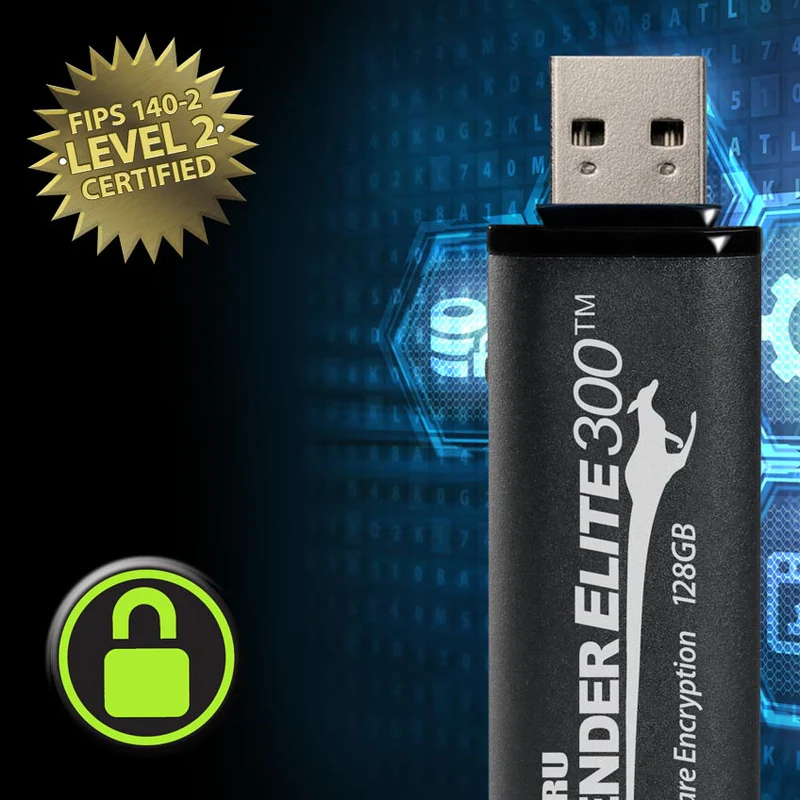
- Kanguru Defender drives run AES 256-bit encryption on a chip inside the device, so protection travels with the drive, not the host machine.
- Kanguru Defender flash drives ship with digitally-signed RSA-2048 secure firmware, blocking BadUSB attacks that rewrite a device controller to behave maliciously.
- The Kanguru Remote Management Console runs hosted or on-premise and lets administrators enforce policy and disable lost or stolen drives anywhere.
- Choose hardware for air-gapped networks, sovereignty rules, poor connectivity and formal handover; choose cloud for shared current versions, versioning and audit trails.
The real question is custody
Strip away the technology and the choice is about who holds the data while it moves. Cloud transfer means your files sit, encrypted, on infrastructure someone else operates, reachable by anyone who can pass your access controls from anywhere on earth. Hardware transfer means the data exists in exactly one physical place, in a device in someone’s pocket or safe, readable only with its password. Neither model is automatically safer; they fail differently. Cloud fails through compromised credentials, misconfigured sharing and jurisdiction questions. Hardware fails through loss, theft and unmanaged devices. The right choice is the failure mode you are better equipped to manage.
When the cloud is the right answer
For everyday collaboration the cloud is not just acceptable, it is better. Teams in different emirates or countries working on the same current version, central access control, versioning, audit trails, instant revocation: that is what well-run cloud platforms are for. PRO TECHnology supplies Dropbox to enterprises across the region for exactly this, so this is not an article against the cloud. It is an article about the cases the cloud cannot cover. For a worked example of the cloud side, see how Khaleej Times moved its newsroom files onto Dropbox.
When hardware-encrypted USB wins
Four situations keep coming back in this region. Air-gapped and OT environments: industrial control systems, some government and defence networks are deliberately disconnected; removable media is how data gets in and out, so the media itself carries the security. Data sovereignty and custody: when policy or contract requires that information never leave controlled hands or borders, a drive in a courier’s pocket with AES 256-bit hardware encryption is the simplest compliant answer. No or hostile connectivity: site offices, vessels and remote facilities where a 40 GB handover cannot depend on bandwidth. Formal handover: when a deliverable must change hands at a moment in time, signed for, with nothing left synchronising afterwards.
For the drive itself, hardware encryption is the non-negotiable: Kanguru Defender drives encrypt with AES 256-bit on the device, password-protected, so the protection does not depend on the host machine. Firmware is the overlooked half: Kanguru Defender flash drives ship with digitally-signed RSA-2048 secure firmware, closing off the BadUSB class of attack where a device’s own controller is rewritten against its user.
A lost drive should not mean a lost cause
The classic argument against USB, someone will leave one in a taxi, is really an argument against unmanaged USB. Defender drives are remote-management ready: with the Kanguru Remote Management Console, administrators can monitor the fleet, enforce password and security policy, and enable or disable a lost or stolen drive wherever in the world it surfaces. KRMC runs hosted or on-premise; the on-premise edition keeps the management layer itself inside your own infrastructure, which matters to the same organisations that care about sovereignty in the first place.
For teams that issue drives at scale, KanguruClone duplicators clone, verify or wipe drives as stand-alone units, with no networked PC required, which is what a controlled media programme wants. Kanguru has made duplicators for more than 25 years.
Compliance: FIPS 140-2 and 140-3
Organisations bound by government, defence or financial-sector policy often cannot simply buy “an encrypted drive”; the cryptography must be validated. Defender models are available with FIPS 140-2 and FIPS 140-3 certification, and our FIPS 140-3 compliance guide explains what the standard validates and how the levels differ. The same logic extends to the wider continuity picture, where removable media sits alongside backup and recovery planning, covered in our business continuity guide.
Frequently asked questions
Is an encrypted USB drive safer than the cloud?
They are safe against different things. A reputable cloud service protects data in transit and at rest and gives you access control and audit trails, but the data lives on infrastructure you do not operate. A hardware-encrypted USB drive keeps the data physically in your custody, works with no connectivity, and can move files into air-gapped networks, but it can be lost. The honest answer is that the safer option is the one whose failure modes your organisation can actually manage.
When is cloud transfer the better choice?
When people in different places need the same current version, when you want central access control, versioning and an audit trail, and when connectivity is a given. PRO TECHnology supplies Dropbox for exactly that kind of collaborative work; the comparison in this article is about the cases cloud cannot cover.
What about air-gapped networks and OT environments?
Systems that are deliberately disconnected, industrial control networks, some government and defence systems, cannot receive files any other way. Removable media is the transfer mechanism, which is why the drive itself must be hardware-encrypted, firmware-protected and centrally controllable.
الأقراص المشفرة أم السحابة؟ نقل الملفات السرية بأمان في الخليج
للتعاون اليومي بين الفرق، تبقى الخدمات السحابية مثل دروب بوكس الخيار الصحيح. لكن هناك حالات لا تغطيها السحابة: الشبكات المعزولة في البيئات الصناعية والحكومية، ومتطلبات سيادة البيانات، والمواقع بلا اتصال موثوق، والتسليم الرسمي للملفات. هنا تأتي أقراص كانغورو ديفندر المشفرة بعتاد AES 256-bit مع حماية البرامج الثابتة الموقعة رقميًا ضد هجمات BadUSB، وإمكانية تعطيل القرص المفقود أو المسروق عن بُعد عبر وحدة التحكم KRMC التي تتوفر أيضًا بنسخة داخل بنيتك التحتية. تتوفر موديلات معتمدة وفق FIPS 140-2 وFIPS 140-3 للجهات الملزمة بالتشفير المعتمد. بروتكنولوجي هي الشريك الحصري لكانغورو في منطقة الشرق الأوسط، من دبي، مع دعم محلي في الإمارات والسعودية ودول الخليج.
Issue drives you can actually control
Tell us what has to move, between which environments, and under which policy. We will spec the right Defender models, management console and duplication workflow, and demonstrate the remote-disable process live.