Standardised IT Workstation Deployment for Banks and Financial Institutions: Fast, Consistent, Offline NVMe Duplication
Published · PRO TECHnology Enterprise IT
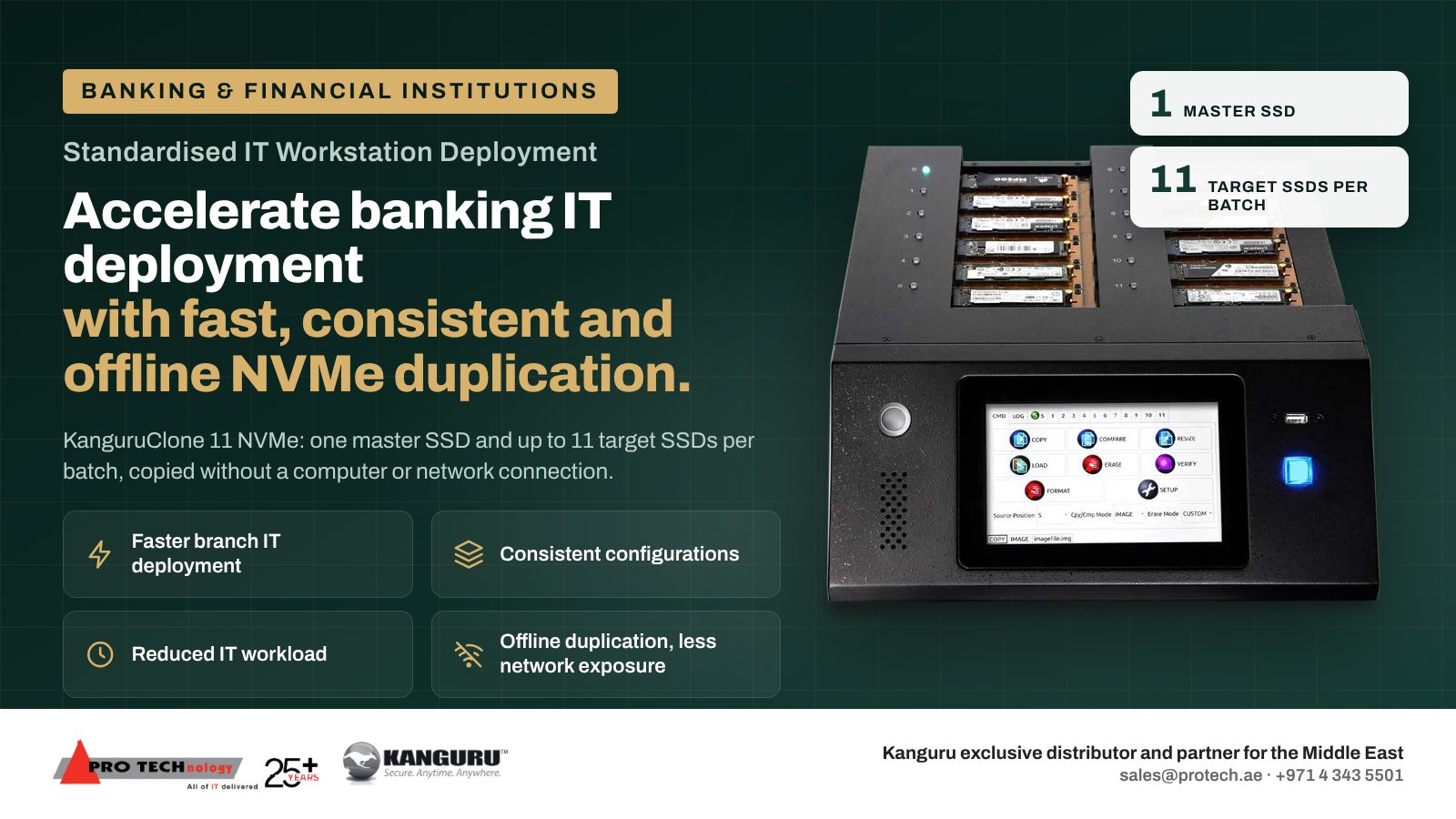
Banks, exchange houses, insurers and other financial institutions that open or refresh branches can prepare workstations with the KanguruClone 11, which loads the bank's approved build from a single master drive onto as many as eleven NVMe drives in one batch, with no computer and no network attached. Every teller and back-office PC starts from the same tested build, and the copy never touches the bank's network. The approved master should contain no live customer data, credentials or device-specific secrets: encryption and endpoint identity are configured on each workstation after duplication.
- Each batch
- One master and as many as eleven targets
- Network exposure
- None during the copy: no PC, no network connection
- The master holds
- No customer data, credentials or device-specific secrets
- Supply
- PRO TECHnology, Kanguru's exclusive distributor and partner for the Middle East
Key takeaways
- A duplicator suits branch openings and refresh cycles where many identical teller and back-office PCs need the same tested build.
- The KanguruClone 11 fills up to eleven NVMe drives from one master in each batch, offline, so the build itself never touches the bank's network.
- The approved master holds no live customer data, credentials or device-specific secrets. Encryption and endpoint identity are configured per workstation after duplication.
- Batch logs, drive serial numbers and the master's version give operational risk and audit teams a record of what went into every branch.
- Kanguru's 25GB/min rating is a best case. A pilot batch with the bank's own image and drives sets the real branch schedule.
Why do banks standardise branch workstations from one master SSD?
A branch PC refresh repeats the same build many times: teller workstations, back-office PCs, and machines for customer service desks, all running the same core banking client, peripherals and security software. When each PC is set up by hand or one drive at a time, small differences creep in, and each difference is something the help desk and the audit team have to deal with later.
A single approved master copied to every drive gives every branch the same build on day one. It also shortens the window in which a technician is working inside the branch, because the drives arrive ready and the remaining work is fitting, first start and checks.
Doing the copy offline matters for a bank. The build happens on a stand-alone unit in the IT workshop, not across the production network, so there is no deployment traffic to secure, and each PC reaches the network already carrying the approved build and security agents, then receives its identity, key escrow and enrolment at first start.
What must stay out of a bank's master image
Every drive in a batch is an exact copy of the master. Anything on the master ends up on every workstation in every branch, so the master must be generic.
| Keep off the master | Why | Set it instead |
|---|---|---|
| Live customer data and exports | Every copy would carry it into every branch | Keep customer data in the bank's systems, never on a build image |
| Passwords, service accounts and cached sign-ins | One leaked drive would expose credentials used everywhere | Through the directory and privileged access tools after deployment |
| Device certificates, VPN profiles and tokens | They are meant to identify one machine | Issued per workstation at enrolment |
| Disk encryption keys | Copied encryption gives every drive the same keys | Switch on BitLocker per workstation and escrow the recovery key; check with manage-bde -status that the master was not encrypted automatically |
| Computer name and security identifier (SID) | Duplicate identities break domain and audit records | Generalise Windows with Sysprep before duplication; name each PC at first start |
Treat the master as a controlled asset: built on a reference PC, scanned, approved by a second person, versioned and stored under lock.
A branch rollout step by step
- Build and approve the master on a reference PC of the branch model, with the core banking client, peripheral drivers and security agents, then generalise it and record its version.
- Check the drives. Confirm the SSD protocol (NVMe or SATA), length and capacity for each PC model, and that every target is at least as large as the master.
- Duplicate in the IT workshop. Load the master and as many as eleven blank drives, enable the compare pass or the CRC32 checksum, and export the batch log.
- Label and record. Note the master version, batch, drive serial numbers and destination branch for each drive.
- Fit and personalise at the branch. At first start each PC receives its own name and domain account, encrypts its disk with a recovery key stored centrally, and registers with the endpoint management console.
- Test before opening. Check peripherals, printers, cash-handling and signature devices, and the core banking connection on each workstation before the branch goes live.
Hypothetical example. A bank in Abu Dhabi is refreshing 18 branches with 12 workstations each, 216 PCs from one approved master holding 90 GB of data. That is 20 runs of the duplicator in the IT workshop. With a Brief copy, each run's copy phase would last roughly 4 minutes at the rated 25GB/min per drive, or roughly 40 minutes if eleven drives split that rate; the pilot batch shows which, and how many runs fit in a working day once compare passes and labelling are counted. The drives ship to each branch ready, so the on-site visit covers fitting, first start and tests rather than a full build.
What the KanguruClone 11 does in a bank's IT workshop
| Feature | Why it matters for a bank |
|---|---|
| Works on its own | Copies happen in the workshop on a unit with no link to the production network. |
| Eleven drives a run | One run prepares up to eleven workstations. |
| Both M.2 drive types | Units sold from October 2023 mix both types in one run without adapters. |
| Built-in checks | A compare pass or a checksum confirms each copy; both are disabled out of the box, so enable them. |
| Exportable logs | Each run's record goes onto a USB stick for the deployment file and the audit trail. |
| Overwrite for re-use | M.2 drives from replaced PCs can be overwritten for re-use inside the bank. A drive that leaves the bank should be purged or destroyed, and 2.5-inch SATA drives suit a SATA duplicator. |
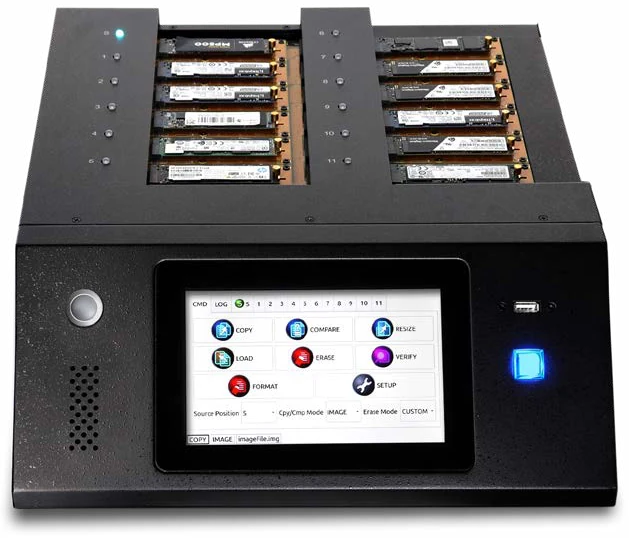
Kanguru's rated speed, model details and copy modes are in our KanguruClone 11 guide. For mixed SATA drives or larger batches, the duplicator buying guide compares the full KanguruClone range.
Records for operational risk and audit teams
Banks may map their build process to the frameworks they are audited against, such as the Central Bank of the UAE's requirements in the UAE or the Saudi Central Bank's Cyber Security Framework in Saudi Arabia. A duplicator does not satisfy a control on its own, but a disciplined batch process can produce records such reviews may ask for:
- the approved master version and who approved it;
- the duplicator log for every batch, with compare or checksum results;
- drive serial numbers mapped to branches and workstations;
- first-start records: encryption switched on, recovery key escrowed, endpoint agent enrolled;
- the erase log for each replaced drive, or its destruction certificate; our secure data erasure guide explains Clear, Purge and destruction.
Data that has to travel between head office and branches during a rollout, such as configuration packages or signed documents, belongs on Kanguru Defender hardware-encrypted drives, which banks can manage centrally with Kanguru KRMC.
Supply and support in the UAE, Saudi Arabia and the GCC
From our Business Bay office in Dubai we supply KanguruClone duplicators and Kanguru Defender encrypted drives to banks, exchange houses, insurers and other financial institutions across the GCC. Saudi enquiries come to our account team, who visit the Kingdom often, with local work delegated to PRONEXT, our company in Riyadh.
Send us the PC models, SSD part numbers, image size and the number of branches and workstations. We confirm the unit version in writing, check your drives against Kanguru's specifications and propose a batch plan with the quotation.
Sources
We read the Kanguru specifications and copy-mode pages, Microsoft's documentation and the regulators' sites listed here on 6 November 2026. Regulatory frameworks are named, not summarised: ask your compliance team which controls your build process evidences. It is general deployment guidance, not legal or compliance advice.
Frequently asked questions
Why should a bank's master image contain no customer data or credentials?
Every drive in a batch is an exact copy of the master, so anything on it reaches every workstation in every branch. Customer data stays in the bank's systems, and credentials, certificates and encryption keys are issued to each workstation after duplication.
Does duplicating drives offline reduce a bank's network exposure during a rollout?
Yes, for the build itself. The KanguruClone 11 copies drives on a stand-alone unit with no network connection, so no deployment traffic crosses the bank's network, and each PC reaches the network already carrying the approved build and security agents before it receives its identity, key escrow and enrolment at first start.
How many branch workstations can be prepared per batch?
Up to 11 per batch from one master SSD. Batch time varies with how much the image holds, the copy mode chosen, how fast the drives write and whether a compare pass runs, so run a pilot batch with the bank's own image and drives before setting the branch schedule.
Can we switch on BitLocker before duplicating the master?
No. An encrypted master would hand the same keys to every drive. Copy an unencrypted, generalised master, then let each workstation encrypt itself at first start and store its recovery key in the bank's directory.
Can the same unit wipe the drives from the old branch PCs?
Partly. It overwrites M.2 drives, which suits drives re-used inside the bank, but on NVMe drives that counts as Clear, not Purge. Drives leaving the bank need a Purge method or destruction, and 2.5-inch SATA drives from older PCs suit a SATA duplicator. This is a summary of the unit's functions, not legal or compliance advice on retention.
Who supplies Kanguru duplicators to banks in the UAE and Saudi Arabia?
PRO TECHnology, Kanguru's exclusive distributor and partner for the Middle East, supplies banks from Dubai. Saudi banks are served by our account team together with PRONEXT, our company in Riyadh.
Does this work for exchange houses, insurers and finance companies too?
Yes. Any financial institution that deploys batches of identical workstations to branches or offices can use the same process: a generic approved master, offline duplication, per-device personalisation and batch records.
نشر محطات العمل الموحّدة في البنوك والمؤسسات المالية: نسخ أقراص NVMe بسرعة وبدون اتصال بالشبكة
تستطيع البنوك ومحلات الصرافة وشركات التأمين تجهيز أجهزة الفروع من صورة رئيسية واحدة معتمدة باستخدام جهاز النسخ KanguruClone 11 من Kanguru، الذي ينقل القرص الرئيسي إلى ما يصل إلى أحد عشر قرص NVMe في الدفعة الواحدة دون حاسوب ودون اتصال بالشبكة، فتبدأ كل أجهزة الصرافين والمكاتب الخلفية من الإعداد المختبَر نفسه.
توفّر PRO TECHnology، الموزع الحصري والشريك لشركة Kanguru في الشرق الأوسط، هذه الأجهزة للبنوك من دبي. ويجب ألا تحتوي الصورة الرئيسية المعتمدة على أي بيانات عملاء فعلية أو بيانات دخول أو أسرار خاصة بجهاز معيّن، ويُضبط التشفير وهوية الجهاز لكل محطة عمل على حدة بعد النسخ.
Prepare your next branch rollout with us
Send us the PC models, SSD part numbers, image size and the number of branches and workstations. We confirm which unit version you get, check your drives and attach a batch plan to the quotation.