
Kanguru Defender 3000 Encrypted USB Drive: What to Check Before You Buy in the UAE and GCC
Published · PRO TECHnology Enterprise IT
The Kanguru Defender 3000 is a hardware-encrypted USB flash drive sold in seven capacities, from KDF3000-16G to KDF3000-1T. NIST validated it to FIPS 140-3 Level 3 under certificate #5364 on 30 June 2026, for those part numbers running firmware 2.13.10; drives on earlier firmware belong to the historical FIPS 140-2 certificate #2401. This guide covers part numbers, the certificate, compatibility, sign-in, specifications, KRMC, warranty and what to send for a quotation, checked against Kanguru’s and NIST’s pages on 17 October 2026.
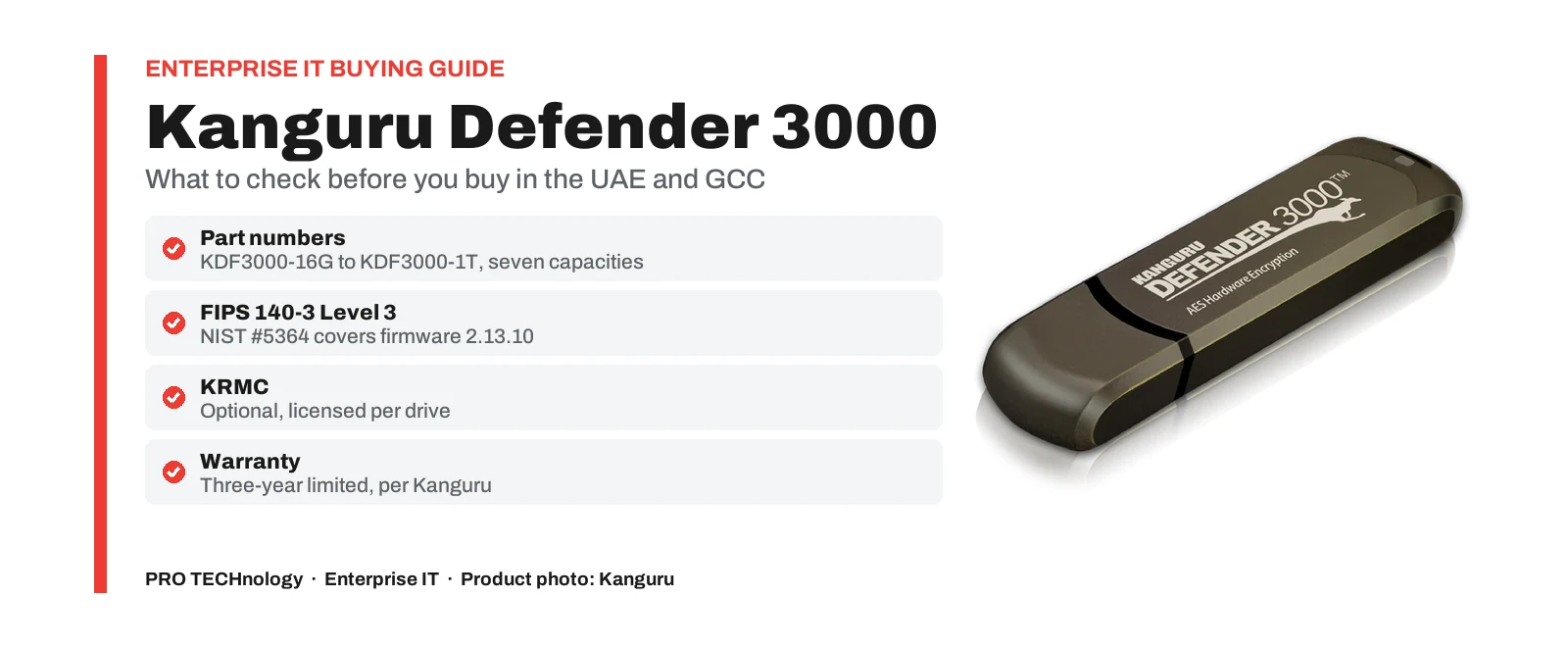
- Part numbers
- KDF3000-16G, -32G, -64G, -128G, -256G, -512G and -1T
- Certificate
- FIPS 140-3 Level 3, NIST #5364, active to 29 Jun 2031
- Validated firmware
- 2.13.10, shown under About after set-up
- Warranty
- Three-year limited, from Kanguru
Key takeaways
- Kanguru sells the Defender 3000 in seven capacities, KDF3000-16G to KDF3000-1T, all USB 3.2 Gen 1 and all encrypting in hardware with AES-256 (XTS).
- NIST certificate #5364 (FIPS 140-3, Level 3, active, sunset 29 June 2031) covers those seven part numbers on hardware version KDF3000 and firmware 2.13.10.
- Drives on firmware 2.10.10, 2.11.10 or 2.12.10 match the older FIPS 140-2 certificate #2401, now historical. Do not assume older stock carries the newer validation; check the firmware version.
- Kanguru lists Windows 11, Windows Server 2016 or later, macOS 11 or later on Intel and M1 Macs, and mainstream 64-bit Linux. Windows 10 carries Kanguru’s no-guarantee footnote.
- Unmanaged drives reset and delete their data after 7 wrong passwords. Managed drives default to 7, adjustable from 3 to 15, and are disabled by default.
- KRMC is optional and licensed per drive. Kanguru’s pages say new Defender drives include a 30-day trial of KRMC-Hosted Advanced and endpoint protection.
- Kanguru gives a three-year limited warranty. Outside North America, returns go through the regional distributor, which in the Middle East is PRO TECHnology.
The Defender 3000 in brief
The Defender 3000 is Kanguru’s FIPS 140-3 Level 3 USB flash drive. It encrypts everything it stores with AES-256 in XTS mode inside the drive’s own controller, checks the password on the drive itself, runs digitally signed firmware, carries an IP68 rating and can be linked to Kanguru Remote Management Console (KRMC). It is the Defender model that holds a FIPS 140-3 certificate, which is why tenders and removable-media policies that name FIPS 140-3 usually end up specifying it.
This page is for buyers who have chosen the Defender 3000, or nearly have: which part number to order, what the certificate covers, what works with the drive, and what to put in a request for quotation. The rest of the Defender range is compared on our Kanguru page, and what FIPS 140-3 means, and how it differs from FIPS 140-2 and FIPS 197, is explained in our FIPS compliance guide.
Defender 3000 part numbers, capacities and rated speeds
Kanguru lists seven capacities, each with its own part number, and all seven appear in the security policy NIST published with the certificate.
| Part number | Capacity | Read, up to | Write, up to | In certificate #5364 |
|---|---|---|---|---|
| KDF3000-16G | 16GB | 160 MB/s | 120 MB/s | Yes, on firmware 2.13.10 |
| KDF3000-32G | 32GB | 160 MB/s | 120 MB/s | Yes, on firmware 2.13.10 |
| KDF3000-64G | 64GB | 160 MB/s | 120 MB/s | Yes, on firmware 2.13.10 |
| KDF3000-128G | 128GB | 300 MB/s | 200 MB/s | Yes, on firmware 2.13.10 |
| KDF3000-256G | 256GB | 300 MB/s | 250 MB/s | Yes, on firmware 2.13.10 |
| KDF3000-512G | 512GB | 300 MB/s | 250 MB/s | Yes, on firmware 2.13.10 |
| KDF3000-1T | 1TB | 300 MB/s | 250 MB/s | Yes, on firmware 2.13.10 |
The speeds are Kanguru’s ratings, published without test conditions, and its February 2025 sales sheet quotes different figures for several capacities (300 MB/s read and 170 MB/s write for the 32GB, for example). Plan on the product page figures and time your own files in a pilot. Kanguru defines a gigabyte as one billion bytes, so Windows reports less usable space than the label: Kanguru gives 14.4GB as the minimum reported on a 16GB drive.
When we checked Kanguru’s US store on 17 October 2026, it marked the 256GB capacity as on backorder. That note concerns Kanguru’s own store. We confirm regional availability and lead time by capacity on each quotation and do not publish stock levels.
What NIST certificate #5364 covers, and what it does not
NIST’s Cryptographic Module Validation Program lists certificate #5364 for the “Defender 3000 USB Flash Drive” from Kanguru Solutions: FIPS 140-3, overall Level 3, a hardware module, validated on 30 June 2026 after testing by Penumbra Security, status Active, sunset date 29 June 2031. Its caveat reads: “When installed, initialized and configured as specified in Section 11.1 of the Security Policy.”
The tested configuration
- Part numbers: KDF3000-16G, KDF3000-32G, KDF3000-64G, KDF3000-128G, KDF3000-256G, KDF3000-512G and KDF3000-1T.
- Hardware version KDF3000 and firmware version 2.13.10, the same for every capacity.
- One approved mode, entered at power-on. The drive reports “FIPS DEFAULT” until a password is set and “FIPS ACTIVE” afterwards, and the security policy says the approved mode cannot be exited.
- Passwords of at least 8 characters using three of the four character types (lower case, upper case, numbers and special characters), enforced by the drive.
These points come from the security policy NIST publishes with the certificate (43 pages, dated 29 June 2026).
Older stock and the FIPS 140-2 certificate
Before June 2026 the Defender 3000 was validated to FIPS 140-2 Level 3 under certificate #2401. NIST now lists #2401 as historical, “moved to historical list due to sunsetting”, and its entry names firmware versions 2.10.10, 2.11.10 and 2.12.10. A Defender 3000 running one of those versions is the module described by #2401, not by #5364. Nothing on Kanguru’s or NIST’s pages says that an older drive becomes a #5364 module through an update, so do not assume it. If your fleet includes earlier drives, ask us to confirm the position with Kanguru.
Paperwork can lag as well. The sales sheet linked from Kanguru’s product page is dated February 2025 and still shows FIPS 140-2 and #2401, while the product page itself shows FIPS 140-3 and #5364. Attach the NIST certificate and security policy to a tender response, not the sales sheet.
Checking a drive you have received
- Connect the drive to a computer. It mounts a small CD-ROM partition that holds Kanguru’s application.
- Run the application and choose Initialize, then set the Cryptographic Officer password and log in.
- Click the Kanguru icon in the system tray and choose About. The firmware version should read 2.13.10, the version listed on certificate #5364.
- Record the part number, serial number and firmware version against the person the drive is issued to.
These are the initialisation steps in Section 11.1 of the security policy. If you need drives delivered on firmware 2.13.10, say so in the request and ask for the version to be confirmed on the quotation. How to read any certificate, and how to word the clause in a tender, is covered in our FIPS guide.
Computers, operating systems and ports the Defender 3000 works with
Kanguru’s product page lists:
- Windows 11, and Windows Server 2016 or later.
- Windows 10, with Kanguru’s footnote that it cannot guarantee normal operation on operating systems Microsoft no longer supports.
- macOS 11 or later, which Kanguru qualifies as “Intel-Based Macs & M1 only”. It names no later Apple chips, so test on your own Macs before a Mac-wide order.
- Linux: mainstream, actively supported 64-bit Ubuntu, RHEL, OpenSUSE and LEAP.
The interface is USB 3.2 Gen 1x1, which Kanguru also calls SuperSpeed USB 3.0, and the drive works at lower speed in USB 2.0 ports. Kanguru does not list a USB-C version, so check the ports on your laptops and include any adapter or dock in the pilot.
On Linux, a drive managed by KRMC must be opened through Kanguru’s KDM application, called KDM3000 on this model; Kanguru’s Linux article says command-line access works only for unmanaged drives that already have a password. Kanguru’s February 2025 sheet adds that the computer needs no software installation or administrator rights, because the application runs from the drive.
How users sign in, and what happens after wrong passwords
The Defender 3000 opens with a password; it has no fingerprint reader or keypad. The security policy defines two roles, a Cryptographic Officer who initialises the drive and a User. Among its optional enterprise features, Kanguru’s sales sheet lists an administrator password that lets IT open a drive, and the sheet also describes a virtual keyboard against keyloggers.
What happens after wrong passwords depends on whether the drive is managed, according to Kanguru’s knowledge base (updated 12 February 2026):
- Unmanaged drive: after 7 wrong passwords the drive resets to factory settings and deletes all its data, with no way to recover it.
- Managed through KRMC or the Kanguru Local Administrator: the default is also 7, adjustable from 3 to 15. By default the drive is then disabled until IT re-enables it; IT can choose a reformat or a timeout instead.
NIST’s security policy says the module allows no more than ten unsuccessful attempts, the limit tested for the certificate. Kanguru’s default of 7 sits inside it. Before you write a higher KRMC setting into policy, ask us to confirm with Kanguru how a setting above ten interacts with that tested limit.
Forgotten passwords are where unmanaged drives lose data. With KRMC, Self-Service Password Management lets the user reset the password with an emailed code and keep the files. Our KRMC guide explains how to set it up before drives are issued.
Defender 3000 specifications, as Kanguru publishes them
| Item | Defender 3000 |
|---|---|
| Encryption | AES-256 in XTS mode, performed in hardware (FIPS 197 AES) |
| Certification | Level 3 under FIPS 140-3; NIST #5364, active, sunset 29 June 2031 |
| Firmware protection | RSA-2048 digitally signed firmware; Kanguru says the drive is designed to shut down if malicious firmware is detected |
| Physical protection | IP68: dustproof and submersible to 1 m for one hour with the cap on. The cryptographic controller is set in epoxy, and Kanguru says removing it destroys the flash chip |
| Interface | USB 3.2 Gen 1x1, compatible with USB 2.0 |
| Shock and vibration | 1000G maximum shock; 15G peak-to-peak vibration |
| Temperature and humidity | Operating 0 to 70°C; storage -25 to 85°C; 20 to 90% humidity |
| Data retention | 10 years or more |
| Size and weight | 72.19 x 19.47 x 8.92 mm; 38 g |
| Trade compliance | TAA compliant |
| Onboard antivirus | Optional Bitdefender endpoint protection for Windows: 30-day trial, then a 1, 2 or 3-year licence |
| Engraving | Logos, text and serial numbers; minimum order quantities may apply |
| Warranty | Three-year limited |
Some of Kanguru’s marketing wording describes resistance to future attacks and suitability for military use. These are descriptions, not certifications; the certificate number is what a tender can check.
Optional KRMC management for the Defender 3000
The drive encrypts and enforces its password with or without remote management. KRMC adds central password and access policies, remote disable or erase, password resets that keep the files, and activity records. It is licensed separately for each drive, for one, two or three years, as KRMC-Hosted (Standard, Advanced or Premium packages) or KRMC On-Premise (Advanced or Premium, with at least 100 licences).
Kanguru’s KRMC-Hosted Advanced page says every new Defender drive comes with a 30-day trial of KRMC-Hosted Advanced and of its endpoint protection, after which both must be licensed to keep working. Register drives to your account before you issue them: Kanguru says each drive must be configured and registered before KRMC can reach it.
Kanguru lists the current Defender 3000 client software as 5.7.0.2 for KRMC-Hosted and 5.6.8.3 for KRMC On-Premise (current versions, 27 February 2026). Its release notes say 5.7.0.2 fixed an issue that stopped 1TB drives completing set-up, so update 1TB drives before issuing them. Packages, connection requirements and day-to-day workflows are in our KRMC guide.
Defender 3000 warranty, availability and quotation checklist
Warranty
Kanguru gives the Defender 3000 a three-year limited warranty from the date of purchase, for the first end-user purchaser, covering defects in materials and workmanship, with repair or replacement as the remedy. Kanguru’s warranty page tells customers outside North America to obtain a return authorisation through the distributor for their region, so warranty claims for drives bought from us are handled through PRO TECHnology. Kanguru’s warranty excludes loss of data.
Availability
Lead times vary by capacity and quantity. We confirm availability, firmware version and delivery date on each quotation.
What to send us
- Quantities by part number.
- Whether your policy or tender requires FIPS 140-3. If it does, ask for the firmware version to be confirmed on the quotation and for the NIST certificate and security policy to be attached.
- Whether the drives will be managed: KRMC edition, package and term, and whether you need endpoint protection.
- The operating systems the drives will meet, including Macs and Linux.
- Any engraving: text, logo or serial numbers, and the quantity.
- The delivery country and the buying entity. Enquiries from Saudi Arabia are handled with PRONEXT in Riyadh.
- The documents your procurement needs, such as a TAA statement or datasheets.
When another Defender model fits better than the Defender 3000
- Defender Elite300 has a physical write-protect switch, which the Defender 3000 does not. Its FIPS 140-2 Level 2 certificate #2442 is now historical.
- Defender Elite30 also has a write-protect switch and FIPS 197 AES encryption, with no FIPS 140 certificate.
- Defender SSD350 and HDD350 hold far more data, for large files and backups; their FIPS 140-2 Level 2 module is historical. See our SSD350 and HDD350 guides.
None of the current Defender models pairs a FIPS 140-3 certificate with a hardware write-protect switch. Kanguru’s comparison chart and our Kanguru page compare the full range.
Buying the Defender 3000 from PRO TECHnology
PRO TECHnology is Kanguru’s exclusive distributor and partner for the Middle East, and Kanguru’s EMEA partner directory lists us for the UAE, Saudi Arabia, Qatar, Kuwait, Oman, Bahrain and Jordan. Kanguru’s own store sells only within the United States. We supply Defender 3000 drives and KRMC licences, demonstrate them at our showroom in Business Bay, Dubai, and help IT teams set up and register drives in KRMC. How the partnership began is told in our 2021 announcement.
Government, defence and critical-infrastructure buyers should also read our guide to secure USB for government and defence, which covers BadUSB, insider risk and moving files into air-gapped networks.
Sources
We read each source below on 17 October 2026: NIST’s entries for certificates #5364 and #2401 and the #5364 security policy (dated 29 June 2026); Kanguru’s Defender 3000 product page and the February 2025 sales sheet linked from it; Kanguru’s knowledge base articles on failed password attempts and Linux (12 February and 18 May 2026), its current client and firmware versions (27 February 2026) and Defender release notes; its warranty page, KRMC suite and KRMC-Hosted Advanced pages, comparison chart and EMEA partner directory. Kanguru’s specifications are its own statements, not our test results.
- NIST CMVP: certificate #5364, Defender 3000 USB Flash Drive (FIPS 140-3)
- NIST CMVP: security policy for certificate #5364 (PDF, 29 June 2026)
- NIST CMVP: certificate #2401, Kanguru Defender 3000 (FIPS 140-2, historical)
- Kanguru: Defender 3000 product page
- Kanguru: Defender 3000 sales sheet, February 2025 (PDF)
- Kanguru knowledge base: failed password attempts (12 February 2026)
- Kanguru knowledge base: using a Defender flash drive on Linux (18 May 2026)
- Kanguru knowledge base: current client and firmware versions (27 February 2026)
- Kanguru knowledge base: Defender release notes
- Kanguru: warranty information
- Kanguru: Remote Management Suite (KRMC editions and supported drives)
- Kanguru: KRMC-Hosted Advanced package (30-day trial note)
- Kanguru: Defender encrypted drives comparison chart
- Kanguru: where to buy in Europe, the Middle East and Africa
Frequently asked questions
Which part numbers does NIST certificate #5364 cover?
All seven Defender 3000 capacities: KDF3000-16G, -32G, -64G, -128G, -256G, -512G and -1T, with hardware version KDF3000 and firmware version 2.13.10, according to the security policy NIST published with the certificate. The certificate is FIPS 140-3, overall Level 3, validated on 30 June 2026 and active until its sunset date of 29 June 2031.
Is every Defender 3000 FIPS 140-3 validated?
No. Certificate #5364 covers drives on firmware 2.13.10. Earlier drives ran firmware 2.10.10, 2.11.10 or 2.12.10, the versions on the older FIPS 140-2 Level 3 certificate #2401, which NIST now lists as historical. Kanguru’s and NIST’s pages do not say an older drive becomes a #5364 module through an update, so check the firmware version under About and ask for it on the quotation.
How do we check the firmware version on a Defender 3000?
Initialise the drive by running Kanguru’s application from its CD-ROM partition and setting the password, then click the Kanguru icon in the system tray and choose About. The firmware version should read 2.13.10 for the configuration on certificate #5364. NIST’s security policy gives these steps in Section 11.1, and the certificate’s caveat refers to them.
Does the Defender 3000 need KRMC to encrypt data?
No. Encryption, the password check and the failed-attempt limit run on the drive itself. KRMC is an optional, separately licensed console that adds central policies, remote disable or erase, password resets that keep the files, and activity records. Kanguru says new Defender drives come with a 30-day trial of KRMC-Hosted Advanced.
How fast is each Defender 3000 capacity?
Kanguru rates the 16GB, 32GB and 64GB drives at up to 160 MB/s read and 120 MB/s write, the 128GB at up to 300 MB/s read and 200 MB/s write, and the 256GB, 512GB and 1TB at up to 300 MB/s read and 250 MB/s write, on a USB 3.2 Gen 1 port. These are manufacturer ratings without published test conditions; real speed depends on the computer and the files.
Does the Defender 3000 work on Apple silicon Macs?
Kanguru lists macOS 11 or later on Intel-based Macs and M1 only, and names no later Apple chips. That is not a statement that later Macs fail, but it is not a support statement either, so test the drive, and KRMC enrolment if you use it, on your own Macs before ordering for a Mac fleet.
What warranty does the Defender 3000 carry?
A three-year limited warranty from the date of purchase, for the first end-user purchaser, covering defects in materials and workmanship, with repair or replacement as the remedy. Kanguru asks customers outside North America to arrange returns through their regional distributor, so for drives bought from PRO TECHnology the claim comes to us. Kanguru’s warranty excludes loss of data.
What should a Defender 3000 quotation request include?
Quantities by part number; whether your policy requires FIPS 140-3, so that the firmware version is confirmed on the quotation; whether the drives will be managed in KRMC, with which package and term; endpoint protection; the operating systems in use; any engraving; the delivery country; and the documents your procurement needs, such as the NIST certificate, the security policy and a TAA statement.
Is the Defender 3000 the right choice if we need a write-protect switch?
No. Kanguru’s physical write-protect switch is on the Defender Elite300 and Elite30, not the Defender 3000. The Elite300’s FIPS 140-2 Level 2 certificate #2442 is now historical and the Elite30 has FIPS 197 AES only, so none of the current Defender models pairs a FIPS 140-3 certificate with a hardware switch.
Kanguru Defender 3000 في الإمارات ودول الخليج: ما يجب التحقق منه قبل الشراء
Kanguru Defender 3000 قرص USB مشفّر بالعتاد بتشفير AES بطول 256 بت، تبيعه Kanguru بسبع سعات من KDF3000-16G إلى KDF3000-1T. واعتمده المعهد الأمريكي NIST وفق معيار FIPS 140-3 المستوى 3 بالشهادة رقم 5364 في 30 يونيو 2026، وهي سارية حتى 29 يونيو 2031، وتغطي هذه الأرقام السبعة عند تشغيلها بالبرنامج الثابت (firmware) الإصدار 2.13.10. أما الأقراص الأقدم العاملة بالإصدارات 2.10.10 و2.11.10 و2.12.10 فتخص شهادة FIPS 140-2 رقم 2401 التي نقلها NIST إلى القائمة التاريخية، فلا تفترضوا أن المخزون القديم يحمل الاعتماد الأحدث، وتحققوا من الإصدار عبر خيار About بعد تهيئة القرص.
يعمل القرص على Windows 11 وWindows Server 2016 وما بعده، وعلى macOS 11 وما بعده (تذكر Kanguru أجهزة Mac بمعالجات Intel وM1 فقط)، وعلى توزيعات Linux الرئيسية بنظام 64 بت، ويتصل عبر USB 3.2 Gen 1. وبعد 7 محاولات خاطئة لكلمة المرور يعود القرص غير المُدار إلى إعدادات المصنع وتُحذف بياناته، أما القرص المُدار عبر KRMC فيمكن ضبط الحد فيه بين 3 و15 محاولة. ونظام الإدارة عن بُعد KRMC اختياري ويُرخَّص لكل قرص على حدة، ويحمل القرص ضمانًا محدودًا من Kanguru لمدة ثلاث سنوات.
PRO TECHnology هي الموزع والشريك الحصري لـ Kanguru في الشرق الأوسط. أرسلوا إلينا الكميات حسب رقم القطعة، وما إذا كانت سياستكم تشترط FIPS 140-3، وحاجتكم إلى KRMC أو الحفر على الأقراص، وبلد التسليم، وسنؤكد التوفر وإصدار البرنامج الثابت في عرض السعر. وتُدار الطلبات من المملكة العربية السعودية عبر PRONEXT في الرياض.
Ask for a Defender 3000 quotation
Tell us the capacities and quantities you need, whether your policy names FIPS 140-3, and whether the drives will be managed in KRMC. We will confirm part numbers, firmware version, licences and delivery on the quotation, and can show the drive and the console at our Business Bay showroom.