
Authorised Adobe Reseller in the UAE: Adobe Licensing for Business, Education and Acrobat Sign
Published · Updated · PRO TECHnology Enterprise IT
PRO TECHnology is an authorised Adobe reseller in the UAE, based in Dubai, for Adobe commercial licensing, Adobe education licensing and Adobe Acrobat Sign. This guide to Adobe licensing in the UAE covers how organisations buy and manage Adobe for teams and enterprise, how VIP and the Admin Console work, which education licence suits a lab or a laptop, and what UAE law says about e-signatures.
- Status
- Authorised Adobe reseller in the UAE
- Covers
- Adobe Commercial, Adobe Education, Adobe Acrobat Sign
- Adobe dealership agreement
- 2004, for the advertising and printing industry
- E-signature law
- Federal Decree-Law No. 46 of 2021
Key takeaways
- PRO TECHnology is an authorised Adobe reseller in the UAE for Adobe commercial, education and Acrobat Sign licensing, and signed a dealership agreement with Adobe Inc. in 2004 for the advertising and printing industry.
- UAE teams choose Creative Cloud Pro, Pro Plus or Single App plans, each with 1TB of cloud storage per user; Adobe does not list Creative Cloud Standard for teams for the UAE.
- Under Adobe’s Value Incentive Plan, licences added mid-term co-terminate on the Anniversary Date, which Adobe sets 12 months after it accepts the first order.
- An Adobe shared device licence covers one shared computer for any number of users, with desktop apps only and no cloud storage, Firefly or Adobe Express of its own.
- Federal Decree-Law No. 46 of 2021 allows any form of electronic signature unless the legislation in force provides otherwise, and expressly equates only a Qualified Electronic Signature with a handwritten one (a summary, not legal advice).
Where can a UAE organisation buy Adobe licences?
A UAE organisation can buy Adobe licences directly on adobe.com, through an authorised Adobe reseller such as PRO TECHnology, or, for large deployments, through an enterprise agreement (ETLA). Adobe counts software bought from Adobe or an authorised reseller as genuine, legally licensed software; what changes is how you buy, pay and renew, and some plans depend on the channel.
| Route | How it works | Suits |
|---|---|---|
| adobe.com | Teams plans bought online; Adobe refers 11+ licence buyers to its sales team, and volume buyers also to authorised resellers | Small teams that self-serve |
| Authorised reseller | The reseller enrols you in VIP Marketplace, Adobe’s volume-licensing programme, then quotes, orders, and handles add-ons and renewals | A local quotation, tax invoice and one contact |
| ETLA (Enterprise Term License Agreement) | A three-year agreement with one annual payment and a minimum annual purchase | Large, centralised deployments |
Source: Adobe, Creative Cloud for teams plans (UAE edition) and Buying Programs, checked 22 September 2026.
- Control. A reseller can be an additional administrator, never the primary one, so the account stays yours.
- Price. Adobe says that on reseller orders the reseller sets the price.
Adobe Commercial: the Adobe products for business
Adobe Commercial is Adobe’s business licensing (the Commercial segment Adobe asks for at VIP Marketplace enrolment, alongside Government and Education): Creative Cloud, Acrobat, Adobe Firefly, Adobe Express, Adobe Stock and Frame.io, bought as teams or enterprise plans and managed in the Adobe Admin Console.
| Product | What it is for | Typical users |
|---|---|---|
| Creative Cloud Pro for teams (formerly All Apps) | 20+ apps including Photoshop, Illustrator and Acrobat, plus Adobe Express; 4,000 monthly credits for premium generative video and audio | Teams using several apps |
| Creative Cloud Pro Plus for teams | Pro, plus unlimited Adobe Stock standard assets and IP indemnification for select Firefly outputs | Heavy stock users |
| Single App for teams | One app, such as Photoshop, Adobe Premiere or InDesign | Single-app users |
| Acrobat Standard, Pro, Studio and Express for teams | Standard edits, converts and requests signatures; Pro adds redaction, bulk send and web forms; Studio adds AI Assistant, PDF Spaces and Adobe Express Premium; Acrobat Express (launched 6 May 2026) adds document insights with AI and on-brand content. Our Acrobat for business guide compares the four plans | Every office |
| Adobe Firefly for teams | Generative AI for images, video and audio, with 4,000 to 50,000 monthly credits | Content teams |
| Adobe Express for teams or enterprise | Web-based content creation with brand kits; the company owns projects and assets; two-seat minimum on teams | Marketing staff |
| Adobe Stock for teams | Pooled stock licences owned by the business | Designers and agencies |
| Frame.io | Organising, reviewing and managing work in progress; teams plans start at 3TB shared storage plus 2TB per licence | Video teams |
Source: Adobe, Creative Cloud for teams plans, changes to teams plans and product pages, checked 22 September 2026; Acrobat Express: Adobe newsroom, 6 May 2026, checked 6 November 2026.
Watch for. A teams organisation cannot mix Pro and Pro Plus seats, and Adobe lists Creative Cloud Standard for teams for India, Brazil and select African countries, not the UAE.
Adobe says its current Firefly models were trained on licensed and public-domain content, not on subscribers’ personal content, and that output from Firefly features without the beta label can be used commercially. Each quotation confirms which plans are available through VIP in the UAE.
Adobe product and licensing pages from PRO TECHnology
This page is the overview. Each product family has its own guide:
- Adobe Acrobat for business in the UAE: Acrobat Standard, Acrobat Pro, Acrobat Studio and Acrobat Express for teams, AI Assistant for Acrobat and how licensing works.
- Adobe Acrobat Sign in the UAE and Saudi Arabia: e-signature licensing, legal validity and set-up.
- Adobe Creative Cloud for teams and enterprise: Creative Cloud Pro for teams, Creative Cloud Pro Plus for teams, Single App for teams, Adobe Express, Adobe Firefly, Adobe Stock and Substance 3D.
- Adobe for Education in the UAE: what students, schools and universities get, and who is eligible.
- Adobe Education licensing guide: licence models, minimums, eligibility proof and quotations.
- Is Adobe Acrobat included in Microsoft 365?: which PDF jobs Microsoft 365 covers and which still need Acrobat.
- Controlling Adobe generative AI at work: the admin switches, data handling and indemnity.
Creative Cloud for teams or enterprise: which Adobe plan fits?
Creative Cloud for teams suits organisations that sign users in with Adobe IDs and want simple licence management. Creative Cloud for enterprise suits those needing single sign-on, organisation-owned identities, extra deployment options and enterprise-level support. One Admin Console cannot mix the two, but teams can upgrade to enterprise without a cancellation fee.
| Feature | Teams | Enterprise |
|---|---|---|
| Sign-in | Adobe ID only | Adobe ID, Enterprise ID or Federated ID (single sign-on through your identity provider) |
| Directory connection | Not supported | SAML 2.0, SCIM and directory sync |
| Monthly generative credits (Creative Cloud plans) | Up to 4,000 | Up to 8,000 |
| Firefly IP indemnity | Pro Plus only, capped | Available on qualifying enterprise plans or entitlements, with a higher limit and cover for Google and OpenAI model outputs, subject to Adobe’s terms |
| Support | 24/7 chat; two expert sessions per user a year on Creative Cloud Pro | 24/7 priority support; unlimited expert sessions |
| Storage | 1TB per user | 1TB per licence, pooled at organisation level |
Source: Adobe’s teams and enterprise comparison (Pro Plus for teams against enterprise Edition 5), Creative Cloud for teams plans and enterprise governance, checked 22 September 2026.
Enterprise also adds per-group AI model controls and a shared generative credit pool; Adobe lists SOC 2 Type 2 and ISO 27001 for it. Enterprise licences are sold through VIP Marketplace as well as an ETLA. Our Creative Cloud for enterprise section covers the enterprise edition, ETLA terms and SSO set-up.
How does Adobe’s Value Incentive Plan (VIP Marketplace) work?
The Adobe Value Incentive Plan (VIP), now sold as VIP Marketplace, is Adobe’s volume-licensing programme for organisations of any size. All licences end on one Anniversary Date, including those added mid-term, and discount levels rise as you buy more. VIP covers Creative Cloud, Acrobat, Adobe Stock, Acrobat Sign, Firefly and other Adobe products.
VIP runs in two forms: VIP Marketplace, which Adobe now promotes, and the original VIP. The Anniversary Date falls 12 months after Adobe accepts the first order.
| Rule | VIP Marketplace | Original VIP |
|---|---|---|
| Adding licences | The reseller must order within 7 days of the licences being added, or Adobe removes them | Purchase order or payment within 14 days of adding them |
| Charging | Prorated for the time left to the Anniversary Date | Whole months only; a part month is charged in full |
| Renewal | Automatic, unless the reseller cancels at least 3 days before the Anniversary Date | Ordered up to 30 days before; unrenewed licences are removed |
Source: Adobe Help Center, VIP key dates and VIP Marketplace pages, checked 22 September 2026.
Worked example: how long an added seat runs
Suppose a Dubai studio’s first order of 10 Creative Cloud Pro for teams licences is accepted on 1 March 2026; its Anniversary Date is then 1 March 2027.
| Order | Date | Seats | Months to next Anniversary Date | Seat-months |
|---|---|---|---|---|
| First order | 1 Mar 2026 | 10 | 12 | 120 |
| Add-on 1 | 1 Sep 2026 | 5 | 6 | 30 |
| Add-on 2 | 1 Dec 2026 | 2 | 3 | 6 |
| Renewal | 1 Mar 2027 (runs to the next Anniversary Date, 1 Mar 2028) | 17 | 12 | 204 |
Seat-months = seats × months to the Anniversary Date; the invoice depends on your reseller’s price.
VIP Select and the three-year commitment
VIP Select needs 10 or more qualifying licences in a licence term, bought in one order or counted at Adobe’s look-back 31 days before the Anniversary Date, with higher discount levels at 50 and 100; consumables, generative credit add-ons and AI Assistant for Acrobat do not count. VIP Select members can then commit to at least 10 licences for three years (3YC), which fixes the discounted price Adobe charges the reseller, add-ons included; miss the committed renewal and 3YC-discounted licences may be returned, with membership back at Level 1, the lowest discount level (below 10 licences).
Managing licences in the Adobe Admin Console
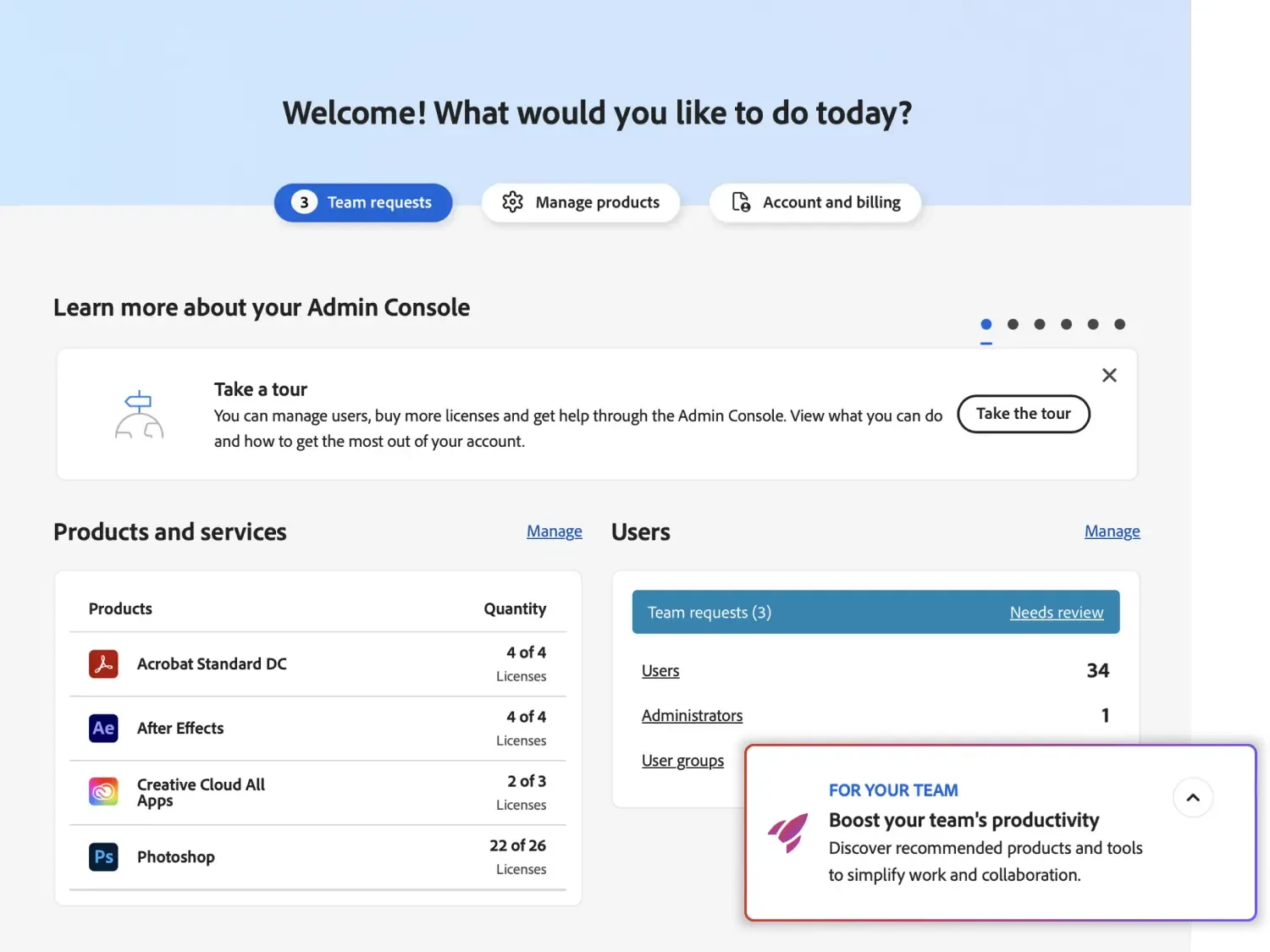
The Adobe Admin Console is the web tool where an organisation manages users and adds, assigns and reassigns licences.
- User groups share permissions, so licences can be assigned by group.
- Product profiles link products to users; joining one grants access but installs nothing.
- Packages set which apps, versions, updates and settings reach each computer; teams administrators can instead let users install apps themselves.
| Identity type | Controlled by | Sign-in | Plans |
|---|---|---|---|
| Adobe ID | The user, with company files in a Business Profile (Enterprise Storage Model) | Adobe | Teams and enterprise |
| Enterprise ID | The organisation, after DNS domain verification | Adobe, under the organisation’s password policy | Enterprise |
| Federated ID | The organisation | Single sign-on through a SAML 2.0 identity provider | Enterprise |
Source: Adobe Help Center, Identity types, updated 3 August 2026.
When someone leaves, remove them and reassign the licence; the Admin Console asks whether to transfer their files now, keep them for later transfer, or delete them. To push packages to many computers, Adobe names tools such as Microsoft Intune, Jamf Pro and Munki; see our remote software deployment guide and FileWave endpoint management.
Adobe Education licence models: Named User vs Shared Device
Adobe education licensing uses two main models: Named User Licensing, where each licence is assigned to a person, and Shared Device Licensing, where it is tied to a computer. Institutions buy through VIP Marketplace or an ETLA; student and teacher plans are personal purchases. For what institutions get and who is eligible, see Adobe for Education in the UAE; for ordering, see our education licensing guide.
| Model | Licensed to | Best for | How students sign in |
|---|---|---|---|
| Named User Licensing | One person | Staff laptops, approved student devices, home and campus | K-12: school Enterprise or Federated ID; higher education: Enterprise or Federated ID, or Adobe ID on teams licences |
| Shared Device Licensing | One computer, any number of users | Labs, classrooms and libraries | Users still sign in; K-12 needs Enterprise or Federated IDs, while higher education may allow Adobe IDs |
Source: Adobe Help Center, Shared Device Licensing and education offerings pages, checked 22 September 2026.
Named-user licences travel with the user, include cloud storage, and must connect to Adobe at least every 30 days; in higher education each allows up to two deployments, for home and campus. Shared device licences cover desktop apps only, with no cloud storage, Firefly or Adobe Express. They are not for home use or virtual machines, and must be redeployed after a reimage or renewal.
Eligibility follows Adobe’s EMEA (Europe, the Middle East and Africa) rules, which exclude non-accredited training centres, and Adobe lists K-12 named-user licences for North America, Europe, Japan and “certain additional regions” without naming the UAE, so each quotation confirms availability.
Adobe offers Adobe Express for Education, with Premium features, free to qualified K-12 schools. How schools and universities in the UAE buy through us, including the School Site License minimums, the Student License Pack and identity requirements, is covered in our Adobe Education partnership profile.
Adobe Acrobat Sign: e-signatures for UAE organisations
This section is the summary; our Adobe Acrobat Sign guide for the UAE and Saudi Arabia covers licensing, legal validity and set-up in depth. Adobe Acrobat Sign is Adobe’s cloud e-signature service: users send, sign, track and manage signature processes from a browser or phone. Acrobat Pro for teams includes a subset of Acrobat Sign Solutions features, and Acrobat Sign Solutions is the standalone offering for larger organisations, managed in the Admin Console with single sign-on.
- Send and track (Acrobat Sign Solutions). Requests by email or SMS, real-time notifications, signers in sequence or in parallel, and iOS and Android apps.
- Reminders. Automatic email reminders to recipients who have not yet acted.
- Audit trail. A downloadable audit report that becomes the Final Audit Report once the agreement reaches a final status.
- Integrations. Microsoft 365 add-ins for Word, Outlook and Teams; with Acrobat Sign Solutions, connectors for Salesforce, Workday and others, and APIs.
| Capability | Acrobat Standard and Pro for teams | Acrobat Sign Solutions |
|---|---|---|
| E-signatures | Yes, with no usage cap | Yes |
| Reusable templates | Yes, on by default | Yes, plus Form Field Layer templates |
| Web forms | Pro only, not Standard | Yes |
| Send in Bulk | Manual entry, up to 50 (Adobe’s plan pages list bulk send as a Pro feature, so confirm it for Standard) | CSV import, up to 1,000 |
| Custom Workflow Designer | Not supported | Supported |
| Compliance | Not the same compliance level, according to Adobe | SOC 2 Type 2, ISO 27001:2022 and PCI DSS 4.0, among others |
Source: Adobe Help Center, Send in Bulk; adobe.com, Acrobat business plan comparison, Acrobat for business plans; Adobe Trust Center, compliance list, checked 22 September 2026.
Digital signatures and data location
Adobe defines a digital signature as an electronic signature using a certificate-based Digital ID, supported on Acrobat Standard, Pro and Acrobat Sign Solutions. Adobe’s Approved Trust List includes three UAE members: DigitalTrust, the Telecommunications and Digital Government Regulatory Authority (TDRA) and Dubai Electronic Security Center. Adobe’s separate list of cloud signature providers for Acrobat Sign, however, names neither a UAE provider nor UAE PASS. As of 22 September 2026, Adobe’s hosting page shows no Acrobat Sign data centre in the UAE or wider Middle East, so check data-residency rules first.
UAE e-signature law in brief
In general, electronic signatures are valid in the UAE. Federal Decree-Law No. 46 of 2021 on Electronic Transactions and Trust Services, in force since 2 January 2022, allows any form of electronic signature unless the legislation in force provides otherwise, and only a Qualified Electronic Signature is expressly equal to a handwritten one.
The three signature levels, the documents that may still need ink, a notary or a qualified signature, and the Saudi rules are set out on our page on UAE e-signature law in plain terms.
Not legal advice. For wills, powers of attorney, property and court documents, ask a UAE lawyer.
Moving from individual subscriptions to a company plan
A company plan puts licences in the company’s Admin Console, where administrators assign and reassign them; Adobe Stock and Adobe Express business content belongs to the company. Billing also moves from each employee to the company.
- List who uses Adobe, on which plan, and when each plan renews.
- Buy company licences, name your own primary administrator and assign licences to work email addresses.
- Settle personal plans. Adobe’s team matching service needs a teams plan bought directly from Adobe, so with reseller licences, check each person’s plan terms and move their files before they cancel.
Identity types, team matching and moving files are covered step by step on our Creative Cloud for teams page.
What to prepare before asking for an Adobe licensing quote in the UAE
Before asking for an Adobe licensing quote in the UAE, know how many people need each product, whether you need single sign-on, which subscriptions exist and when they renew, and whether you are a company, government entity or accredited school or university.
- VIP number, Anniversary Date and current reseller, if any.
- Your primary administrator and deployment method.
- E-signature volume, integrations and data-residency needs.
- Annual terms, or a three-year commitment of 10 or more licences.
- For labs, the number of computers and how often they are reimaged.
Buying Adobe through PRO TECHnology, an authorised Adobe reseller in Dubai
PRO TECHnology is an authorised Adobe reseller in the UAE and an Adobe Education partner. It supplies Adobe commercial licensing, Adobe education licensing and Adobe Acrobat Sign. Our company history records a 2004 dealership agreement with Adobe Inc. “for the advertising and printing industry”, two honours at the Adobe Channel Awards in 2012, and the Adobe Top Growth 2021 Award, granted at the Grapheast and Adobe Channel Awards 2022.
We prepare quotations and UAE tax invoices, place orders, handle renewals and add-ons, track renewal dates, help set up the Admin Console and advise on plans, within our Enterprise IT division. Switching from another reseller uses a single-use change code, valid for 7 days, from your System Admin. For users in Saudi Arabia, Qatar, Kuwait, Oman or Bahrain, ask us about licensing there: VIP Marketplace licences must be bought for the country where the users live.
Call +971 4 343 5501, email sales@protech.ae, visit Showroom 3, Aswar Building, Sheikh Zayed Road, Business Bay, Dubai, or request an Adobe quote.
Sources
Product, licensing and plan details come from Adobe’s own pages below, checked on 22 September 2026; Adobe changes plan names and terms from time to time, and Adobe MAX runs 10 to 11 November 2026, so plan line-ups may change after it. Legal points come from the official UAE legislation text and are a summary, not legal advice.
- Adobe: Creative Cloud for teams plans (UAE edition)
- Adobe Help Center: changes to Creative Cloud for teams plans
- Adobe Help Center: Creative Cloud Pro Plus for teams
- Adobe Help Center: Creative Cloud Standard for teams (availability)
- Adobe for Business: Creative Cloud teams and enterprise comparison
- Adobe for Business: Creative Cloud for enterprise governance
- Adobe: Acrobat for business plans
- Adobe: Acrobat business plan comparison
- Adobe: Acrobat e-signatures for business
- Adobe newsroom: Adobe’s new productivity agent (introduces Acrobat Express), 6 May 2026
- Adobe for Business: Adobe’s approach to Firefly
- Adobe: Firefly for teams
- Adobe: Adobe Express for teams
- Adobe Help Center: Adobe Stock for enterprise and teams
- Adobe: Frame.io for teams
- Adobe Help Center: Frame.io for Creative Cloud business customers
- Adobe Help Center: VIP programme overview
- Adobe Help Center: VIP key dates
- Adobe Help Center: VIP managing licences
- Adobe Help Center: VIP renewals
- Adobe Help Center: VIP Select and three-year commit
- Adobe Help Center: VIP Marketplace key dates
- Adobe Help Center: VIP Marketplace deploying licences
- Adobe Help Center: VIP Marketplace renewals
- Adobe Help Center: VIP Marketplace licence term options
- Adobe Help Center: VIP Marketplace licensing overview
- Adobe Help Center: enrolling in VIP Marketplace
- Adobe: Buying Programs (VIP Marketplace and ETLA)
- Adobe: Value Incentive Plan buying programme
- Adobe Help Center: genuine software FAQ
- Adobe Help Center: changing your reseller
- Adobe Help Center: identity types
- Adobe Help Center: product profiles
- Adobe Help Center: user groups
- Adobe Help Center: managed packages
- Adobe Help Center: app deployment for teams
- Adobe Help Center: removing users
- Adobe Help Center: licence assignment FAQ
- Adobe Help Center: team matching service
- Adobe Help Center: Named User Licensing
- Adobe Help Center: Shared Device Licensing
- Adobe Help Center: Shared Device Licensing deployment FAQ
- Adobe Help Center: Shared Device Licensing access FAQ
- Adobe Help Center: deploying shared device licences
- Adobe Help Center: VIP Marketplace K-12 offerings
- Adobe Help Center: VIP Marketplace higher-education offerings
- Adobe Help Center: K-12 licence purchase
- Adobe Help Center: key education licensing concepts
- Adobe Help Center: primary and secondary institution eligibility guidelines
- Adobe Help Center: education eligibility FAQ
- Adobe Help Center: changes to higher-education plans
- Adobe: Adobe Express for Education deployment
- Adobe Help Center: education onboarding wizard
- Adobe: Creative Cloud for K-12
- Adobe: Adobe for education institutions
- Adobe Help Center: Document Cloud FAQ (Acrobat Sign)
- Adobe for Business: Acrobat Sign Solutions
- Adobe Help Center: Acrobat Sign Send in Bulk
- Adobe Help Center: Acrobat Sign library templates
- Adobe Help Center: Acrobat Sign reminders
- Adobe Help Center: Acrobat Sign audit report
- Adobe Help Center: Acrobat Sign Custom Workflow Designer
- Adobe: Acrobat and Acrobat Sign for Microsoft 365
- Adobe Help Center: Acrobat Sign digital signatures
- Adobe Help Center: cloud signature providers for Acrobat Sign
- Adobe Help Center: Adobe Approved Trust List members
- Adobe Trust Center: compliance list
- Adobe Trust Center: Document Cloud hosting locations
- Adobe: electronic signature laws in the United Arab Emirates
- UAE Legislation: Federal Decree-Law No. 46 of 2021 on Electronic Transactions and Trust Services
- UAE Legislation: Cabinet Resolution No. 28 of 2023 (Executive Regulations of Decree-Law No. 46 of 2021)
- u.ae: Federal Decree-Law No. 46 of 2021, English text (PDF)
Frequently asked questions
Is PRO TECHnology an authorised Adobe reseller?
Yes. PRO TECHnology is an authorised Adobe reseller in the UAE and an Adobe Education partner. It supplies Adobe commercial licensing, Adobe education licensing and Adobe Acrobat Sign. It signed a dealership agreement with Adobe Inc. in 2004 for the advertising and printing industry.
Can we buy Adobe Creative Cloud for teams in the UAE through a reseller?
Yes. Adobe’s UAE teams page sends volume buyers to Adobe’s sales team or an authorised reseller, which sells teams licences through the Value Incentive Plan. The reseller quotes, orders and renews, while your administrator stays the primary one in the Admin Console.
What is Adobe VIP Marketplace (the Value Incentive Plan)?
The Adobe Value Incentive Plan (VIP), now sold as VIP Marketplace, is Adobe’s volume-licensing programme for organisations of any size. All licences end on one Anniversary Date, including mid-term additions, and discounts rise with volume: a member reaches a discount level once it buys 10 licences or more within one term, and further levels start at 50 and 100.
Can we add Adobe licences in the middle of the term?
Yes. Licences added under Adobe’s Value Incentive Plan (VIP) co-terminate on your Anniversary Date, so you pay only for the rest of the term (the original VIP charges any part month in full). In VIP Marketplace the reseller must order them within 7 days.
What is the difference between Creative Cloud for teams and Creative Cloud for enterprise?
A key difference is sign-in: teams plans use Adobe IDs, while enterprise adds organisation-owned Enterprise and Federated IDs; only Federated IDs give single sign-on through your identity provider. Enterprise also adds directory sync, per-group AI model controls, pooled generative credits and priority support.
What is Shared Device Licensing?
Shared Device Licensing is Adobe’s licence for shared computers in labs, classrooms and libraries. One licence covers one machine for any number of users, who still sign in, and includes desktop apps only; it cannot be used at home or on virtual machines.
How do we move staff from personal Adobe subscriptions to a company plan?
Buy company licences, assign them in the Admin Console, then settle each personal plan. Adobe’s team matching service needs a teams plan bought directly from Adobe, so with reseller licences, check each person’s terms and move their files first.
بائع معتمد لمنتجات أدوبي في الإمارات: تراخيص الشركات والتعليم وAdobe Acrobat Sign
شركة PRO TECHnology بائع معتمد لمنتجات أدوبي في الإمارات، وتشمل خدماتها تراخيص أدوبي للشركات وتراخيص أدوبي للتعليم وخدمة Adobe Acrobat Sign للتوقيع الإلكتروني. ووقّعت الشركة عام 2004 اتفاقية مع Adobe Inc. لبيع منتجات Adobe لقطاع الإعلان والطباعة. وتساعد الشركة المؤسسات على اختيار الخطة المناسبة من Adobe Creative Cloud للشركات، سواء أكانت من فئة الفرق (Teams) أم المؤسسات (Enterprise)، وعلى إعداد Admin Console وإضافة التراخيص خلال مدة الاشتراك وإدارة التجديدات ضمن برنامج Value Incentive Plan (VIP). وفي التعليم، يختلف الترخيص المرتبط بالمستخدم (Named User Licensing) الذي يرافق الطالب أو المعلم على أجهزته، عن الترخيص المرتبط بالجهاز (Shared Device Licensing) المخصص لمختبرات الحاسوب والفصول الدراسية. أما التوقيع الإلكتروني في الإمارات فينظمه المرسوم بقانون اتحادي رقم 46 لسنة 2021 بشأن المعاملات الإلكترونية وخدمات الثقة، الذي يجيز استخدام أي شكل من أشكال التوقيع الإلكتروني ما لم ينص التشريع النافذ على خلاف ذلك، ويعدّ التوقيع الإلكتروني المعتمد (Qualified Electronic Signature) مساوياً للتوقيع اليدوي في الحجية والأثر القانوني متى استوفى الشروط المقررة. هذا ملخص وليس استشارة قانونية. للحصول على عرض سعر، اتصلوا بنا على الرقم +971 4 343 5501 أو راسلونا عبر البريد الإلكتروني sales@protech.ae.
Get an Adobe licensing quote
Tell us how many people need which Adobe products, whether you need single sign-on, and when your current subscriptions renew. We will reply with a quotation for your UAE entity, the plan and licence type that fit, and the renewal dates we will track for you.