Adobe Acrobat for UAE organisations: which plan, how licensing works and how to get a quotation
Published · PRO TECHnology Enterprise IT
Adobe Acrobat is Adobe’s PDF software. A UAE organisation chooses between Acrobat Standard, Acrobat Pro, Acrobat Studio and Acrobat Express, manages the licences in its own Adobe Admin Console, and buys either online from Adobe, which sells teams plans for up to ten licences, or through an authorised Adobe reseller. This page sets out what each plan includes, how licensing and quotations work through a reseller, where the free Acrobat Reader stops, and how Acrobat sits beside Microsoft 365 and Acrobat Sign. Product facts are taken from Adobe’s pages, checked 6 November 2026.
- Plans for organisations
- Standard, Pro, Studio and Express, each sold as a teams plan
- Buying route
- Online from Adobe for up to ten licences, or VIP Marketplace through an authorised Adobe reseller
- Acrobat Reader
- Free; editing text and images needs Acrobat Standard or Acrobat Pro
- Checked
- Adobe plan, help and newsroom pages, 6 November 2026
Key takeaways
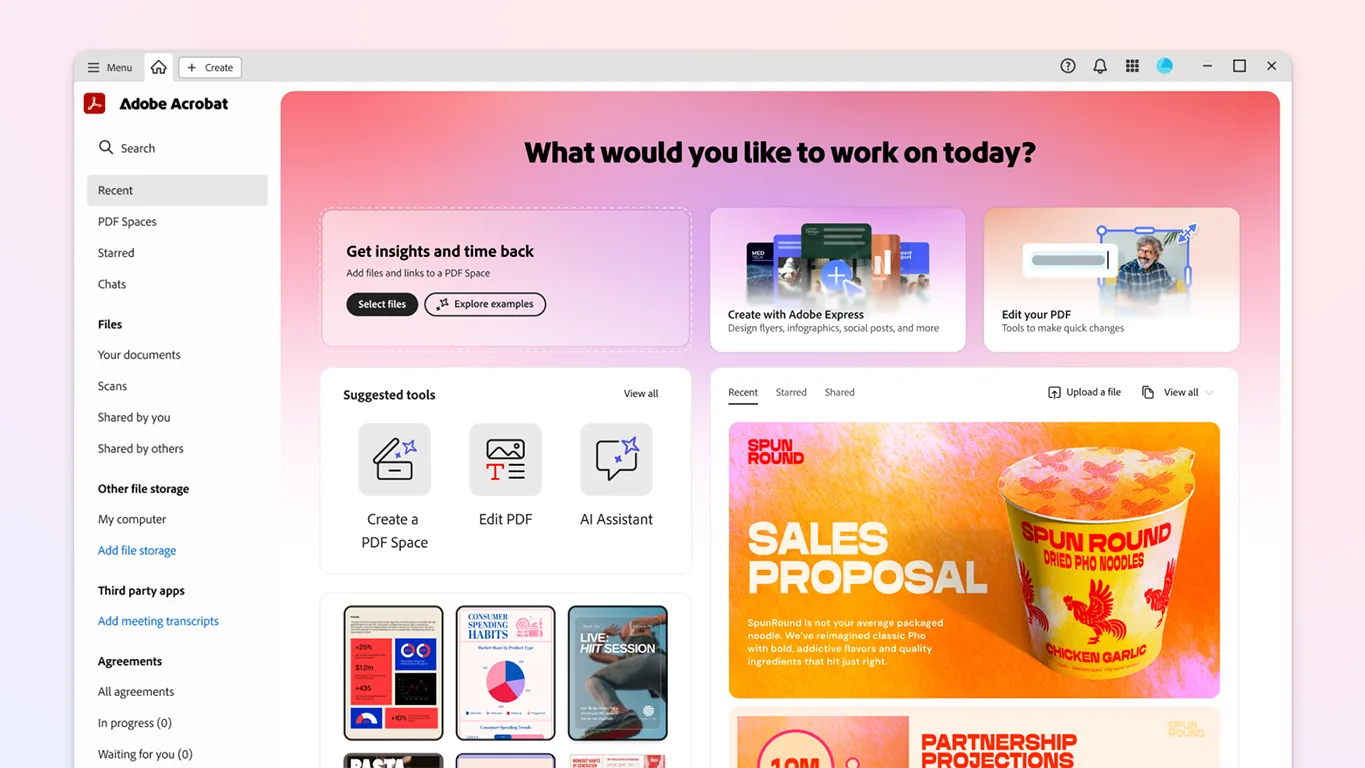
- Acrobat Standard edits, converts, organises and password-protects PDFs and requests e-signatures. Acrobat Pro adds searchable scans, version comparison, redaction, branded agreements, web forms, reusable e-sign templates and bulk sending.
- Acrobat Studio is Acrobat Pro plus PDF Spaces, AI Assistant for Acrobat and Adobe Express Premium. Acrobat Express, introduced on 6 May 2026, gives AI document insights, PDF Spaces and content creation without the e-sign and PDF productivity tools.
- Acrobat Reader is free for reading, commenting, filling in forms and signing. Editing text and images needs Acrobat Standard or Pro, so licences belong with the people who change PDFs.
- Adobe publishes its UAE plan prices on adobe.com/ae_en. Through an authorised Adobe reseller the quotation is prepared per organisation, because Adobe says the reseller determines the price.
- Current Acrobat is sold as a subscription. The nearest thing to a permanent licence is Acrobat Pro 2024, a desktop-only three-year term licence paid upfront.
- On VIP Marketplace all licences share one Anniversary Date, added licences are prorated to it, and renewal is automatic unless the reseller cancels at least 3 days before.
- The licences live in your own Adobe Admin Console under your system administrator. A reseller is added as an extra administrator only if you want help.
- PRO TECHnology is an authorised Adobe reseller in the UAE: we quote, order and renew Acrobat and help set up the Admin Console from Dubai, for organisations across the emirates.
Acrobat Standard, Pro, Studio and Express: what each plan includes
Adobe sells Acrobat to organisations as subscriptions, run from the Adobe Admin Console. Adobe’s UAE plan page lists Acrobat Standard, Acrobat Pro and Acrobat Studio for teams, each sold online for up to 10 licences, with a free trial on Pro and Studio. Its Acrobat for business page lists Acrobat Express, Acrobat Pro and Acrobat Studio for teams for organisations that need 10 or fewer licences, and sends those that need 11 or more to its sales team. The table follows Adobe’s own feature wording, checked 6 November 2026.
| Plan | What Adobe lists | Typical users in a UAE office |
|---|---|---|
| Acrobat Standard | Edit and organise PDFs; convert documents to and from PDF; fill in forms, sign documents and request e-signatures; password-protect files | Staff who assemble, convert and send documents: administration, sales support, HR, project coordinators |
| Acrobat Pro | Everything in Standard, plus turning scans into editable, searchable PDFs; comparing PDFs; redaction; branding agreements with a logo and custom URL; web forms and reusable e-sign templates; sending in bulk; access to 70+ PDF tools | Legal, finance, procurement, records and compliance staff |
| Acrobat Studio | Everything in Pro, plus PDF Spaces, AI Assistant for Acrobat and Adobe Express Premium | Analysts, bid and tender teams, and managers who work across many documents |
| Acrobat Express | AI document insights, PDF Spaces and content creation; Adobe’s business comparison shows no e-sign tools or PDF productivity tools in Acrobat Express for teams | Staff who need summaries and answers from documents and produce on-brand content, but do not edit PDFs |
| Acrobat Reader | Free: view, print and share PDFs, comment, fill in forms and sign; no text or image editing | Everyone else |
Two details matter at ordering time. Adobe’s business comparison shows AI Assistant as an add-on for Acrobat Pro for teams, with PDF Spaces available once it is added, so Pro users do not have to move to Studio for the AI features. And Adobe MAX runs on 10 and 11 November 2026, after which line-ups may change, so our quotation lists the plans Adobe offers for the UAE on the day you order.
Creative Cloud Pro and Creative Cloud Pro for teams both include Acrobat among their 20 or more apps, so designers who already hold one of those licences do not need a separate Acrobat seat. A Single App for teams licence, such as Photoshop for teams, does not include Acrobat. Those plans are covered on our Creative Cloud for teams page.
What is the difference between Acrobat Standard and Acrobat Pro?
Adobe lists six capabilities in Acrobat Pro that Acrobat Standard does not have. Each one maps to a recognisable job in a UAE office.
- Searchable scans. Pro turns scanned paper into editable, searchable PDFs. A finance team that still receives paper invoices, or HR scanning passport and visa copies, needs it.
- Compare versions. Pro shows the differences between two PDFs. Legal and procurement staff use it to check a returned contract against the version they sent.
- Redaction. Pro removes sensitive text and images from a PDF. Anyone who sends documents with personal or commercial details removed to a court, auditor or regulator needs it.
- Web forms and reusable e-sign templates. Pro publishes a signable form on a website and keeps templates for repeat agreements such as non-disclosure agreements and offer letters.
- Send in bulk. Pro sends one agreement to many signers at once and tracks every copy.
- Branded agreements. Pro adds your logo and a custom URL to signature requests.
The everyday tools are in Acrobat Standard: editing text and images inside a PDF, converting Word, Excel and PowerPoint files to and from PDF, organising pages, combining files, password protection, creating and filling in forms and requesting individual e-signatures. Plan for a mix: Standard for the people who assemble and send documents, Pro for the smaller group in legal, finance, procurement and records who redact, compare or scan. A Pro seat on a desk that never uses a Pro feature costs more than it needs to.
Is Adobe Acrobat free? Acrobat Reader against the paid plans
Acrobat Reader is. Adobe’s Reader page says it is free to download and use without a subscription. It opens PDFs with fonts, layout and embedded content preserved, fills in and saves forms, signs documents, and adds comments, sticky notes, highlights, strikethroughs and freehand drawing on Windows, Mac, iOS and Android. The same page says text and image editing is not available in Reader and needs an Acrobat Standard or Acrobat Pro subscription.
For an organisation this draws a clear line. Staff who only read, annotate and fill in PDFs can stay on Reader, and licences go to the people who change PDFs. If every desk carries an Acrobat Pro licence but only a few people edit contracts and invoices, the organisation is paying for seats it does not use. An inventory of installed software shows which computers have Acrobat installed. That is not the same as who uses it, but it is the right starting point.
Adobe’s Acrobat Pro 2024 FAQ adds that the free Acrobat online services give 2GB of cloud storage and Fill and Sign across desktop, web and mobile, while paid Standard and Pro subscriptions open the browser and mobile tools for creating, exporting and combining PDFs. Adobe also sells AI Assistant for Acrobat as an add-on to Reader, Standard and Pro, which the next section covers.
AI Assistant for Acrobat and Acrobat Studio: PDF Spaces, the productivity agent and your data
AI Assistant for Acrobat summarises documents, answers questions about them and links each answer to the passage it came from. Adobe’s AI Assistant page says it is available on desktop, mobile and in a browser with the AI Assistant add-on, with Acrobat Express or with an Acrobat Studio plan. It lists 13 supported languages: English, Japanese, French, German, Italian, Spanish, Portuguese, Korean, Norwegian, Dutch, Finnish, Swedish and Danish. Arabic is not on that list as of 6 November 2026, and Adobe says answers in other languages are outside the intended scope and should not be relied upon. Do not rely on it for Arabic contracts or other Arabic documents.
Acrobat Studio, launched globally in English on 19 August 2025, combines Acrobat Pro’s PDF tools, Adobe Express Premium and AI Assistant. Its main addition is PDF Spaces: a workspace that gathers files, web links and notes, with an AI Assistant that answers across all of them. Assistants can take pre-built roles such as instructor or analyst, and a whole space can be shared with colleagues or customers. Adobe’s 6 May 2026 release added a productivity agent that creates presentations, podcasts, blogs and social posts from documents, and said a shared PDF Space can be viewed by anyone, with no account required.
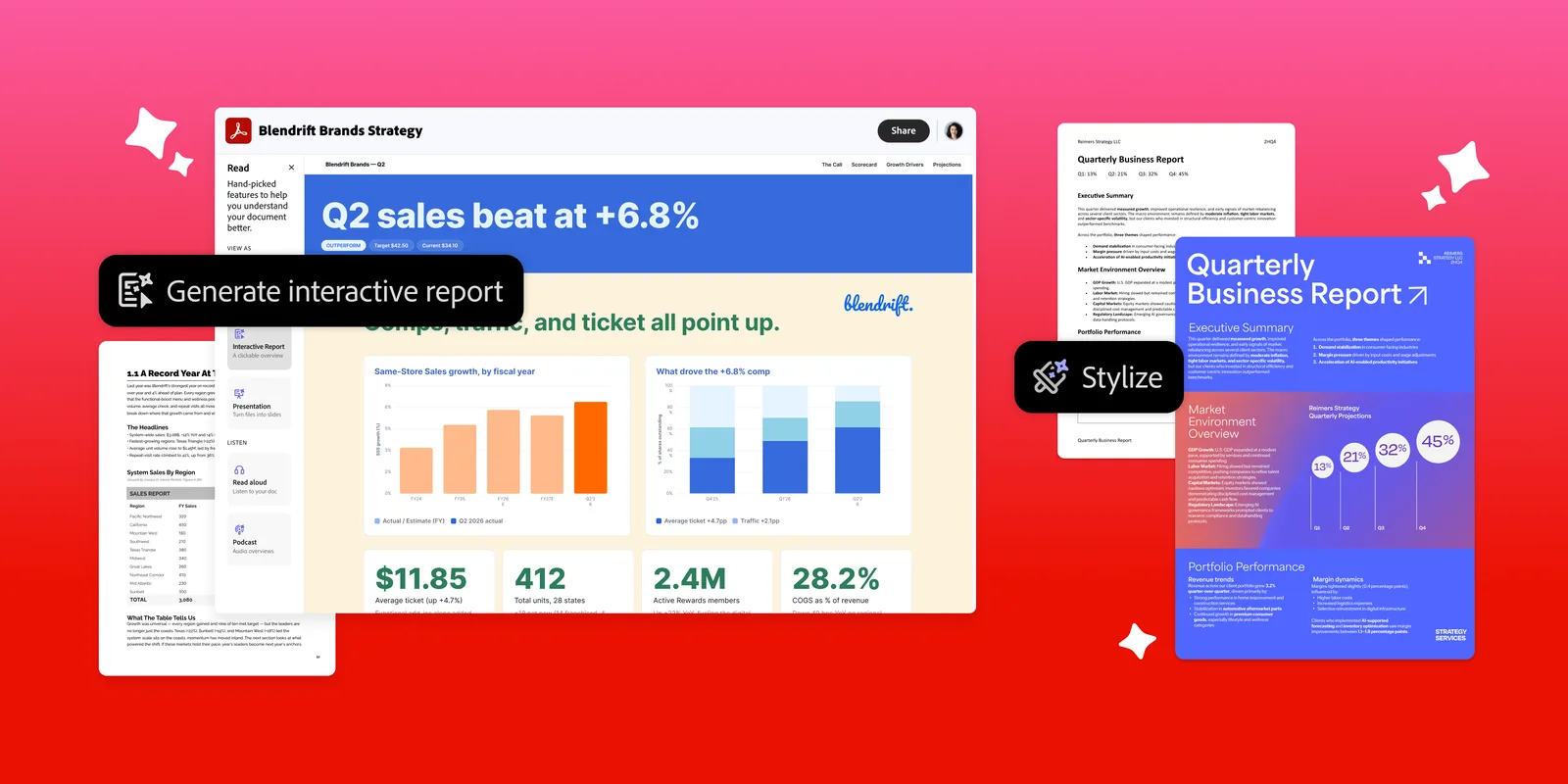
Adobe’s 9 September 2026 release added interactive reports with charts, summary slides and audio summaries, which it places in the Acrobat Studio, Acrobat Express and Acrobat AI Assistant Plus plans. For Acrobat Studio for enterprise it added Knowledge Base, which answers from document collections synced from SharePoint or Google Drive, and a tool that pulls terms and clauses out of large sets of agreements as structured data.
What an approver should know before switching AI Assistant on
Adobe’s AI Assistant page says customer content is never used to train Adobe’s AI models, and that enterprise plans add data-governance controls. At the Studio launch Adobe said Studio only analyses documents an employee proactively asks it to use. How long Adobe keeps files sent to AI Assistant, where they are processed and which switches administrators have are covered in our guide to approving Adobe’s AI features at work. Read it before enabling AI Assistant for legal, HR or finance teams, and treat the agent’s reports as drafts to check against the source.
How much does Adobe Acrobat cost in the UAE, and how a quotation works
Adobe publishes its UAE prices for individuals and for teams of up to 10 licences on adobe.com/ae_en, subject to local taxes. We do not reprint those figures: they change, and they apply to Adobe’s own online sales. Adobe’s VIP Marketplace page says that when a transaction goes through a reseller, the member’s pricing is determined by the reseller, and its renewals page says the reseller determines product fees. A reseller quotation is therefore prepared per organisation, and it depends on five things.
- Plan mix. How many Standard, Pro, Studio and Express licences, and whether some users are already covered by Creative Cloud.
- Licence count. Under VIP Marketplace, 10 or more licences bought in a term qualify for a discount level on purchases through that term, with larger levels at 50 and at 100 licences.
- Term. An annual subscription paid upfront, an extended term of up to three years paid upfront (up to four years for education and government), or a three-year commit covering at least 10 licences, paid annually at a set price.
- Add-ons. AI Assistant for Acrobat for users on Standard or Pro. E-signatures need no add-on: Adobe states no usage caps in Acrobat for teams plans, and Acrobat Sign Solutions is quoted separately.
- Segment. Commercial, government or education, each with its own VIP Marketplace terms. Schools and universities: see Adobe for Education in the UAE for what institutions can license, and our education licensing guide for minimums and quotations.
Send us those five points and we return a quotation for your organisation, followed by a UAE tax invoice. Acrobat Pro and Studio for teams come with a free trial, so a small group can test them before the order. To see Acrobat Studio or AI Assistant working before you order, book a demo at our Business Bay showroom in Dubai.
Can you buy Acrobat Pro permanently? Subscriptions and the three-year term licence
Not the current version. Adobe’s UAE plan page says Adobe stopped selling perpetual versions of Acrobat after Acrobat 2020. Its FAQ for Acrobat Pro 2024, updated 8 April 2025, describes the product formerly called Acrobat Classic as a three-year term licence, non-renewing and paid upfront, designed to replace the older perpetual versions. It is desktop only, with no web or mobile access and no Adobe Document Cloud services. The same FAQ says support for Acrobat 2020 ended on 30 November 2025.
Acrobat Pro 2024 gets quarterly security updates but no new features, and Adobe says it lacks e-signing, sharing for review and AI capabilities. It suits an organisation with a no-cloud policy or an isolated network: the first launch needs an internet connection to activate, and after that it runs offline. Adobe says it is sold on adobe.com or through an authorised reseller, with volume licensing for organisations; ask us which route applies in the UAE at the time. For everyone else the subscription is the current product, and VIP Marketplace offers extended terms paid upfront for budgets that prefer one payment.
A note for records teams: the same FAQ says Acrobat Pro 2024 supports ISO 32000-1 and creates and validates PDF/A archive files, so a term licence does not stop you producing archive-grade PDFs. What it stops is browser and mobile use, shared review links and the AI features described above.
Licensing Acrobat through an authorised Adobe reseller: VIP Marketplace and the Admin Console
PRO TECHnology is an authorised Adobe reseller in the UAE, listed in Adobe’s partner directory as PRO TECHnology Co. LLC, Dubai. Our Acrobat orders go through VIP Marketplace, the programme Adobe uses for Creative Cloud and Document Cloud subscriptions, including Acrobat and its e-signature services. The rules below come from Adobe’s VIP Marketplace key-dates and renewals pages, both updated 22 October 2026 and checked 6 November 2026.
- Anniversary Date
- One year after Adobe accepts the first order, recurring on the same date. Every licence bought during the term expires the day before it, so all licences co-terminate.
- Adding licences
- Allowed at any time after the first order. Added licences are prorated to the Anniversary Date, which appears on the order confirmation and in the Account tab of the Admin Console.
- Renewal
- Automatic by default, unless the reseller turns auto-renewal off or cancels with Adobe at least 3 days before the Anniversary Date; the reseller’s own deadline may be longer. Licences not renewed are deactivated and removed.
- Partial renewal
- The reseller places the order and your administrator chooses which named users lose a licence. If nobody chooses, Adobe removes never-assigned licences first, then the most recently assigned. Unassigning a licence is not a cancellation.
- Discount level at renewal
- Set by the qualifying licence count on the Anniversary Date. Adobe’s example puts 10 to 49 licences at level 2 and 50 to 99 at level 3.
- Term licences and consumables
- Term licences count as 36 months, not 12. Consumables such as Acrobat Sign transactions expire at the end of the licence term by default.
For the three-year commit, the original VIP programme and a worked example of how long a seat added mid-term lasts, see our Adobe licensing guide for the UAE.
The Adobe Admin Console is yours, whoever sells the licences
Whichever route you buy through, the licences sit in your organisation’s Adobe Admin Console. Adobe’s overview, updated 5 October 2026, calls it the central place for entitlements, user accounts, deployment packages and security settings. Its tabs show licences assigned against entitlements, assign Acrobat to users and groups, hold contract status, Anniversary Dates and invoices, keep audit logs of who changed what, and build Acrobat installers.
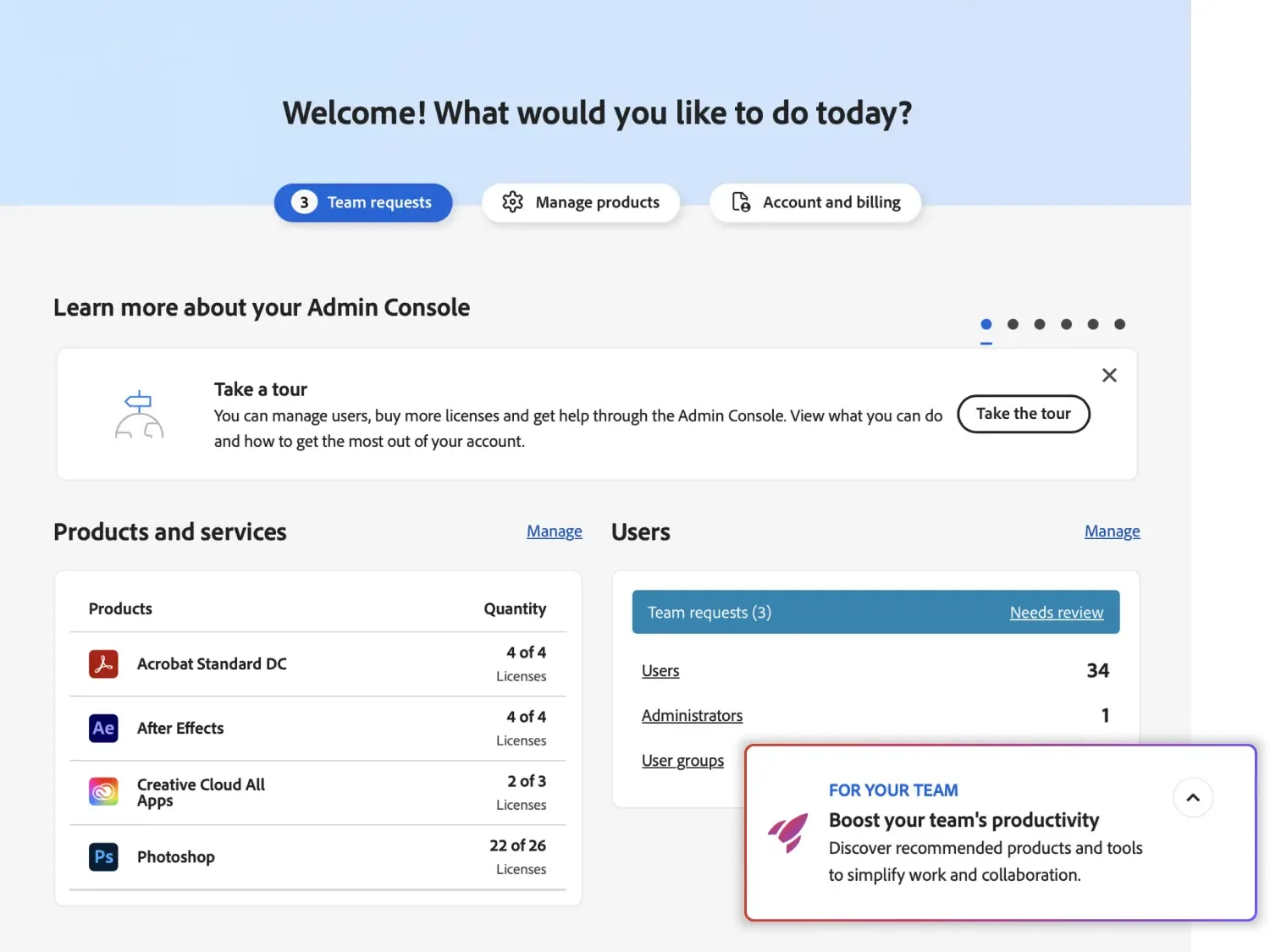
System administrators hold the highest role. They add other administrators under Users, then Administrators, and can grant only the privileges they hold or those of a lower role. That is how a reseller helps without taking control: your organisation keeps the system administrator role, and if you want PRO TECHnology to help with user assignments or installer packages, you add our team with a limited role and remove it when you choose. The installers from the Packages tab then go out to Windows and Mac computers through your deployment tool, a step our guide to deploying software to company computers covers.
Acrobat alongside Microsoft 365
Microsoft 365 covers much everyday PDF work: Edge opens PDFs for reading, highlighting, notes and basic form filling, and the Office apps save files as PDF, so people who only consume PDFs can usually work without Acrobat. The people who change PDFs still need it: editing a PDF’s own text and images, redaction, comparing versions and turning scans into searchable files are Acrobat jobs, and Adobe places the last three in Acrobat Pro. Acrobat also works inside Microsoft apps. Adobe’s integration page describes creating, editing and signing PDFs from Word, Teams, Outlook and other Microsoft 365 apps, and its Acrobat Pro 2024 FAQ describes an Acrobat ribbon in Word, Excel, PowerPoint and Outlook on Windows.
Our comparison of PDF tasks in Microsoft 365 and Acrobat goes through each Microsoft feature, its limits and a timed pilot for deciding who keeps a seat. Read it before you count licences. The aim is three groups: readers on Microsoft 365 or Reader, document assemblers on Standard, and a small group on Pro.
Acrobat Sign: the e-signing built into Acrobat, or Acrobat Sign Solutions
Adobe says its Acrobat for teams plans have no usage caps on e-signatures, so Standard, Pro and Studio users can collect an unlimited number from Acrobat, while Acrobat Sign Solutions is Adobe’s separate e-signature service, sold through its sales team, with integrations for Microsoft, Salesforce and Workday, compliance settings and enhanced signer authentication. Which of the two a UAE organisation needs, and how UAE law treats each signature level (a summary, not legal advice), is covered on our Acrobat Sign in the UAE page.
Acrobat for organisations in Dubai, Abu Dhabi, Saudi Arabia and the wider GCC
Our Enterprise IT team works from Business Bay in Dubai and serves organisations across the emirates, including Abu Dhabi, Sharjah and the northern emirates, with quotations, tax invoices and Admin Console set-up. For users based in Bahrain, Kuwait, Oman, Qatar or Saudi Arabia, ask us before ordering: as our licensing guide explains, VIP Marketplace licences are bought for the country where the users are based. A Riyadh or Doha branch therefore needs its own arrangement rather than seats added to a Dubai console. On 31 August 2026 Adobe, Saudi Arabia’s Ministry of Communications and Information Technology and HUMAIN announced plans to give eligible Saudi citizens and residents aged 13 and over 12 months of free access to Adobe Firefly Standard plus Adobe Express Premium features; the announcement does not mention Acrobat.
How to prepare an Acrobat order: a five-step method
These five steps are the method we suggest to an IT or office manager asked to tidy up Acrobat licences.
- Count installations and entitlements separately. Run an inventory of installed software to see which computers have Acrobat, and compare it with the Overview tab of the Admin Console, which shows licences assigned against entitlements. Installed, assigned and used are three different numbers.
- Sort every user into Reader, Standard, Pro, Studio or Express with the plan table above. Ask each team which of the six Pro-only tasks it performed in the last quarter: a task that recurs justifies a Pro seat, and a rare one can go to a colleague who holds one.
- Choose the term and the timing of the first order. Adobe sets the Anniversary Date 12 months after it accepts that order (on an extended paid-upfront term you choose the date first), so place the order when a yearly renewal date suits your budget.
- Decide identity before the first licence is assigned. Teams plans support Adobe IDs only. Single sign-on with your own identity provider needs Federated ID, which Adobe supports on enterprise plans only, so an organisation that requires it takes the enterprise route whatever its size.
- Order through the reseller, build the installer in the Packages tab and deploy Acrobat to company computers in stages, removing it from the computers whose users move to Reader.
Hypothetical example. A 140-person engineering consultancy in Abu Dhabi holds 140 Acrobat Pro licences, one bought with each new computer. Its inventory shows Acrobat installed on 131 computers. The team survey finds 9 people in contracts and finance who redact and compare, 32 who edit, convert and assemble tender documents, and 4 in the bid team who want PDF Spaces for hundreds of pages of tender material.
It would order 9 Pro, 32 Standard and 4 Studio licences through VIP Marketplace, 45 in all, which falls in the 10 to 49 band Adobe’s renewals page gives as discount level 2, and move the other 95 people to free Acrobat Reader. The numbers are made up to illustrate the steps; they describe no real customer.
Buying Acrobat through PRO TECHnology in Dubai
PRO TECHnology is an authorised Adobe reseller in Dubai. Our company history records a dealership agreement with Adobe Inc. in 2004 for the advertising and printing industry. For Acrobat we confirm which plans Adobe offers for the UAE on the day, prepare the quotation and UAE tax invoice, place the VIP Marketplace order, handle add-ons and renewals, track the Anniversary Date and help set up the Admin Console. Our Adobe onboarding means that Admin Console set-up, not training in the apps. Creative and marketing teams can buy Creative Cloud the same way, as our Creative Cloud for teams page explains.
What we do not do: give legal advice on electronic signatures or print prices on this website. Send us your licence count and we will send back a quotation.
Sources
We checked every Adobe page below on 6 November 2026. Adobe changes plan contents, names and programme rules often, and Adobe MAX runs on 10 and 11 November 2026, so check a row again before you rely on it. Adobe, Acrobat, Acrobat Reader, Adobe Express and Adobe Firefly are either registered trademarks or trademarks of Adobe in the United States and/or other countries.
- Adobe: Acrobat plans and comparison (UAE edition)
- Adobe: Acrobat for business (plans for 10 or fewer licences, plan comparison, Acrobat Sign Solutions)
- Adobe: Acrobat Reader, the free PDF reader (editing needs Standard or Pro)
- Adobe: AI Assistant for Acrobat (availability, languages, data use)
- Adobe: Acrobat e-signatures for small business (no usage caps in Acrobat for teams)
- Adobe: Microsoft 365 integrations for Acrobat and Acrobat Sign
- Adobe Business: Acrobat for business product line
- Adobe Buying Programs: VIP Marketplace (terms, discount levels, reseller pricing)
- Adobe Help Center: VIP Marketplace key dates (updated 22 October 2026)
- Adobe Help Center: Renew VIP Marketplace licences (updated 22 October 2026)
- Adobe Help Center: Admin Console overview (updated 5 October 2026)
- Adobe Help Center: Manage admin roles (updated 5 October 2026)
- Adobe Help Center: Identity types in the Admin Console (updated 3 August 2026)
- Adobe Help Center: Acrobat Pro 2024 FAQ, formerly Acrobat Classic (updated 8 April 2025)
- Adobe newsroom: Acrobat Studio launch (19 August 2025)
- Adobe newsroom: Adobe’s new productivity agent and Acrobat Express (6 May 2026)
- Adobe newsroom: Productivity agent in Acrobat, visuals, audio and presentations (9 September 2026)
- Adobe newsroom: Adobe, MCIT and HUMAIN partnership in Saudi Arabia (31 August 2026)
- Adobe Partner Connection: Find an Adobe Reseller directory
- Adobe: Creative Cloud plans (UAE edition, plan names and the apps in Creative Cloud Pro)
Frequently asked questions
How much does Adobe Acrobat cost for an organisation in the UAE?
Adobe publishes its UAE prices for Acrobat Standard, Pro, Studio and Express on adobe.com/ae_en, for individuals and for teams of up to 10 licences. Organisations that buy through an authorised Adobe reseller receive a quotation instead, because Adobe says that for transactions through a reseller the pricing is determined by the reseller. The quotation depends on the plan mix, the licence count (10, 50 and 100 licences reach higher VIP Marketplace discount levels), the term and add-ons such as AI Assistant for Acrobat. PRO TECHnology prepares it per organisation; we do not print prices on this site.
Can I buy Acrobat Pro permanently?
Not the current version. Adobe’s UAE plan page says it stopped selling perpetual Acrobat after Acrobat 2020. The nearest option is Acrobat Pro 2024, formerly Acrobat Classic: a three-year term licence, non-renewing and paid upfront, that runs offline after activation. It is desktop only, with no web or mobile access, no Document Cloud services, no e-signing and no AI features, and it gets quarterly security updates but no new features. It suits a no-cloud policy or an isolated network. For everyone else an Acrobat subscription is the current product, with terms of up to three years paid upfront.
What is the difference between Acrobat Standard and Acrobat Pro?
Adobe lists six capabilities as Pro only: turning scans into editable, searchable PDFs; comparing two PDFs; redacting sensitive information; branding agreements with a logo and custom URL; web forms and reusable e-sign templates; and sending agreements for signature in bulk. Its comparison also gives Pro access to 70+ PDF tools. Acrobat Standard covers editing and organising PDFs, converting to and from PDF, filling in and signing forms, requesting e-signatures and password protection. Give Pro to the legal, finance, procurement and records staff who redact, compare or scan, and Standard to the people who assemble and send documents.
Is Adobe Acrobat free?
Acrobat Reader is. Adobe’s Reader page says it is free to download and use without a subscription. It opens PDFs with layout preserved, fills in and saves forms, signs documents and adds comments, highlights and drawings on desktop and mobile. Text and image editing is not available in Reader and, Adobe says, needs an Acrobat Standard or Acrobat Pro subscription. Adobe also offers free trials of Acrobat Pro and Studio for teams. So an organisation can install Reader for everyone at no cost and buy licences only for the people who change PDFs.
Do staff on Creative Cloud need a separate Acrobat licence?
Not if they hold Creative Cloud Pro or Creative Cloud Pro for teams. Adobe includes Acrobat Pro among the 20 or more apps in both plans, so a designer on either one does not need a separate Acrobat seat. A Single App for teams licence, such as Photoshop for teams, does not include Acrobat, so a person on that plan who edits, redacts or compares PDFs needs an Acrobat licence of their own. Check each person’s current plan in the Admin Console before you count Acrobat licences.
What is Acrobat Studio, and how is it different from Acrobat Pro?
Acrobat Studio, launched by Adobe on 19 August 2025, is Acrobat Pro plus PDF Spaces, AI Assistant for Acrobat and Adobe Express Premium. PDF Spaces gather files, links and notes into one workspace where an AI Assistant answers across all of them with citations, and a space can be shared with colleagues or customers. Adobe’s 2026 releases added a productivity agent that turns documents into presentations, podcasts, interactive reports and audio summaries, and, in Acrobat Studio for enterprise, a Knowledge Base that answers from shared document collections. Choose Studio for analysts, bid teams and managers who work across many documents; Pro is enough for PDF editing and e-signing.
What is Acrobat Express, and who is it for?
Acrobat Express is the plan Adobe introduced on 6 May 2026. Adobe describes it as combining AI document insights, premium content generation and information sharing in one place, and says Acrobat Studio includes all its features along with AI PDF tools. Adobe’s business comparison shows Acrobat Express for teams with AI Assistant, PDF Spaces, Adobe Express Premium and presentation generation, but without e-sign tools or PDF productivity tools. It suits staff who need to understand documents and produce on-brand content rather than edit, redact or convert PDFs.
Which Acrobat plans include AI Assistant for Acrobat?
Acrobat Studio and Acrobat Express include it. Adobe’s AI Assistant page says it is available on desktop, mobile and in a browser with the AI Assistant add-on, Acrobat Express or an Acrobat Studio plan. The add-on is the route for people on Acrobat Reader, Standard or Pro; Adobe’s business comparison shows it as an add-on for Acrobat Pro for teams, with PDF Spaces available once it is added. Adobe lists 13 supported languages, and Arabic is not among them as of 6 November 2026. When you ask for a quotation, tell us how many Standard or Pro users need the add-on.
Who controls the Adobe Admin Console when we buy Acrobat through a reseller?
You do. The licences sit in your organisation’s own Adobe Admin Console, where your system administrator assigns Acrobat to users, sees contract status and Anniversary Dates in the Account tab and reads audit logs in the Insights tab. Adobe’s admin-roles page says administrators can grant only the privileges they hold or those of a lower role. If you want PRO TECHnology to help, your system administrator adds our team with a limited role and can remove it at any time. Unassigning a licence in the console does not cancel it; renewal changes go through the reseller.
What happens to Acrobat licences on the Anniversary Date if nobody places a renewal order?
Under VIP Marketplace the licences renew by themselves. Adobe’s renewals page, updated 22 October 2026, says licences bought through VIP Marketplace renew automatically for the following year on the Anniversary Date unless the reseller turns auto-renewal off or cancels with Adobe at least 3 days before, and the reseller’s own change period may be longer. If auto-renewal is off and no order is placed, the licences expire the day before the Anniversary Date, are deactivated and are removed from the Admin Console, and a new order is needed to reactivate them.
أدوبي أكروبات للشركات في الإمارات: الخطط والترخيص وطلب عرض السعر
أدوبي أكروبات هو برنامج أدوبي لملفات PDF، وتبيعه Adobe للمؤسسات في الإمارات بأربع خطط اشتراك. تتيح خطة Acrobat Standard تحرير الملفات وتنظيمها وتحويلها وحمايتها بكلمة مرور وطلب التوقيعات الإلكترونية. وتضيف Acrobat Pro تحويل المستندات الممسوحة ضوئيًا إلى ملفات قابلة للبحث، ومقارنة النسخ، وحجب المعلومات الحساسة، ونماذج الويب، والإرسال الجماعي للتوقيع. أما Acrobat Studio فتضيف PDF Spaces ومساعد الذكاء الاصطناعي AI Assistant for Acrobat وAdobe Express Premium. وقدّمت Adobe خطة Acrobat Express في 6 مايو 2026 للملخصات والإجابات وإنشاء المحتوى، من دون أدوات التوقيع الإلكتروني وأدوات الإنتاجية في PDF. ويبقى Acrobat Reader مجانيًا للقراءة والتعليق وتعبئة النماذج والتوقيع، لكنه لا يتيح تحرير النصوص والصور.
تنشر Adobe أسعار خططها في الإمارات على موقعها adobe.com/ae_en للأفراد وللفرق حتى عشرة تراخيص، أما اشتراك أدوبي للشركات عبر بائع معتمد فيُقدَّم بعرض سعر خاص بكل مؤسسة، لأن Adobe تنص على أن تسعير الصفقات التي تمر عبر بائع يحدده البائع نفسه. ويعتمد عرض السعر على مزيج الخطط وعدد التراخيص (تبدأ مستويات الخصم في VIP Marketplace من 10 تراخيص وترتفع عند 50 و100) ومدة الاشتراك والإضافات مثل AI Assistant. ولا تبيع Adobe الإصدار الحالي من Acrobat بترخيص دائم؛ فالبديل الأقرب هو Acrobat Pro 2024، وهو ترخيص لمدة ثلاث سنوات يُدفع مقدمًا ويعمل على سطح المكتب فقط من دون خدمات سحابية أو توقيع إلكتروني أو ذكاء اصطناعي.
تمر طلبات الشراء عبر البائع المعتمد ببرنامج VIP Marketplace: لجميع التراخيص تاريخ ذكرى سنوية واحد يُحدَّد بعد 12 شهرًا من قبول Adobe للطلب الأول، وتُحتسب التراخيص المضافة خلال المدة بالتناسب حتى ذلك التاريخ، ويتجدد الاشتراك تلقائيًا ما لم يوقفه البائع قبل التاريخ بثلاثة أيام على الأقل. وتُدار التراخيص والمستخدمون وحزم التثبيت وتواريخ العقود وسجلات التدقيق في Adobe Admin Console الذي يبقى تحت إدارة مسؤول النظام في مؤسستكم، ويمكن إضافة فريق PRO TECHnology كمسؤول بصلاحيات محدودة عند الحاجة فقط وإزالته متى شئتم.
PRO TECHnology بائع معتمد لمنتجات أدوبي في الإمارات، ووقّعت عام 2004 اتفاقية مع Adobe Inc. لبيع منتجاتها لقطاع الإعلان والطباعة. نُعدّ عروض الأسعار والفواتير الضريبية الإماراتية، وننفّذ الطلبات والتجديدات، ونساعد في إعداد Admin Console من مقرنا في الخليج التجاري بدبي لعملائنا في دبي وأبوظبي وسائر الإمارات. وللمستخدمين في السعودية ودول الخليج الأخرى، تواصلوا معنا قبل الطلب لأن تراخيص VIP Marketplace تُشترى للدولة التي يقيم فيها المستخدمون. اتصلوا على +971 4 343 5501 أو راسلونا على sales@protech.ae لطلب عرض سعر لأدوبي أكروبات لمؤسستكم.
Need an Acrobat quotation for your team?
Send us the number of people who need each Acrobat plan and whether any of them need AI Assistant. We reply with a quotation for your own Admin Console and can help configure it. PRO TECHnology is an authorised Adobe reseller in the UAE: phone +971 4 343 5501 or write to sales@protech.ae.