
LaCie Rugged USB-C Portable Hard Drive: What the Ratings Mean and When an HDD Still Beats an SSD
Published · PRO TECHnology Distribution & Retail
The LaCie Rugged USB-C is a rugged portable hard drive, not an SSD: up to 5TB, rated at up to 130MB/s, and rain-resistant with no IP rating. Here is what its ratings mean for buyers in the UAE and the GCC, how long each rugged drive takes to fill, and when a LaCie Rugged SSD is the better buy.
- Drive type
- Bus-powered portable hard drive (HDD)
- Capacities
- 1, 2, 4 and 5TB
- Rated speed
- Up to 130MB/s, every capacity
- Water rating
- Rain-resistant; no IP rating
Key takeaways
- The LaCie Rugged USB-C is a bus-powered portable hard drive, not an SSD; LaCie's data sheet lists 1, 2, 4 and 5TB models (STFR1000800, STFR2000800, STFR4000800, STFR5000800).
- Seagate rates every LaCie Rugged USB-C capacity at up to 130MB/s, so by arithmetic the 5TB model needs at least 10 h 41 min to fill, against about 32 minutes for a 2TB Rugged SSD, before real-world slowdowns.
- LaCie rates the Rugged USB-C against rain, a 1.2 m drop when it is not operating and a 1-tonne car; it has no IP rating and is not waterproof.
- Seagate's product page lists optional folder-level encryption with LaCie Toolkit software; the Rugged USB-C is not a self-encrypting drive, and AES-256 hardware encryption belongs to the Rugged SSD.
- The LaCie Rugged USB-C's advantage is capacity, not speed, and capacity is what shuttle-drive and photo-library work needs: its 5TB is 1TB more than the 4TB maximum of both the Rugged SSD and the Rugged SSD Pro5.
What is the LaCie Rugged USB-C?
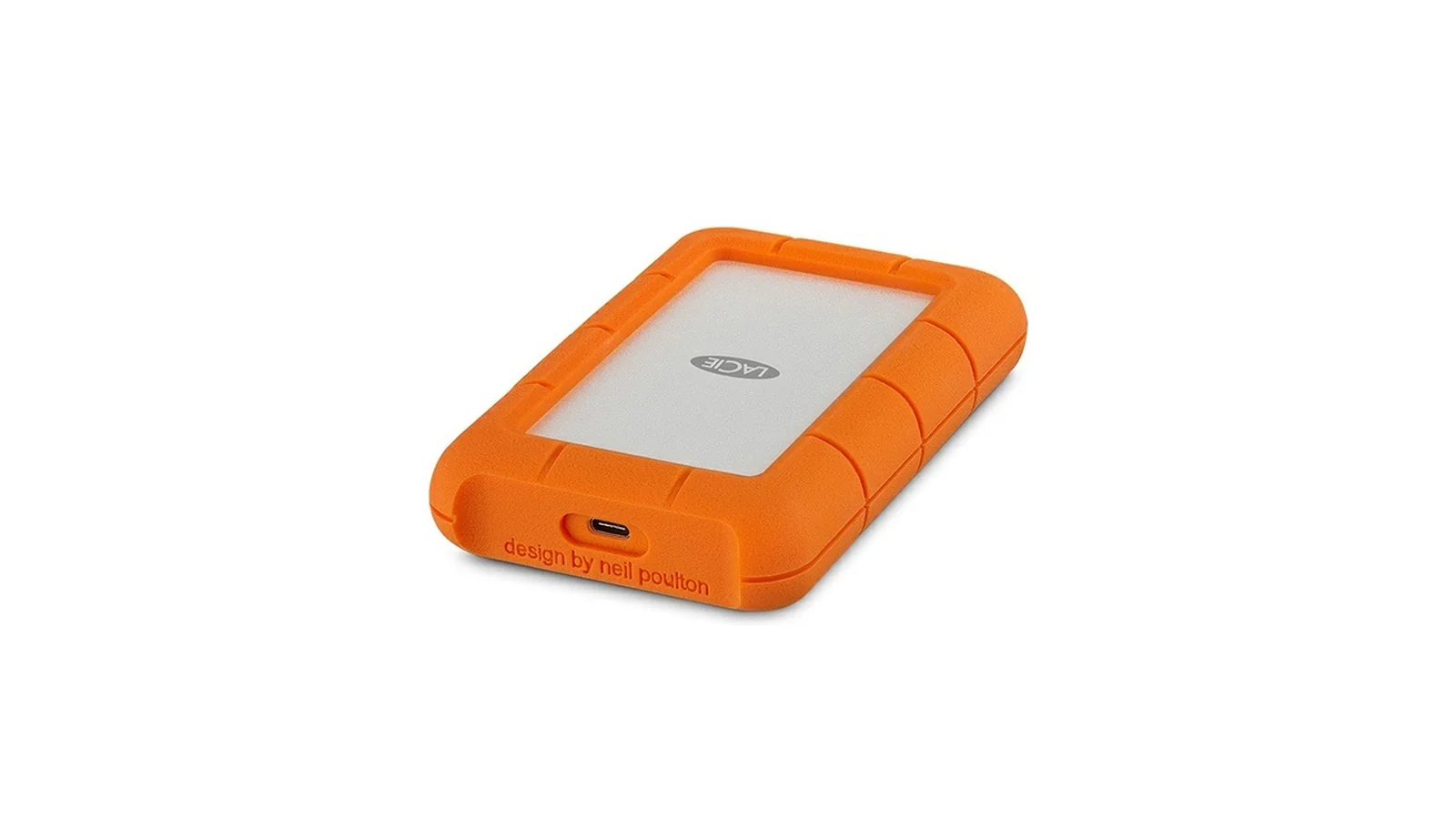
The LaCie Rugged USB-C is an orange rugged portable hard drive (HDD, not an SSD) from LaCie, a Seagate brand. It is bus-powered, connects over USB-C, comes in 1, 2, 4 and 5TB, and Seagate rates every capacity at up to 130MB/s. LaCie rates it against rain, drops and crushing, with no IP rating.
LaCie Rugged USB-C specifications
LaCie's data sheet and Seagate's pages give these specifications; dimensions are width × height × thickness.
| Specification | LaCie Rugged USB-C |
|---|---|
| Drive type | Portable hard drive (HDD) |
| Interface | USB-C port, USB 3.1 Gen 1 (5Gb/s) |
| Maximum speed | 130MB/s, every capacity |
| Power | Bus-powered |
| Drop resistance | 1.2 m (4 ft), non-operating |
| Crush resistance | 1-tonne car |
| Water resistance | Rain; no IP rating |
| Encryption | Optional folder-level encryption with LaCie Toolkit (Seagate product page); no hardware encryption |
| In the box | USB-C cable, USB-C-to-USB-A cable, Quick Install Guide, two-month Adobe Creative Cloud Pro trial (terms apply; offers change) |
| Host ports | USB-C, USB 3.0 or USB 2.0 |
| Format | exFAT out of the box |
| Warranty | 3-year limited; Rescue Data Recovery Services, not in all countries |
Source: LaCie data sheet DS1911.8-2508AMER; Seagate support and product pages; LaCie user manual; Quick Install Guide 209969000B.
Capacities, model numbers and size
| Capacity | Model number | Dimensions (mm) |
|---|---|---|
| 1TB | STFR1000800 | 86 × 135.1 × 18.7 |
| 2TB | STFR2000800 | 86 × 135.1 × 18.7 |
| 4TB | STFR4000800 | 86 × 135.1 × 26 |
| 5TB | STFR5000800 | 86 × 135.1 × 26 |
Source: LaCie data sheet DS1911.8-2508AMER (© 2025). LaCie counts 1TB as one trillion bytes, so your computer may report less.
Is the LaCie Rugged USB-C waterproof? What its ratings really mean
No. The LaCie Rugged USB-C is rain-resistant, not waterproof, and LaCie publishes no IP rating for it. Seagate's product page says it is not fully submersible. Its other ratings are specific too: the 1.2 m drop applies only when the drive is not operating, and the crush test used a car of about one tonne.
Rain resistance is not an IP rating
LaCie gives the Rugged SSD IP67 and the Rugged SSD Pro5 IP68. The Rugged USB-C is a rain-resistant hard drive: its data sheet says only “Water resistance: rain”, and LaCie's own example is a sudden rainstorm, not a drop into water.
The drop rating is for a drive that is not running
The Rugged USB-C is a drop-resistant external hard drive, but a data sheet footnote limits the 1.2 m figure to “non-operating mode”. It is a spinning hard drive (LaCie's manual notes that it spins down when the computer sleeps), so eject and unplug it before it goes in a bag.
What the 1-tonne car test shows
In LaCie's test, a car of about 1,000 kg drove over the drive, which still worked despite cosmetic damage.
Rugged portable hard drive or rugged SSD: which should you choose?
Choose the LaCie Rugged USB-C when capacity per drive matters more than speed: its 5TB is 1TB more than the 4TB maximum of the Rugged SSD or the Rugged SSD Pro5. Choose a Rugged SSD when you will edit from the drive, need an IP rating or cannot wait hours for a copy to finish.
| Feature | Rugged USB-C | Rugged SSD | Rugged SSD Pro5 |
|---|---|---|---|
| Storage type | Hard drive | SSD | SSD |
| Maximum capacity | 5TB | 4TB | 4TB |
| Rated speed | 130MB/s | 1,050MB/s | 6,700MB/s read; 5,300MB/s write (1,800MB/s after 50GB) |
| Interface | USB 3.1 Gen 1 | USB 3.2 Gen 2 | Thunderbolt 5 |
| Water and dust | Rain; no IP rating | IP67 | IP68 |
| Drop | 1.2 m, non-operating | 3 m | 3 m |
| Crush | Car of about 1,000 kg | 2-ton car | 2-ton car |
| Encryption | Optional software | AES-256 hardware | None listed |
| Warranty | 3 years | 5 years | 5 years |
Source: DS1911.8-2508AMER and Seagate (Rugged USB-C); Seagate's Rugged SSD page and data sheet DS2016.7-2508US (capacities to 4TB); DS14.2-2508US and our video-editing guide (Rugged SSD Pro5); Seagate Secure device list (Rugged USB-C encryption). Ratings are model-specific.
Decision rule. More than 4TB on one drive, or bulk copies that can run for hours: Rugged USB-C. Editing from the drive, an IP67 rating or hardware encryption: Rugged SSD. A Thunderbolt 5 computer and heavy timelines: Rugged SSD Pro5.
How long does a 5TB LaCie Rugged USB-C take to fill?
At LaCie's rated maximum of 130MB/s, filling a 5TB LaCie Rugged USB-C takes at least 10 hours 41 minutes. At their own ratings, a 2TB Rugged SSD needs about 32 minutes and a 4TB Rugged SSD Pro5 about 37, because LaCie rates Pro5 writes at 5,300MB/s for the first 50GB only, then 1,800MB/s. Real copies take longer.
Formula: time (s) = capacity (MB) ÷ rated speed (MB/s), with 1TB = 1,000,000MB as LaCie defines it.
| Drive | Rated speed | Formula | Minimum time to fill |
|---|---|---|---|
| Rugged USB-C 2TB | 130MB/s | 2,000,000 ÷ 130 = 15,385 s | ≈ 4 h 16 min |
| Rugged USB-C 4TB | 130MB/s | 4,000,000 ÷ 130 = 30,769 s | ≈ 8 h 33 min |
| Rugged USB-C 5TB | 130MB/s | 5,000,000 ÷ 130 = 38,462 s | ≈ 10 h 41 min (10.7 h) |
| Rugged SSD 2TB | 1,050MB/s | 2,000,000 ÷ 1,050 = 1,905 s | ≈ 32 min |
| Rugged SSD Pro5 4TB | 5,300MB/s write for 50GB, then 1,800MB/s | 50,000 ÷ 5,300 + 3,950,000 ÷ 1,800 = 2,204 s | ≈ 36.7 min |
Source: arithmetic from LaCie's rated maximum; real transfers are slower. Speeds: Seagate's Rugged USB-C support page and Rugged SSD page; DS14.2-2508US (Pro5, 50GB write cache). The Rugged USB-C and Rugged SSD rows assume LaCie's single ‘up to’ figure holds for writes; Seagate's support page marks the 130MB/s figure with an asterisk but does not show the footnote.
What is the LaCie Rugged USB-C good for?
The LaCie Rugged USB-C is good for carrying and holding large amounts of material when speed is not critical. LaCie names two jobs, a shuttle drive and a large Lightroom library; in our view it also suits second copies of finished jobs and client handovers.
- Shuttle drive. Footage from a desert shoot outside Dubai or a set in Riyadh must reach an edit suite, and fewer, larger drives are easier to track. The on-set copying routine is in our video-editing guide.
- Photo library. A Lightroom library of RAW photos that has outgrown a 2TB SSD but sits well below 5TB fits on a single 5TB portable hard drive, which still needs a second copy elsewhere.
- Second copy of finished jobs. Delivered projects rarely need SSD speed; keep the copy off-site as part of a backup and continuity plan, and the active library on desktop RAID such as the LaCie 2big Dock two-bay RAID or the LaCie 8big Pro5 eight-bay RAID.
- Client handover. Its drop rating covers only 1.2 m when not operating, so pack it in padding for a courier trip; the USB-A cable lets the recipient use an older computer. Wipe returned drives with secure data erasure.
When is the Rugged USB-C the wrong choice?
In our view, the LaCie Rugged USB-C is the wrong choice when a drive must be fast, permanent or secure: editing high-bit-rate 4K and multicam timelines, keeping archives for years, carrying files that need hardware encryption, or acting as your only backup.
- High-bit-rate 4K and above, or multicam editing. 130MB/s is roughly one-eighth of the Rugged SSD's rating (1,050 ÷ 130 ≈ 8.1); check your codec's data rate against it. Our video-editing guide shows how to size a 4K or multicam edit drive.
- Long-term archive. A drive in a drawer is a copy, not an archive; see Disk Archive ALTO.
- Hardware encryption. Use the Kanguru Defender SSD350 or Defender HDD350.
- A backup strategy. One drive is one copy. Start with our data backup and disaster recovery guide.
How do you connect the Rugged USB-C to USB-C, USB-A and older computers?
The LaCie Rugged USB-C connects to USB-C ports with its USB-C cable and to USB-A ports with the USB-C-to-USB-A cable listed in LaCie's current data sheet. It is bus-powered, so one cable carries power and data. By arithmetic, a USB 3.0 port's 5Gb/s ceiling is well above the drive's rated 130MB/s; a USB 2.0 port slows it.
Check the box. LaCie's older user manual lists only the USB-C cable.
The working: 130MB/s × 8 = 1,040Mb/s, more than USB 2.0's 480Mb/s ceiling and about a fifth of the 5Gb/s LaCie's manual gives for USB 3.0 and USB 3.1 Gen 1.
| Host port | Cable | Port ceiling | Port limits the drive? (arithmetic) | Minimum 5TB fill |
|---|---|---|---|---|
| USB-C (USB 3.1 Gen 1 or faster) | USB-C | 5Gb/s or more | No | ≈ 10 h 41 min |
| USB 3.0 Type-A | USB-C-to-USB-A | 5Gb/s | No | ≈ 10 h 41 min |
| USB 2.0 Type-A | USB-C-to-USB-A | 480Mb/s (÷ 8 = 60MB/s) | Yes | 5,000,000 ÷ 60 = 83,333 s ≈ 23 h 9 min |
Source: arithmetic from LaCie's rated maximum; real transfers are slower, especially on USB 2.0. Port rates: LaCie Rugged USB-C user manual.
A USB-C socket can also be USB 2.0 only, so check the port's specification, not its shape. For a MacBook, which LaCie's data sheet names, this USB-C hard drive needs only the supplied USB-C cable. The data sheet still lists Windows 7 and Mac OS X 10.9 and later, so check Seagate's OS compatibility page for current versions.
How should you handle the LaCie Rugged USB-C in Gulf heat and dust?
Handle the LaCie Rugged USB-C as a hard drive first and a rugged product second. In the Gulf that means moving it only when it is ejected and not running, keeping it out of parked cars in summer, and keeping sand and dust away, because LaCie publishes no dust or IP rating for it.
- Eject, unplug, then move it. LaCie's manual warns that unplugging without ejecting can corrupt files.
- Never copy on the move. Do not run a transfer on a car seat or with the drive in a bag.
- Keep it out of parked cars in a Gulf summer.
- Use a closed carry case on desert shoots and check the USB-C port is clean before connecting.
Encryption on the Rugged USB-C: software, not hardware
Seagate's product page says the LaCie Rugged USB-C includes LaCie Toolkit software with optional folder-level encryption, and the data sheet says only “encryption available”. The drive is not on the list of self-encrypting drives for Seagate Secure, Toolkit's AES-256 hardware security, so any encryption on it is software, not hardware. The Toolkit manual does not document a folder-encryption feature, so check that your Toolkit version offers it before relying on it.
LaCie's manual also points to third-party tools such as BitLocker, which LaCie does not test. For client contracts, personnel files or other confidential files, choose a hardware-encrypted Kanguru Defender SSD350 or Defender HDD350.
LaCie Rugged hard drive in the UAE and GCC: procurement checklist
To ask about the LaCie Rugged hard drive in the UAE, Saudi Arabia or elsewhere in the GCC, contact our Distribution & Retail division. PRO TECHnology has distributed LaCie in the region since 2006. Contact us about the Rugged USB-C for current availability in your country. Our page on LaCie professional storage in the UAE covers the wider range. Our LaCie partnership profile explains the distributor and partner role, including local warranty handling.
- Capacity. Buy for the job or library plus headroom; bigger drives take longer to fill.
- Model number. Confirm STFR1000800, STFR2000800, STFR4000800 or STFR5000800, not a similar-looking Rugged SSD.
- Host cable. Check the box for both cables; a USB 2.0 port, not the drive, will set the speed.
- Warranty and Rescue. 3-year limited on every capacity, per LaCie's data sheet; confirm whether Rescue Data Recovery Services applies in your country.
- Security and retirement. Hardware encryption needs a different drive; plan how drives will be wiped.
Sources
Product figures are LaCie’s own, taken from the data sheet and the Seagate pages below. Worked figures on this page are arithmetic from LaCie’s rated maximums; real transfers are slower.
- LaCie Rugged USB-C product page (Seagate): Toolkit encryption, cables, water resistance
- LaCie Rugged USB-C support page (Seagate): maximum speed, storage type, drop rating, warranty
- LaCie Rugged USB-C data sheet, document DS1911.8-2508AMER (en_US PDF; the page quotes the en_GB edition)
- LaCie Rugged USB-C user manual
- LaCie Rugged USB-C user manual: cables and connectors
- LaCie Rugged USB-C user manual: frequently asked questions
- LaCie Rugged USB-C user manual: safely removing the drive
- LaCie Rugged USB-C user manual (PDF)
- LaCie Rugged USB-C Quick Install Guide 209969000B (PDF)
- LaCie Toolkit manual
- LaCie Toolkit manual: Seagate Secure (self-encrypting drives and supported-device list)
- LaCie Rugged SSD product page (Seagate): speed, interface, IP67, drop and crush ratings, AES-256 encryption, warranty
- Seagate operating system requirements for Seagate hardware and software
- LaCie Rugged SSD Pro5 data sheet, document DS14.2-2508US (© 2025): speeds and 50GB write cache, IP68, drop and crush ratings, warranty
- Seagate: LaCie Rugged SSD data sheet DS2016.7-2508US (PDF)
Frequently asked questions
Is the LaCie Rugged USB-C waterproof?
No. LaCie rates the Rugged USB-C for rain resistance only, with no IP rating, and Seagate's product page says it is not fully submersible. For a formal water rating, LaCie's Rugged SSD is IP67 and the Rugged SSD Pro5 is IP68.
How fast is the LaCie Rugged USB-C?
Up to 130MB/s: Seagate lists that maximum for every capacity of the Rugged USB-C. By arithmetic, that is at most 468GB an hour, so the 5TB model needs at least 10 h 41 min to fill. Real transfers are slower.
Is the LaCie Rugged USB-C a hard drive or an SSD?
It is a hard drive. Seagate's support page lists its storage type as HDD, and LaCie's manual notes that it spins down when the computer sleeps. LaCie's rugged SSD options include the Rugged SSD and the Rugged SSD Pro5.
Does the LaCie Rugged USB-C work with USB-A ports?
Yes. LaCie's current data sheet lists a USB-C-to-USB-A cable, but the older user manual lists only the USB-C cable, so check the box. By arithmetic, a USB 3.0 Type-A port carries the rated 130MB/s, while USB 2.0's 480Mb/s ceiling (about 60MB/s) slows the drive.
Does the LaCie Rugged USB-C need a power adapter?
No. The Rugged USB-C is a bus-powered hard drive, taking power and data through one USB cable, and LaCie's data sheet lists no power supply in the box. The data sheet's system requirements name a USB-C, USB 3.0 or USB 2.0 port.
Is the LaCie Rugged USB-C encrypted?
Not in hardware. Seagate's product page lists optional folder-level encryption with LaCie Toolkit software, and the drive is not among the self-encrypting models that Seagate Secure supports. For hardware encryption, choose the Rugged SSD, which uses AES-256 through Seagate Secure, or a hardware-encrypted Kanguru Defender drive.
Can I edit video directly from the LaCie Rugged USB-C?
Not for demanding work, in our view. Its rated 130MB/s is roughly one-eighth of the Rugged SSD's 1,050MB/s, so edit high-bit-rate 4K and multicam from an SSD. LaCie's data sheet pitches the Rugged USB-C as a shuttle drive and as storage for a large Lightroom library.
What does “drop-resistant in non-operating mode” mean?
It means LaCie's 1.2 m (4 ft) drop rating for the Rugged USB-C applies only when the drive is not running, as a footnote in the data sheet states. Eject and unplug the drive before you pack or move it.
What warranty does the LaCie Rugged USB-C have?
Every capacity of the Rugged USB-C carries a 3-year limited warranty, according to LaCie's data sheet and Seagate's support page. LaCie's Rugged SSD and Rugged SSD Pro5 carry five years, so the SSDs have the longer cover.
هارد ديسك خارجي LaCie Rugged USB-C: متى يتفوّق الهارد التقليدي على SSD
قرص LaCie Rugged USB-C، أو «هارد لاسي البرتقالي»، هارد ديسك خارجي تقليدي (HDD) وليس SSD، من LaCie التابعة لـSeagate. يستمد طاقته من كابل USB، ويأتي بسعات 1 و2 و4 و5TB، بسرعة قصوى 130MB/s وفق Seagate. ويناسب من يبحث عن هارد خارجي 5 تيرابايت لنقل اللقطات من موقع التصوير إلى المونتاج أو لحفظ مكتبة Lightroom كبيرة. وهو هارد ديسك مقاوم للصدمات في حدود تصنيفَي السقوط والسحق لدى LaCie: مصنَّف لتحمّل السقوط من ارتفاع 1.2 متر عندما لا يكون قيد التشغيل، ومرور سيارة وزنها نحو طن واحد فوقه، لكنه مقاوم للمطر فقط، ولا يحمل أي تصنيف IP وليس مصممًا للغمر. وحسابيًا، يحتاج ملء طراز 2TB إلى 4 ساعات و16 دقيقة على الأقل، مقابل نحو 32 دقيقة لقرص Rugged SSD بالسعة نفسها، ويحتاج طراز 5TB إلى 10 ساعات و41 دقيقة على الأقل. ولأن سرعته نحو ثُمن سرعة Rugged SSD، يُفضَّل مونتاج 4K الثقيل من قرص SSD. أما التشفير فاختياري عبر برنامج LaCie Toolkit وفق صفحة المنتج لدى Seagate. توزّع PRO TECHnology منتجات LaCie في المنطقة منذ عام 2006، وللاستفسار عن LaCie Rugged في الإمارات والسعودية وبقية دول الخليج، تواصلوا معنا لمعرفة التوفر الحالي في بلدكم.
Choose the right rugged drive
Tell us what the drive has to do, whether that is carrying footage, holding a photo library or being edited from, and which computers it will meet. We will help you choose between the Rugged USB-C and LaCie's Rugged SSDs, and confirm current availability in your country.