
LaCie 8big Pro5: 8-Bay Thunderbolt 5 RAID Storage for Studios in the UAE and GCC
Published · PRO TECHnology Distribution & Retail
The 8big Pro5 is LaCie’s eight-bay Thunderbolt 5 RAID for studios that have outgrown two bays. This guide turns LaCie’s published figures into usable capacity, fill times and RAID choices for buyers in the UAE and the GCC.
- Drive bays
- 8, hot-swappable, up to 256TB
- Rated speed
- Up to 2,800MB/s RAID 0, 2,500MB/s RAID 5
- Host port
- Thunderbolt 5, up to 140W to the computer
- RAID levels
- 0, 1 (two-drive), 5, 6, 10, 50, 60, JBOD
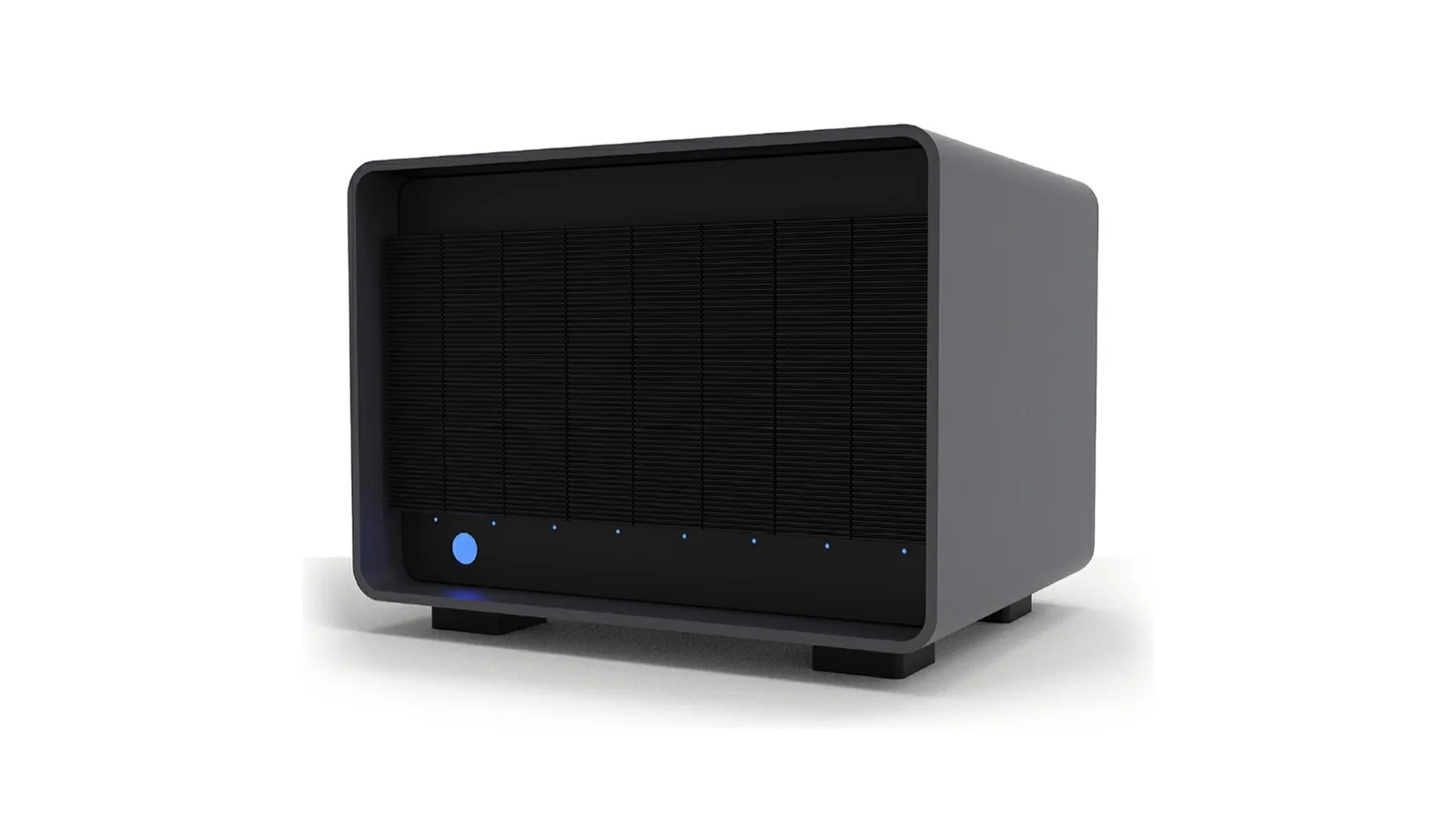
Key takeaways
- The LaCie 8big Pro5 is an eight-bay Thunderbolt 5 RAID sold with up to 256TB, rated by LaCie at up to 2,800MB/s in RAID 0 and 2,500MB/s in RAID 5.
- On the 8big Pro5, LaCie’s “up to 120 Gbps” is the Thunderbolt 5 link with display traffic (80Gbps for data); the rated 2,800MB/s is about 22.4Gbps, so the drives, not the cable, set the speed.
- A 256TB 8big Pro5 gives about 224TB of usable space in RAID 5 and 192TB in RAID 6 (decimal TB, before formatting); of the two, only RAID 6 stays protected while a failed drive rebuilds.
- The 8big Pro5 is direct-attached storage for one workstation, not a NAS, and LaCie rates its host port at up to 140W to that computer.
- Filling the 224TB RAID 5 volume of a 256TB LaCie 8big Pro5 at LaCie’s rated 2,500MB/s takes at least 24.9 hours, and real copies run slower, so plan a migration over a weekend.
What is the LaCie 8big Pro5?
The LaCie 8big Pro5 is 8-bay RAID storage from Seagate’s LaCie brand: a hardware RAID enclosure that connects to one computer over Thunderbolt 5. LaCie sells it with 32TB to 256TB of enterprise-class Seagate drives, rates it at up to 2,800MB/s in RAID 0, and supports RAID 0, 1 (two-drive), 5, 6, 10, 50 and 60, plus JBOD.
As post-production storage in Dubai and across the UAE, it suits edit houses, agencies, colour and finishing suites, and broadcasters that need high-capacity RAID on one heavy workstation, plus large photo libraries that have outgrown two bays. For two bays and card readers, see the LaCie 2big Dock Thunderbolt RAID; our LaCie professional storage range in the UAE covers the rest.
Seagate announced it on 23 April 2026, and LaCie’s data sheet pitches it at 8K workflows and complex studio setups. According to LaCie’s user manual, it ships unformatted as one eight-drive RAID 5 array with no spare assigned, and it needs LaCie RAID Manager, which installs the driver the unit requires.
LaCie 8big Pro5 specifications
| Specification | LaCie 8big Pro5 |
|---|---|
| Drive bays | 8, hot-swappable, enterprise-class Seagate drives |
| Rated speed | Up to 2,800MB/s (RAID 0); 2,500MB/s (RAID 5) |
| Host connection | Thunderbolt 5 (USB-C), up to 80Gbps for data |
| Compatible hosts | Thunderbolt 5, Thunderbolt 4, USB 40Gbps; Mac and PC |
| Hardware RAID | 0, 1 (two drives only), 5, 6, 10, 50, 60; JBOD; multi-RAID |
| Factory setting | One eight-drive RAID 5, unformatted, no spare |
| Ports | Thunderbolt 5 host (140W out); 2 × Thunderbolt 5 (30W each); USB 20Gbps (15W) |
| Power input | 100 to 240 VAC, 50/60 Hz, up to 450W |
| Operating climate | +5°C to +35°C; 10 to 60% humidity, non-condensing |
| Weight | 13.0 to 13.6 kg by capacity |
| Enclosure | Aluminium with carrying handle; at least 35% recycled materials |
| Warranty | 5-year limited; 5-year Rescue Data Recovery Services (not available in all countries) |
| Included | In the box: power cords, 1 m Thunderbolt 5 cable, quick install guide. Also included: LaCie Toolkit software (download) and a two-month Adobe Creative Cloud Pro membership (terms apply) |
Source: LaCie data sheet DS28.1-0326US; the 80Gbps data link, RAID 1 limit, factory setting, power input, climate, weight and box contents are from the LaCie 8big Pro5 user manual.
| Capacity | Model number | EAN | Per drive (÷ 8) |
|---|---|---|---|
| 32TB | STNC32000400 | 8719706046107 | 4TB |
| 64TB | STNC64000400 | 8719706046121 | 8TB |
| 128TB | STNC128000400 | 8719706046145 | 16TB |
| 192TB | STNC192000400 | 8719706046169 | 24TB |
| 256TB | STNC256000400 | 8719706046336 | 32TB |
Source: DS28.1-0326US; all models black, 5-year limited warranty. Per drive: arithmetic, capacity ÷ 8, assuming eight equal drives.
Thunderbolt 5 RAID speed: what does “up to 120 Gbps” mean next to 2,800MB/s?
LaCie’s “up to 120 Gbps” describes the Thunderbolt 5 connection, not the drives inside the 8big Pro5. The array itself is rated at up to 2,800MB/s, which is about 22.4Gbps, so the link has plenty of headroom and the eight hard drives decide the speed you actually get.
LaCie’s manual lists Thunderbolt 5 at up to 80Gbps for data; 120Gbps applies only in one direction when display traffic is added, which Intel calls Bandwidth Boost. Our guide to Thunderbolt 5 for video editing covers when the port pays off.
| Quantity | Value | Formula or source |
|---|---|---|
| RAID 0 rating | 2,800MB/s ≈ 22.4Gbps | 2,800 × 8 ÷ 1,000 |
| RAID 5 rating | 2,500MB/s = 20.0Gbps | 2,500 × 8 ÷ 1,000 |
| Thunderbolt 5 data link | 80Gbps | LaCie manual; Intel |
| Array’s share of that link | 28% | 22.4 ÷ 80 |
| Thunderbolt 4 or 3 link | 40Gbps | LaCie manual; no 8big Pro5 speed published |
Source: DS28.1-0326US; LaCie 8big Pro5 user manual; Intel Thunderbolt 5 technology brief. Arithmetic from LaCie’s rated maximum; real transfers are slower.
LaCie publishes no Thunderbolt 4 figure, but its manual says the internal drives perform effectively the same on any supported host; only fast SSDs on the downstream ports need Thunderbolt 5 for full speed.
Choosing a RAID level for eight drives
Each RAID level on the 8big Pro5 trades usable capacity against how many drives can fail: with eight 32TB drives, from 256TB unprotected in RAID 0 to 128TB in RAID 10 or RAID 60.
| Level | Drives that can fail | Formula | At 8 × 32TB | Typical use |
|---|---|---|---|---|
| RAID 0 | None | n × drive | 256TB | Scratch and render space, with copies elsewhere |
| RAID 5 (factory) | One | (n − 1) × drive | 224TB | Active projects with a backup |
| RAID 6 | Any two | (n − 2) × drive | 192TB | Large, long-lived libraries |
| RAID 10 | One per mirrored pair | n ÷ 2 × drive | 128TB | Mirrored pairs, striped together |
| RAID 50 | One per group | (n − 2) × drive | 192TB | Two RAID 5 groups striped together |
| RAID 60 | Two per group | (n − 4) × drive | 128TB | Double parity per group |
| JBOD | None | Sum of drives | 256TB | Independent disks |
Source: capacities are arithmetic from the formula column, in decimal TB before formatting (operating systems report less); fault tolerance from the LaCie 8big Pro5 and RAID Manager manuals; JBOD from DS28.1-0326US. RAID 50 and 60 assume two groups of four, which LaCie does not state. Typical use is our guidance.
RAID 1 is not in the table because LaCie limits it to two drives; mirroring more drives means RAID 10.
| Model | RAID 5 (7 × drive) | RAID 6 (6 × drive) |
|---|---|---|
| 32TB | 28TB | 24TB |
| 64TB | 56TB | 48TB |
| 128TB | 112TB | 96TB |
| 192TB | 168TB | 144TB |
| 256TB | 224TB | 192TB |
Source: arithmetic from the DS28.1-0326US capacities; one array, no spare; decimal TB before formatting (operating systems report less).
Multi-RAID
LaCie lists multi-RAID setups, and RAID Manager gives each array its own tab; a global spare can serve any of them. LaCie publishes no example layout, but its minimums set limits: two drives for RAID 1, four for RAID 10, five for RAID 5 and seven for RAID 6, so RAID 6 leaves at most one bay free.
Decide before the first copy. RAID 50 and RAID 60 can only be created by foreground initialisation, with the unit disconnected from the computer.
RAID 5 vs RAID 6 for large drives: why the rebuild window matters
For an 8big Pro5 filled with high-capacity drives, RAID 6 is the safer choice for work you cannot re-create. A RAID 5 array has no redundancy left while it rebuilds a failed drive, so a second failure loses everything; RAID 6 still has one drive of protection.
The exposure is the rebuild window: larger drives take longer to reconstruct, and the unit runs slower until synchronisation finishes. LaCie publishes no rebuild times.
| Layout at 8 × 32TB | Usable | Survives at once | After the first failure |
|---|---|---|---|
| RAID 6, eight drives | 192TB | Any two | Still protected; waits for a replacement drive |
| RAID 5, seven drives + spare | 192TB | One | Rebuilds to the spare at once, unprotected until done |
| RAID 5, eight drives | 224TB | One | Unprotected; waits for a replacement drive |
| RAID 6, seven drives + spare | 160TB | Any two | Rebuilds to the spare at once, still protected |
Source: LaCie 8big Pro5 user manual; RAID Manager user manual. Capacity = (drives − parity drives) × 32TB, decimal TB before formatting.
At equal capacity, RAID 6 on eight drives protects better than RAID 5 plus a spare: the spare shortens the window without closing it. RAID is not a backup, so keep a second copy under a 3-2-1 backup and recovery plan.
Is the 8big Pro5 a NAS? Direct-attached storage vs NAS for studio teams
No. The LaCie 8big Pro5 is Thunderbolt 5 DAS (direct-attached storage): it connects to a single computer through its host port and has no network port, so it cannot serve files to other computers on its own. That makes it right for one heavy edit, grade or finishing seat, and wrong for several editors sharing one project.
For that seat, direct attachment means one cable, no file server and RAID handled by the unit’s own hardware controller.
| Situation | Better fit |
|---|---|
| One editor, colourist or finisher on one workstation | DAS such as the 8big Pro5 |
| Several editors in the same project at once | NAS, or a SAN with shared-access software |
| Moving copies between sites or to a client | A portable drive such as the LaCie Rugged USB-C hard drive |
Source: ports from DS28.1-0326US; the fit column is PRO TECHnology guidance.
Multi-seat work is a shared-storage design question; see our enterprise and corporate IT solutions. A studio can also run both: DAS on the finishing seat, network storage for the team.
One cable to the workstation: 140W charging, hub ports and daisy-chaining
One Thunderbolt 5 cable carries the data, delivers up to 140W to the computer by LaCie’s rating, and extends its Thunderbolt connection to the hub ports. A laptop such as a MacBook Pro can charge from it, and the 8big Pro5 must be on mains power to supply it.
| Port | Power | Use |
|---|---|---|
| Thunderbolt 5 host (1) | Up to 140W | The cable to the computer |
| Thunderbolt 5 downstream (2) | Up to 30W each | Fast Thunderbolt SSDs and displays |
| USB 20Gbps downstream (1) | Up to 15W | USB storage and accessories |
Source: DS28.1-0326US; LaCie 8big Pro5 user manual, connectivity and power delivery.
LaCie’s manual lists support for up to three 4K or two 8K monitors through the hub ports, host permitting.
LaCie’s manual also lists daisy-chaining two devices from one Thunderbolt 5 hub port, such as a fast SSD and a display. For chaining 8big Pro5 units, LaCie gives only the footnote below.
LaCie’s printed maximum. A data-sheet footnote puts Mac Studio M3 Ultra storage at up to 7.68PB, with up to five 256TB units per Thunderbolt 5 port. The footnote counts five ports, which gives 6.4PB; the 7.68PB total matches the six Thunderbolt 5 ports Apple lists for that Mac Studio (6 × 5 × 256TB). It is LaCie’s theoretical ceiling, not a recommended build.
How long does it take to fill an 8big Pro5?
Filling a 256TB LaCie 8big Pro5 takes at least 25.4 hours, even at LaCie’s rated maximum of 2,800MB/s in RAID 0. A 224TB RAID 5 volume at the rated 2,500MB/s takes at least 24.9 hours. Real copies run slower, so a full migration onto a new unit is a weekend job, not an overnight one.
| Volume | Formula | Minimum |
|---|---|---|
| 256TB, RAID 0 | 256 × 1,000,000 ÷ 2,800 ÷ 3,600 | 25.4 h |
| 224TB (256TB model, RAID 5) | 224 × 1,000,000 ÷ 2,500 ÷ 3,600 | 24.9 h |
| 28TB (32TB model, RAID 5) | 28 × 1,000,000 ÷ 2,500 ÷ 3,600 | 3.1 h |
| 224TB copied from a source on a 10Gbps network | 224 × 1,000,000 ÷ 1,250 ÷ 3,600 | 49.8 h |
Source: arithmetic from LaCie’s rated maximum (DS28.1-0326US); real transfers are slower. LaCie publishes no RAID 6, 10, 50 or 60 speed. Last row: 10,000Mb/s ÷ 8 = 1,250MB/s before overheads; a copy runs at its slower end’s speed.
If you create a new RAID 5, 6, 50 or 60 array, it also needs initialising (the factory RAID 5 only needs formatting, and RAID 0, 1 and 10 need no initialisation): LaCie estimates 6 hours for 32TB up to 40 hours for 256TB in foreground mode, while background mode lets copying start at reduced speed (RAID 50 and 60 are foreground only). Start at the end of the working week and keep the old array until the copy is verified.
8big Pro5 alongside the 2big Dock, Rugged drives, backup and archive
The 8big Pro5 is the active-library tier for one workstation.
| Stage | Storage | Read more |
|---|---|---|
| On location | Portable SSDs | LaCie storage for video editing |
| Carrying copies | Rugged portable hard drive | LaCie Rugged USB-C |
| Ingest desk | 2big Dock: card readers and two-bay RAID | LaCie 2big Dock |
| Active library | 8big Pro5 | This page |
| Backup copy | Separate media, 3-2-1 policy | Backup and disaster recovery |
| Archive | Disk Archive ALTO | Disk-based archive |
| End of life | Secure erasure | Drive decommissioning |
Source: PRO TECHnology workflow guidance; product details are on each linked page.
Installing the 8big Pro5 in a UAE studio or machine room
- Climate. LaCie specifies +5°C to +35°C at 10 to 60% humidity, non-condensing. Keep it in air-conditioned space, never a vehicle or loading bay, and let it acclimatise before powering it on.
- Airflow. Keep the exhaust chamber at the back clear of walls and cables so the two temperature-controlled fans can move air.
- Dust. Keep it off the floor and away from external doors and workshop or print areas.
- Position. Flat and stable, never vertical, at most two units stacked.
- Power. Put it on a UPS: LaCie says a power cut during a foreground initialisation, which it estimates at up to 40 hours on the 256TB model, forces a restart from the beginning.
- Moving. Eject, switch off and disconnect, then carry it by the handle; LaCie lists its weight as 13.0 to 13.6 kg by capacity.
- Cable. LaCie supplies a 1 m Thunderbolt 5 cable, so the unit sits beside the workstation.
8big Pro5 procurement checklist for GCC buyers
- Host port. Thunderbolt 5 or 4 on a Mac or PC, or USB4 (USB 40Gbps) on a Windows PC; never a USB 3.2 or 3.1 USB-C port. LaCie’s manual also lists Thunderbolt 3 (macOS 15 or later on a Mac), but the data sheet does not, so we make no Thunderbolt 3 performance promise. On Windows, Thunderbolt 4 and 3 need the latest Windows 11 and current Thunderbolt firmware.
- Operating system. RAID Manager needs macOS 15 or later, or Windows 11 24H2 or later.
- Usable capacity. A 256TB unit gives about 224TB in RAID 5 or 192TB in RAID 6, in decimal TB before formatting; the operating system reports less.
- Spare drives. A hot spare needs a free bay, so choosing one means deleting the factory eight-drive RAID 5 and creating a seven-drive array before any data goes on it, because deleting or creating an array erases the data on it; LaCie recommends a global spare when the unit holds several arrays. Keep a shelf spare of equal or greater capacity too; LaCie recommends Seagate Enterprise hard drives for out-of-warranty replacements.
- Warranty and Rescue. 5-year limited warranty; Rescue is not available in all countries, so get written confirmation for the UAE, Saudi Arabia, Qatar or wherever the unit will be used.
- Paperwork. Match the STNC model number and EAN, and ask for a local quotation and tax invoice.
8big Pro5 quotations for the UAE, Saudi Arabia and the GCC
PRO TECHnology has distributed LaCie in the region since 2006. Enquiries about the 8big Pro5 go through our Distribution & Retail division, whether the unit will sit in the UAE, in Riyadh or elsewhere in Saudi Arabia, in Qatar or elsewhere in the GCC. Our LaCie partnership profile explains the distributor and partner role behind those enquiries, including setup support and local warranty handling.
Ask us for availability and configurations for your country. Send the capacity, RAID level, host computer and installation site to sales@protech.ae or through our PRO TECHnology contact page, or call the head office (Office 204, Aswar Building, Sheikh Zayed Road, Business Bay) on +971 4 343 5501. Our showroom is Showroom 3, Aswar Building, Sheikh Zayed Road, Business Bay, Dubai.
Sources
Product figures are LaCie’s own, taken from the data sheet and the Seagate pages below. Worked figures on this page are arithmetic from LaCie’s rated maximums; real transfers are slower.
- LaCie 8big Pro5 data sheet, document DS28.1-0326US (March 2026)
- LaCie 8big Pro5 product page, seagate.com
- LaCie 8big Pro5 support page, seagate.com
- LaCie 8big Pro5 user manual (online)
- LaCie 8big Pro5 user manual (PDF)
- LaCie 8big Pro5 user manual: introduction and host interfaces
- LaCie 8big Pro5 user manual: system overview (dimensions, weight, climate, power)
- LaCie 8big Pro5 user manual: connecting the unit and factory RAID 5
- LaCie 8big Pro5 user manual: connectivity and power delivery
- LaCie 8big Pro5 user manual: hard drive maintenance
- LaCie RAID Manager user manual (PDF)
- LaCie 8big Pro5 compatibility, Seagate knowledge base
- LaCie 8big Pro5 Quick Install Guide, part 210646300B
- Seagate press release announcing the LaCie 8big Pro5, 23 April 2026
- Intel Thunderbolt 5 technology brief
- Apple Mac Studio (2025) technical specifications
Frequently asked questions
How fast is the LaCie 8big Pro5?
LaCie rates the 8big Pro5 at up to 2,800MB/s in RAID 0 and up to 2,500MB/s in RAID 5. LaCie’s “up to 120 Gbps” describes the Thunderbolt 5 connection, not the drives; that connection carries up to 80Gbps of data. Real transfers run slower than the ratings.
Does the 8big Pro5 work with Thunderbolt 4 computers?
Yes. LaCie’s data sheet lists Thunderbolt 5, Thunderbolt 4 and USB 40Gbps hosts, and its manual says the internal drives perform effectively the same on Thunderbolt 4 as on Thunderbolt 5. LaCie publishes no Thunderbolt 4 speed figure; the host mainly limits fast SSDs on the downstream ports.
How much usable space does a 256TB 8big Pro5 have in RAID 5 or RAID 6?
About 224TB in RAID 5 and 192TB in RAID 6, in decimal terabytes before formatting: 256TB ÷ 8 = 32TB per drive (assuming eight equal drives), multiplied by seven or by six. LaCie notes that the operating system may report less, and assigning a spare drive removes another 32TB.
Should I use RAID 5 or RAID 6 on an 8-bay array?
Use RAID 6 on the 8big Pro5 for work you cannot quickly re-create. It survives two drive failures, while RAID 5 survives one and is unprotected during a rebuild. RAID 6 costs one more drive: about 192TB usable instead of 224TB on the 256TB model.
Is the LaCie 8big Pro5 a NAS?
No. The 8big Pro5 is direct-attached storage: it connects to one computer through its Thunderbolt 5 host port and has no network port. Several editors working on the same project at once need network-attached storage or a SAN instead.
Can the 8big Pro5 charge a laptop?
Yes. LaCie rates the Thunderbolt 5 host port at up to 140W, enough to power laptops or high-end workstations over the data cable. The 8big Pro5 must be on mains power to supply that power.
Can I daisy-chain several 8big Pro5 units?
Yes, according to LaCie: a data-sheet footnote counts up to five 8big Pro5 units per Thunderbolt 5 port on a Mac Studio M3 Ultra, 7.68PB in total. The manual documents daisy-chaining two devices from one Thunderbolt 5 hub port but gives no multi-unit procedure, so treat 7.68PB as a theoretical ceiling, not a recommended build.
What does multi-RAID mean on the 8big Pro5?
Multi-RAID means running more than one RAID array on the same 8big Pro5. LaCie’s data sheet does not define the term, but RAID Manager shows a tab for each array configured on the device and offers a global spare that any array can use. RAID 6 needs at least seven of the eight drives, leaving at most one bay for anything else.
What warranty comes with the 8big Pro5?
A five-year limited warranty, plus five years of Rescue Data Recovery Services, which LaCie says is not available in all countries. Ask us to confirm Rescue for your country, in writing, before ordering.
Can PRO TECHnology supply the 8big Pro5 in Saudi Arabia and the rest of the GCC?
We quote for Saudi Arabia, Qatar and the rest of the GCC once we have confirmed which 8big Pro5 capacities can be supplied there. PRO TECHnology has distributed LaCie in the region since 2006. Send the capacity, RAID level, host computer and destination country to sales@protech.ae.
LaCie 8big Pro5 في الإمارات والسعودية: وحدة تخزين RAID بثمانية أقراص بتقنية Thunderbolt 5
جهاز LaCie 8big Pro5 (علامة LaCie تابعة لشركة Seagate) هو وحدة تخزين RAID بثمانية أقراص تتصل بحاسوب واحد عبر منفذ Thunderbolt 5، أي أنه تخزين متصل مباشرة (DAS) وليس جهاز تخزين شبكيًا (NAS). وتطرحه LaCie بسعات 32 و64 و128 و192 و256 TB، وتبلغ سرعته القصوى وفق LaCie 2,800 MB/s في RAID 0 و2,500 MB/s في RAID 5، مع أقراص قابلة للاستبدال أثناء التشغيل ودعم أنماط RAID 0 و1 (بقرصين فقط) و5 و6 و10 و50 و60. وإذا كان السؤال RAID 5 أو RAID 6، فإن وحدة بسعة 256 TB توفر نحو 224 TB في RAID 5 ونحو 192 TB في RAID 6 قبل التهيئة، ويحتفظ RAID 6 بالحماية أثناء إعادة بناء القرص المتعطل، لذلك نوصي به للمكتبات الكبيرة. ولأنه تخزين Thunderbolt 5، فالأقراص الثمانية هي التي تحدد السرعة لا الكابل، ويزوّد منفذ الاتصال الحاسوب بطاقة تصل إلى 140W. وهو من حلول تخزين لاستوديوهات ما بعد الإنتاج وغرف تصحيح الألوان ومكتبات الصور الكبيرة المرتبطة بمحطة عمل واحدة. توزّع PRO TECHnology منتجات LaCie في المنطقة منذ 2006، وللاستفسار عن التوفر والإعدادات المتاحة في الإمارات والسعودية وبقية دول الخليج تواصل معنا عبر sales@protech.ae.
Size the RAID for your studio
Tell us how many terabytes you hold today, how fast the library grows, which computer the unit will connect to and how many drive failures you can tolerate. We will work out the RAID level, the usable capacity and the spare-drive plan, then confirm current availability and configurations for your country.