
LaCie Professional Storage for Video Editing, Photography and Creative Workflows in the Middle East
Published · PRO TECHnology Distribution
A single day of shooting can now fill more storage than an entire project did ten years ago. This guide explains what professional storage actually has to do differently, how footage should move from camera to edit to archive, and which LaCie drives fit each step. It is written for photographers, filmmakers, editors and the people who buy their equipment.
Key takeaways
- For editing, the number that matters is sustained speed, not capacity. A drive that cannot keep up makes the timeline stutter no matter how fast your computer is.
- The LaCie Rugged SSD Pro5 uses Thunderbolt 5 and is rated by LaCie at up to 6,700MB/s read and 5,300MB/s write, in 2TB and 4TB; the 5,300MB/s write figure applies to a 50GB cache, after which LaCie states up to 1,800MB/s write.
- Thunderbolt 5 only pays off on a computer that has a Thunderbolt 5 port. LaCie states the drive also works with Thunderbolt 4 and USB 10/20/40Gbps, but that connecting to Thunderbolt 3 does not give full performance.
- Rugged ratings differ by model and are not interchangeable. The Rugged SSD Pro5 is IP68; the Rugged SSD is IP67. Check the rating on the exact model you are buying.
- RAID 0 gives speed and capacity but no protection. RAID 1 gives protection but halves usable capacity. Neither is a backup.
- Portable SSD and desktop RAID are not competing choices. Most working setups need both, at different points in the same workflow.
Why professional creators need faster storage now
The pressure on storage did not come from editors wanting faster drives. It came from cameras.
A camera recording 8K RAW is writing an enormous amount of data every second it runs. Multiply that by a two-camera shoot, a full day, and a director who wants options, and a single project can produce more footage than a whole year of work used to. Photography moved the same way: a professional mirrorless body shooting RAW bursts fills cards at a rate that would have seemed absurd a decade ago.
Three things changed at once, and they compound:
- Resolution went up. 4K became normal, 6K and 8K became available, and clients started asking for them because they allow reframing in post.
- Compression went down. Professionals shoot RAW and log formats deliberately, because they hold more information for grading. That choice costs storage.
- Frame rates went up. High-frame-rate capture for slow motion multiplies everything again.
The result is that storage stopped being a place to put files and became part of the production equipment. If it is too slow, editing is painful. If it fails, the work is gone. Neither problem is solved by buying a larger drive.
What makes professional storage different from a normal external drive?
A cheap external drive and a professional one can hold the same number of terabytes. They behave very differently under real work, and the differences are worth understanding before comparing prices.
Sustained speed, not peak speed
Consumer drives often quote an impressive maximum speed that they can hold for a few seconds. Editing does not work in bursts. Playing back a timeline means reading continuously, sometimes from several video streams at once. What matters is the speed a drive can sustain over minutes, not the number on the box.
The connection is often the limit
A fast drive on a slow port is a slow drive. This is the most common mistake in buying storage: paying for performance that the cable and port cannot carry. USB, Thunderbolt 3, Thunderbolt 4 and Thunderbolt 5 are not interchangeable, and the drive can only go as fast as the slowest link in the chain.
Built for being carried
Field work is hard on equipment. Drives get dropped, rained on, packed in sand and left in vehicles. Professional portable drives are built and rated for that, and the rating is a specific published figure rather than a general claim of toughness.
Designed to run all day
A desktop drive in a studio may run continuously for years. Enterprise-class mechanisms, proper cooling and RAID controllers exist for that duty cycle. A drive designed for occasional home backup is not the same product.
The workflow: where each type of storage belongs
Most storage buying goes wrong because someone tries to solve the whole workflow with one drive. It helps to think in stages, because each stage asks something different.
- Capture. Footage is recorded to cards or internal media in the camera. Fast, but small and expensive.
- Offload on location. Cards are copied to portable storage as soon as possible, ideally twice, so the cards can be reused. This needs speed and physical toughness, because it happens in the field.
- Edit. Footage is worked on. This is the stage that demands sustained speed, either from a fast portable drive or from studio storage.
- Studio storage. Active projects live somewhere central, with capacity and redundancy, so more than one person can work and a single disk failure does not stop production.
- Backup and archive. Finished work is kept safely and taken off the working system. This wants capacity and reliability far more than speed.
Different LaCie products are aimed at different stages, which is the useful way to read the range. Archive at the far end is a separate discipline again. If you are keeping finished productions for years rather than months, our guides to backup and business continuity and long-term disk-based archiving cover that end properly.
LaCie professional storage: an overview
LaCie is the premium creative-professional brand of Seagate Technology. The range is aimed squarely at photographers, filmmakers, audio professionals and studios rather than at general consumers, and it splits into two broad families.
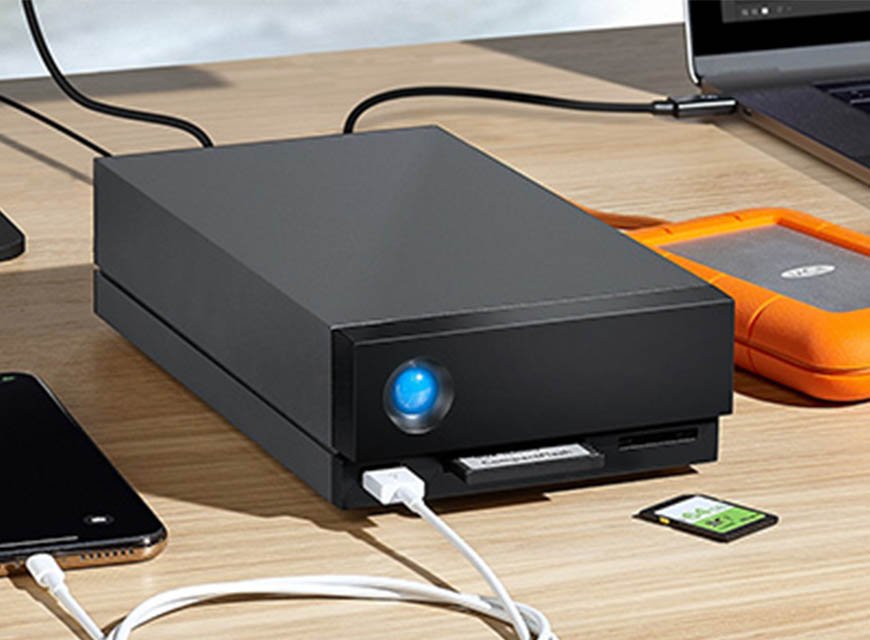
Portable drives are the ones that travel: the Rugged family, built to be carried and rated against water, dust, drops and crushing, plus slimmer portable drives for photographers and general fieldwork. Desktop and RAID systems stay in the studio: the 2big RAID and the 1big and d2 desktop units, built for capacity, continuous operation and, in the RAID models, redundancy.
Because the exact line-up and the capacities offered change over time, treat the model names below as the shape of the range rather than a stock list, and confirm current availability and configuration before ordering. Full manufacturer specifications are published on the official LaCie pages at Seagate.
LaCie Rugged SSD for photographers and filmmakers
The orange Rugged drives are the ones most people recognise, and they exist for a specific job: holding footage safely while it is away from the studio.
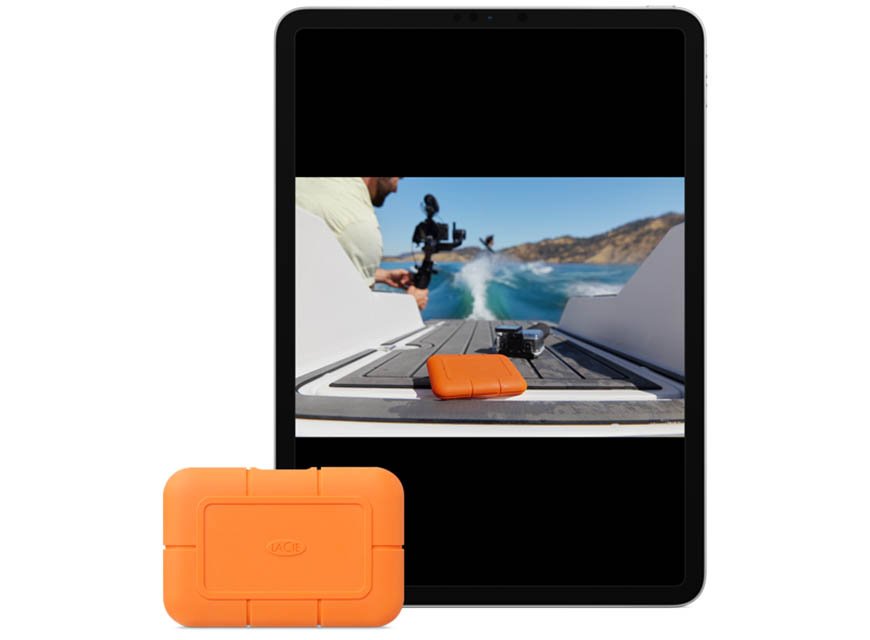
For the LaCie Rugged SSD, the manufacturer states speeds of up to 1050MB/s over a USB 3.2 Gen 2 connection, capacities up to 4TB, and an IP67 rating, with resistance to a 3-metre drop and to two-ton car crush. It also includes AES-256 self-encryption through Seagate Secure, which matters if you are carrying client material through airports, and a five-year limited warranty with Rescue Data Recovery Services. If capacity matters more than speed, the LaCie Rugged USB-C hard drive holds up to 5TB, with lower speed and lighter protection ratings.
A word on the ratings, because they are frequently misread. IP67 and IP68 are specific published figures, not a general promise that a drive is indestructible, and they differ between models in the same family. A rating that applies to one Rugged drive does not automatically apply to another. Check the figure for the exact model, and treat the rating as protection against accidents rather than permission to be careless with client footage.
LaCie Rugged SSD Pro5 and Thunderbolt 5
The Rugged SSD Pro5 is the current flagship portable drive, and the first LaCie portable to use Thunderbolt 5.
What LaCie states about the Pro5
- Speeds of up to 6,700MB/s read and up to 5,300MB/s write with a 50GB cache; after the cache fills, LaCie states up to 1,800MB/s write, with reads still up to 6,700MB/s.
- Capacities of 2TB and 4TB.
- IP68-rated, waterproof up to 1.5 metres for 30 minutes, drop-resistant up to three metres, and crushproof with two tons of pressure.
- Compatible with Thunderbolt 5, Thunderbolt 4 and USB 10/20/40Gbps interfaces, on macOS and Windows, and with select iPadOS devices.
- Bus-powered, so it needs no separate power supply, and made with at least 45% recycled materials.
- Five-year limited SSD warranty, with Seagate Toolkit backup software and a two-month trial of Adobe Creative Cloud Pro. Rescue Data Recovery Services availability depends on country.
Do you actually need Thunderbolt 5?
This is the question worth pausing on, because the honest answer is: only if your computer has it.
Thunderbolt 5 is the current generation of the Thunderbolt connection standard, and it carries considerably more data per second than Thunderbolt 4. A drive can only run at Thunderbolt 5 speed if the computer it is plugged into has a Thunderbolt 5 port. LaCie is explicit on one point that catches people out: connecting the Pro5 to a Thunderbolt 3 port is not supported for full performance. On a Mac it works at the Thunderbolt 3 port's speed, not the speeds it is sold for; on a Windows PC, LaCie says a Thunderbolt 3 connection is not supported at all.
So the practical guidance is straightforward. If you are working on a recent Mac or PC with Thunderbolt 5, the Pro5 will use it and the difference on large transfers and heavy timelines is real. If your machine has Thunderbolt 4 or USB-C, the Pro5 still works and is still fast, but you are paying for headroom you will only use when you next upgrade the computer, which, for a drive with a five-year warranty, may still be a reasonable decision.
Storage for 4K, 6K and 8K video editing
There is no single correct answer to "how much storage do I need for 4K", because resolution alone does not determine file size. The codec does, and the difference between codecs is enormous: the same 4K shot can be a manageable file in a compressed delivery codec or many times larger in RAW.
How to work it out properly
Rather than trusting a generic figure, use the number your own camera publishes. Every professional camera states a data rate for each recording mode, usually in megabits per second (Mb/s) or megabytes per second (MB/s). From there:
- Divide the data rate by 8 if it is quoted in megabits, to get megabytes per second.
- Multiply by 60 for a minute, then by the minutes you expect to record.
- Multiply by the number of cameras.
- Then double it, because footage should exist in two places from the moment it leaves the card.
- Add room for the edit itself: proxies, renders, exports, graphics and audio all take space on top of the source footage.
That calculation takes two minutes and is far more reliable than any rule of thumb, because it uses your camera, your codec and your shooting pattern.
Speed matters more than capacity for the edit drive
For the drive you actually edit from, sustained speed is the deciding factor. Higher resolutions and lighter compression both raise the rate at which the drive must feed the editing software, and multi-camera timelines multiply it again because several streams are read at once. When a timeline stutters, dropped frames are usually the storage failing to keep up rather than the computer being slow, which is why 8K and multi-camera 6K work is where a Thunderbolt 5 drive such as the Pro5 earns its price.
Best storage options for MacBook Pro and Mac Studio
A large share of professional editing in the region happens on Macs, and Apple's machines are where Thunderbolt matters most, because they have carried good Thunderbolt implementations for years.
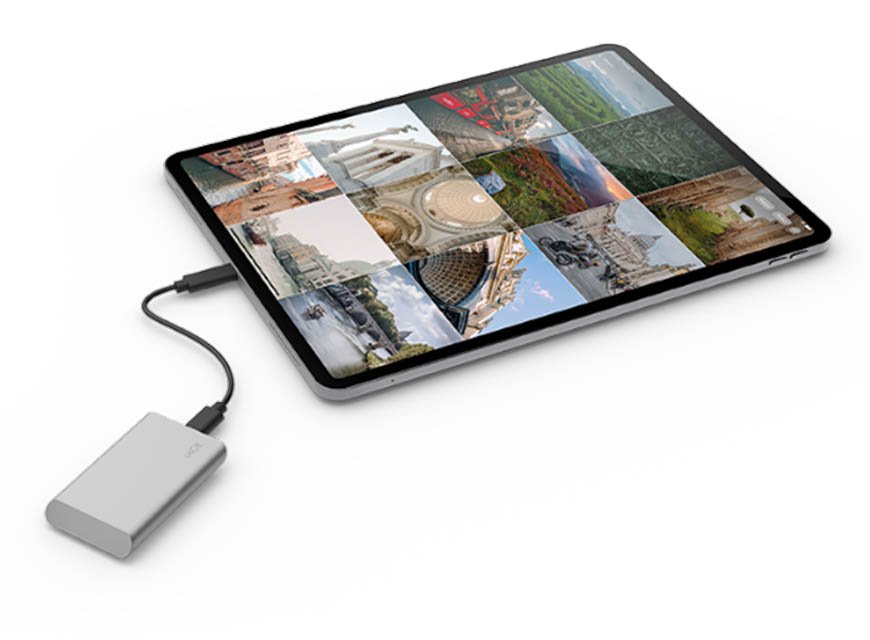
The first thing to check is not the drive but the port. Look up which Thunderbolt generation your specific model has, because that sets the ceiling. A Thunderbolt 5 drive on a Thunderbolt 4 Mac performs like a Thunderbolt 4 drive, and no drive can exceed the port it is connected to.
For a MacBook Pro used on location, a rugged portable SSD is usually the right answer: it can be edited from directly, it survives being carried, and it needs no power supply. For a Mac Studio or a desktop edit bay, a portable drive is often the wrong shape of product: the machine does not move, so capacity and redundancy from a desktop RAID matter more than ruggedness.
LaCie states that the Rugged SSD Pro5 works with both macOS and Windows, and with select iPadOS devices, so a drive bought for a Mac edit suite is not stranded if part of the team works on PC. That is worth knowing in mixed studios, which most agencies are.
RAID storage for editing studios
Once more than one person works on a project, or once a project is too large to sit on a portable drive, editing moves to desktop storage. This is where RAID appears.
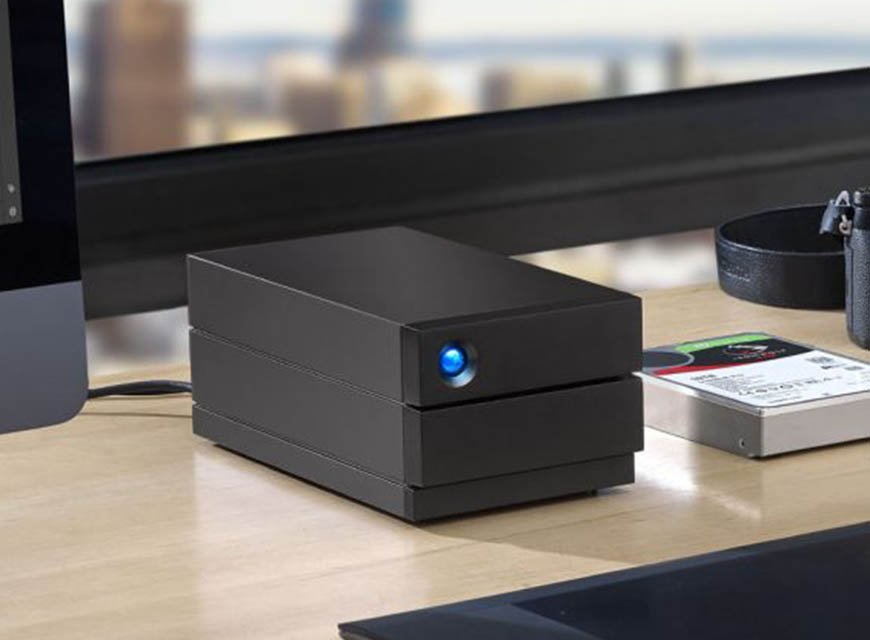
RAID means using more than one disk together so that they behave as a single volume. LaCie's 2big RAID offers hardware RAID 0 and RAID 1 and is stated to reach up to 60TB, which is enough to hold a substantial library of active projects rather than a single job. Desktop units such as the 1big and d2 sit alongside it for studios that want capacity without the second disk. For more than two bays, our guide to the LaCie 8big Pro5 covers eight-drive Thunderbolt 5 RAID and the choice between RAID 5 and RAID 6.
The practical reason studios move to desktop RAID is not only capacity. It is that a working library on a single disk is a single point of failure, and a busy post house cannot afford for one disk to stop production.
RAID 0 vs RAID 1, explained simply
These two get confused constantly, and the confusion is expensive, because one of them offers no protection at all.
RAID 0: speed and capacity
RAID 0 splits data across both disks. You get the combined capacity of both and higher speed, because two disks are read and written at once. The catch is serious: there is no redundancy whatsoever. If either disk fails, the whole volume is lost, not half of it. RAID 0 is for working storage where speed matters and everything is backed up elsewhere.
RAID 1: protection
RAID 1 writes the same data to both disks. If one fails, the other still holds a complete copy and work continues. The cost is capacity: two 8TB disks give 8TB usable, not 16TB. RAID 1 is for material you cannot afford to lose while you are still working on it.
The point everyone misses
Neither is a backup. RAID protects against a disk failing. It does not protect against the file being deleted, a project being overwritten, ransomware, theft, fire or the enclosure itself failing, because every one of those reaches both disks at the same time. RAID keeps you working through a hardware fault. A backup is a separate copy, somewhere else. You need both.
Portable SSD or desktop RAID?
This is usually presented as a choice. In practice, most working setups need both, because they solve different problems at different points in the workflow.
| Who you are | What you are really solving | Type of LaCie storage |
|---|---|---|
| Photographer travelling | Getting cards offloaded safely, in the field, twice | Rugged portable SSD, ideally two |
| Video editor, 4K | A timeline that plays back without dropping frames | High-speed portable SSD |
| Editor working in 6K or 8K | Sustained throughput for heavy or multi-camera timelines | Thunderbolt 5 SSD such as the Rugged SSD Pro5, on a Thunderbolt 5 machine |
| DIT on set | Fast, verified copies in harsh conditions | Rugged SSDs in multiples, plus a dock for card offload |
| Editing studio or agency | Shared active projects that survive a disk failure | Desktop RAID such as the 2big RAID, in RAID 1 |
| Production house with a large library | Capacity for years of finished work, kept off the edit system | High-capacity desktop RAID, plus a separate archive tier |
The pattern in almost every professional setup is the same: portable drives move footage in from the field, desktop RAID holds the active library, and a separate archive keeps the finished work. Trying to make one drive do all three is where data gets lost.
On-set backup: the workflow that saves productions
The riskiest moment in any production is the window between footage existing only on a camera card and existing in two safe places. Everything shot that day can be lost in that window, and it cannot be reshot.
The discipline that professionals follow is simple and worth stating plainly:
- Copy to two separate drives, not one. Two copies on the same drive is one copy.
- Verify the copy. Use software that checks the copied files match the originals. A copy that reported success is not the same as a copy that was checked.
- Keep the copies apart. Different bags, and ideally different people. A single stolen or lost bag should not take the production with it.
- Do not format the card until both copies are verified, and preferably not until the footage has reached the studio.
- Log what is on each drive. At the end of a shoot week, unlabelled identical drives are their own problem.
This is why rugged drives are bought in pairs rather than singly, and why the physical ratings matter. On location the drive is genuinely exposed to weather, dust, vehicles and being dropped, conditions that are unremarkable on a shoot in the Gulf, where heat and fine dust are constants for much of the year.
LaCie for production houses and post-production studios
For a business rather than an individual, the questions change. Speed still matters, but so do continuity, procurement and the cost of stopping.
A production house should be able to answer four things about its storage. What happens when a disk fails? If the answer is that work stops, the storage is under-specified. Where is the second copy? If active projects exist in only one place, the business is one accident from a serious loss. Can two editors work on the same project? That is a capacity and architecture question, not a drive question. And where does finished work go? Completed productions should leave the edit system, or the edit system fills up and slows down.
The equipment answer usually combines rugged portable drives for acquisition, desktop RAID for the active library, and a separate archive tier for finished productions. The last of those is often the missing piece: studios buy fast storage and then keep five years of finished work on it, which is both expensive and fragile.
Storage also sits inside a wider set of decisions about protecting the business, which our enterprise IT division covers alongside archiving and secure media handling. When drives are eventually retired or sold on, the footage on them is still client material. Our guide to secure data erasure and drive decommissioning covers doing that properly.
Buying LaCie in the UAE, Saudi Arabia and the Middle East
PRO TECHnology has distributed LaCie in the region for close to twenty years. Our company history records the appointment as exclusive LaCie distributor for MENA in 2006, and LaCie storage has been part of the range ever since, sold through our distribution and retail division to studios, agencies, broadcasters, photographers and production houses across the UAE, Saudi Arabia and the wider GCC. What the distributor and partner role includes today, from quotations and pre-sales advice to setup support and local warranty handling, is set out in our LaCie partnership profile.
Buying through a regional distributor rather than importing has three practical advantages that matter more for professional equipment than for consumer purchases. Warranty and service are handled locally, which is the difference between a claim taking days and taking months. Procurement works through local quotations, terms and invoicing, which corporate, government and education buyers generally require. And advice comes from people who can look at your actual workflow (your cameras, your codecs, your machines) rather than a specification sheet.
If you are specifying storage for a studio build, a production, or a fleet of edit suites, we can help work out what the throughput and capacity actually need to be before anything is quoted. The LaCie product page has the range overview, and you can reach us through the contact page.
Frequently asked questions
What is the best external SSD for video editing?
The best one is the fastest your computer can actually use. Check which Thunderbolt or USB generation your machine has first, because the drive cannot exceed the port. For a recent Thunderbolt 5 machine editing 6K or 8K, a Thunderbolt 5 drive such as the LaCie Rugged SSD Pro5 makes sense. For 4K on a Thunderbolt 4 machine, a fast portable SSD is enough.
Is LaCie good for professional video editing?
LaCie is the premium creative-professional brand of Seagate, and the range is built specifically for photographers, filmmakers and studios rather than for general consumer use. The portable Rugged drives are rated for field conditions, and the desktop RAID units are designed to run continuously in a studio. Which model suits you depends on your workflow stage.
Can LaCie SSDs be used with a MacBook Pro?
Yes. LaCie states that the Rugged SSD Pro5 is compatible with both macOS and Windows, and with select iPadOS devices. The thing to check is which Thunderbolt generation your MacBook Pro has, because that determines the speed you will actually get rather than the speed printed on the box.
What is Thunderbolt 5?
Thunderbolt 5 is the current generation of the Thunderbolt connection standard. It carries considerably more data per second than Thunderbolt 4, which is what allows a portable drive to reach speeds that were previously only possible from desktop storage. It uses the same USB-C shaped connector, so the port looks identical to older generations.
Is Thunderbolt 5 useful for video editing?
Only if your computer has a Thunderbolt 5 port. On a machine that has one, it genuinely helps with large transfers and heavy or multi-camera timelines. LaCie notes that connecting the Rugged SSD Pro5 to a Thunderbolt 3 port is not supported for full performance, so on older machines you would not see the benefit you paid for.
How much storage do I need for 4K or 8K video?
Resolution alone does not decide it. The codec does, and RAW is many times larger than a compressed format at the same resolution. Take the data rate your camera publishes for that recording mode, convert to megabytes per second, multiply by your recording minutes and by the number of cameras, then double it so footage exists twice. Add space for proxies, renders and exports.
What is RAID storage?
RAID means combining two or more disks so they work as a single volume. Depending on how it is configured, this can increase speed, increase usable capacity, or protect against a disk failing. Studios use it so that a single disk fault does not stop production and so that active projects have room to live in one place.
What is the difference between RAID 0 and RAID 1?
RAID 0 splits data across both disks for more speed and combined capacity, but has no protection at all: if either disk fails, the entire volume is lost. RAID 1 writes the same data to both disks, so work survives one disk failing, but usable capacity is halved. RAID 0 is for speed, RAID 1 is for safety.
Is RAID the same as a backup?
No, and treating it as one is a common and costly mistake. RAID protects against a disk failing. It does not protect against accidental deletion, overwriting, ransomware, theft, fire or the enclosure itself failing, because all of those affect both disks at once. A backup is a separate copy kept somewhere else. Professional setups need both.
Which storage is best for photographers?
For travelling photographers, a rugged portable SSD is usually right: fast enough to work from, small enough to carry, and rated against drops and water. Carry two and copy every card to both before formatting anything. In the studio, a desktop RAID holds the catalogue, with a separate backup for finished work.
What is the best way to back up footage on location?
Copy every card to two separate drives, verify the copies with software that checks the files match, keep the two drives in different bags, and do not format a card until both copies are verified. Log what is on each drive. This routine is the single most effective protection against losing a day of shooting.
Where can I buy LaCie in Dubai, and who distributes it in the Middle East?
PRO TECHnology has distributed LaCie in the region since 2006 and supplies studios, agencies, broadcasters and production houses across the UAE, Saudi Arabia and the wider GCC. Buying regionally means warranty and service are handled locally, procurement runs through local terms, and specification advice comes from people who can review your actual workflow.
حلول التخزين الاحترافية من LaCie لمونتاج الفيديو والتصوير في الإمارات والشرق الأوسط
أصبحت الكاميرات الحديثة تنتج ملفات ضخمة، خاصة عند التصوير بدقة 4K و6K و8K أو بصيغة RAW، ما جعل وحدات التخزين جزءًا أساسيًا من معدات الإنتاج وليس مجرد مكان لحفظ الملفات. توفّر LaCie، وهي العلامة الاحترافية التابعة لشركة Seagate، حلول تخزين مخصصة للمصورين وصنّاع الأفلام واستوديوهات ما بعد الإنتاج. ويأتي قرص LaCie Rugged SSD Pro5 بواجهة Thunderbolt 5 وبسرعات تصل وفق الشركة المصنّعة إلى 6700 ميغابايت/ث للقراءة و5300 ميغابايت/ث للكتابة (وتنخفض الكتابة إلى 1800 ميغابايت/ث بعد امتلاء ذاكرة التخزين المؤقت البالغة 50 غيغابايت)، بسعات 2 و4 تيرابايت، مع تصنيف IP68 ومقاومة للماء والغبار والسقوط. أما أقراص Rugged SSD فتصل سرعتها إلى 1050 ميغابايت/ث بتصنيف IP67 مع تشفير AES-256. وللاستوديوهات توفّر أنظمة 2big RAID سعات تصل إلى 60 تيرابايت مع دعم RAID 0 وRAID 1. ومن المهم إدراك أن تقنية RAID ليست نسخة احتياطية، بل تحمي من تعطل أحد الأقراص فقط. وتوزّع شركة PRO TECHnology منتجات LaCie في المنطقة منذ عام 2006 مع دعم وضمان محلي من دبي.
Specifying storage for a real workflow
If you can tell us what you shoot, what you edit on and how long you need to keep it, we can work out what the storage actually has to do before anything is quoted. That conversation usually saves money, because it stops studios buying fast storage for material that should be sitting on an archive.