NAS vs DAS for Video Editing and Photo Studios: Which Storage Keeps Up with 4K and 8K?
Published · PRO TECHnology Enterprise IT
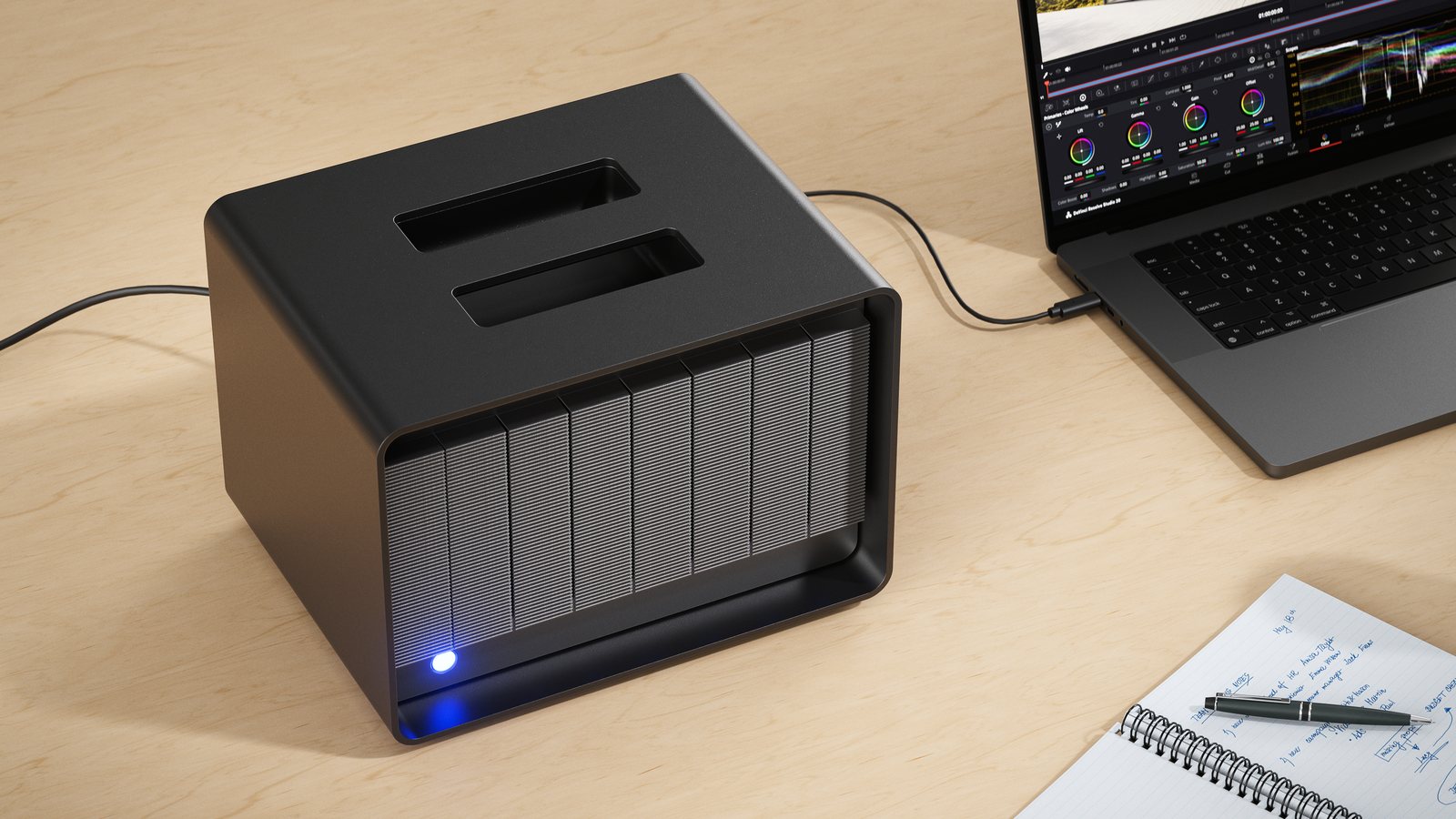
Direct-attached storage (DAS) is the faster choice for one editing or grading workstation; a NAS is the right choice when several people must open the same files. The deciding numbers are your footage data rate and your connection: 8K ProRes 422 HQ at 25 frames per second needs about 393MB/s, more than a 2.5GbE network can carry, while a Thunderbolt 5 RAID such as the LaCie 8big Pro5 carries a 2,500MB/s rating (RAID 5).
- Choose DAS when
- One heavy workstation edits, grades or finishes high-data-rate footage
- Choose NAS when
- Several people open the same project files at the same time
- 8K 25p ProRes 422 HQ
- 3,146Mb/s (about 393MB/s) and 1,416GB per hour, Apple target figures
- LaCie 8big Pro5
- Thunderbolt 5 DAS from 32TB to 256TB; LaCie rating 2,800MB/s (RAID 0), 2,500MB/s (RAID 5)
Key takeaways
- DAS connects storage to one computer, over Thunderbolt or USB; a NAS shares storage with many computers over the office network, so its speed is capped by that network.
- Apple puts 8K ProRes 422 HQ at 25p at 3,146Mb/s (about 393MB/s) and 1,416GB per hour, and UHD 4K ProRes 422 HQ at 25p at 737Mb/s (about 92MB/s) and 332GB per hour.
- A 1GbE link carries at most 125MB/s before overheads, enough for one UHD ProRes 422 HQ stream but not one 8K stream; 10GbE carries at most 1,250MB/s, or three 8K ProRes 422 HQ streams in theory.
- LaCie rates its Thunderbolt 5 DAS, the 8big Pro5, at 2,500MB/s for a RAID 5 array, the arithmetic ceiling for six 8K ProRes 422 HQ streams; real multi-stream playback from hard drives is lower.
- A 256TB 8big Pro5 in RAID 5 holds about 158 hours of 8K ProRes 422 HQ at 25p, or 674 hours of UHD ProRes 422 HQ, before formatting.
- Many studios run both: DAS on the editing or finishing seat, a NAS for shared and review files, and a separate backup, because RAID protects against drive failure, not deletion.
NAS or DAS: the short answer
Direct-attached storage (DAS) plugs into one computer, usually over Thunderbolt or USB, and appears to it as a local drive. Network-attached storage (NAS) is a small file server on the office network that many computers reach over Ethernet. The trade-off is speed for one person against access for many: a DAS gives one workstation the full speed of its drives, and a NAS gives everyone the speed of the network.
For a production house, agency or media company in the UAE, the practical rule is: put the footage being cut, graded or finished on DAS attached to that seat, and put files that several people need, such as review copies, graphics, music and photo selects, on a NAS. This guide shows the numbers behind that rule, then sizes a LaCie 8big Pro5, the Thunderbolt 5 RAID PRO TECHnology supplies, for typical workloads.
| Question | DAS (for example the LaCie 8big Pro5) | NAS |
|---|---|---|
| Connects to | One computer, by cable (Thunderbolt 5, Thunderbolt 4 or USB4 for the 8big Pro5) | The office network, by Ethernet; many computers |
| Who can open the files | The computer it is plugged into | Everyone with an account on the network |
| What sets the speed | The drives and the RAID level | The network link first, then the NAS processor and drives |
| Speed ceiling | 2,500MB/s for RAID 5 (LaCie’s maximum rating for the 8big Pro5) | 125MB/s per 1GbE link, 1,250MB/s per 10GbE link, before overheads |
| Set-up | Connect, install LaCie RAID Manager, format | Network ports and switch, user accounts, permissions, updates |
| When the computer is off | Unavailable | Still running: backups, remote access, sync |
| Right for | One editing, grading or finishing seat working at high data rates | Teams sharing projects, review copies and libraries |
Source: ports and ratings from the LaCie 8big Pro5 data sheet DS28.1-0326US; Ethernet ceilings are line rate ÷ 8. The fit row is PRO TECHnology guidance.
How much data does 4K, 6K and 8K video produce?
Resolution alone does not decide how fast storage must be; the codec does. Apple publishes target data rates for every ProRes flavour, and they are the clearest public benchmark because ProRes is a common editing and finishing format on Mac and PC. The table uses 25 frames per second, the PAL-region rate used for UAE broadcast; Apple lists 24p, 30p, 50p and 60p as well.
| Frame size and codec | Mb/s | MB/s | GB per hour |
|---|---|---|---|
| 3840 x 2160 (UHD) 25p, ProRes 422 | 492 | 61.5 | 221 |
| 3840 x 2160 (UHD) 25p, ProRes 422 HQ | 737 | 92.1 | 332 |
| 3840 x 2160 (UHD) 25p, ProRes 4444 XQ | 1,659 | 207.4 | 746 |
| 6144 x 3240 (6K) 25p, ProRes 422 HQ | 1,769 | 221.1 | 796 |
| 8192 x 4320 (8K) 25p, ProRes 422 | 2,097 | 262.1 | 944 |
| 8192 x 4320 (8K) 25p, ProRes 422 HQ | 3,146 | 393.2 | 1,416 |
| 8192 x 4320 (8K) 25p, ProRes 4444 XQ | 7,078 | 884.8 | 3,185 |
Source: Apple ProRes white paper (April 2022), Target Data Rates appendix; MB/s = Mb/s ÷ 8. Targets, not limits: actual rates vary with picture content. GB are decimal.
Two things follow. First, 8K ProRes 422 HQ needs about four times the data rate of UHD ProRes 422 HQ, so storage that edits 4K comfortably can stall in 8K. Second, doubling the frame rate roughly doubles the rate: Apple lists 8K ProRes 422 HQ at 50p at 6,291Mb/s, about 786MB/s. Camera RAW formats and long-GOP camera codecs have their own rates, so use the figure your camera maker publishes for the mode you shoot.
What 1GbE, 10GbE and Thunderbolt 5 can carry
A NAS can never deliver more to one computer than that computer’s network link. Dividing each link’s line rate by the stream rate gives the most streams it could carry, which is an upper bound: Ethernet and file-sharing protocols take a share, and hard drives slow down when they serve several files at once.
| Connection | Ceiling MB/s | UHD 25p, 422 HQ | 6K 25p, 422 HQ | 8K 25p, 422 HQ | 8K 25p, 4444 XQ |
|---|---|---|---|---|---|
| 1 Gigabit Ethernet (1GbE) | 125 | 1 | 0 | 0 | 0 |
| 2.5GbE | 312.5 | 3 | 1 | 0 | 0 |
| 10GbE | 1,250 | 13 | 5 | 3 | 1 |
| LaCie 8big Pro5, RAID 5 (rated) | 2,500 | 27 | 11 | 6 | 2 |
Source: arithmetic, ceiling ÷ stream MB/s, rounded down; stream rates from the Apple ProRes white paper (25p). Ethernet ceilings are line rate ÷ 8 before overheads. The 8big Pro5 row uses LaCie’s rated RAID 5 maximum (DS28.1-0326US), a sequential figure; LaCie publishes no multi-stream figure, so treat that row as a ceiling, not a promise.
Thunderbolt 5 itself is not the bottleneck: Intel rates it at 80Gbps in each direction for data, about 10,000MB/s, so on the 8big Pro5 the eight drives set the speed. Our LaCie 8big Pro5 guide explains the difference between the “up to 120 Gbps” on the box and the rated 2,800MB/s.
Can you edit 8K from a NAS?
Not over 1GbE or 2.5GbE: one 8K ProRes 422 HQ stream at 25p needs about 393MB/s, more than either link can carry. Over 10GbE it is possible on paper for one or two streams, provided the NAS itself can read that fast, which usually means many drives or an SSD tier. Multi-camera 8K, 8K at 50p or ProRes 4444 XQ needs faster networking or local storage.
- 1GbE office network: fine for proxies, photo selects and documents; one UHD ProRes 422 HQ stream at most.
- 2.5GbE: a few UHD streams or one 6K ProRes 422 HQ stream in theory; not 8K ProRes 422 HQ.
- 10GbE: up to 13 UHD or three 8K ProRes 422 HQ streams in theory; needs 10GbE on the computer, the switch and the NAS.
- Thunderbolt 5 DAS: no network in the path; LaCie’s 2,500MB/s RAID 5 rating for the 8big Pro5 is the ceiling for that one workstation.
A common way round the network limit is to edit from proxies on the NAS and conform on the finishing seat, where the full-resolution media sits on DAS. That keeps sharing on the network and the heavy reads on the cable.
How many hours of 4K, 6K and 8K footage fit on each 8big Pro5?
Usable space depends on the RAID level. On eight equal drives, RAID 5 keeps seven drives’ worth of space and survives one drive failure; RAID 6 keeps six and survives two. Dividing the usable space by Apple’s GB-per-hour figures gives the hours of footage each model holds.
| Model | Usable RAID 5 / RAID 6 | UHD (332GB/h) | 6K (796GB/h) | 8K (1,416GB/h) |
|---|---|---|---|---|
| 32TB | 28TB / 24TB | 84 h / 72 h | 35 h / 30 h | 19 h / 16 h |
| 64TB | 56TB / 48TB | 168 h / 144 h | 70 h / 60 h | 39 h / 33 h |
| 128TB | 112TB / 96TB | 337 h / 289 h | 140 h / 120 h | 79 h / 67 h |
| 192TB | 168TB / 144TB | 506 h / 433 h | 211 h / 180 h | 118 h / 101 h |
| 256TB | 224TB / 192TB | 674 h / 578 h | 281 h / 241 h | 158 h / 135 h |
Source: capacities from DS28.1-0326US; usable space = 7/8 (RAID 5) or 6/8 (RAID 6) of the total, decimal TB before formatting, so the operating system reports less; hours = usable GB ÷ Apple’s GB per hour, rounded down. Leave free space for renders, caches and exports.
Two warnings apply to these hours. Storage should not run full, because renders, caches and exports need room and many file systems slow down when nearly full. And the hours are one copy only: the footage still needs a backup somewhere else.
Sizing storage for your work: production houses, broadcasters, agencies and photographers
- Find the data rate of the format you record or edit in, in GB per hour (Apple’s table above for ProRes, the camera maker’s figure for anything else).
- Multiply by the hours you record per camera per day, the number of cameras and the shooting days.
- Add the edit itself: proxies, renders, graphics, audio and exports.
- Decide how long projects stay on the fast tier before they move to backup or archive.
- Pick the RAID level, then the model whose usable space covers the active projects with room to spare.
Production house shooting commercials in UHD
Hypothetical example: two cameras recording UHD ProRes 422 HQ at 25p, four hours each per day, for three shoot days. That is 24 camera-hours × 332GB, about 8.0TB of rushes per job before proxies and exports.
A 256TB 8big Pro5 in RAID 5 (about 224TB usable) holds about 28 such jobs at once. Most houses keep the current jobs on DAS and move finished ones to backup and archive.
Broadcaster or media company shooting 8K
Hypothetical example: one camera recording 8K ProRes 422 HQ at 25p, three hours a day for ten days, about 42.5TB. 8K fills storage four times faster than UHD, so size for the rushes first.
Media shared across a newsroom belongs on networked storage; the 8K grade and finish run faster from DAS on the finishing seat.
Advertising or design agency
Most agency files, such as design files, decks, stills and review exports, are small and shared, which is NAS work. The exception is the video edit suite: put its rushes on DAS attached to that machine and publish review copies to the shared storage.
Wedding, event or commercial photographer
Hypothetical example, assuming 60MB per RAW file (check your camera’s figure): 3,000 frames per wedding is about 180GB, and 60 weddings a year about 10.8TB.
At that rate the smallest 8big Pro5, about 28TB usable in RAID 5, holds roughly 2.6 years of work. Many single photographers are better served by a two-bay unit such as the LaCie 2big Dock, which also reads CFexpress and SD cards; the 8big Pro5 suits studios with several shooters, video work or a large archive kept on one machine.
Which RAID level for a video or photo library?
RAID spreads data across several drives so they act as one volume. Each level trades usable space against how many drives may fail. The 8big Pro5 supports hardware RAID levels 0, 1, 5, 6, 10, 50 and 60 plus JBOD and multi-RAID; out of the box its eight drives form a single RAID 5.
| Level | Usable share of 8 drives | Drive failures survived | Use it for |
|---|---|---|---|
| RAID 0 | 8 of 8 | None | Caches, renders and scratch files that exist elsewhere |
| RAID 5 | 7 of 8 | One | Active projects with a backup; the factory setting |
| RAID 6 | 6 of 8 | Any two | Large libraries that would take days to restore |
| RAID 10 | 4 of 8 | One per mirrored pair | Mirrored pairs where redundancy matters more than space |
Source: RAID levels from DS28.1-0326US, factory setting from LaCie’s manual; use column is PRO TECHnology guidance. RAID 50, 60 and the rebuild trade-offs are covered in our 8big Pro5 guide.
RAID keeps a project running when a drive fails; it does not protect against deletion, ransomware, theft, fire or a controller fault. Keep a second copy on separate media and a third off-site, as set out in our guide to 3-2-1 backups.
When a drive fails: hot-swap, rebuild, warranty and Rescue data recovery
The 8big Pro5 has hot-swappable drives, so a failed drive can be replaced while the unit runs, and the array rebuilds onto the new one. In RAID 5 the array has no protection left until the rebuild finishes; in RAID 6 it still survives one more failure. LaCie RAID Manager reports drive health and status.
LaCie includes a five-year limited warranty and five-year Rescue Data Recovery Services, and a footnote on its data sheet reads: “Rescue Data Recovery Services not available in all countries.” Seagate describes Rescue as one in-lab data recovery attempt; for a RAID, it asks for every drive that was part of the original array, allows up to 30 business days, and returns recovered data on an encrypted storage device.
- Seagate publishes no list of the countries Rescue covers, so check the unit’s serial number with Seagate support before relying on it in the UAE or Saudi Arabia.
- Rescue is a last resort, not a backup: it is one attempt per device and takes weeks.
- Register the unit and keep the serial number with the purchase record, so a warranty or Rescue claim does not start with a search.
The hybrid studio: DAS on the edit seat, NAS for the team
Most growing studios end up with tiers rather than one box. Each tier does one job well:
| Tier | Storage | Why |
|---|---|---|
| Card offload on location | Portable SSD or rugged drive; see LaCie storage for video editing | Two copies before the cards are reused |
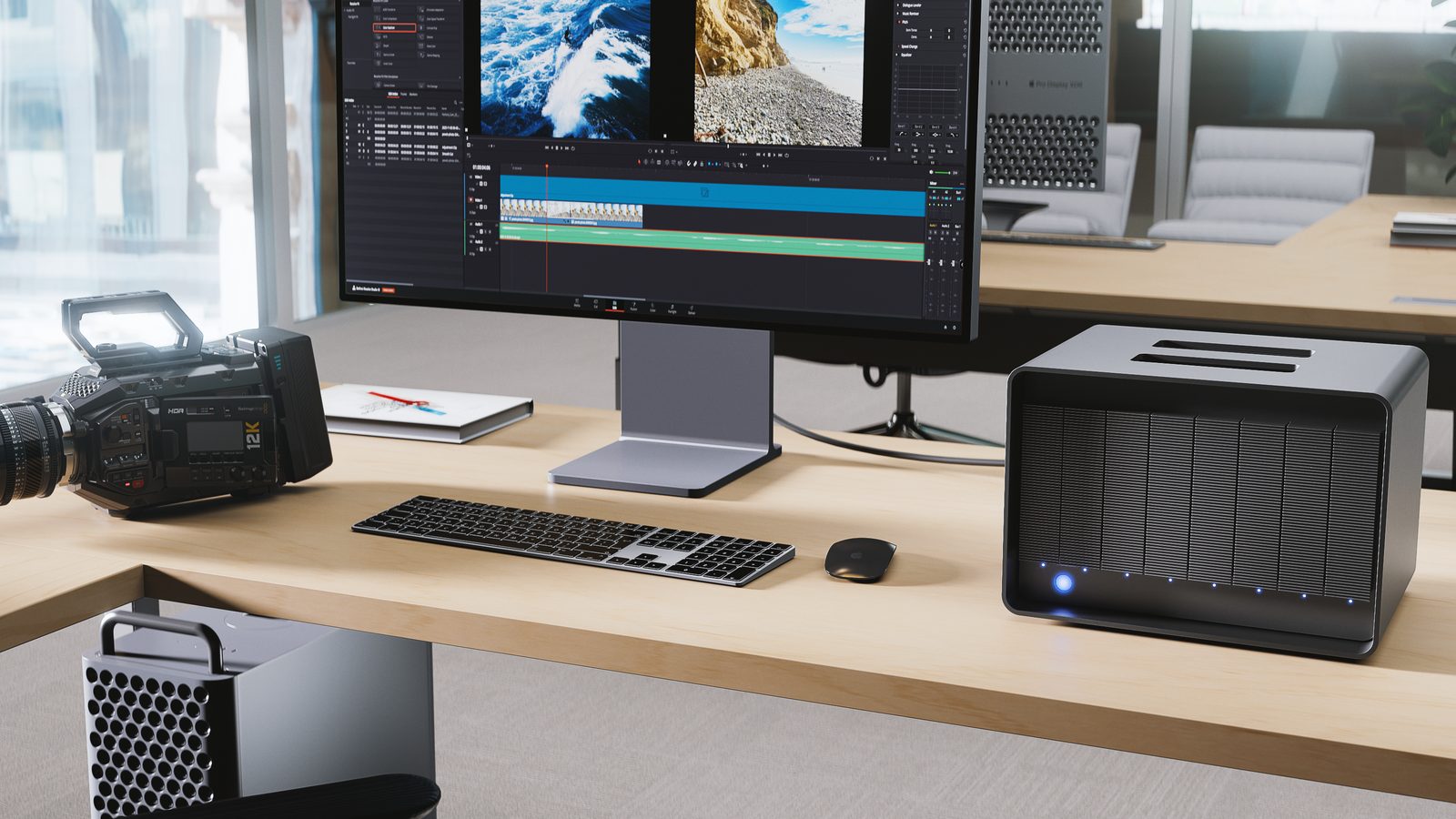
| Editing, grading, finishing | DAS on the workstation, such as the LaCie 8big Pro5 | Full drive speed with no network in the path |
| Shared files and review | NAS on the office network | Many users, permissions, remote access |
| Backup | Separate media under a 3-2-1 policy | RAID is not a backup |
| Long-term archive | Disk Archive ALTO or offline media | Keeps finished projects off the fast tier |
Source: how PRO TECHnology sets up studio storage; each linked page has the product detail.
What your computer needs for a Thunderbolt 5 RAID
- Port: the data sheet names three host types: Thunderbolt 5, Thunderbolt 4 and USB 40Gbps. Seagate’s product page also lists Thunderbolt 3; its knowledge base warns that older Thunderbolt firmware may not connect and that LaCie does not promise it works with every computer that has only USB4 ports. A USB Type-A port will not work.
- Operating system: at least macOS 15 (Sequoia) or Windows 11 version 24H2, per Seagate’s compatibility article.
- Cable: use the supplied 1 m Thunderbolt 5 cable; Seagate says non-certified cables sold as 80Gbps and 240W will not work.
- Room: the manual’s operating range tops out at 35°C, so a UAE machine room needs cooling, and the unit belongs on a UPS.
Getting a LaCie 8big Pro5 in the UAE and GCC
LaCie sells the 8big Pro5 in five capacities: 32TB, 64TB, 128TB, 192TB and 256TB (models STNC32000400 to STNC256000400). PRO TECHnology, which has distributed LaCie in the Middle East since 2006, quotes the 8big Pro5 for studios, agencies, broadcasters and government media teams across the UAE, Saudi Arabia and the wider GCC.
To size it, send us the formats and frame rates you record, hours per shoot day, number of cameras or photographers, how long projects stay active, and the computers it will connect to. We reply with the capacity, the RAID level and the backup that goes with it. PRO TECHnology distributes LaCie, so read our recommendations with that in mind; where a NAS fits better, we say so.
Sources
Specifications are from LaCie and Seagate documents read on 19 November 2026; data rates are Apple’s published ProRes targets; stream counts, hours and job sizes are our arithmetic from those figures, and the examples are hypothetical. Seagate’s US product page showed the unit out of stock on 19 November 2026; ask us for UAE availability.
- Seagate: 8big Pro5 data sheet DS28.1-0326US (PDF)
- Seagate: 8big Pro5 product page
- Seagate: launch press release, 23 April 2026
- Seagate knowledge base: 8big Pro5 host and OS compatibility
- Seagate: 8big Pro5 online manual
- Seagate Rescue Data Recovery Services
- Seagate data recovery terms and conditions
- Apple ProRes white paper, April 2022 (PDF)
- Intel Thunderbolt 5 technology brief
Frequently asked questions
Is NAS or DAS better for video editing?
DAS is better for one editor, colourist or finisher working at high data rates, because the storage connects straight to the workstation and no network limits it. A NAS is better when several people must open the same files. Many studios use DAS for the edit seat and a NAS for shared files.
Can you edit 8K video from a NAS?
Only with fast networking. Apple puts 8K ProRes 422 HQ at 25p at about 393MB/s per stream, more than 1GbE (125MB/s) or 2.5GbE (312.5MB/s) can carry. A 10GbE link carries at most 1,250MB/s, three such streams in theory, and the NAS drives must keep up too.
Is 10GbE fast enough to edit 4K from a NAS?
Usually, for a few streams. UHD ProRes 422 HQ at 25p is about 92MB/s, so a 10GbE link could carry up to 13 streams in theory. Real throughput is lower after protocol overheads and depends on the NAS drives, its cache and how many editors share it.
How many hours of 8K footage fit on a 256TB LaCie 8big Pro5?
About 158 hours of 8K ProRes 422 HQ at 25p in RAID 5 (about 224TB usable), or 135 hours in RAID 6 (192TB usable), using Apple’s 1,416GB per hour. That is before formatting and with no free space left, so plan for less.
How many 8K streams can a Thunderbolt 5 RAID play at once?
The 8big Pro5’s rating for RAID 5 is 2,500MB/s, which divides into six 8K ProRes 422 HQ streams at 25p. That is an arithmetic ceiling from a sequential rating; LaCie publishes no multi-stream figure, and hard-drive arrays deliver less when reading several files at once.
What happens when a drive fails in an 8-bay RAID?
With parity RAID (levels 5 and 6) the volume keeps working. The 8big Pro5’s drives are hot-swappable, so you replace the failed drive and the array rebuilds. RAID 5 has no protection left during the rebuild; RAID 6 still survives one more failure.
Does Rescue Data Recovery cover the 8big Pro5 in the UAE?
The 8big Pro5 comes with a five-year Rescue plan, but LaCie says Rescue is not available in all countries, and Seagate publishes no country list. Check your serial number with Seagate support. Rescue is one in-lab recovery attempt that needs every drive of the array.
Should a photographer buy an 8-bay RAID or a NAS?
A single photographer usually needs neither at first: a two-bay RAID plus a backup is enough for tens of terabytes. An 8-bay DAS suits studios with several shooters, video work or a large archive kept on one machine; a NAS suits teams that share and browse the library from several computers.
Size your studio storage
Tell us your formats, hours of footage and team size, and we will recommend the LaCie 8big Pro5 capacity, RAID level and backup that fit.