
Sony Optical Disc Archive is discontinued: next steps for ODA drives, libraries and cartridges
Published · PRO TECHnology Enterprise IT
Sony has discontinued Optical Disc Archive (ODA) in all regions as of 31 March 2025, according to Sony’s announcement as quoted by Archiware, and its archived UAE pages mark the ODS-D380U drive and the ODS-L30M PetaSite unit as discontinued. Archiware says a working system will probably keep working if nothing is changed. Stop writing to ODA, freeze the host and its software, inventory the cartridges by generation, and move content off in verified batches while the drives that read your newest generation still work.
- Status
- Discontinued in all regions from 31 March 2025 (Sony, as quoted by Archiware)
- Last generation
- Generation 3: 5.5 TB write-once cartridges
- Reads all three generations
- ODS-D380U and ODS-D380F drives only
- First step
- Stop writing to ODA and freeze the host
Key takeaways
- Sony discontinued Optical Disc Archive products in all regions as of 31 March 2025, according to Sony’s announcement as quoted by Archiware (Disk Archive gives the same date), and TechRadar reported in July 2024 that the 5.5 TB Generation 3 cartridge is the last generation.
- Sony’s Japanese sales company has published repair end dates by drive model that run to 31 March 2032 but apply only in Japan; we found none for the UAE, so ask Sony or the supplier that sold your system and get the answer in writing.
- An ODA system that works today will probably keep working if nothing is changed, in Archiware’s words, so stop writing new material to ODA and freeze the host computer, its operating system and the software that wrote the cartridges.
- Only the ODS-D380U and ODS-D380F drives read all three cartridge generations; the ODS-D280 drives read Generations 1 and 2, and the first-generation drives read Generation 1 only.
- Sony rates Generation 2 and 3 discs at an estimated 100-year average archival life by internal accelerated testing that refers to ISO/IEC 16963, but reading them depends on drives, spares, host computers and the catalogue software, which is where the risk sits.
- PRO TECHnology, Disk Archive Corporation’s partner since March 2026, can run the whole move off ODA: inventory, reading the cartridges on your working ODA drives with the software that wrote them, copying and checking every file, updating the catalogue, and sizing, supplying, installing and supporting ALTO as the destination.
What Sony has discontinued, and what it has said
Optical Disc Archive (ODA) is Sony’s cartridge-based optical format for long-term storage. Cartridges are read and written by ODA drives: stand-alone units attached to a host computer, or drive units fitted in a PetaSite robotic library. Sony sold it for broadcast and production archives, and its product pages also list healthcare, banking and education.
Archiware, a developer of archive software that offers its own P5 Archive as an ODA alternative, quoted Sony’s announcement on 28 April 2025: the Optical Disc Archive products “have been discontinued in all regions as of March 31st, 2025”. Disk Archive Corporation gives the same date in its post of 22 September 2025. We did not find that “all regions” statement on a Sony page. Sony’s own product pages, as archived in October 2025, mark the ODS-D380U drive and the ODS-L30M PetaSite master unit as discontinued on Sony’s UAE regional site.
In Japan, Sony Marketing Inc. said on 31 January 2023 that ODA sales there would end on 31 March 2025, with a last order date of 30 September 2024, and that no successor model was planned. In July 2024, reporting on Sony’s plan to end recordable disc production, TechRadar quoted a Sony Group spokesperson saying that “the growth of the cold storage market has not reached our expectations”. The same report named ODA cartridges as a casualty and described the 5.5 TB Generation 3 cartridge as the last generation. Sony’s Japanese site, however, confirmed on 31 March 2025 that ODA sales there had ended but said cartridges can still be purchased in Japan; we found no equivalent statement for the UAE.
As far as we could find in October 2026, Sony has not published repair or spares dates for the UAE; its archived UAE product pages ask readers to contact their “local sales representative for details”. For Japan, Sony Marketing Inc.’s notice of 31 January 2023 lists end dates by model, shown in the table below.
| Models | End of repair and maintenance support in Japan |
|---|---|
| ODS-D55U | 31 March 2025 |
| ODS-D77U, ODS-D77UA, ODS-D77F | 31 March 2028 |
| ODS-D280U, ODS-D280F | 31 March 2028; special extension to 31 March 2032, limited to replacing parts Sony holds |
| ODS-D380U, ODS-D380F, PetaSite library units (ODS-L30M, ODS-L60E, ODS-L100E) | 31 March 2032 |
Source: Sony Marketing Inc. notice of 31 January 2023. Applies in Japan only; Sony notes that some dates may change with operating systems, interfaces and peripherals.
Ask Sony, or the Sony supplier that sold your system, which repairs and spares remain available for your drive models in the UAE, and get the answer in writing. Until you have a written answer, plan as if a failed drive may not be replaceable.
The three cartridge generations
| Generation | Sony cartridge models | Capacities | Write type |
|---|---|---|---|
| Generation 1 | ODC300R, ODC300RE, ODC600R, ODC600RE, ODC1200RE, ODC1500R | 300 GB, 600 GB, 1.2 TB, 1.5 TB | Rewritable or write-once, depending on the model |
| Generation 2 | ODC3300R | 3.3 TB | Write-once |
| Generation 3 | ODC5500R | 5.5 TB | Write-once |
Models, capacities and write types as listed on Sony’s ODS-D380U page (archived October 2025), Sony’s Generation 1 cartridge page (archived June 2025) and Sony Marketing Inc.’s model list of 31 January 2023.
Which ODA drive reads which cartridge generation
ODA was built on backward reading: a newer drive reads older cartridges but writes only the newer generations. Sony’s pages describe the drive technology as designed to provide read capability for all generations of cartridge. With no generation after the third, today’s drives are the whole read path, and only two models read every cartridge.
| Drive | Type | Reads | Writes |
|---|---|---|---|
| ODS-D380U | Stand-alone drive (USB 3.2) | Generations 1, 2 and 3 | Generations 2 and 3 |
| ODS-D380F | PetaSite library drive | Generations 1, 2 and 3 | Generations 2 and 3 |
| ODS-D280U | Stand-alone drive | Generations 1 and 2 | Generation 2 |
| ODS-D280F | PetaSite library drive | Generations 1 and 2 | Generation 2 |
| ODS-D55U, ODS-D77U, ODS-D77UA | Stand-alone drives | Generation 1 | Generation 1 |
| ODS-D77F | PetaSite library drive | Generation 1 | Generation 1 |
Source: Sony’s ODS-D380U page on its UAE regional site (archived 22 October 2025), Sony’s US ODS-D380F page (archived 17 October 2025) and Sony Marketing Inc.’s model list of 31 January 2023.
- If you hold Generation 3 cartridges, your ODS-D380U or ODS-D380F drives are the only way to read them. Count those drives, note their condition and error history, and treat them as the most valuable hardware in the archive.
- A Generation 2 drive cannot read Generation 3 cartridges, and a first-generation drive reads Generation 1 only. A site holding only Generation 1 and 2 cartridges can read all of them on an ODS-D280U or ODS-D280F; once Generation 3 cartridges are in the mix, only an ODS-D380U or ODS-D380F reaches everything.
- Generation 1 rewritable cartridges can be read on ODS-D280 and ODS-D380 drives but rewritten only on a first-generation drive.
PetaSite libraries
In a PetaSite library, the robot and the number of drive units decide how many cartridges can be read at once. Sony’s UAE page describes the ODS-L30M master unit as holding up to two drive units and 30 cartridges in a 7U chassis, extendable with ODS-L60E and ODS-L100E units to a library of up to 535 cartridges. The library talks to its host computer over Ethernet and the drive units over Fibre Channel, with Sony’s File Manager software or a hierarchical storage management (HSM) application running the operations. A fault in the robot, the Fibre Channel path or the host stops reads even when every drive is healthy, so those parts belong in the same risk assessment as the drives.
What keeps working, and what to leave alone
Archiware’s advice to ODA owners starts with reassurance: a system that works today “will probably continue to do so if nothing is changed”. It recommends keeping the machine exactly as it is, with no updates of any kind and no additional software installed.
For an ODA installation, leaving it unchanged covers more than the drive:
- The host computer’s operating system. Switch off automatic updates and record the exact version that reads your cartridges today. Sony’s Japanese site states that Optical Disc Archive Software does not support Apple silicon Macs (as of October 2023), so a failed Intel Mac host cannot simply be replaced with a current Mac.
- The ODA software or archive manager. Note the version and keep the installers and any licence keys. Sony still publishes occasional maintenance releases (Windows version 5.5.4 in June 2026, according to Sony’s Japanese site). Depart from Archiware’s no-updates advice only if Sony’s release notes show that your drive or operating system needs a release, and try it on a test host first.
- Drive firmware. Leave it at the version that works, unless Sony or your supplier advises a specific fix in writing.
- The connection. The USB port and cable for a stand-alone drive; the Fibre Channel adapter, cabling and switch path for PetaSite drive units.
- The catalogue. Back up the database of whichever software wrote the cartridges, and keep a copy somewhere other than the ODA host.
Stop writing new material to ODA. Archiware puts this first in its list of steps, because continuing raises the risk of losing files if the system stops working. Send new material to whichever archive will eventually receive the older ODA content, so the volume to move stops growing.
Look after the cartridges themselves. Archiware recommends keeping written media within its specified temperature and humidity range, physically secure and away from the active workstation.
Why the drives, not the discs, set your deadline
Sony’s headline figure for ODA media, on its UAE product page, is a “100 years estimated archive life”. Its footnote explains that this is the estimated average archival life of an archival bare disc, calculated by Sony’s internal accelerated testing with reference to the ISO/IEC 16963 method, and that it applies to Generations 2 and 3. ISO/IEC 16963 is an international standard that specifies an accelerated ageing test method for estimating how long information recorded on recordable and rewritable optical discs remains retrievable; its detailed tests cover DVD, CD and BD formats and can be applied to other optical formats.
That figure describes the disc. It says nothing about whether a working drive of the right generation, a host computer that still runs the software, and the catalogue that indexes the files will be available when someone asks for a file. Sony’s Japanese sales company has said no successor model is planned, so the drives, spares and hosts, not the media, set the practical limit on how long an ODA archive stays readable.
Disk Archive Corporation, which sells a replacement archive system and is PRO TECHnology’s partner, puts the point more sharply. Its September 2025 post calls the shortage of critical components in read-side technology especially concerning and says that “a read-side failure is catastrophic”. Treat that as a vendor’s view, but the reasoning applies to any discontinued format: once you have stopped archiving to ODA, losing the write side is an inconvenience, while losing the read side cuts off the content.
Sony marketed ODA for second-copy archives at remote sites, so your organisation may have written duplicate cartridges. Check whether it did, which collections they cover and where the duplicates are kept. If your library holds one copy of each cartridge, see our backup and disaster recovery guide for why a second copy matters, and put those collections near the front of the queue.
Take an inventory of the ODA library first
Every later decision depends on facts scattered across the ODA host, the archive software and the cartridge shelf. Collect them in one sheet before choosing a route.
| What to record | Why it matters for ODA |
|---|---|
| Cartridges by generation and model, and whether each is write-once or rewritable | Decides which drives can read them and in what order they can be moved |
| Terabytes actually used | Cartridge capacity overstates the volume if cartridges were closed before they were full |
| The software that wrote each set of cartridges | Sony’s ODA software, Sony’s File Manager on a PetaSite library, Sony’s Content Manager, or a third-party archive manager or media asset manager (MAM): the restore goes through the same software |
| Where the catalogue and metadata live | If an archive manager wrote the cartridges, its database is the index of what each one holds |
| Drives: models, count, condition and spares | Your read capacity for each generation, and your margin if one drive fails |
| Host computers: operating system and software versions | What must stay frozen, and what you would have to rebuild if a host fails |
| Second copies: which cartridges have a duplicate, and where | Single-copy collections move first, or get a second copy before anything else |
| How often each collection is opened | Separates collections that can stay where they are from those that should move |
Sony’s Optical Disc Archive Software (Driver) is, in Sony Japan’s description, the basic software that connects an ODA drive to a host computer and reads and writes its files. Sony’s archived US product page describes it, with Utility and Filer software included, for the first-generation ODS-D55U, ODS-D77U and ODS-D77F, and Sony’s US support page for the ODS-D380U lists version 5.5.3 of the same software. Sony describes a cartridge as mounted as a single large volume and the system as compatible with UDF (Universal Disk Format, a standard file system for optical discs), and notes that basic metadata can be stored on each cartridge’s Cartridge Memory.
Other installations let an archive manager own the cartridges instead, and Sony’s PetaSite page describes HSM control as an option. In Sony’s 2019 case study on Endemol Shine North America, the Soleratec Phoenix workflow software “manages all data writes and reads from the ODA cartridges”. In that kind of setup, restore through the archive manager, because its catalogue records what each file is and where it belongs.
Keep, freeze or migrate: routes for ODA content
All three routes start the same way: no new material goes to ODA. After that, the choice depends on how often each collection is opened and how much read capacity you have left. Archiware’s guidance for ODA owners describes the first two.
| Route | What it means | Fits when |
|---|---|---|
| Keep and freeze | Leave the ODA archive as it is, read-only on a frozen host, and start a new archive for new content | Collections are rarely opened, you have working drives for every generation you hold, and the content also exists elsewhere |
| Migrate in batches | Restore and re-archive cartridge by cartridge or in small batches, starting with the most recent content and working back to the oldest | Collections are opened regularly; Archiware notes that this needs disk space for only one or a few cartridges at a time |
| Migrate on a fixed timetable | Move the whole library as a planned project with a target end date | One drive is the only reader for your newest generation, drives are logging errors, spares cannot be found, or the library hardware is due to be retired |
The routes can be combined: rarely used collections stay frozen on ODA while frequently used and single-copy collections move first. Retention obligations decide how long a frozen collection must remain readable; our Disk Archive page lists the minimum record-retention periods in the UAE and Saudi Arabia.
One ODA-specific factor can decide the order. If a single ODS-D380U is the only drive that reads your Generation 3 cartridges, everything written to Generation 3 depends on that one unit. Moving those cartridges early, or securing a second ODS-D380U or ODS-D380F if your supplier can still source one, removes that single point of failure.
Moving content off ODA: steps specific to the format
Reading the cartridges needs your working ODA drives and the software that wrote them. PRO TECHnology can carry out every step below for you, from the first batch to the last verified cartridge, or support your own team through them. The steps cover what is specific to ODA; the copy-and-verify discipline around them is the same as for any archive move.
- Restore through the software that wrote the cartridge. Use Sony’s ODA software, File Manager or Content Manager for cartridges they wrote, and your archive manager for cartridges it owns, so that files come back with their names, folder structure and catalogue entries.
- Plan batches around the drive table. Reserve ODS-D380U or ODS-D380F drive time for Generation 3 cartridges, which no other drive reads. Read Generation 2 cartridges on ODS-D280 drives and Generation 1 cartridges on older drives where you have them.
- In a PetaSite library, plan around the drive units and the robot. The number of drive units that read your newest generation sets how many cartridges can be restored in parallel. Check that the robot and every drive unit work before you start, so a fault is not discovered halfway through a batch.
- Treat every cartridge as read-only. Data already on a write-once cartridge cannot be overwritten, but files can still be appended until it is full, so make sure no job or user can add to a cartridge during the move, and leave Generation 1 rewritable cartridges untouched until their content is verified elsewhere.
- Verify, then re-point the catalogue. Stage each batch on disk, compare checksums of what was read with what arrives in the new archive, log files read, verified and failed for each cartridge, and only then update the archive manager or MAM so its records point to the new location.
- Keep the cartridges until the new copies are complete. Retire a cartridge only when its content is verified in the new archive and that archive holds its own second copy.
Hypothetical example. An archive holds Generation 1 cartridges written with Sony’s ODA software on an ODS-D55U, and Generation 2 and 3 cartridges written by an archive manager on a single ODS-D380U.
The ODS-D380U is the only drive on site that reads the Generation 2 and 3 cartridges, so those batches go first, through the archive manager, while the ODS-D55U reads the Generation 1 cartridges in parallel through Sony’s software for as long as that host still runs. No cartridge is retired until its batch is verified and held twice in the new archive.
Where ODA content can go next, and where ALTO fits
Content leaving ODA can go to an LTO tape library, a disk-based archive or a cloud archive tier. Each has different long-term costs and limits, and our Disk Archive page explains how disk archive, LTO tape and cloud archive compare.
Disk Archive Corporation positions its Disk Archive ALTO system as an ODA replacement and as “a transitional platform”: its September 2025 post says legacy systems can keep running in parallel while assets are gradually ingested into ALTO. That matches the batch route above, where ODA stays in service for reads until each batch is verified.
As a copy target, Disk Archive documents a CIFS/SMB emulation in its ALTO Connect software, so a host on the network can write restored files to an ALTO share. Disk Archive has not published a tested ODA-to-ALTO workflow, so the copy route, including the software that does the copying, is agreed for each project and proven on a first batch before the main move. A second set of ALTO disks can also be kept offline; see how ALTO keeps an offline replica set.
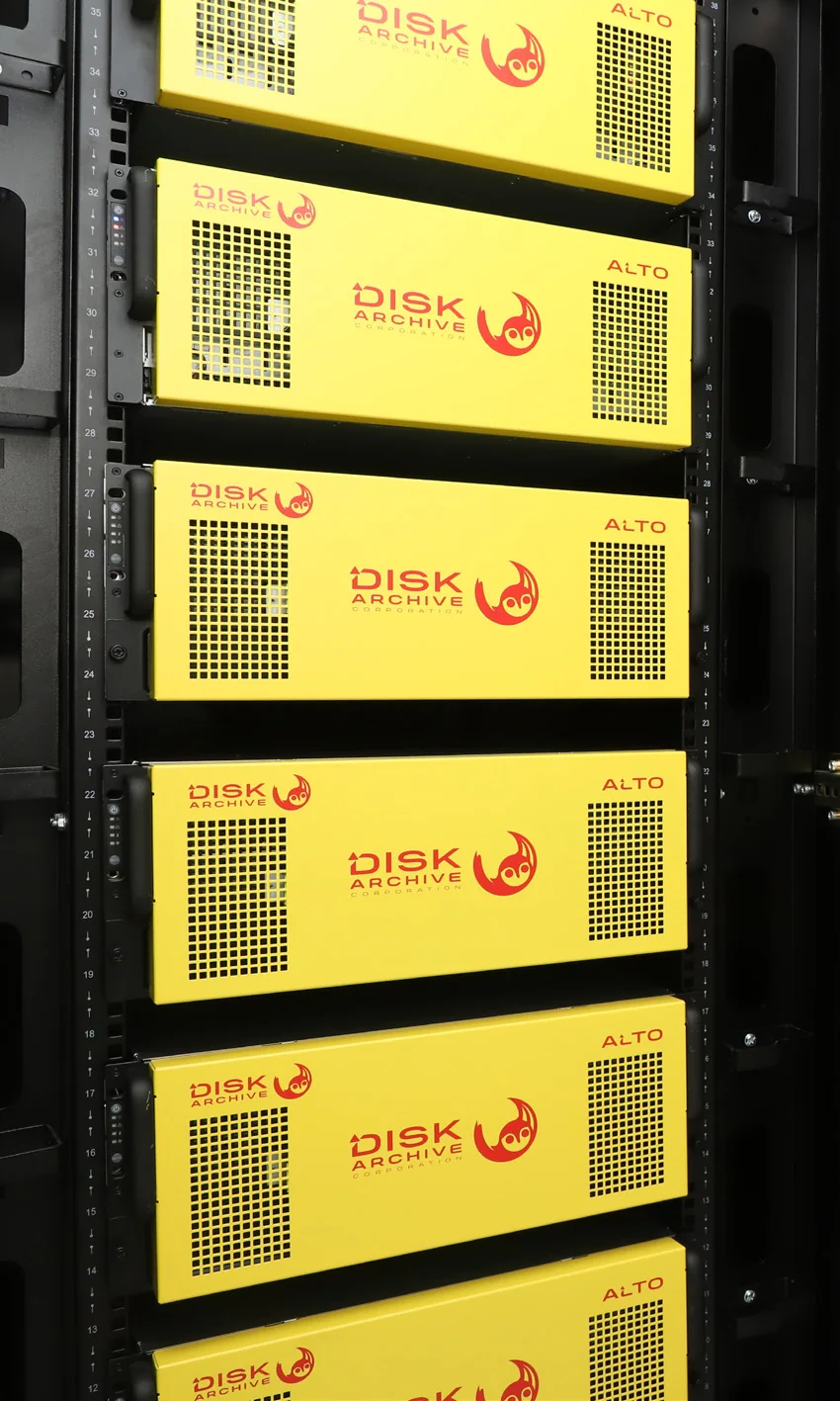
PRO TECHnology partnered with Disk Archive Corporation in March 2026. For an ODA library it handles the whole move: the inventory, read-back on your ODA drives, copying and checksum verification, catalogue updates, and sizing, supplying, installing and supporting ALTO as the destination. The Disk Archive page sets out what PRO TECHnology provides for ALTO projects. Saudi enquiries are handled by PRONEXT in Riyadh, and what is done on site in Saudi Arabia is agreed for each project; see Enterprise IT for organisations in Saudi Arabia.
ODA details to have ready
To scope a destination, send the ODA side of the inventory sheet above: cartridges by generation and type, terabytes actually used, the software that wrote them with its version, and your working drives and spares, including whether they sit in a PetaSite library.
The remaining sizing inputs, from growth to network and installation site, are on our Disk Archive page under the full list of inputs we use to size an archive. Send the details to the Enterprise IT team.
Sources
Sony’s product, software, support and case-study pages on pro.sony and sony.com were read as Wayback Machine copies (archived June, October and November 2025, and October 2019 for the case study); Sony Japan’s ODA pages (sony.jp), Archiware, Disk Archive, TechRadar and the IEC page were read live on 8 October 2026. We found no Sony page carrying the “all regions” statement itself; Sony Japan’s notices cover sales and support in Japan only, and we found no published Sony end-of-repair date for the UAE.
- Sony: ODS-D380U Optical Disc Archive drive, Sony UAE site (archived 22 October 2025)
- Sony: ODS-D380F PetaSite drive unit (archived 17 October 2025)
- Sony: ODS-D380U support page, sony.com (archived 3 November 2025)
- Sony: ODS-L30M PetaSite scalable library, Sony UAE site (archived 16 October 2025)
- Sony: Optical Disc Archive Software (Driver) (archived 17 October 2025)
- Sony: Optical Disc Archive Cartridge Generation 1, US site (archived 19 June 2025)
- Sony: Endemol Shine North America Optical Disc Archive case study (archived 22 October 2019)
- Sony Marketing Inc. (Japan): Optical Disc Archive end-of-sale notice with support end dates by model (31 January 2023, in Japanese)
- Sony Japan: Optical Disc Archive notices, including the 31 March 2025 end of sales in Japan (in Japanese)
- Sony Japan: ODA application software downloads (in Japanese)
- Archiware: 8 steps to deal with discontinuation of the Sony ODA Archive solution (28 April 2025)
- Disk Archive: Sony ODA Replacement with ALTO (22 September 2025, updated 24 September 2025)
- Disk Archive: ALTO Connect
- TechRadar: report on Sony ending recordable disc production, naming the 5.5 TB ODA Generation 3 cartridge as the last generation (21 July 2024)
- IEC: ISO/IEC 16963:2017, test method for the estimation of lifetime of optical disks for long-term data storage
Frequently asked questions
Has Sony discontinued Optical Disc Archive in every region, including the UAE?
Yes. Sony’s announcement, as quoted by Archiware in April 2025, says Optical Disc Archive products were discontinued in all regions as of 31 March 2025, and Disk Archive gives the same date. Sony’s UAE regional site, as archived in October 2025, marked the ODS-D380U stand-alone drive and the ODS-L30M PetaSite master unit as discontinued and directed readers to their local sales representative. TechRadar reported in July 2024 that the 5.5 TB Generation 3 cartridge would be the last generation.
Can we keep using our ODA drives and PetaSite library for now?
Yes, for reading, with care. Archiware’s advice is that a working ODA system will probably keep working if nothing is changed. Freeze the host computer, its operating system, the ODA or archive software and the drive firmware, stop writing new material to ODA, and keep a backup of the catalogue away from the host. Use the time to inventory the library and move collections in verified batches, starting with those that depend on a single compatible drive.
Will Sony still repair ODA drives or supply new ODA cartridges?
As of October 2026, we found no Sony repair, spares or cartridge-supply dates published for the UAE. Sony’s archived UAE product pages direct customers to their local sales representative, so ask Sony, or the Sony supplier that sold your system, and get the answer in writing. In Japan, Sony Marketing Inc. published end-of-repair dates by drive model in January 2023. They run from 31 March 2025 for the ODS-D55U to 31 March 2032 for the ODS-D380U, ODS-D380F and PetaSite units, and Sony’s 31 March 2025 notice there says ODA cartridges can still be purchased. Those statements cover Japan only. For drives, spares and cartridges, ask Sony or your Sony supplier.
Can a Generation 3 ODA drive read Generation 1 and Generation 2 cartridges?
Yes. Sony’s product pages state that the ODS-D380U and ODS-D380F read Generation 1, 2 and 3 cartridges and write Generations 2 and 3. The ODS-D280U and ODS-D280F read Generations 1 and 2 and write Generation 2 only. The first-generation ODS-D55U, ODS-D77U, ODS-D77UA and ODS-D77F read and write Generation 1 only. The ODS-D380U and ODS-D380F are therefore the only drives that read every ODA cartridge generation, and Generation 1 rewritable cartridges can be rewritten only on first-generation drives.
Does Sony’s 100-year media rating mean the ODA archive can be left as it is?
Not on its own. Sony’s figure is an estimated 100-year average archival life for Generation 2 and 3 bare discs, calculated by Sony’s internal accelerated testing with reference to the ISO/IEC 16963 method. It describes the media, not the drives, spares, host computers and software needed to read it. No new drive generation is coming, so the practical limit on an ODA archive is how long you can keep a compatible drive, its spares and a host that runs the software working.
Do we have to move the whole ODA archive at once, or can it run alongside a new archive?
You do not have to move it all at once, and ODA can run alongside the new archive. Archiware suggests leaving a rarely used ODA archive as it is and starting a new archive for new content or, where files are needed more often, migrating in batches from the newest content back to the oldest, which needs staging space for only one or a few cartridges at a time. Keep the ODA host frozen during the move and verify each batch before its cartridges are retired.
Why does it matter which software wrote our ODA cartridges?
Because the restore has to go through it. Sony describes an ODA cartridge as mounting as a single large volume and the system as compatible with UDF (Universal Disk Format), and its Optical Disc Archive Software, with Utility and Filer components, is the software Sony provides for reading and writing files from a host computer. Cartridges written by an archive manager or media asset manager (MAM) are indexed in that software’s catalogue; in a Sony case study, Soleratec Phoenix managed all reads and writes to the cartridges. Restoring through the same software keeps file names, folders and metadata together, so back up its database before the move starts.
أرشيف الأقراص الضوئية من سوني (ODA) بعد إيقافه: ما الذي يعمل وما الخطوات التالية
أوقفت سوني منتجات أرشيف الأقراص الضوئية (Optical Disc Archive) في جميع المناطق اعتبارًا من 31 مارس 2025، وفق إعلان سوني كما نقلته Archiware وأوردته Disk Archive، وتظهر صفحات سوني المؤرشفة في أكتوبر 2025 على موقعها في الإمارات أن محرك ODS-D380U ووحدة مكتبة PetaSite من طراز ODS-L30M متوقفان عن البيع. لم نجد تاريخًا منشورًا من سوني لانتهاء الإصلاح أو قطع الغيار أو توريد الخراطيش في الإمارات، أما في اليابان فقد نشرت Sony Marketing في يناير 2023 مواعيد انتهاء دعم الإصلاح لكل طراز، وتمتد حتى 31 مارس 2032 لمحركات الجيل الثالث ووحدات PetaSite، وذكرت في 31 مارس 2025 أن الخراطيش لا تزال متاحة للشراء هناك؛ لذلك يُنصح بسؤال سوني أو المورّد الذي باع النظام عن الوضع في الإمارات والحصول على الإجابة كتابيًا. وترى Archiware أن النظام العامل اليوم سيبقى على الأرجح قادرًا على القراءة ما لم يُغيَّر فيه شيء، لذا ينبغي التوقف عن كتابة مواد جديدة على ODA وتجميد الحاسوب المضيف ونظام تشغيله والبرنامج الذي كتب الخراطيش.
تقرأ محركات ODS-D380U وODS-D380F وحدها الأجيال الثلاثة من الخراطيش، بينما تقرأ محركات ODS-D280 الجيلين الأول والثاني، وتقرأ محركات الجيل الأول الجيل الأول فقط. وتقدّر سوني متوسط العمر الأرشيفي للقرص الخام من الجيلين الثاني والثالث بنحو 100 عام وفق اختبارات تقادم مُسرَّع داخلية تستند إلى منهج ISO/IEC 16963، لكن القراءة تعتمد على المحركات وقطع الغيار والحواسيب المضيفة وبرامج الفهرسة، وهنا يكمن الخطر الحقيقي. ابدأ بجرد الخراطيش حسب الجيل والنوع، وحجم البيانات الفعلي، والبرنامج الذي كتبها، والمحركات العاملة وقطع الغيار، ووجود نسخة ثانية، ثم اختر بين إبقاء الأرشيف مجمدًا للقراءة فقط أو نقله على دفعات من الأحدث إلى الأقدم مع التحقق من كل ملف بمقارنة المجاميع الاختبارية (checksums) قبل سحب أي خرطوشة من الخدمة.
أصبحت بروتكنولوجي (PRO TECHnology) شريكًا لشركة Disk Archive Corporation في مارس 2026، ويمكنها تنفيذ عملية النقل من ODA بالكامل: جرد المكتبة، وقراءة الخراطيش على محركات ODA العاملة لديك وبالبرنامج الذي كتبها، ونسخ الملفات والتحقق منها، وتحديث الفهرس، ثم تحديد حجم أنظمة ALTO وتوريدها وتركيبها ودعمها بوصفها وجهة الأرشيف الجديدة. وتتولى شركة PRONEXT في الرياض استفسارات العملاء في المملكة العربية السعودية، ويُتفق على الأعمال الميدانية هناك لكل مشروع على حدة.
Send us your ODA inventory
Share your ODA inventory sheet, including how often each collection is opened. The Enterprise IT team will plan the move with you, from read-back and verification to the destination archive, and size Disk Archive ALTO if it fits. Call +971 4 343 5501 or email sales@protech.ae.